Kittl
Editable merchandise design for print-on-demand sellers using AI-generated artwork.
Key Takeaways
- What it is
- Editable merchandise design for print-on-demand sellers using AI-generated artwork.
- Pricing
- Freemium · $19 per month · $49 per month · $85 per month
- Best for
- AI Workflows
- Creative Agent
- AI Vector Generator
- Rating
- 4.3/5
What is Kittl?
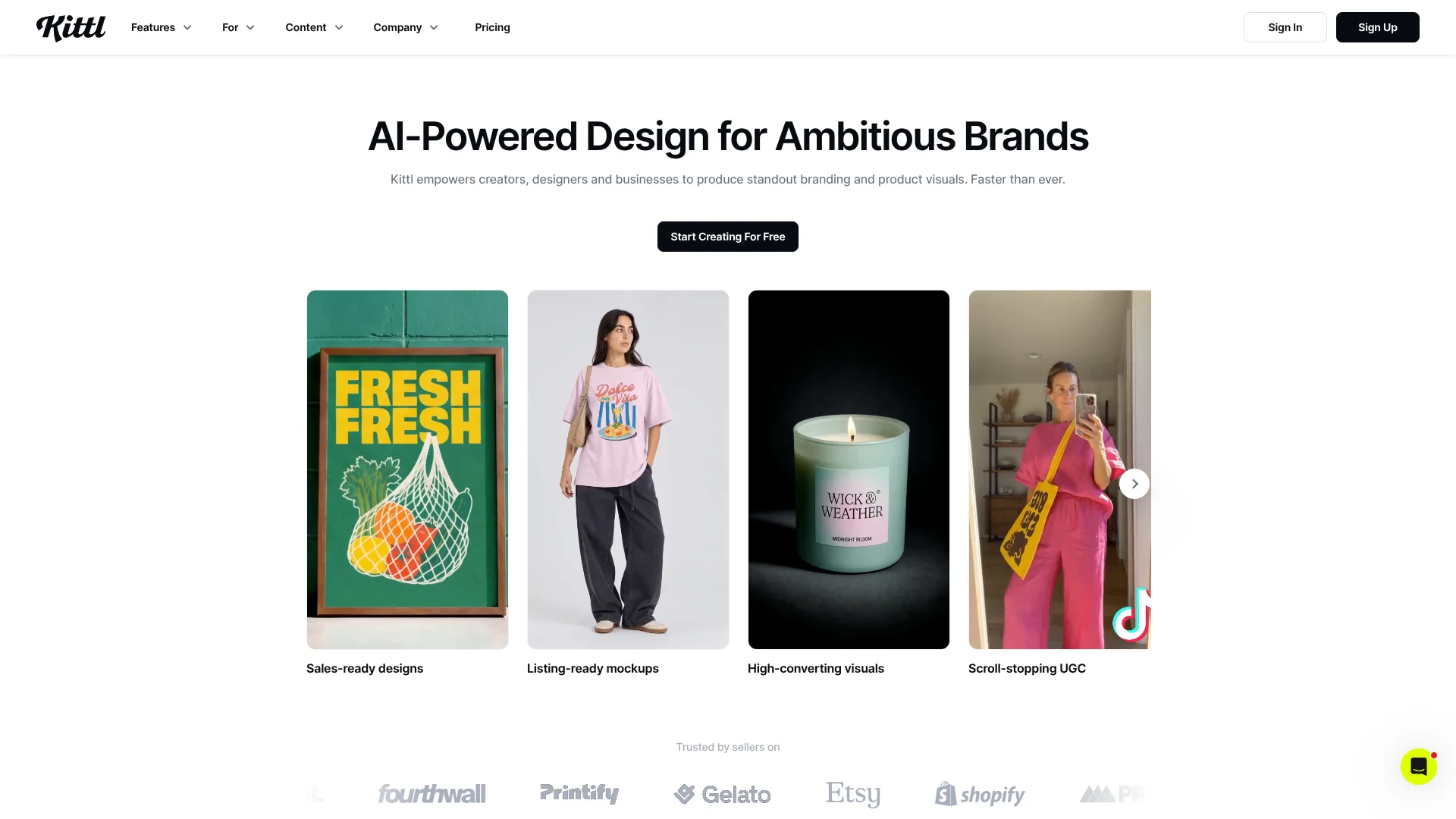
Kittl turns ideas and product images into editable designs, mockups, and short videos for sellers, small businesses, agencies, and designers. Its browser-based editor pairs AI image and video tools with templates, fonts, and graphics, so a product launch can move from an initial concept to listing visuals and marketing content in one design project.
Kittl Flows connect a design to the AI image boards, mockups, and video boards built from it. When the source changes, you can regenerate connected results, keeping a product visual pipeline tied to its original artwork.
Kittl is a strong fit for people making brand assets, print-on-demand products, or product listings who want to edit AI results rather than treat them as finished images. AI generations use plan tokens, and Free exports are limited to 800 pixels at 72 dpi, so frequent commercial work may need a paid plan.
Who is Using Kittl?
E-commerce sellers
Product mockups and listing visuals help present merchandise without arranging a product photo shoot.
Brand designers
Editable vector artwork and stored brand assets support logo and visual identity work.
Social media managers
AI Workflows and video generation help prepare campaign posts and short promotional clips.
Small business owners
Brand Studio keeps logos, colors, and fonts ready for product and marketing designs.
Uncommon Use Cases
Building a connected sequence from a flat design to a mockup and video; generating on-brand visuals from a website-imported Brand
Key Features
Rating Breakdown
Pricing Plans
Free
Free
- Free forever, with no trial period or expiry
- 5 active projects and 500MB of uploaded-file storage
- PNG and JPG exports up to 800 pixels at 72 dpi
- Personal use only; AI-generated images are shared publicly with the Kittl community
Pro
$19 per month
- $14 per month when billed annually
Expert
$49 per month
- $39 per month when billed annually
Max
$85 per month
- $65 per month when billed annually
Which Kittl plan should you pick?
Start with Free for personal projects and editor exploration; choose a paid plan when you need commercial rights, high-resolution or vector exports, more project capacity, or greater AI usage.
Free
Good for learning the editor and making personal projects with limited storage and low-resolution exports.
Pro
Good for creators who need commercial use, high-resolution and vector exports, premium assets, and more AI tokens.
Expert
Good for heavier AI use and larger projects that need more storage and daily tokens.
Max
Good for the highest listed AI token allowance, more storage, and an Enhanced License without a copy limit.
Kittl Use Cases
Create product listing visuals
A product photo or design can become a styled product scene through a guided AI Workflow.
Outcome: Product visuals ready to edit or download.
Preview merchandise on mockups
A finished apparel or product design can be placed on a mockup to show how it may look in use.
Outcome: A realistic product preview for listings or presentations.
Build a brand identity
Logos, colors, fonts, and visual style can be stored together and applied to later designs.
Outcome: Reusable brand assets for consistent creative work.
Animate a campaign visual
A design, photo, mockup, or text prompt can serve as the starting point for a short AI video.
Outcome: An MP4 video clip for promotional or social content.
Develop editable vector artwork
A text idea can become vector graphics for logos, illustrations, stickers, or print designs.
Outcome: Editable vector paths in Kittl.
Workflow Ideas with Kittl
From product design to listing video
- 1Start with a product design on an artboard.
- 2Connect a mockup board and choose a product scene.
- 3Add an AI Video board to create a short clip from the connected result.
Create branded campaign visuals
- 1Set up a Brand with logos, colors, fonts, and visual style.
- 2Choose an AI Workflow for an ad or social media visual.
- 3Apply the Brand, review the generated result, and edit it in Kittl.
Turn a concept into vector art
- 1Describe the subject and intended style in the AI Vector Generator.
- 2Generate vector artwork and adjust its paths in the editor.
- 3Add the artwork to a design or mockup.
How Kittl fits into your stack
Browser design editor
Kittl's editor is where designs, templates, text, and AI-generated assets can be refined together. It works best in a current Chrome, Firefox, or Safari browser.
AI creation
AI Workflows and Creative Agent start from a guided task or brief, while image, vector, and video tools generate specific assets.
Brand assets
Brand Studio stores logos, colors, fonts, and visual style for reuse in the editor and supported AI Workflows.
Connected creative steps
Kittl Flows link designs to mockups and AI image or video boards, letting later outputs use earlier results as references.
External AI chat tools
The Kittl MCP connector links Kittl with Claude, ChatGPT, Claude Code, Codex, and other apps that support remote MCP servers.
Pros
- +Editable AI results: Vector Generator artwork can be adjusted as vector paths in the editor.
- +Product-ready workflows: Guided templates cover mockups, product visuals, apparel, and listing videos.
- +Brand consistency: Saved Brand assets can guide designs and AI-generated content.
- +Shared workspace: Teammates can co-create, edit, and manage designs together.
Cons
- −Token budgeting: AI actions draw from a plan balance, and costs vary by model and task.
- −Browser-based editor: Kittl works in supported web browsers rather than a downloadable desktop app.
Limitations & when to consider alternatives
Known limitations
- Free export limits. The Free plan allows PNG and JPG exports up to 800 pixels at 72 dpi; vector and high-resolution exports require a paid plan.
- Free project and storage limits. The Free plan includes 5 active projects and 500MB of uploaded-file storage.
- Free-use rights. Free designs are for personal use only, and AI-generated images are shared publicly with the Kittl community.
- Tokens do not roll over. Monthly plan tokens expire at the end of the billing cycle; token costs vary by AI feature and model.
- Video editing platform limit. Editing video clips on a timeline is available on desktop only.
Look elsewhere when
- You need a downloadable desktop design app rather than a browser-based editor.
- You need high-resolution or vector exports while staying on a free plan.
- Your designs require commercial use on the Free plan.
- You need video timeline editing from a phone.
How to Use Kittl
- 1
Choose a starting point
Select an AI Workflow for a guided result, Creative Agent for a chat-based brief, or a project in the editor for hands-on design.
- 2
Add your idea or reference
Describe the result you want or provide a product photo or design; Creative Agent supports up to 10 reference images.
- 3
Set the brand direction
In Brand Studio, save your logos, colors, fonts, and visual style so supported workflows can use them.
- 4
Generate and review
Check the token cost shown for the selected AI settings before generating, then review the output.
- 5
Edit the result
Open the result in Quick Edits or the editor to adjust its appearance or continue designing.
- 6
Export or continue the flow
Download the finished asset, or connect it to another mockup, image, or video board in Kittl Flows.
Who is Kittl For?
Print-on-demand sellers
Merchandise designs, product mockups, and listing visuals can start from the same product idea.
Small businesses
Brand Studio and AI Workflows help produce branded product imagery and campaign content.
Agencies
A shared workspace and reusable brand assets support creative work across client projects.
Designers
Templates, typography tools, and editable vector artwork support branding and print projects.
Creators
AI image and video tools help turn concepts into social and promotional visuals.
Frequently Asked Questions
Does Kittl have a free plan?
Yes. The Free plan has no time limit and includes 5 active projects, 500MB of uploaded-file storage, and PNG or JPG exports up to 800 pixels at 72 dpi.
Can I use Kittl designs commercially?
The Free plan is for personal use. Pro and Expert include a Commercial License for up to 500,000 reproductions; Business plans have an Enhanced License beyond that limit.
Can teammates edit designs together?
Yes. Kittl lets you invite teammates to co-create, edit, and manage designs in a shared workspace. Viewers are free, and additional editors are charged according to the selected plan.
Does Kittl connect to Claude or ChatGPT?
Yes. Its MCP connector lets supported AI chat apps use Kittl for tasks such as generating images, running workflows, and checking token balances.
Do AI tokens carry over?
No. Monthly plan tokens reset each billing cycle. Separately purchased tokens do not expire.
Community reviews
1 review from people who use Kittl.
Sign in to leave a review for Kittl.
julia Bladinieres
Kittl Alternatives
Looking for alternatives to Kittl? Here are similar tools in the same category: