
Klap
AI transforms long videos into viral short clips effortlessly.
Key Takeaways
- What it is
- AI transforms long videos into viral short clips effortlessly.
- Pricing
- Freemium · $29 per month
- Best for
- AI Editing
- Auto Reframing
- Engaging Captions
- Rating
- 4.6/5
What is Klap?
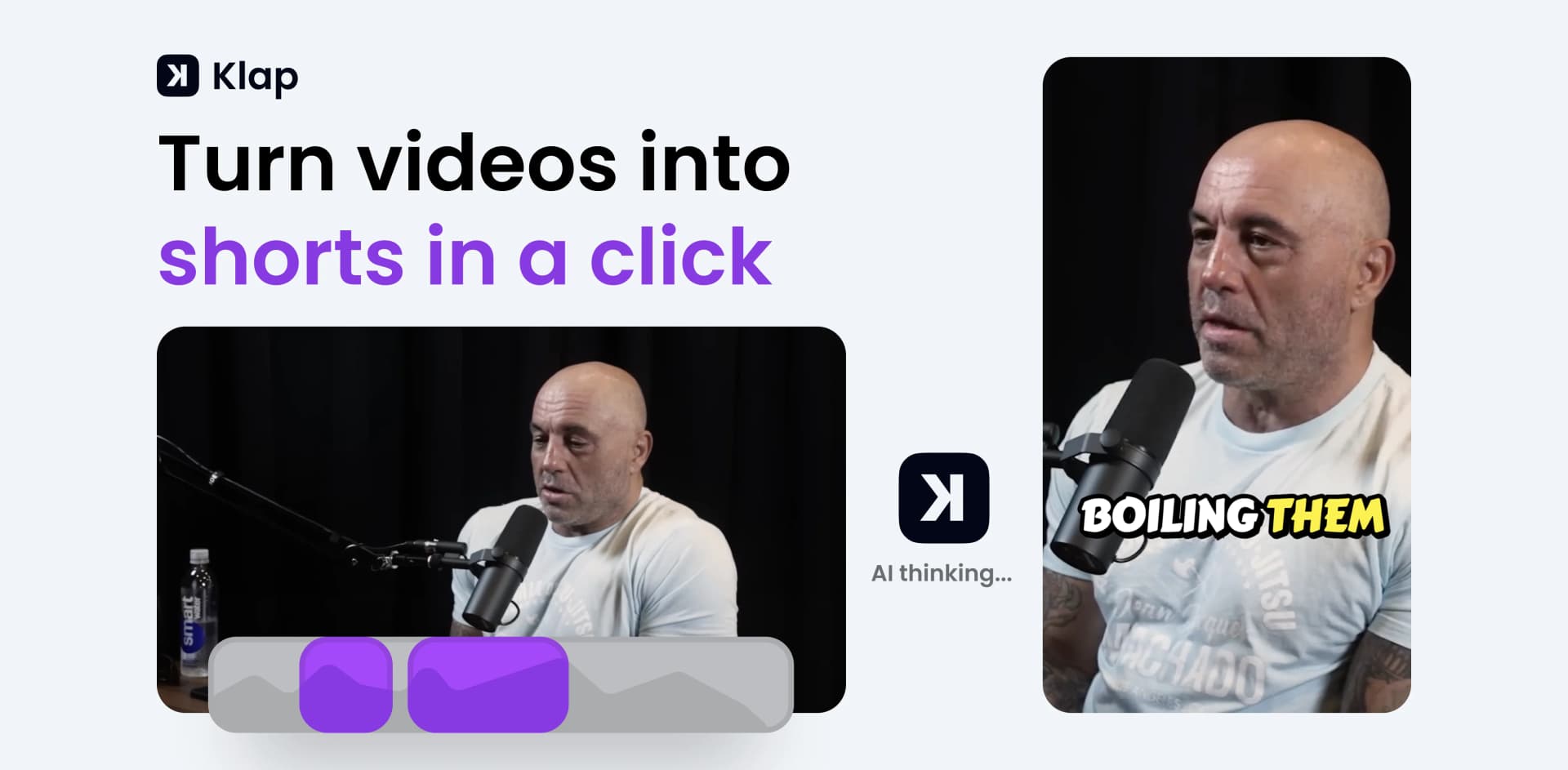
Klap is an innovative AI-powered tool designed to transform long-form videos into engaging, viral short clips with minimal effort. It caters to content creators, marketers, and businesses aiming to boost their social media presence by converting lengthy videos into easily shareable formats such as TikToks, Reels, and Shorts. Klap simplifies video editing by employing advanced AI algorithms to automatically select and edit the most compelling parts of a video, making it an essential tool for anyone looking to enhance their digital content strategy.
Klap stands out with its ability to automatically generate viral-worthy content from long-form videos, revolutionizing how creators engage with their audiences. Its AI-driven editing and reframing capabilities, combined with customizable branding options, make it a game-changer for content creators looking to maximize their reach across various social media platforms.
Klap offers an exceptional solution for content creators and marketers looking to streamline their video editing process and enhance their social media engagement. Its AI-powered features and user-friendly interface make it easy to transform long videos into captivating short clips, ultimately saving time and resources while expanding your digital footprint. With Klap, creating viral content has never been more accessible.
Who is Using Klap?
Content Creators
Leveraging Klap to produce engaging short-form content for platforms like TikTok and Instagram.
Digital Marketing Professionals
Utilizing the tool to create visually appealing content that enhances campaign strategies.
Social Media Managers
Using Klap to streamline the process of generating and posting content across multiple channels.
Educators and Trainers
Adopting Klap to create concise educational clips that enhance learning experiences.
Uncommon Use Cases
Employed by non-profit organizations to create awareness through impactful video snippets; used by life coaches to share motivational content efficiently.
Key Features
Rating Breakdown
Pricing Plans
Free Tier
Free
- Experience Klap with a free trial
- Allowing the creation of one video
Pro Tier
$29 per month
- Offering advanced features and unlimited video creation
Which Klap plan should you pick?
Start with the free one-video experience to validate output, then choose Basic for individual use, Pro for higher-volume professional work, or Pro+ for teams.
Basic
Good for individuals who need up to 100 generated clips per month.
Pro
Good for professionals who need up to 300 generated clips per month.
Pro+
Good for teams that need up to 1,000 generated clips per month and shared team-oriented capabilities.
Klap Use Cases
Turn long videos into short clips
Upload a long video or provide a YouTube link, then let Klap identify and edit the strongest moments.
Outcome: Ready-to-publish short-form videos.
Reframe and caption videos
Apply AI reframing and animated captions to existing short or long videos.
Outcome: Platform-ready videos with centered subjects and synchronized captions.
Repurpose content for social media
Create clips in vertical or other platform formats and publish or schedule them to social channels.
Outcome: A consistent stream of social video content.
Apply consistent branding
Create style presets with custom captions, fonts, colors, and logos, then reuse them across generated videos.
Outcome: Consistently branded video output.
Embed video clipping in another product
Use the REST API to submit videos, retrieve generated projects, export results, or embed the Klap editor.
Outcome: Programmatic video-processing workflows inside another application.
Workflow Ideas with Klap
Create and publish social clips
- 1Upload a video or paste a YouTube link
- 2Generate clips with captions and AI reframing
- 3Export, publish, or schedule the clips to social platforms
Automate podcast promotion through the API
- 1Submit a podcast episode URL to the video-to-shorts endpoint
- 2Poll the task and retrieve generated projects with virality scores
- 3Export selected clips and deliver them to your publishing pipeline
Standardize branded client content
- 1Create a style preset with captions, fonts, colors, and a logo
- 2Apply the preset to video-to-shorts or video-to-video tasks
- 3Review and export clips from the shared team workspace
How Klap fits into your stack
Browser
Klap is used as a cloud-based web editor and converter: users paste video URLs or upload files, generate shorts, edit captions and framing, and export finished videos.
Automation and APIs
The REST API supports programmatic video-to-shorts generation, captioning, reframing, transcripts, exports, managed users, and embedded editing workflows.
Social publishing
Klap connects social accounts for publishing and includes analytics and scheduling for platforms such as TikTok, Instagram, YouTube, Facebook, and Snapchat.
Pros
- +Time Efficiency: Klap significantly reduces the time spent on video editing by automating the clipping process.
- +Cost-Effective: The tool offers a free trial, allowing users to explore its capabilities without an initial financial commitment.
- +User-Friendly Interface: The intuitive design makes it easy for users to navigate and utilize the tool effectively, regardless of their technical expertise.
- +Multi-Platform Compatibility: Klap supports direct publishing and scheduling on major social media platforms like TikTok, YouTube, Instagram, and LinkedIn.
Cons
- −Initial Learning Curve: While the interface is user-friendly, some users might require time to explore all advanced features fully.
- −Limited Free Version: The free version allows the creation of only one video, which might not be sufficient for some users to gauge the tool's full potential.
Limitations & when to consider alternatives
Known limitations
- Free usage is limited. The free experience allows creation of one video; higher volumes require a paid plan.
- Monthly plans have clip and upload limits. The pricing page lists Basic at 100 clips per month, Pro at 300, and Pro+ at 1,000.
- Speech-heavy videos work best. Klap states that its results are strongest for podcasts, interviews, educational videos, reviews, and other content incorporating speech.
- API input support is URL-based. The documented API accepts YouTube links and public HTTP/HTTPS video-file URLs; Google Drive and Twitch support are listed as future updates.
- Browser-based product experience. Klap’s own PC guidance says the product works entirely in a browser and requires no software installation.
Look elsewhere when
- You need an installable desktop video editor.
- You need image-file understanding rather than video processing.
- You need model fine-tuning or training on your own data.
How to Use Klap
- 1
Start a project
Open Klap, sign in, and either paste a YouTube link or upload a video file to begin processing.
- 2
Configure the output
Choose options such as captions, reframing, aspect ratio, clip count, and maximum clip duration.
- 3
Review generated clips
Inspect the AI-selected clips and use virality scores to prioritize the strongest candidates.
- 4
Apply branding
Customize captions, fonts, colors, and logos, then save the configuration as a reusable style preset.
- 5
Export or publish
Export finished clips or connect supported social accounts to publish and schedule content.
- 6
Use the API for scale
Create an API key, submit video-processing tasks, poll task status, retrieve projects, and export selected clips programmatically.
Who is Klap For?
Agencies
Agencies can process client videos, apply separate brand kits, and use team workspaces for client separation.
Podcast networks
Podcast networks can generate recurring promotional clips for multiple shows and connect API-based pipelines.
Media companies
Media companies can repurpose archive footage, process content in bulk, and schedule selected clips.
SaaS and platform companies
SaaS and platform companies can embed Klap’s AI clipping engine through the API.
Frequently Asked Questions
How does Klap work?
Upload a video or paste a YouTube link. Klap identifies interesting topics, reframes the footage, generates captions, and creates short clips.
What kind of videos are supported?
Klap works with many video types and performs best on speech-heavy content such as podcasts, interviews, educational videos, product reviews, and trainings.
What languages are supported?
Klap edits and transcribes videos in 52 languages, including English, Spanish, French, German, Japanese, Korean, Arabic, Hindi, and Portuguese.
Is Klap free?
You can create one video for free without a credit card. Paid plans provide higher monthly video and clip limits.
Can Klap publish videos to social platforms?
Klap supports publishing and scheduling across platforms including YouTube, Instagram, TikTok, and LinkedIn.
Does Klap provide an API?
Yes. The Klap API provides documented REST endpoints for generating shorts, managing projects, exporting videos, and embedding the editor.
Community reviews
9 reviews from people who use Klap.
Sign in to leave a review for Klap.
Rani
Yunus Altın
Raysingh Meena
Jacob Bar
Louise H.
Théo Champion
Elise Hofman
Théo Champion
Dearbhail Birgis
Klap Alternatives
Looking for alternatives to Klap? Here are similar tools in the same category:
Learn to Master Klap
With Skill Leap courses
Get in-depth training on Klap and 50+ other AI tools with our expert-led video courses.
Start 7-Day Free Trial