
Knotr AI
Keep AI behavior consistent, reuse context across tools.
Key Takeaways
- What it is
- Keep AI behavior consistent, reuse context across tools.
- Pricing
- Freemium · $24 per month, or $20 per month billed annually · $49 per month, or $40 per month billed annually · $25 per user per month (3-user minimum)
- Best for
- Profiles and Personas
- Semantic Knowledgebases
- Reusable MCP Skills
- Rating
- 4.4/5
What is Knotr AI?
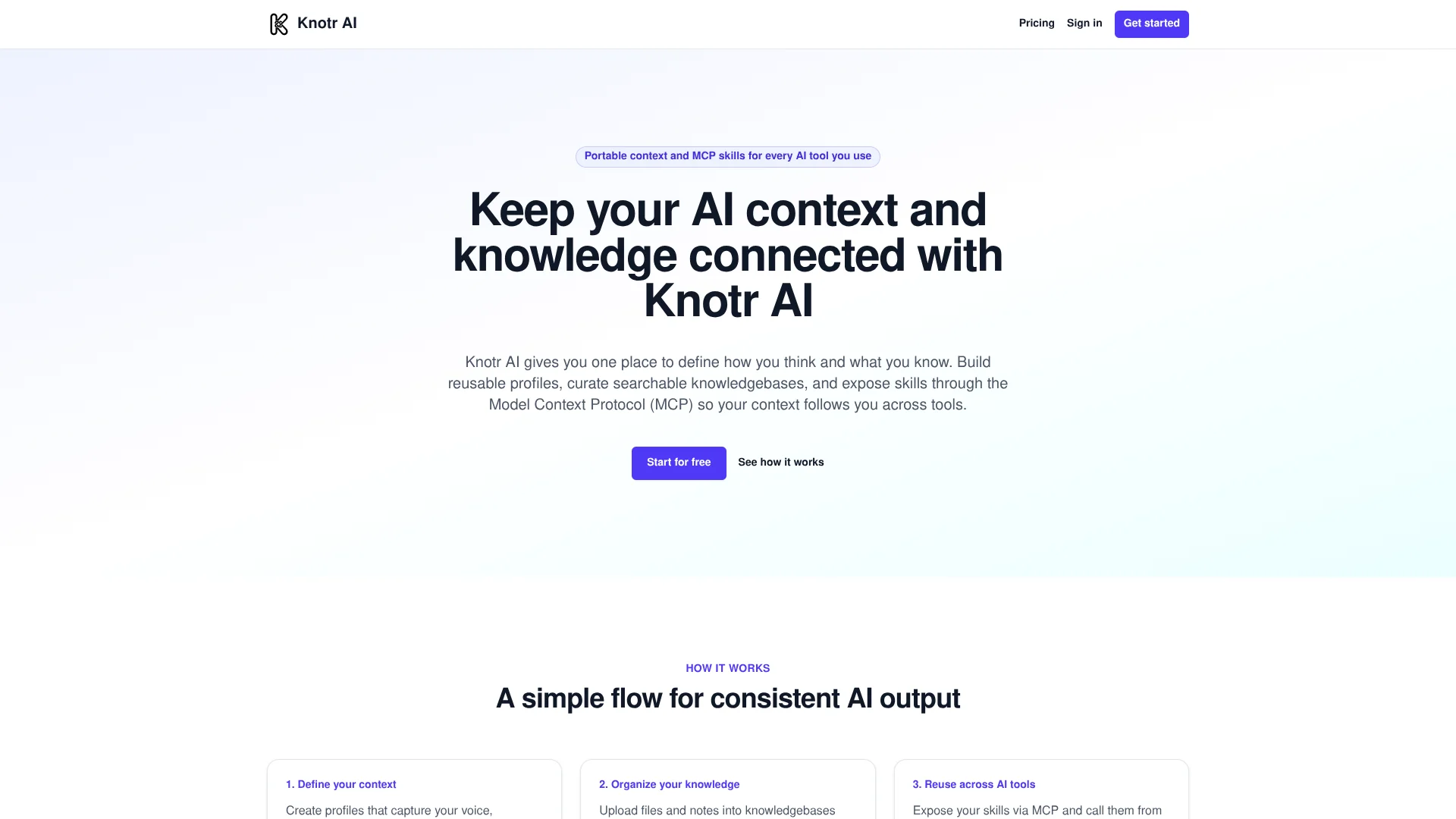
Knotr AI focuses on one specific problem: keeping AI context and knowledge consistent across every AI tool a person or team uses. It acts as a central context layer where users define profiles, store documents in searchable knowledgebases, and package repeatable workflows as skills that can be called through the Model Context Protocol (MCP). Instead of rebuilding prompts and instructions per app, users configure them once and reuse them with compatible clients like Claude and Cursor.
Knotr AI takes MCP seriously as its native distribution channel, treating skills as first class objects that can travel between clients while staying tied to shared profiles and knowledgebases. Its Git free collaboration model is friendly to non developers while still keeping a proper history of changes. Rather than being yet another agent builder, it concentrates on the context and instruction layer that all agents and assistants rely on, which feels surprisingly powerful for teams that constantly bounce between multiple AI tools.
Knotr AI offers a focused way for individuals and teams to define how they want AI to think, talk, and reference internal knowledge, then reuse that context consistently wherever MCP can reach. For builders juggling multiple assistants, IDEs, and agents, centralizing profiles, documents, and skills in one place reduces repetition and makes context updates propagate everywhere at once. The experience is especially appealing for small teams that want structured AI workflows without maintaining a dedicated prompts repository, making Knotr AI a convincing candidate for the “context backbone” of modern AI stacks.
Who is Using Knotr AI?
AI Engineers and Prompt Engineers
Standardizing prompts, profiles, and skills across internal tools and IDEs.
Software Teams Using Cursor or Claude Code
Keeping rules, project instructions, and MCP skills consistent across developer machines. (knotr.ai)
Consultancies and Agencies
Packaging repeatable client workflows as skills that can be reused project after project.
Knowledge Heavy Solo Professionals
Lawyers, researchers, or analysts keeping personal knowledgebases and instructions aligned across multiple AI assistants.
Uncommon Use Cases
Internal enablement teams building a “house style” of AI usage for non-technical staff; educators running prompt-engineering labs where students call the same shared skills from different AI tools.
Key Features
Rating Breakdown
Pricing Plans
Free
Free
- Includes 1 Profile, 10 Skills, and 50 Documents
Pro
$24 per month, or $20 per month billed annually
- Includes 5 Profiles, 75 Skills, and 500 Documents
Max
$49 per month, or $40 per month billed annually
- Includes Unlimited Profiles, Unlimited Skills, and 5,000 Documents
Team
$25 per user per month (3-user minimum)
- Includes Unlimited Profiles and Skills, 1,000 Documents per user, shared and private knowledge and skills, and built-in changelogs
Which Knotr AI plan should you pick?
Start with Free to test profiles, skills, documents, and artifacts; upgrade to Pro or Max for larger personal workspaces, or Team for shared collaboration.
Free
Good for individuals testing a knowledge foundation with 1 profile, 10 skills, 50 documents, and 10 artifacts.
Pro
Good for individuals who need 5 profiles, 75 skills, 500 documents, and 75 artifacts.
Max
Good for power users who need unlimited profiles, skills, artifacts, and style guides, with 5,000 documents.
Team
Good for teams that need shared and private knowledge, approvals, team listings, GitHub marketplace imports, and changelogs.
Knotr AI Use Cases
Standardize AI-generated writing
Create profiles and style guides that connected AI tools use for tone, judgment, and writing rules.
Outcome: Outputs follow a consistent personal or team voice.
Ground AI work in trusted knowledge
Store notes and documents in knowledgebases and expose selected knowledge to connected AI clients.
Outcome: Sessions begin from reusable information instead of blank prompts.
Reuse repeatable workflows
Package prompts and inputs as skills and run them from ChatGPT, Cursor, Claude, Claude Code, or MCP clients.
Outcome: Repeatable work is maintained centrally and reused across tools.
Publish durable AI work
Save briefs, plans, canvases, pages, and other outputs as versioned artifacts.
Outcome: Work remains accessible through a shareable link after a chat ends.
Manage shared team standards
Let teammates test, refine, approve, and share skills, knowledgebases, and style guides.
Outcome: Teams maintain common standards without a prompts repository.
Workflow Ideas with Knotr AI
Create and reuse a team writing standard
- 1Create a team style guide in Knotr.
- 2Share or approve it in the team workspace.
- 3Connect the profile to ChatGPT, Claude, Cursor, or another MCP client.
Turn a recurring process into a skill
- 1Define the workflow as a Knotr skill with prompts and inputs.
- 2Test and refine it with Knotr’s AI assistant.
- 3Expose the approved skill to connected AI tools.
Preserve an AI-produced deliverable
- 1Ask a connected AI client to create a brief, plan, or page.
- 2Save the result as a Knotr artifact.
- 3Share the versioned artifact link or group it in a Collection.
How Knotr AI fits into your stack
Browser
Knotr is used as a browser-based workspace for editing profiles, style guides, knowledgebase notes, skills, and artifacts.
Knowledge and files
Knowledgebases hold trusted notes and uploaded documents that can be searched and exposed to connected AI tools.
Desktop / IDE
Knotr connects to Cursor, Claude Code, Claude Desktop, and other compatible clients through integrations or MCP; the external client remains the working surface.
Automation and APIs
MCP-compatible clients can load profiles, run skills, search exposed knowledge, and save artifacts.
Pros
- +Consistent AI behavior across tools: One source of truth for profiles, rules, and knowledge reduces surprise differences between ChatGPT, Claude, Cursor, and others.
- +Less repetitive setup work: Users no longer need to re-upload the same documents or rewrite instructions for each new AI app they test.
- +Team collaboration without Git overhead: Non-technical team members can propose and refine skills without touching branches or repos, which is refreshing for prompt work.
- +Granular control over exposure: Context and skills can stay private, be shared within a workspace, or be exposed selectively through MCP, which suits teams with stricter access patterns.
Cons
- −Best value with MCP compatible tools: Users who mostly work in AI apps without MCP support will not get the full portability story yet.
- −Another control panel in the stack: Teams already juggling multiple dev tools and dashboards may feel some initial friction adding a separate context hub.
- −Document limits on lower tiers: Heavy document users may outgrow the Free or Pro document caps fairly quickly and need to move up a tier.
Limitations & when to consider alternatives
Known limitations
- Gemini has instructions-only support. Gemini cannot use live Knotr skills, search Knotr knowledgebases, or save artifacts.
- Gemini instructions do not sync automatically. Users must copy a fresh generated instruction block into Gemini after changing their Knotr profile.
- Free plan has fixed limits. The Free plan includes one profile, 10 skills, 50 documents, 10 artifacts, and one starter-pack style guide.
- Pro has bounded workspace limits. The Pro plan includes five profiles, 75 skills, 500 documents, 75 artifacts, and one style guide.
- Max still limits documents. The Max plan provides unlimited profiles, skills, artifacts, and style guides, but includes 5,000 documents.
Look elsewhere when
- You need a native mobile app.
- You need multilingual generation as a documented feature.
- You need image analysis.
- You need a dedicated desktop application.
How to Use Knotr AI
- 1
Create a profile
Sign up and create a profile that defines the identity, tone, and judgment you want connected AI tools to use.
- 2
Add knowledge
Store trusted notes and documents in a knowledgebase so connected sessions can search and reuse them.
- 3
Add style guides
Turn writing preferences and standards into enforceable rules for consistent output.
- 4
Create or import skills
Package repeatable workflows as skills, or use the Skills Catalog and GitHub marketplace import where available.
- 5
Connect an AI client
Open Integrations and connect ChatGPT, Cursor, Claude, Claude Code, Gemini instructions, or an MCP client.
- 6
Save outputs as artifacts
Ask a connected client to save worthwhile briefs, canvases, plans, or pages as versioned shareable artifacts.
Who is Knotr AI For?
Software Development
Uses review standards, architecture context, writing rules, and shared skills across coding tools.
Product Management
Keeps strategy, metrics, prioritization rules, PRDs, and stakeholder-update standards aligned.
Operations & Project Management
Supports planning, incident work, ceremony formats, escalation paths, and runbook voice.
Sales & Marketing
Centralizes ICP, messaging, proof points, campaigns, sequences, and landing-page standards.
Writing & Communication
Maintains audience, voice, and document standards for summaries, changelogs, and technical posts.
Frequently Asked Questions
Is Knotr free to start?
Yes. Knotr offers a free plan with no credit card required. The Free plan includes one profile, 10 skills, 50 documents, and 10 artifacts.
Which AI tools work with Knotr?
Knotr supports ChatGPT, Cursor, Claude Code, Claude, Gemini through instructions, and any compatible MCP client.
Do I need to code?
No. Knowledgebase notes can be edited in the browser, and integrations can be connected when ready.
Can Knotr share work with teammates?
Yes. Team workspaces support shared and private knowledge and skills, team skill listings, approvals, and built-in changelogs.
Can I publish and share what I create?
Yes. Artifacts are versioned documents and pages that can be opened through shareable links and grouped into Collections.
Can Gemini use Knotr skills?
Not currently. Gemini receives pasted instructions only and cannot use live Knotr skills, search knowledgebases, or save artifacts.
Community reviews
Be the first to share your experience.
Sign in to leave a review for Knotr AI.
Knotr AI Alternatives
Looking for alternatives to Knotr AI? Here are similar tools in the same category:
Learn to Master Knotr AI
With Skill Leap courses
Get in-depth training on Knotr AI and 50+ other AI tools with our expert-led video courses.
Start 7-Day Free Trial