
Layer AI
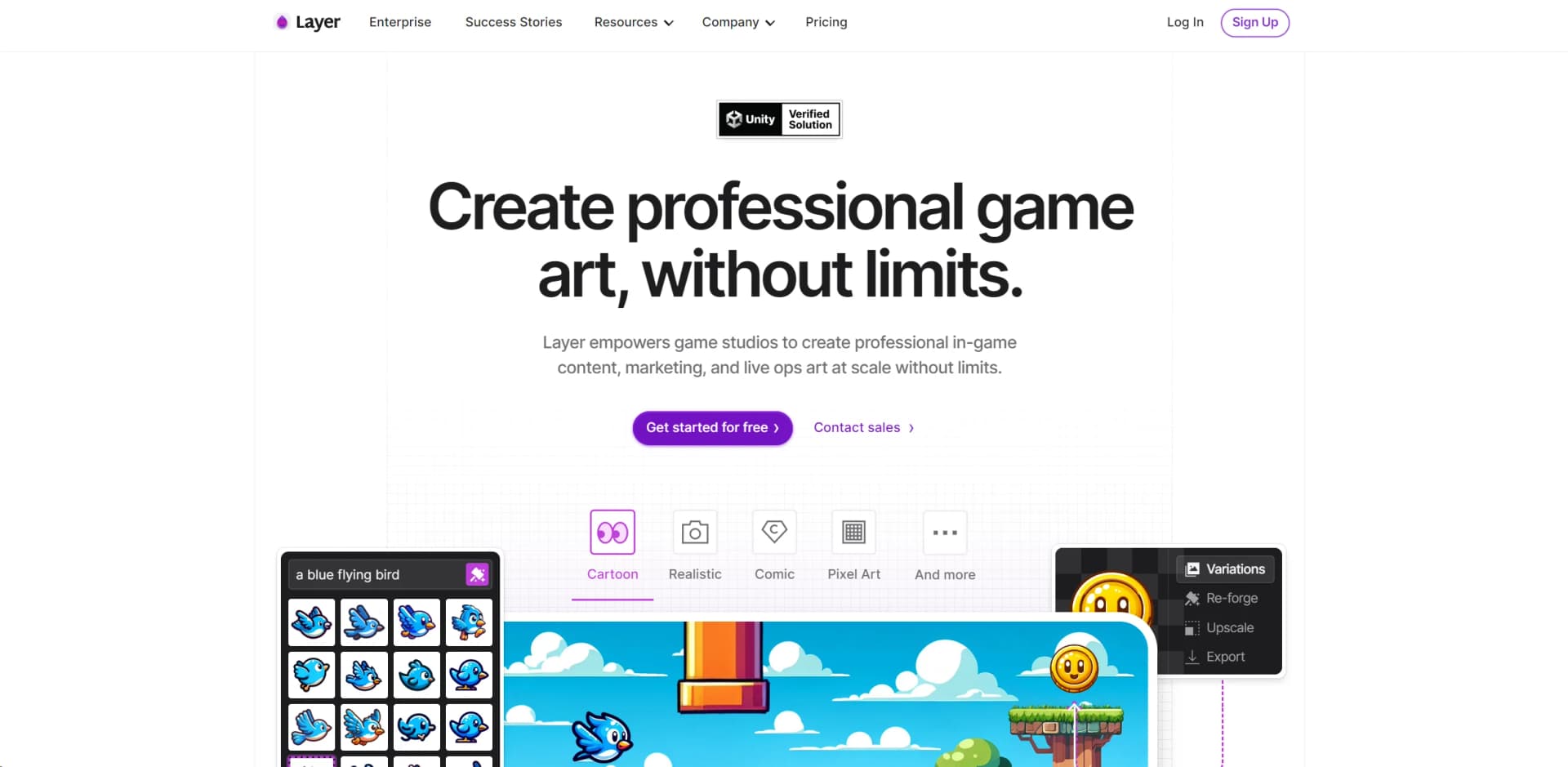
Revolutionize game asset creation with AI, ensuring style consistency and boosting productivity.
Watch Layer AI in Action
Key Takeaways
- What it is
- Revolutionize game asset creation with AI, ensuring style consistency and boosting productivity.
- Pricing
- Freemium
- Best for
- Creativity at Scale
- Style-Consistent Asset Generation
- Efficient Pre-Production and Testing
- Rating
- 4.6/5
What is Layer AI?
In the dynamic realm of game development, Layer AI AI emerges as a revolutionary tool designed to empower game studios in creating professional in-game content, marketing, and live ops art with unparalleled efficiency and creativity. Its core purpose is to facilitate the generation of high-quality game assets at scale, adhering closely to the unique art style of each game. From my exploration of Layer AI AI, it's clear that this tool is not just about automating asset creation; it's about enhancing the creative process, enabling game developers to experiment with ideas and refine them into production-ready assets with ease.
Layer AI AI stands out in the game development landscape for its ability to seamlessly blend creativity with technology. The tool's unique selling point is its style-consistent asset generation, which allows developers to maintain the artistic integrity of their games while benefiting from the scalability and efficiency of AI. This capability is a game-changer, particularly for studios looking to produce a high volume of assets without compromising on quality or style.
Layer AI AI is a potent tool that significantly enhances the game development process by enabling studios to create high-quality, style-consistent game assets at scale. Its unique features, like style-consistent asset generation and powerful editing tools, offer unmatched advantages, making it an essential asset for game developers seeking to boost productivity and creativity. Whether you're part of a large studio or an indie developer, Layer AI AI's capabilities can transform your artistic workflow, making it a highly recommended tool in the realm of game development.
Who is Using Layer AI?
Top Game Developers
Utilizing the tool to streamline the production of in-game assets and marketing materials.
Indie Game Studios
Leveraging Layer AI AI to enhance creativity and productivity without the costs associated with large art departments.
Live Ops Teams
Employing the tool to quickly generate content to keep players engaged with new experiences.
Marketing Teams
Creating variations of ad content and app-store assets efficiently to support user acquisition efforts.
Uncommon Use Cases
Educational institutions incorporating Layer AI AI into their curriculum to teach game design and digital art production; freelance game artists using the tool to expand their portfolio and service offerings.
Key Features
Rating Breakdown
Pricing Plans
Free Tier
Free
- Start with a free trial to explore the features and capabilities of Layer AI AI
Custom Packages
- Contact sales to design a package that's tailored to your studio's specific needs
Which Layer AI plan should you pick?
Start with Free to explore Layer and buy Creative Units as needed; upgrade to Studio for active production or Enterprise for advanced security and organization features.
Free
Good for exploration, prototyping, and trying Layer's core features without an active subscription.
Studio
Good for small and mid-sized game teams actively producing content with recurring Creative Unit usage.
Enterprise
Good for large studios that need advanced security, compliance, organization, SSO, and enterprise administration.
Layer AI Use Cases
Generate game assets
Create concept art, icons, environments, UI, props, characters, textures, and other game-ready assets.
Outcome: Faster production of consistent game content.
Create user-acquisition creative
Generate banners, ads, gameplay clips, video variations, and other marketing assets.
Outcome: More performance-ready creative without scaling headcount.
Train custom art styles
Upload a reference set of proprietary artwork and train a LoRA for repeated generation.
Outcome: Outputs that match the team's characters, rendering, palette, and art direction.
Build repeatable asset pipelines
Connect generation, editing, upscaling, background removal, composition, and export nodes in workflows.
Outcome: Reusable multi-step production pipelines.
Create playable ads
Use Layer to generate interactive HTML5 advertising content for game marketing.
Outcome: Playable creative produced within the same workspace.
Workflow Ideas with Layer AI
Generate and polish an asset
- 1Generate an image from a prompt or reference
- 2Remove the background or edit the image
- 3Upscale and export the finished asset
Create campaign variations
- 1Generate a base creative
- 2Fan out into multiple visual or aspect-ratio branches
- 3Review and export the selected variants
Train and use a custom style
- 1Curate artwork into a reference set
- 2Train or auto-train a custom LoRA
- 3Generate new assets using the trained style
How Layer AI fits into your stack
Unity Plugin
Simplifies the process of importing generated assets directly into Unity projects.
Export to Favorite Platforms
Assets can be easily exported and utilized across various game development platforms and tools.
Enterprise-Grade Security
With SOC 2 and ISO 27001 certification pending, Layer AI AI ensures that your data and creations are protected.
Custom Integration Support
The tool's API allows for the development of custom integrations to further streamline your workflow.
Layer AI AI is built to integrate smoothly into existing game development workflows, offering:
Pros
- +Enhanced Productivity: Significantly reduces the time required to produce game assets, as evidenced by user testimonials stating productivity boosts of up to 240%.
- +Cost Reduction: By minimizing reliance on outsourcing studios, Layer AI AI offers substantial cost savings while bringing art production in-house.
- +Quality and Consistency: Ensures high-quality asset creation that's consistent with the game's art style, enhancing the overall aesthetic appeal of games.
- +Ease of Integration: Designed to support complex game development workflows, making it a versatile tool for both indie developers and large studios.
Cons
- −Learning Curve: While Layer AI AI is designed to be user-friendly, new users may require time to fully leverage its advanced features.
- −Limited to Game Development: Its specialized nature means it's primarily useful for game development, which might not appeal to professionals in unrelated fields.
- −Dependence on Artistic Direction: The tool requires a clear artistic direction to produce the best results, which might necessitate a preliminary creative process.
Limitations & when to consider alternatives
Known limitations
- Custom models are limited to 2D generation. Layer documents that 3D, video, audio, and prompt-edit workflows use base models and do not support custom model creation or reuse.
- Large uploads can fail. Images over 4K resolution may cause upload failures or training auto-captioning issues.
- Workflow runs may take a long time. Complex or large workflows can take up to an hour to complete.
- Usage consumes Creative Units. Generations and training runs use Creative Units, and available capacity depends on the workspace balance or subscription.
Look elsewhere when
- You need a native mobile app.
- You need a desktop installer.
- You need encryption details for vendor review.
How to Use Layer AI
- 1
Explore in-depth video tutorials on YouTube covering everything from basic setup to advanced features and best practices.
- 2
To help users get the most out of Layer AI AI, the tool provides a range of learning resources:
Who is Layer AI For?
Game studios
Layer is designed to help game teams generate consistent 2D, 3D, video, audio, and playable-ad content.
Creative teams
Creative teams can collaborate in shared workspaces, refine assets, organize projects, and reuse reference sets.
Entertainment brands
Entertainment brands can produce scalable, production-ready creative while maintaining brand consistency.
Creative producers and art directors
These roles can guide generation, manage styles, review outputs, and coordinate production workflows.
Agencies
Agencies serving global brands can use Layer to generate and scale marketing and user-acquisition creative.
Frequently Asked Questions
What is Layer?
Layer is a creative AI platform for game studios and creative teams that generates, edits, organizes, and helps teams collaborate on assets.
How does Layer pricing work?
Layer uses Creative Units. Users pay for generated work rather than seats, and team members share workspace usage.
What can Layer create?
Layer can create images, video, 3D assets, audio, and playable HTML5 ads.
Can Layer train custom AI models?
Yes. Layer trains custom LoRA models using a team's own artwork and reference sets.
Does Layer support team collaboration?
Yes. Shared workspaces support invited members, roles, permissions, shared files, models, and sessions.
Does Layer offer an API?
Yes. The REST API supports files, generations, models, workflows, training, projects, workspaces, members, and search.
Community reviews
Be the first to share your experience.
Sign in to leave a review for Layer AI.
Layer AI Alternatives
Looking for alternatives to Layer AI? Here are similar tools in the same category:
Learn to Master Layer AI
With Skill Leap courses
Get in-depth training on Layer AI and 50+ other AI tools with our expert-led video courses.
Start 7-Day Free Trial