
Ledger IQ
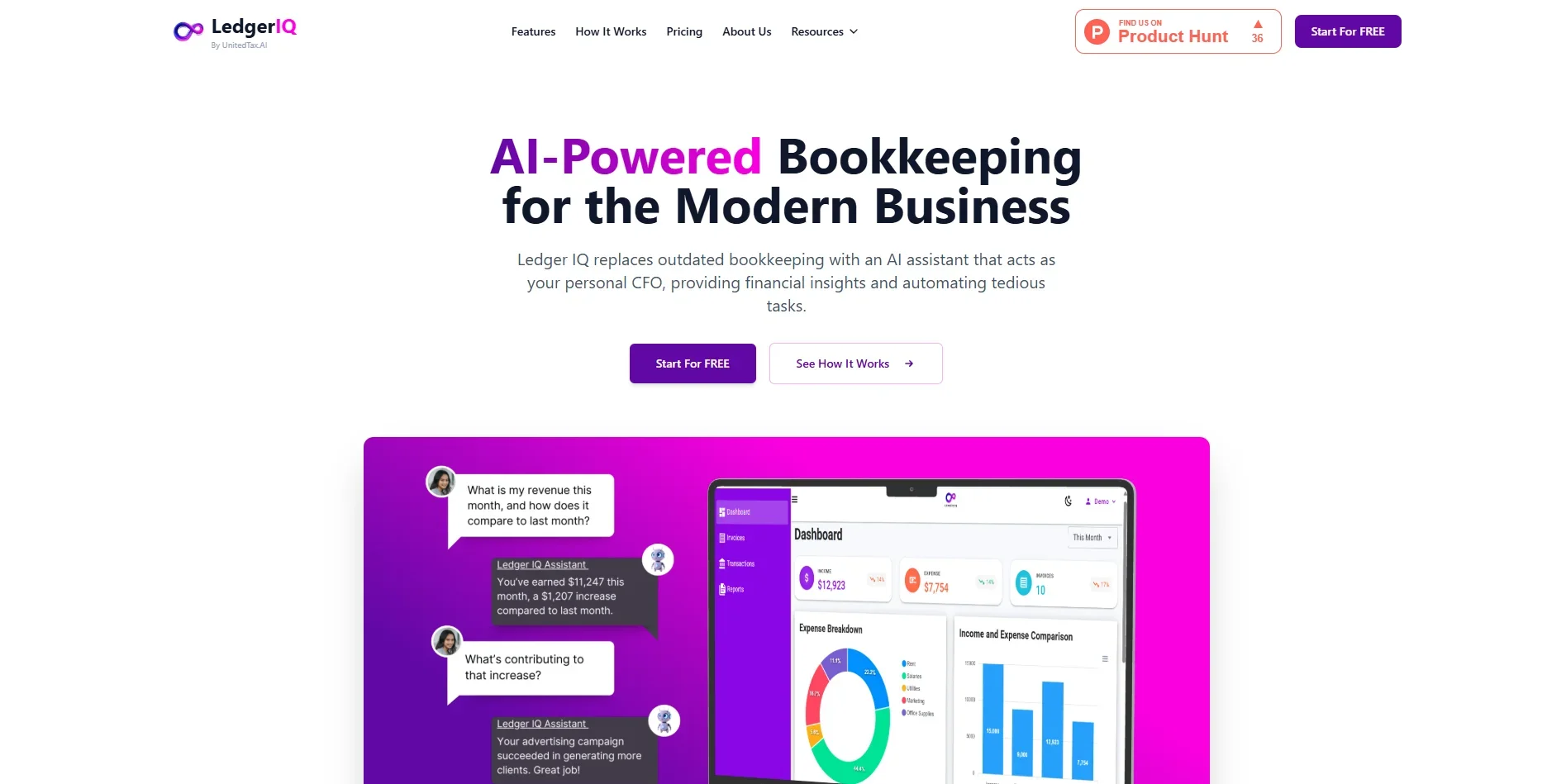
Streamline bookkeeping with automated data entry.
Key Takeaways
- What it is
- Streamline bookkeeping with automated data entry.
- Pricing
- Freemium · $15.99 per month
- Best for
- Automated Data Entry
- Real-Time Financial Insights
- Expense Tracking
- Rating
- 4.5/5
What is Ledger IQ?
Ledger IQ offers a fresh take on bookkeeping by harnessing the power of artificial intelligence to streamline financial management. This tool caters to businesses looking to simplify their accounting processes, making it easier to maintain accurate records and gain insights into their financial health. Designed with small to medium-sized enterprises in mind, Ledger IQ automates data entry, categorizes expenses, and generates reports, ultimately reducing the time and effort traditionally associated with bookkeeping tasks.
Ledger IQ distinguishes itself with its AI-powered automation that simplifies bookkeeping for businesses of all sizes. Its ability to deliver real-time financial insights and integrate with existing accounting software sets it apart, making it a valuable tool for those seeking efficient and reliable financial management solutions.
Ledger IQ offers a smart and efficient approach to bookkeeping, making it an ideal choice for businesses looking to streamline their financial management tasks. With its automated features, real-time insights, and seamless integration capabilities, Ledger IQ empowers users to take control of their finances with confidence. Whether you're a small business owner, freelancer, or accountant, this tool provides the functionality and reliability you need to keep your financial records in top shape.
Who is Using Ledger IQ?
Small Business Owners
Utilizing the tool to simplify and automate their bookkeeping processes.
Accountants and Bookkeepers
Employing Ledger IQ to enhance efficiency and accuracy in managing client accounts.
Freelancers
Leveraging the tool to keep track of their finances without the need for a dedicated accountant.
Startups
Using Ledger IQ to maintain clear and organized financial records from the outset.
Uncommon Use Cases
Employed by non-profit organizations to manage donations and financial records; Used by educational institutions to teach students about modern bookkeeping practices.
Key Features
Rating Breakdown
Pricing Plans
Freelancer
Free
- Includes limited AI-powered financial insights, manual transaction tracking, unlimited invoicing, profit and loss reports, and customizable categories
Professional
$15.99 per month
- Includes everything in the Freelancer plan plus enhanced AI insights, effortless account syncing, AI-powered financial alerts, and automatic transaction categorization
Which Ledger IQ plan should you pick?
Start with Early Access while it is free through September 15, 2026; reassess when paid plans launch for the 2027 filing season.
Early Access
Good for accounting professionals and firms who need unlimited trial-balance imports, AI-assisted mapping, journal entries, multi-company workpapers, rollforwards, and tax-software exports.
Ledger IQ Use Cases
Import a client trial balance
Upload an Excel or CSV trial balance from QuickBooks or another general-ledger system.
Outcome: The file is parsed into a working trial-balance grid.
Map accounts to tax lines
Review AI-suggested mappings and accept or dismiss each suggestion.
Outcome: Accounts are mapped to supported tax-return lines before export.
Post book and tax adjustments
Record AJEs, RJEs, and TJEs in the Working Trial Balance.
Outcome: Adjusted and tax-balance columns show the effect of each entry.
Export to tax software
Generate import-ready files for Lacerte, UltraTax CS, or Drake Tax.
Outcome: Mapped data can be transferred into the tax-preparation system.
Perform a return tie-out
Enter as-filed amounts next to tax lines and compare them with the Working Trial Balance.
Outcome: Ledger IQ flags tax lines that do not tie.
Workflow Ideas with Ledger IQ
Trial balance to tax return
- 1Upload the client's Excel or CSV trial balance
- 2Review mappings and post AJEs, RJEs, and TJEs
- 3Export the mapped file to Lacerte, UltraTax CS, or Drake Tax
Year-over-year return preparation
- 1Create the current-year company and return
- 2Use prior-year mappings and balances through the rollforward
- 3Review flagged swings and export the updated workpaper
Return tie-out review
- 1Compare the Working Trial Balance with the as-filed tax return
- 2Review flagged differences by return area
- 3Correct the workpaper or tax return and re-export if needed
How Ledger IQ fits into your stack
Browser
Ledger IQ is accessed through its web portal, where accountants upload trial balances, review mappings, post entries, and manage client companies.
Knowledge and files
It processes Excel or CSV trial-balance files from QuickBooks or other accounting systems, then produces Excel/PDF workpapers and import files.
Automation and APIs
Ledger IQ automates the path from trial balance to tax-software import, with exports for Lacerte, UltraTax CS, and Drake Tax.
Desktop / IDE
It hands prepared CSV files to desktop tax applications such as Lacerte and UltraTax CS for final import.
Pros
- +Time Efficiency: Automates repetitive bookkeeping tasks, freeing up time for business owners to focus on growth.
- +Accurate Financial Reporting: Delivers precise financial insights, enhancing decision-making capabilities.
- +User-Friendly Interface: The intuitive design ensures that even those with limited accounting knowledge can navigate the tool effectively.
- +Cost-Effective Solution: Offers a budget-friendly alternative to traditional bookkeeping services.
Cons
- −Initial Setup Required: Users may need some time to integrate and customize the tool according to their specific needs.
- −Limited Customization Options: While functional, the tool may not offer extensive customization for highly specialized accounting requirements.
- −Dependence on Internet Connectivity: An active internet connection is necessary for optimal performance and data synchronization.
Limitations & when to consider alternatives
Known limitations
- No live QuickBooks connection. Ledger IQ states that there is no QuickBooks integration, bank feed, or live link into client books. Data enters through uploaded files.
- Supported return types are limited. The documented supported forms are 1065, 1120, and 1120-S.
- CCH exports are not live. CCH Axcess and CCH ProSystem fx are listed on the roadmap rather than among the currently supported exports.
- AI mappings require human review. Every AI-suggested mapping must be accepted or dismissed before export; the AI does not independently finalize mappings.
- Uploaded spreadsheets are not retained. The spreadsheet is read once and discarded; only the parsed trial balance persists under the user's account.
Look elsewhere when
- You need a native mobile app.
- You need a direct QuickBooks integration.
- You need CCH Axcess or CCH ProSystem fx export today.
How to Use Ledger IQ
- 1
Create a Ledger IQ account
Sign in at portal.ledgeriq.ai and create a company for the client, selecting the return type, tax software, and tax year.
- 2
Upload the trial balance
Drag in an Excel or CSV export and confirm the account-name and amount columns.
- 3
Review mappings
Accept or dismiss each AI-suggested tax-line mapping before proceeding.
- 4
Post adjustments
Add AJEs, RJEs, and TJEs in the Working Trial Balance so book and tax adjustments are tracked separately.
- 5
Check the tie-out
Confirm the totals tie and use the return tie-out feature to identify differences between the workpaper and the filed return.
- 6
Export the workpaper
Download the tax-software import file plus adjusted trial-balance and journal-entry workpapers in Excel or PDF.
Who is Ledger IQ For?
Accounting professionals
Ledger IQ is built for professionals preparing business tax returns who need to convert trial balances into tax-software imports.
CPA firms
The product is positioned for firms managing multiple client entities, recurring tax workpapers, mappings, and year-over-year rollforwards.
Lacerte firms
The pilot program specifically targets firms using Lacerte that want to reduce trial-balance cleanup, re-keying, and AJE tracking.
Frequently Asked Questions
Which tax software and forms are supported?
Ledger IQ supports Lacerte, UltraTax CS, and Drake Tax for Forms 1065, 1120, and 1120-S. CCH Axcess and CCH ProSystem fx are listed as coming soon.
Does the AI decide my mappings?
No. Ledger IQ provides AI-suggested tax-line mappings, but every suggestion must be accepted or dismissed before export.
What file formats can I upload?
You can upload Excel (.xlsx) or CSV trial-balance files. The parser handles varied headers, debit/credit columns, balance columns, negatives in parentheses, and subtotal rows.
Is there a direct QuickBooks integration?
No. Ledger IQ states that there is no QuickBooks integration or live connection to client books; users upload a file.
Does my client data get used to train AI?
Ledger IQ says client data is not used to train an AI model. Only account names are sent for classification, not balances, client names, or firm names.
What does the free access cost?
The full platform is free through September 15, 2026, with no credit card, billing, or commitment required.
Community reviews
Be the first to share your experience.
Sign in to leave a review for Ledger IQ.
Ledger IQ Alternatives
Looking for alternatives to Ledger IQ? Here are similar tools in the same category:
Learn to Master Ledger IQ
With Skill Leap courses
Get in-depth training on Ledger IQ and 50+ other AI tools with our expert-led video courses.
Start 7-Day Free Trial