Leonardo AI
Generate stunning, customizable artwork with AI.
Key Takeaways
- What it is
- Generate stunning, customizable artwork with AI.
- Pricing
- Freemium · $12 per month · $30 per month · $60 per month
- Best for
- AI-Powered Visual Generation
- Real-Time Image Generation and Editing
- Advanced Video Creation
- Rating
- 4.4/5
What is Leonardo AI?
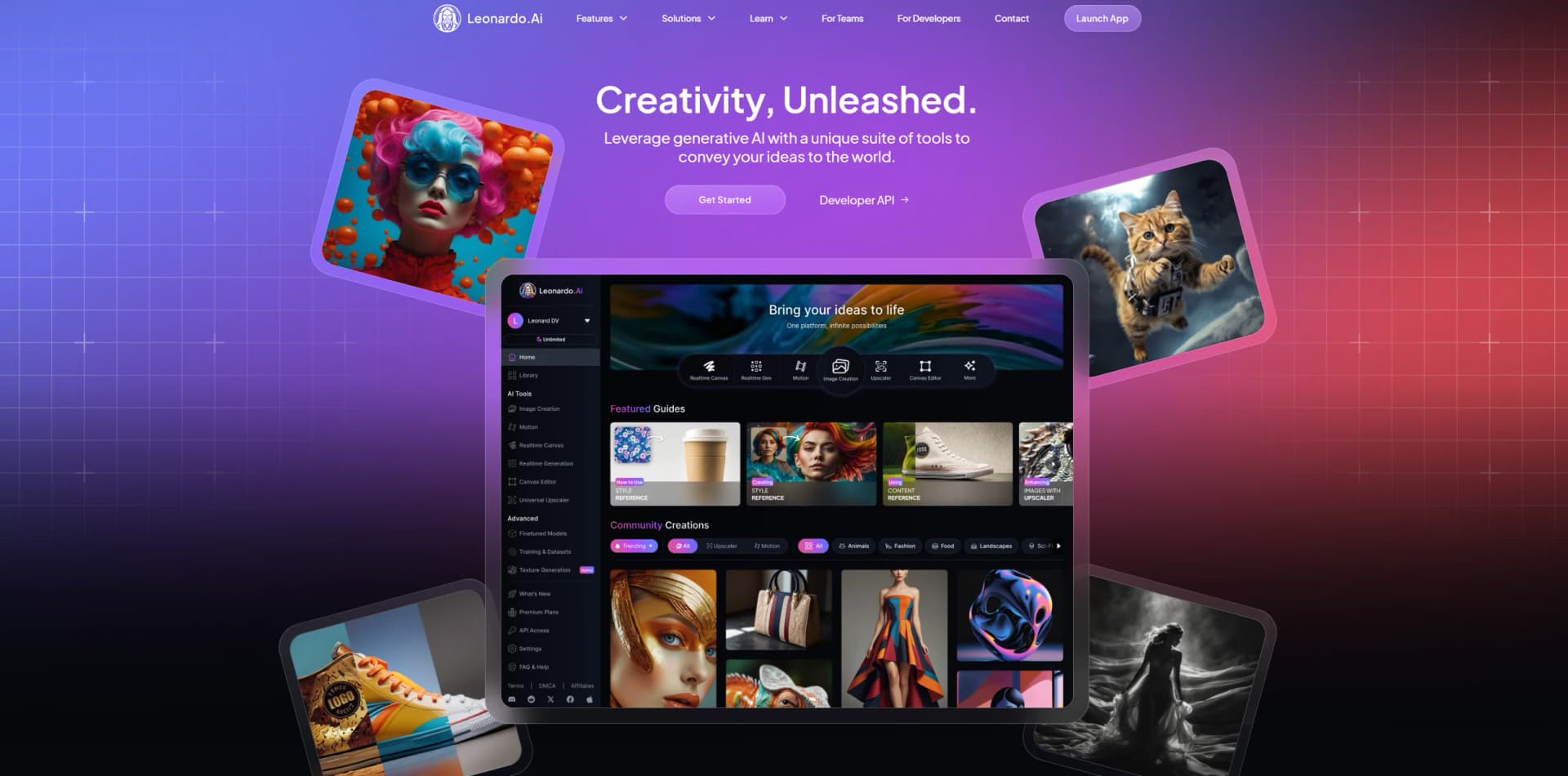
Leonardo AI is a versatile generative AI platform focused on creating high-quality images, videos, and 3D textures from text prompts. It provides a comprehensive set of tools that enable users to produce professional-grade digital art and visual assets with ease. Designed for artists, marketers, and creative professionals, Leonardo AI helps streamline the creative process by delivering rapid prototyping and style-consistent outputs tailored to a wide range of applications, including marketing campaigns, game asset creation, and digital illustration.
Leonardo AI stands out due to its diverse catalog of specialized AI models tailored for different artistic styles, alongside its real-time canvas feature that allows for immediate visual feedback as users edit or draw. This combination of granular prompt control, style consistency tools, and video creation capabilities distinguishes it from other AI art generators and makes it a versatile tool for creative professionals targeting multiple media formats.
Leonardo AI offers a powerful toolkit for generating and refining digital art, whether for professional marketing, game development, or personal projects. Its variety of AI models equips users with the flexibility to match any creative vision, while the real-time canvas and video creation features speed up the workflow remarkably. Though some token management and clarity of feature usage could improve, Leonardo AI remains an impressive and accessible platform for unleashing digital creativity with AI. Its continuous growth and community support only add to its appeal as a go-to solution for visual content creation.
Who is Using Leonardo AI?
Digital Artists and Illustrators
Leveraging AI models for creative expression and rapid production of original artwork.
Marketing Professionals
Using AI-generated visuals and animations to enhance digital campaigns with unique, brand-consistent assets.
Game Developers
Creating detailed textures and concept art for video game environments and characters.
Social Media Managers
Producing eye-catching posts and promotional content efficiently.
Uncommon Use Cases
Educational institutions employing Leonardo AI to teach digital art techniques; freelance photographers integrating AI-enhanced visuals into their portfolios.
Key Features
Rating Breakdown
Pricing Plans
Free
Free
- Includes 150 Fast Tokens daily, public image generation, presets, community models, basic quality, and one collection
Apprentice
$12 per month
- Includes 8,500 Fast Tokens, 25,500 Token Bank, private creations, training for 10 models, enhanced quality, unlimited collections, 2 simultaneous generations, and top-up tokens
Artisan Unlimited
$30 per month
- Includes 25,000 Fast Tokens, 75,000 Token Bank, unlimited relaxed image generation, training for 20 models, enhanced quality, unlimited collections, 3 simultaneous generations, up to 10 queued generations, and top-up tokens
Maestro Unlimited
$60 per month
- Includes 60,000 Fast Tokens, 180,000 Token Bank, unlimited relaxed image and video generation, training for 50 models, ultra generations, unlimited collections, 6 simultaneous generations, up to 20 queued generations, and top-up tokens
Leonardo for Teams
- Includes shared Token Bank, unlimited relaxed generation, team collections and workspaces, enterprise security, centralized billing, priority support, and streamlined workflows
Which Leonardo AI plan should you pick?
Start with Free to explore Leonardo, choose Essential for regular private creation, and upgrade to Premium, Ultimate, or a Teams plan for higher output, relaxed generation, collaboration, or larger-scale production.
FREE
Good for casual creators who need daily access to basic image and creative-generation features.
Essential
Good for daily hobbyists and enthusiasts who need private creations, enhanced quality, and personal AI models.
Premium
Good for active creators who need more output, more personal models, and unlimited relaxed image generation on supported models.
Ultimate
Good for professional creators, small businesses, and content producers who need higher limits plus relaxed image and video generation.
Starter
Good for small teams that need shared tokens, private team generations, collections, and team-based model training.
Growth
Good for larger or higher-volume teams that need more shared capacity and per-seat fast tokens.
Pay as you go
Good for developers who want usage-based API billing without a monthly commitment.
API Custom
Good for higher-volume production workloads needing custom concurrency, model discounts, or dedicated support.
Leonardo AI Use Cases
Campaign visuals
Generate and refine branded campaign assets across advertising and social channels.
Outcome: Faster production of consistent marketing content.
Banners and ads
Create multiple banner and advertising variations for web, social, and display formats.
Outcome: More concepts to test across platforms.
Character design
Create consistent characters across poses, scenes, and visual styles.
Outcome: Improved visual continuity for stories, games, and campaigns.
Storyboarding
Visualize scenes and sequences before production begins.
Outcome: Clearer planning and collaboration before production.
Product visualization
Place products into generated scenes, create product imagery, and animate product photos.
Outcome: Production-ready product concepts and motion assets.
Workflow Ideas with Leonardo AI
Generate, edit, upscale, and animate
- 1Generate a base image from a text prompt.
- 2Edit the composition or details with AI.
- 3Upscale the result and use it as a start frame for video.
Product spin video
- 1Open the Blueprints area.
- 2Select the Product Spin Video Blueprint.
- 3Upload a product image and generate the video.
Marketing asset production
- 1Generate campaign visuals, banners, or ads.
- 2Refine the image and preserve brand style across variations.
- 3Upscale and export the final asset for production.
How Leonardo AI fits into your stack
Browser
Leonardo is primarily used as a web-based creative workspace for generating, editing, upscaling, animating, and organizing visual assets.
Automation and APIs
Its Production API supports programmatic image and video generation, uploaded image guidance, webhooks, SDKs, and integrations with Make.com and Pabbly Connect.
Knowledge and files
Users upload reference images and dataset images, organize generations in collections, and train custom models or Elements from image datasets.
Team workspace
Team plans provide shared tokens, private team generations, shared creative resources, custom-model sharing, and collaborative project organization.
Pros
- +Wide Range of Artistic Styles: Supports multiple AI models and presets, enabling users to select the style that best fits their project needs.
- +Rapid Ideation and Iteration: Real-time canvas and Flow State features cut down the time from concept to final design.
- +User-Friendly Interface: Accessible to both beginners and experienced users, with intuitive controls and a supportive creative community.
- +Collaborative Capabilities: Enables teamwork and shared input, useful for projects requiring multiple contributors.
- +Mobile App Availability: Allows users to generate and access AI art on the go, expanding usability beyond desktop environments.
Cons
- −Token Usage System: Some users report that tokens for image generation can be consumed unexpectedly when using certain features, which requires monitoring to avoid overuse.
- −Limited Transparency on Some Features: Certain functionalities may not be immediately obvious or clearly communicated within the app, occasionally leading to user confusion.
- −Feature Access May Vary: Some advanced tools or capabilities might be restricted to paid plans or specific user tiers.
Limitations & when to consider alternatives
Known limitations
- Free creations are public by default. Free-tier generated content is publicly available by default; private generations require a paid subscription.
- Free usage is token-limited. The Free plan provides 150 fast tokens per day, while paid plans use monthly token allowances.
- Relaxed generation is model-dependent. Unlimited relaxed image or video generation applies only to selected models and may have lower queue priority.
- API and web plans are separate. API access uses separate API credits or API plans and is distinct from Leonardo web-app subscriptions.
- Legacy API image guidance has limited parity. Leonardo notes that legacy Image Guidance features in the API do not fully match the Web UI.
Look elsewhere when
- You need a dedicated Windows, Mac, or Linux desktop application.
- You need a multilingual interface.
- You need a browser extension from the vendor.
How to Use Leonardo AI
- 1
Create an account
Open the Leonardo web app or mobile app and sign in with email or supported SSO.
- 2
Choose a creation mode
Select Image, Video, Audio, 3D, Blueprints, Upscaler, or another available creative tool based on the intended output.
- 3
Write a prompt
Describe the subject, style, composition, lighting, and desired result in the prompt field.
- 4
Add visual guidance
Upload or select reference images when you need image-to-image transformation, style reference, character reference, or composition control.
- 5
Refine the output
Use AI editing, inpainting, background tools, Realtime Canvas, or other controls to adjust the generated result.
- 6
Upscale or export
Upscale the finished image, export it for production, or use Get API Code to obtain implementation code for supported generations.
Who is Leonardo AI For?
Marketing teams
Create campaign visuals, ads, banners, social posts, and product mockups while maintaining brand consistency.
Design and creative leaders
Use a shared creative environment for ideation, generation, editing, upscaling, and delivery.
Game designers and gaming studios
Develop characters, environments, promotional content, and other game-related visual assets.
Fashion and beauty businesses
Produce product visuals, social content, and trend-responsive campaign assets.
Founders, solo builders, and development teams
Prototype and deploy image or video generation through Leonardo's visual-first API.
Frequently Asked Questions
Does Leonardo.Ai have a free plan?
Yes. The Free plan costs $0 and includes a daily allocation of fast tokens. Free access does not expire.
Does Leonardo.Ai offer an API?
Yes. Leonardo provides documented production APIs for image generation, video generation, image guidance, upscaling, Blueprints, and custom model workflows.
Can I train custom AI models?
Yes. Paid platform plans include personal AI model training, and the API supports custom fine-tuned model training.
Can I use Leonardo.Ai on mobile?
Yes. Dedicated Leonardo.Ai apps are available for iOS and Android.
Can teams collaborate in Leonardo.Ai?
Yes. Team accounts support invited users, shared creative work, team management, and role-based permissions.
Can Leonardo.Ai generate code?
The Get API Code feature generates implementation snippets for supported image and video generations in cURL, Python, and Node.js.
Community reviews
Be the first to share your experience.
Sign in to leave a review for Leonardo AI.
Leonardo AI Alternatives
Looking for alternatives to Leonardo AI? Here are similar tools in the same category:
Learn to Master Leonardo AI
With Skill Leap courses
Get in-depth training on Leonardo AI and 50+ other AI tools with our expert-led video courses.
Start 7-Day Free Trial