
Liarliar
Unlock AI-powered lie detection for enhanced truth verification.
Key Takeaways
- What it is
- Unlock AI-powered lie detection for enhanced truth verification.
- Best for
- Revolutionary Polygraph Technology
- Heart Rate Fluctuations
- Emotion and Voice Analysis
- Rating
- 4.4/5
What is Liarliar?
In today's digital era, discerning truth from deception can be a formidable challenge. Enter LiarLiar, a revolutionary AI-powered tool that promises to transform the landscape of lie detection. At its core, LiarLiar leverages advanced artificial intelligence to scrutinize subtle physiological and behavioral cues, making it a formidable ally in the pursuit of truth. Designed to cater to a wide array of users, from law enforcement to HR professionals, it streamlines the process of detecting inconsistencies and deceptive behavior, all through a user-friendly platform.
LiarLiar distinguishes itself with its non-invasive, AI-driven approach to lie detection. Unlike traditional polygraphs, it operates seamlessly over video feeds, which is especially pertinent in a world where remote communication is ubiquitous. Its capability to analyze a broad spectrum of deception indicators in real-time sets LiarLiar apart as a cutting-edge tool in the field of lie detection.
LiarLiar emerges as a pioneering tool that capitalizes on the power of AI to enhance human capabilities in detecting deceit. It is a testament to the innovative use of technology to address age-old challenges of trust and truth in communication. For professionals and individuals alike, LiarLiar offers a blend
Who is Using Liarliar?
Law Enforcement Agencies
Employing the tool for interrogations and criminal investigations.
Human Resources Departments
Using the tool for integrity checks during recruitment processes.
Psychologists and Counselors
Leveraging the tool to understand non-verbal communication in therapy sessions.
Corporate Executives
Utilizing the tool during negotiations and high-stakes meetings.
Uncommon Use Cases
Applied by researchers in social psychology; Used by documentary filmmakers to assess interview authenticity.
Key Features
Rating Breakdown
Pricing Plans
7-Day Free Trial
- Test LiarLiar with full functionality for a week without any cost
Subscription Plans
- Various tiers available to suit different user needs and budgets
Which Liarliar plan should you pick?
Start with Lifetime Access if you need the desktop application; upgrade is not documented because only one paid plan is listed.
Lifetime Access
Good for users who need unlimited desktop sessions, automatic recordings, post-session reports, and Mac or Windows support.
Liarliar Use Cases
Sharpening your intuition
Review deception cues detected in video conversations.
Outcome: Improved people-reading awareness.
Building trust
Use neutral analysis to support more open communication.
Outcome: Additional context for trust-building conversations.
Understanding body language
Examine body-language signals and micro-expressions in recorded or live video feeds.
Outcome: Greater awareness of nonverbal behavior.
Promoting honesty
Use truthfulness analysis to encourage transparency in conversations.
Outcome: A stated goal of discouraging dishonesty.
Reviewing recorded sessions
Record analyzed sessions and inspect the resulting reports afterward.
Outcome: A stored recording and post-session analysis report.
Workflow Ideas with Liarliar
Analyze a video call
- 1Launch the LiarLiar.ai desktop application
- 2Select a Zoom, Google Meet, Teams, or Skype video feed
- 3Start analysis and review the generated report
Analyze a local video
- 1Open the application
- 2Choose a locally stored video file
- 3Stop the session and review the recording and report
Prepare a new installation
- 1Download the Mac or Windows application
- 2Install it and enter the license key
- 3Choose a directory for recordings and session reports
How Liarliar fits into your stack
Multiple Platform Support
Compatible with Zoom, Google Meet, Skype, and more for versatile application.
Video Feed Flexibility
Can analyze video content from various sources, including YouTube and personal recordings.
Desktop Compatibility
Optimized for use on both Windows and Mac operating systems.
Pros
- +Enhanced Intuition: Augments human lie detection capabilities by revealing subtle cues of deception.
- +Trust Building: Provides a neutral analysis, which can foster open communication and trust among parties.
- +Versatility: Compatible with various video call software and usable on any video feed.
- +Non-Invasive: Analyzes video feeds without the discomfort associated with traditional polygraph tests.
- +Continuous Improvement: Constantly refines its algorithms for increased accuracy in future assessments.
Cons
- −Platform Limitation: Currently optimized for Windows and Mac desktop systems, with a mobile version still in development.
- −Legal Considerations: Users must navigate consent and privacy laws when using the tool for recording or analysis.
- −Reliance on Visible Cues: Effectiveness may be reduced in low-quality video feeds or where non-visual cues are essential.
Limitations & when to consider alternatives
Known limitations
- Beta software. The pricing page says the software is still a work in progress and may contain issues.
- High system requirements. The site lists at least 8 GB RAM, 2 GB GPU memory, and a 3.2 GHz CPU.
- Mac transcripts disabled. Automatic transcripts are currently disabled on macOS because of system audio-recording restrictions.
- Consent is required. The site warns that recording or analyzing another person's video call without consent may be illegal.
- Not a definitive lie detector. Results should not be used as the sole determinant of truth or deception.
Look elsewhere when
- You need a native mobile app.
- You need a documented API.
- Your workflow requires browser-based use.
How to Use Liarliar
- 1
LiarLiar provides users with comprehensive tutorials and resources to ensure a smooth learning curve, enabling users to harness the full potential of the tool’s lie detection capabilities.
Who is Liarliar For?
Early adopters
The site positions the product as beta technology for users willing to help reshape online communication.
People with minimal technical experience
The product is described as easy to set up and operate with a simple click.
People-reading and communication users
LiarLiar.AI is presented as a tool for sharpening intuition, understanding body language, and building trust.
Frequently Asked Questions
How does LiarLiar.AI work?
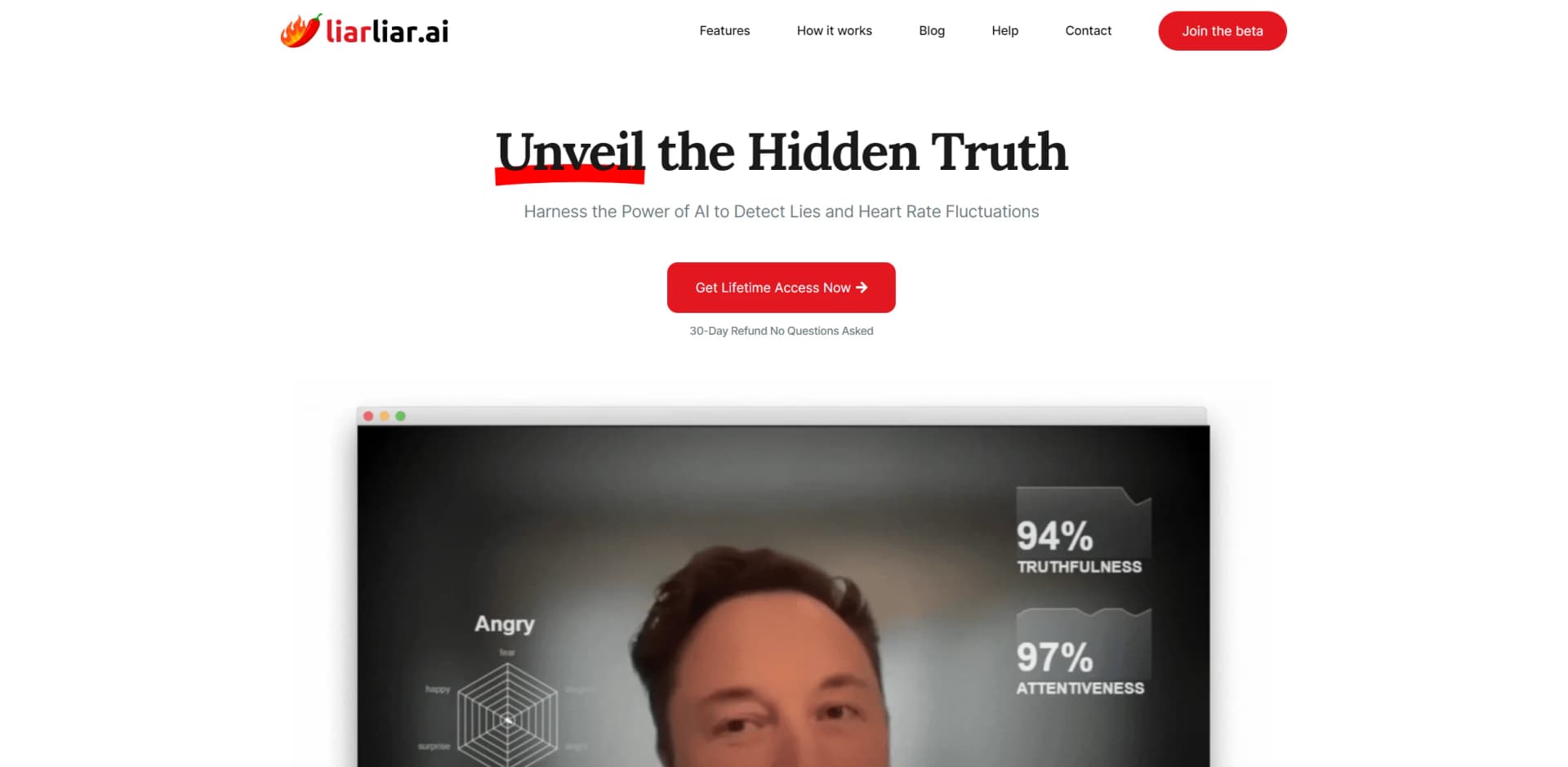
It analyzes real-time video feeds, micro facial expressions, heart-rate fluctuations, and body-language changes to assess truthfulness.
Can LiarLiar.AI analyze video calls?
Yes. It is designed for video-call software such as Zoom, Google Meet, Teams, and Skype, as well as YouTube and local videos.
How is analyzed data stored?
Analyzed videos and reports are processed and stored in a directory chosen by the user on their computer.
Can LiarLiar.AI be used on smartphones or tablets?
The documented product is designed for Windows and Mac desktop systems; a mobile version was described as forthcoming.
Is LiarLiar.AI always accurate?
No. The site says no lie-detection tool can guarantee 100% accuracy and recommends interpreting results carefully.
Are transcripts available on Mac?
Transcripts are currently disabled on macOS because of system audio-recording restrictions.
Community reviews
2 reviews from people who use Liarliar.
Sign in to leave a review for Liarliar.
Arash
Asen Levov
Liarliar Alternatives
Looking for alternatives to Liarliar? Here are similar tools in the same category:
Learn to Master Liarliar
With Skill Leap courses
Get in-depth training on Liarliar and 50+ other AI tools with our expert-led video courses.
Start 7-Day Free Trial