
Lido
Streamlines PDF-to-Excel conversion for finance teams.
Key Takeaways
- What it is
- Streamlines PDF-to-Excel conversion for finance teams.
- Pricing
- $24 per month · $95 per month · $150 per month
- Best for
- AI-Driven Data Extraction
- Customizable Data Rules
- Table Extraction Capabilities
- Rating
- 4.6/5
What is Lido?
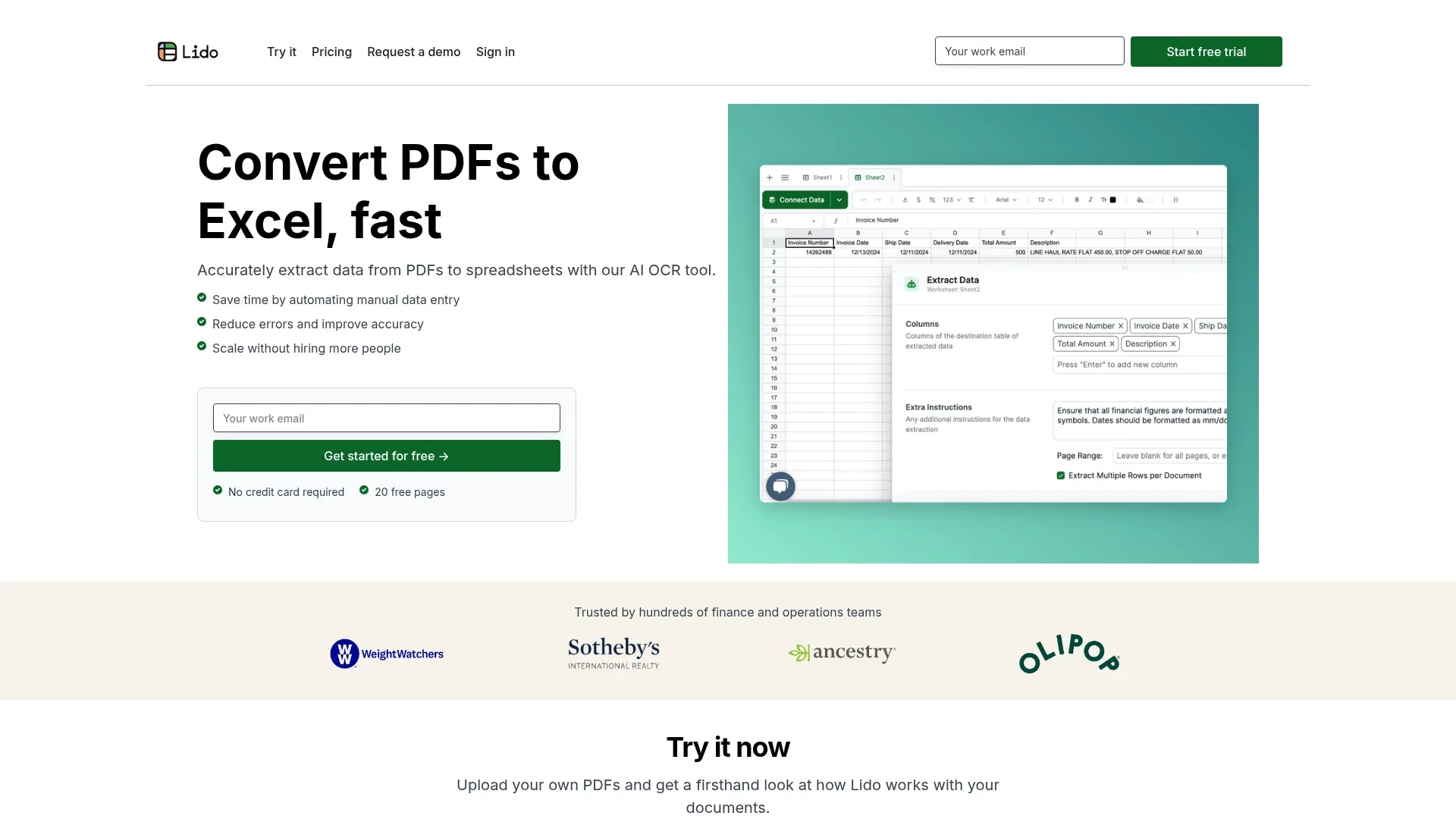
Lido is an innovative AI-powered Optical Character Recognition (OCR) tool designed to streamline the conversion of PDFs and financial documents into Excel spreadsheets. Specifically targeted at finance and operations teams, Lido simplifies the traditionally cumbersome process of manual data entry by automating the extraction of data from PDFs, thereby saving time and reducing errors. This tool is particularly beneficial for professionals seeking efficiency in handling large volumes of financial documents.
Lido stands out with its customizable data extraction rules, a feature that allows users to tailor the tool's functionality to specific business needs. Its ability to handle both scanned and digital PDFs with high accuracy and speed sets it apart from other OCR tools, making it a preferred choice for finance and operations teams.
Lido offers transformative capabilities for professionals managing financial documents, combining AI-driven precision with user-friendly features. Its unique approach to data extraction and cleaning not only saves time but also enhances data accuracy and reliability. For finance teams and operations managers looking to streamline their workflows, Lido provides an invaluable solution that balances cost-efficiency with high performance.
Who is Using Lido?
Finance Teams
Utilizing Lido for efficient processing of invoices, bank statements, and credit card statements.
Accounting Departments
Employing the tool to streamline data entry and reporting tasks.
Small Business Owners
Leveraging Lido to reduce the workload on accounts payable teams and improve operational efficiency.
Operations Managers
Using the tool to automate document workflows and enhance productivity.
Uncommon Use Cases
Adopted by legal firms for contract abstraction; Utilized by educational institutions for teaching data management.
Key Features
Rating Breakdown
Pricing Plans
Starter
$24 per month
- Suitable for individuals and small teams with up to 100 pages per month
Professional
$95 per month
- Designed for small finance teams handling up to 500 pages per month
Business
$150 per month
- Ideal for growing businesses needing up to 1,000 pages per month
Enterprise
- Tailored for large teams with specific integration and page limit needs
Which Lido plan should you pick?
Start with Starter for low-volume extraction, upgrade to Professional or Business for more pages and users, and use Scale or Enterprise for high-volume workflows, API access, SSO, or custom integrations.
Starter
Good for one user processing about 100 pages per month.
Professional
Good for small teams needing 500 pages per month and up to three users.
Business
Good for teams needing about 1,000 pages per month and up to five users.
Scale
Good for teams automating larger document volumes with API and workflow access.
Enterprise
Good for high-volume or regulated organizations needing custom workflows, ERP integrations, SSO, and dedicated support.
Lido Use Cases
Invoice processing
Extract vendor names, invoice numbers, dates, totals, due dates, and purchase orders from invoices.
Outcome: Structured invoice rows ready for tracking or ERP workflows.
Receipt and expense extraction
Process receipts and expense documents into spreadsheet columns.
Outcome: Less manual expense-data entry.
Email-to-spreadsheet extraction
Receive documents or structured email content through connected Gmail, Outlook, or Lido mailbox workflows.
Outcome: Incoming information becomes structured spreadsheet data.
Document validation
Match extracted document data against CRM, database, API, or other internal-system records.
Outcome: Validated data prepared for downstream operations.
Medical and regulated-document processing
Extract information from medical forms, claims, and other sensitive documents.
Outcome: Structured data with enterprise security and compliance options.
Workflow Ideas with Lido
Automated invoice intake
- 1Watch a Google Drive folder for new invoices
- 2Extract vendor, invoice, amount, and due-date fields
- 3Insert the results into an invoice-tracking sheet and notify Slack
Email document processing
- 1Trigger when a document arrives through Outlook or a Lido mailbox
- 2Run the Data Extractor on the attachment
- 3Send the structured results to email, a sheet, or another system
Backend extraction API
- 1Configure and test an extractor in the Lido spreadsheet
- 2Create an API key and submit documents to the extraction endpoint
- 3Poll the job-result endpoint and persist the returned JSON
How Lido fits into your stack
Browser
Lido is a desktop web application for extracting data from documents into spreadsheet-style workspaces.
Knowledge and files
Users upload PDFs, images, scans, Word files, spreadsheets, or email attachments and convert them into structured rows and columns.
Automation and APIs
Workflow triggers watch Google Drive, OneDrive, mailboxes, Outlook, schedules, or webhooks, then route extracted data through downstream actions. The API supports programmatic document extraction.
Docs and writing
Lido's spreadsheet interface combines formulas, AI columns, structured tables, and document-extraction outputs for operational data work.
Pros
- +Time Efficiency: Lido significantly reduces the time required for manual data entry, enabling users to process documents in minutes rather than hours.
- +High Accuracy: The tool boasts near-perfect accuracy in data extraction, minimizing errors and enhancing data reliability.
- +Scalability: It allows businesses to scale their operations without the need for additional personnel, making it cost-effective for growing companies.
- +User-Friendly Interface: The intuitive design ensures that users of all technical levels can easily navigate and utilize the tool.
Cons
- −Initial Learning Curve: While user-friendly, some advanced features may require initial familiarization.
- −Mobile Limitations: Currently, Lido does not support mobile usage, which may limit accessibility for some users.
- −Integration Restrictions: The tool's integration capabilities are somewhat limited, requiring manual processes for certain tasks.
Limitations & when to consider alternatives
Known limitations
- Desktop web only. Lido does not provide iOS or Android apps, and mobile browsers are not supported.
- Structured output rather than plain transcription. Lido's output is structured into columns; it does not provide a plain-text transcription mode.
- No source-PDF editing. Lido can extract and process document data but does not edit the original PDF itself.
- Embedded images are not extracted as image files. Lido extracts text and data from documents but does not extract embedded photos or image files.
- API results expire. API job results are retained for 24 hours, so results must be persisted in the user's own system.
Look elsewhere when
- You need a native mobile app.
- You need a downloadable Windows, Mac, or Linux application.
- You need to edit the original PDF.
- You need plain-text transcription rather than structured columns.
How to Use Lido
- 1
Create a workspace
Open Lido and create or select a workspace where sheets, workflows, integrations, members, and billing are managed.
- 2
Build an extractor
Upload a representative document, define the fields or columns to extract, and test the results in the spreadsheet UI.
- 3
Connect a source
Add Google Drive, OneDrive, Gmail, Outlook, Slack, or another supported integration when documents or notifications should flow automatically.
- 4
Create a workflow
Choose a trigger, add extraction and transformation nodes, then configure outputs such as sheets, email, Slack, files, or API requests.
- 5
Invite collaborators
Invite teammates from workspace settings and assign Owner, Admin, Editor, or Viewer roles.
- 6
Use the API for production
After validating the extractor in Lido, create an API key, submit documents to the extraction endpoint, and poll for results.
Who is Lido For?
Finance and operations teams
Lido is designed to extract and validate invoices, receipts, statements, purchase orders, and other recurring operational documents.
Teams processing recurring documents
Teams can replace manual data entry by automatically extracting data from documents arriving in folders, inboxes, or mailboxes.
Workflow automation users
Lido fits teams that need multi-step pipelines connecting extraction, validation, transformations, notifications, and downstream systems.
Developers embedding document extraction
The API is intended for embedding Lido extraction into another product, backend, or third-party tool.
Organizations with compliance requirements
Enterprise customers can use SSO, HIPAA-related options, SOC 2 documentation, and custom security arrangements.
Frequently Asked Questions
What is Lido?
Lido turns PDFs, images, scans, and emails into structured spreadsheet data and supports automated workflows.
What file types does Lido support?
Supported formats include PDF, PNG, JPG/JPEG, HEIC, Excel, and CSV, including scans and photos.
Does Lido support multiple languages?
Yes. Lido supports nearly all languages, including Chinese, Japanese, Korean, Arabic, Hebrew, and major European languages.
Does Lido have a mobile app?
No. Lido is desktop-web-only; iOS, Android, and mobile browsers are not supported.
How does Lido automation work?
Workflows start from manual, scheduled, Drive, OneDrive, mailbox, Outlook, or webhook triggers, then process and route data.
Does Lido offer an API?
Yes. The REST API accepts uploaded documents and returns structured extraction results using API-key authentication.
Community reviews
6 reviews from people who use Lido.
Sign in to leave a review for Lido.
Keith Kan
Tarang Patel
Adrian
Andres Balcazar
Vikas Kumar
Laura Diazgranados
Lido Alternatives
Looking for alternatives to Lido? Here are similar tools in the same category:
Learn to Master Lido
With Skill Leap courses
Get in-depth training on Lido and 50+ other AI tools with our expert-led video courses.
Start 7-Day Free Trial