
Lovable
Transform ideas into fully functional applications.
Key Takeaways
- What it is
- Transform ideas into fully functional applications.
- Pricing
- Freemium · $25 per month. Adds 100 credits per month · $30 per month
- Best for
- Instant App Creation
- Collaborative Design
- Code Ownership
- Rating
- 4.6/5
What is Lovable?
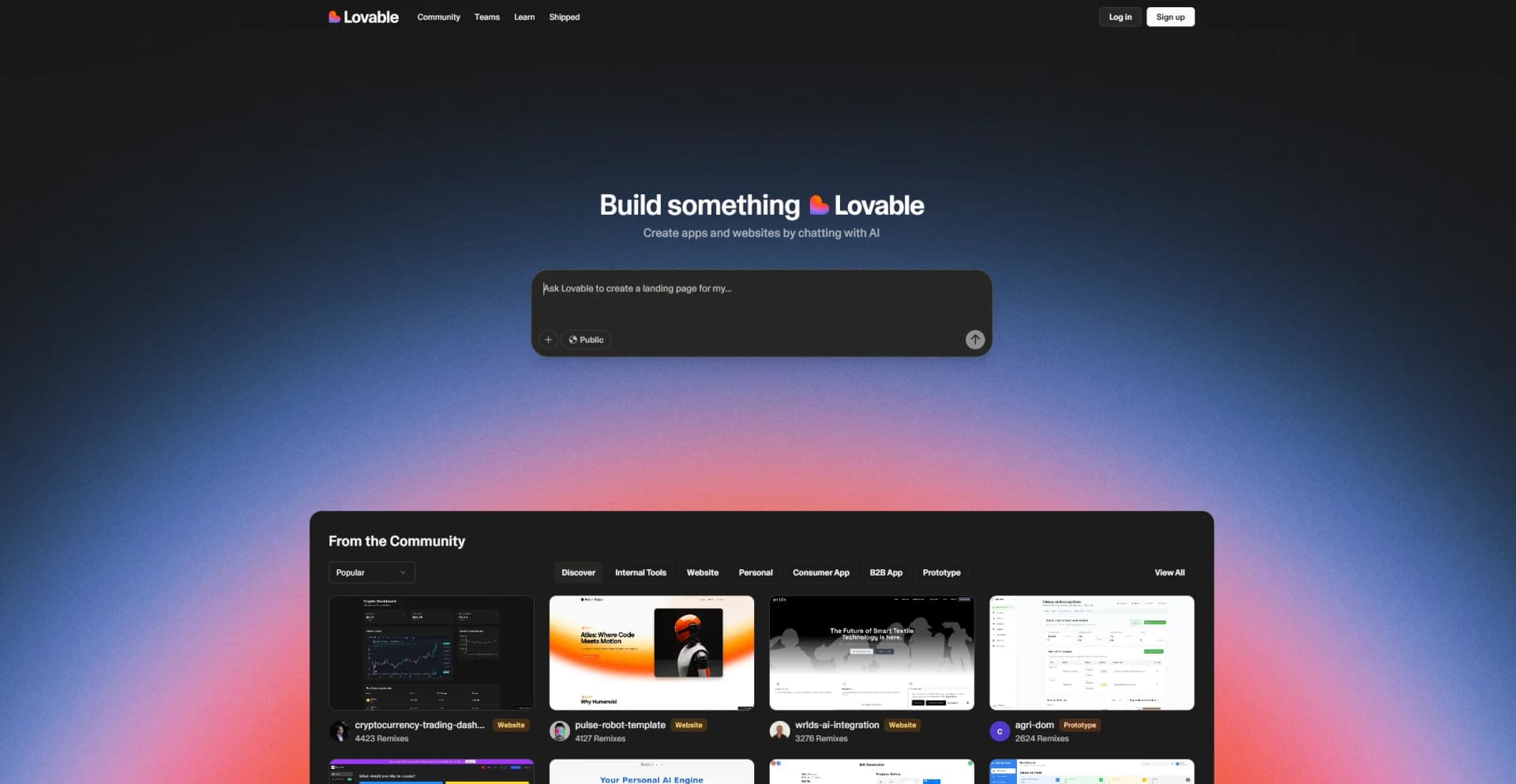
Lovable is a groundbreaking AI tool designed to transform the way we build digital products. Acting as a superhuman full-stack engineer, Lovable takes your ideas and turns them into fully functional applications in seconds. It's tailored for product builders, developers, and non-technical team members, simplifying the process of turning abstract concepts into tangible, beautifully designed software. With Lovable, creating high-quality software has never been more accessible, allowing users to describe their ideas in natural language and watch them instantly materialize into real prototypes.
Lovable stands out with its ability to transform natural language descriptions into fully-fledged applications, a game-changer for product development. Its unique feature of allowing users to own their code, coupled with seamless GitHub integration, sets it apart in the industry by providing flexibility and control over the development process.
Lovable is redefining the landscape of product development with its innovative AI-driven approach. By providing a platform where ideas can seamlessly transition into high-quality software, it empowers users to focus on creativity and strategic execution. Whether you're a solo entrepreneur or part of a larger team, Lovable offers an accessible and efficient pathway to bring your digital visions to life.
Who is Using Lovable?
Product Teams
Empowering non-technical team members to code and align on abstract ideas by building real prototypes.
Founders, Solopreneurs & Indie Hackers
Enabling quick iteration and validation, with the ability to launch full products rapidly.
Product Designers
Bringing design ideas to life without the need for tedious prototyping in tools like Figma.
Human Software Engineers
Facilitating the shipping of entire frontends with a single prompt, along with bug fixing and UI edits.
Uncommon Use Cases
Used by educational institutions for teaching software development courses; Embraced by freelance developers for rapid prototyping and client presentations.
Key Features
Rating Breakdown
Pricing Plans
Free
Free
- Includes public projects only — ideal for getting started
Pro
$25 per month. Adds 100 credits per month
- Private projects
- Custom domains
- Badge removal
- 3 editors per project
Teams
$30 per month
- Includes everything in Pro, plus centralized billing, access management, and support for up to 20 seats
Enterprise
- Includes custom support, SSO, and data training opt-out
Which Lovable plan should you pick?
Start with Free to validate an idea, move to Pro for higher usage and private projects, choose Business for governed team workspaces, and contact Lovable for Enterprise requirements.
Free
Good for individuals who need to prototype and explore Lovable with limited daily and monthly credits.
Pro
Good for builders and teams who need more credits, expanded project capabilities, and paid-plan features.
Business
Good for larger teams who need additional collaboration, governance, privacy, and enterprise-oriented controls.
Enterprise
Good for organizations needing volume-based pricing, advanced security governance, SSO, SCIM, auditability, and dedicated support.
Lovable Use Cases
SaaS and business applications
Build subscription products, customer-facing dashboards, admin panels, and multi-user applications.
Outcome: A deployable business application with frontend, backend, authentication, and integrations.
Internal operational tools
Create workflow tools, operational dashboards, intake queues, approval systems, and runbooks.
Outcome: More visible and automated operational execution.
Marketplaces and online commerce
Build booking tools, storefronts, marketplace applications, payments, and customer workflows.
Outcome: A working commerce or marketplace experience.
Websites and marketing pages
Create company websites, landing pages, campaign pages, and branded content experiences.
Outcome: Publishable web pages that can be iterated quickly.
Educational tools
Build learning tools, course platforms, student portals, and educational experiments.
Outcome: Interactive web-based learning software.
Workflow Ideas with Lovable
Idea to deployed application
- 1Describe the application in natural language
- 2Review and iterate on the generated frontend, backend, and integrations
- 3Publish the application and operate it through Lovable Cloud
Automated request intake and approval
- 1Capture requests in a structured queue
- 2Route each request to the appropriate owner
- 3Require defined reviewers and track approval status
Reusable team delivery checklist
- 1Create a workspace skill containing launch or QA instructions
- 2Apply the skill whenever a matching task occurs
- 3Review the reported checklist results before publishing
How Lovable fits into your stack
Browser
Lovable is primarily a browser-based full-stack development environment where users describe, review, iterate on, and deploy web applications through natural-language prompts.
Desktop / IDE
Dedicated macOS and Windows apps organize Lovable projects with tabs and support local MCP workflows. Projects can also sync code to GitHub, GitLab, or Bitbucket for continued engineering work.
Automation and APIs
Lovable provides a documented Build with URL API and an MCP server for programmatic project creation, iteration, code inspection, deployment, and workflow automation.
Team chat and tickets
Connector support brings tools such as Slack, Linear, Notion, and Miro into app-building context, while Slack integrations can send messages, read channels, generate digests, and automate onboarding workflows.
Knowledge and files
Users can upload PDFs, documents, spreadsheets, images, video, audio, code, and archives for analysis, transformation, and application generation directly in the chat.
Pros
- +Time Efficiency: Lovable can launch a full product in less than a day, drastically cutting down development time.
- +User-Friendly: Its intuitive interface makes it easy for non-technical users to create sophisticated applications.
- +Cost-Effective: By eliminating the need for additional frontend engineers or freelancers, Lovable reduces overall development costs.
- +High-Quality Design: The tool follows best practice UI & UX principles, ensuring that every application is aesthetically pleasing.
Cons
- −Initial Learning Curve: Despite its user-friendliness, new users might need some time to fully grasp all advanced features.
- −Limited Integration Options: While it supports various backends, integration with specific third-party platforms might be limited.
- −Pricing Tiers: The cost may escalate for larger teams or projects requiring extensive custom integrations.
Limitations & when to consider alternatives
Known limitations
- Web applications rather than native project output. Lovable is focused on web applications and does not support building native iOS or Android applications as project output.
- Mobile app feature gaps. The native Lovable mobile app does not currently support every web flow, including OAuth integration setup, some visual editing, preview comments, and certain billing actions.
- Mobile requires connectivity. The Lovable mobile app requires an active internet connection and does not provide offline editing or draft mode.
- Desktop operating-system coverage. The documented desktop application supports macOS and Windows; Linux is not listed as a supported desktop platform.
- Free-plan administrative restrictions. Free plans do not provide admin roles, and granular workspace permissions require a paid subscription.
Look elsewhere when
- You need native iOS or Android application output.
- You need Lovable itself to build a Chrome extension.
- You need offline editing.
How to Use Lovable
- 1
Create a workspace
Sign up and Lovable creates a personal workspace on the Free plan so you can start building immediately.
- 2
Describe the product
Enter a natural-language prompt describing the website or application you want Lovable to create.
- 3
Add files or visual references
Upload screenshots, PDFs, spreadsheets, slide decks, or other supported files when Lovable needs additional context.
- 4
Connect services
Use the Connectors catalog to add services such as Supabase, Stripe, Slack, Google Workspace, or custom APIs.
- 5
Review and test
Iterate through prompts, use visual edits, and ask Lovable to test flows in a real browser before publishing.
- 6
Publish and collaborate
Deploy the project, invite collaborators through Share or workspace People settings, and manage roles and publishing permissions.
Who is Lovable For?
Individuals and solo builders
Individuals can turn ideas into working websites, applications, prototypes, and software without starting from a blank codebase.
Product and engineering teams
Teams can build production software, collaborate in shared workspaces, sync code to GitHub, and connect existing systems.
Operations teams
Operations teams can create dashboards, intake queues, approval workflows, runbooks, and automated execution tools.
Marketing teams
Marketing teams can create, iterate, and publish branded websites and campaign pages without requiring engineering for routine work.
Companies and enterprises
Organizations can govern applications with SSO, SCIM, role-based access, security scans, audit logs, and publishing controls.
Frequently Asked Questions
What is Lovable?
Lovable is a full-stack AI development platform for building, iterating on, and deploying web applications using natural language.
Is there a free plan?
Yes. The Free plan includes daily build credits, monthly Cloud credits, and credits for trying AI features in published apps.
Can teams collaborate in Lovable?
Yes. Workspaces let teams invite members, assign roles, manage permissions, and collaborate on projects in real time.
Can Lovable connect to external tools?
Yes. Lovable supports connectors for tools and services such as Slack, Notion, HubSpot, Google Workspace, Stripe, Supabase, and many others.
Can Lovable build mobile applications?
Lovable focuses on web applications and does not generate native iOS or Android projects. Lovable itself is available through native iOS and Android apps for building and reviewing projects.
Can Lovable host the applications it creates?
Yes. Lovable Cloud provides hosting, databases, authentication, file storage, and serverless functions.
Community reviews
Be the first to share your experience.
Sign in to leave a review for Lovable.
Lovable Alternatives
Looking for alternatives to Lovable? Here are similar tools in the same category:
Learn to Master Lovable
With Skill Leap courses
Get in-depth training on Lovable and 50+ other AI tools with our expert-led video courses.
Start 7-Day Free Trial