
Lucidpic
Revolutionize your visuals with AI-powered 3D photo transformations for engaging, lifelike content.
Key Takeaways
- What it is
- Revolutionize your visuals with AI-powered 3D photo transformations for engaging, lifelike content.
- Pricing
- Freemium
- Best for
- 3D Photo Creation
- User-Friendly Interface
- Social Media Integration
- Rating
- 4.4/5
What is Lucidpic?
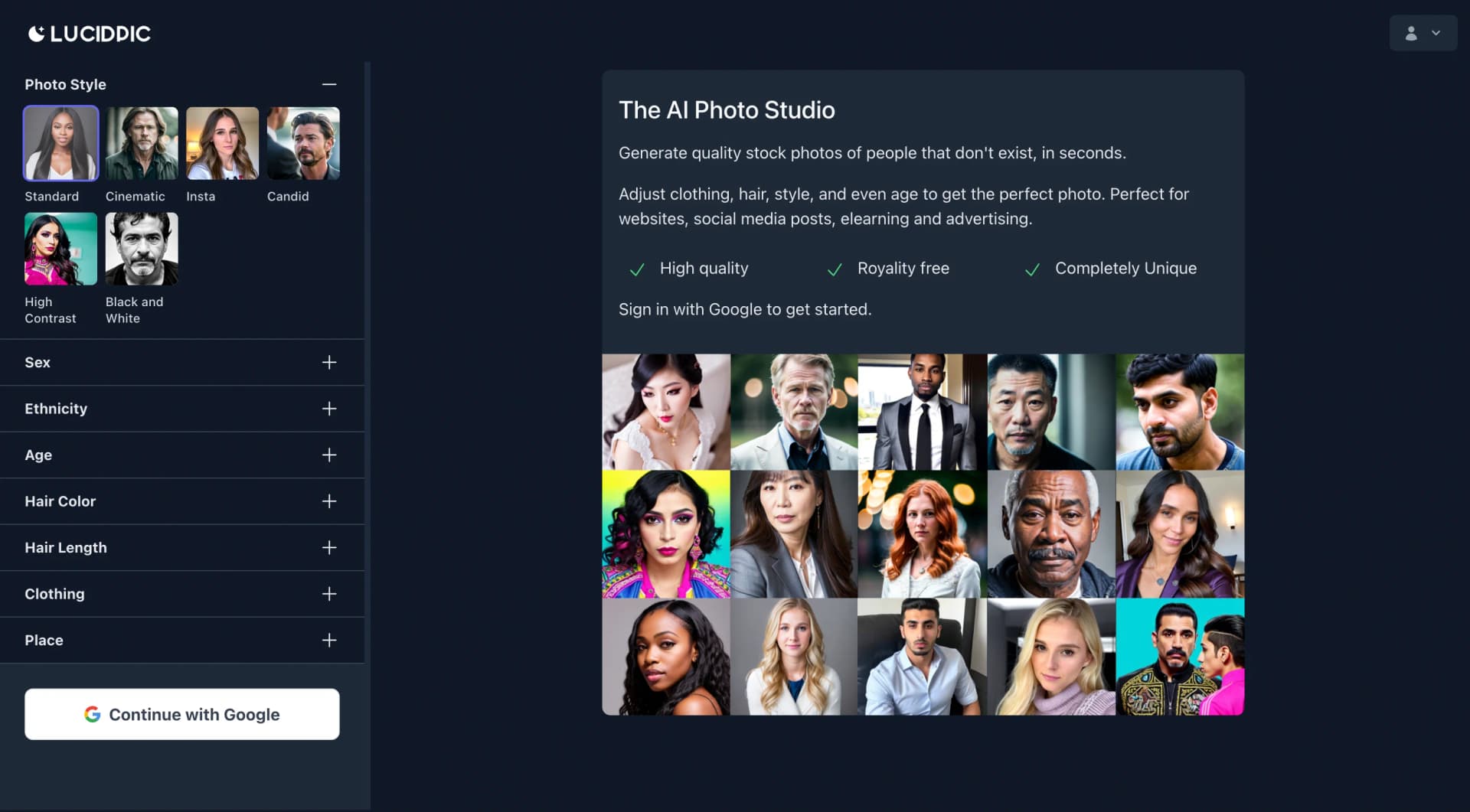
Lucidpic is an innovative platform revolutionizing the way users interact with images through its AI-driven 3D photo creation feature. Tailored for photographers, marketers, and social media enthusiasts, Lucidpic adds depth and interactivity to visual content, offering a new dimension to traditional images.
Lucidpic's effortless transformation of standard images into immersive 3D experiences sets it apart, offering a unique way to engage audiences and elevate visual content.
Lucidpic excels in providing an innovative solution for enhancing visual content with its AI-driven 3D photo creation feature. Ideal for professionals and enthusiasts alike, Lucidpic offers a user-friendly experience and high-quality output, making it a valuable tool for engaging audiences and standing out in the digital landscape.
Who is Using Lucidpic?
Professional Photographers
Adding a creative twist to portfolios with immersive 3D images.
Real Estate Agents
Showcasing properties with interactive 3D views for prospective buyers.
E-commerce Stores
Providing customers with a closer look at products through engaging 3D visuals.
Social Media Influencers
Standing out on social platforms with compelling 3D posts and stories.
Uncommon Use Cases
Educators creating interactive learning materials; Event planners offering dynamic venue previews.
Key Features
Rating Breakdown
Pricing Plans
Free Tier
Free
- Basic version available for exploration of Lucidpic's capabilities
Premium Tier
- Subscription-based access to advanced features and higher quality output
Which Lucidpic plan should you pick?
Start with Free to test the workflows, choose Small for light recurring use, and upgrade to Medium or higher when you need more credits, training, video, or selected unlimited models.
Free
Good for testing Lucidpic with monthly free credits and no payment card.
Small
Good for light production use needing 100 monthly credits, video generation, and one free training per month.
Medium
Good for regular creators needing 500 credits, three free trainings monthly, and selected unlimited models.
Large
Good for higher-volume work needing 1,500 credits and ten free trainings monthly.
Pro
Good for high-volume production needing 4,000 credits and thirty free trainings monthly.
Lucidpic Use Cases
AI photoshoots
Create coherent portrait, fashion, creator, and campaign photo sets around one recognizable person.
Outcome: A cohesive collection of campaign-ready images.
Social media content
Generate platform-oriented photos, outfits, poses, locations, and styles for Instagram, TikTok, LinkedIn, and other channels.
Outcome: More varied social content without repeated photo sessions.
Business imagery
Create corporate headshots, marketing materials, professional portraits, and consistent brand imagery.
Outcome: Professional business visuals delivered quickly.
AI influencer videos
Turn photos into talking-head clips, product demonstrations, influencer content, and short social videos.
Outcome: Short-form video content in vertical, square, or widescreen formats.
Product and fashion shoots
Train custom styles on products or clothing and generate scenes with a custom character or virtual model.
Outcome: Product and fashion concepts without a traditional studio shoot.
Workflow Ideas with Lucidpic
Create a consistent character campaign
- 1Upload photos or design a photorealistic character.
- 2Train the character model and generate multiple scenes, outfits, and poses.
- 3Select the strongest stills and create matching video clips.
Turn one photo into campaign assets
- 1Upload a product or person photo and record the details that must remain unchanged.
- 2Generate alternative backgrounds, compositions, lighting, and people-led concepts.
- 3Convert selected stills into motion and review every final asset before publishing.
Edit and refine an existing image
- 1Choose or upload an image in the AI Image Editor.
- 2Describe one visual change and optionally add a reference image.
- 3Generate up to four alternatives, compare them, and continue editing the preferred result.
How Lucidpic fits into your stack
Browser
Lucidpic is used as an online creative studio for generating, editing, training consistent characters, and exporting image or video assets.
Automation and APIs
The developer API provides bearer-key access to model catalogs, image and video generation, media editing operations, usage, and safety assessment.
AI assistants
Lucidpic can be installed in ChatGPT so users can create and edit media, train characters, and prepare campaign exports through approved tool requests.
Pros
- +Enhanced Engagement: 3D photos drive higher engagement rates on social media, capturing audience attention effectively.
- +Innovative Technology: Utilizes AI to create immersive 3D effects without the need for specialized equipment or expertise.
- +User Accessibility: Offers a straightforward process suitable for users of all skill levels, fostering widespread adoption.
- +Speed and Convenience: Rapidly transforms images into 3D format, saving time for busy content creators.
Cons
- −Internet Dependency: Relies on internet connectivity for cloud-based image processing.
- −Device Compatibility: 3D effect may vary across different devices and web platforms, affecting user experience.
- −Learning Curve: New users may require time to explore and fully utilize all features effectively.
Limitations & when to consider alternatives
Known limitations
- Credits govern many features. Image edits, video generation, training, and many image models consume credits.
- Unlimited images are model-limited. Unlimited generation applies only to selected models on eligible plans; other image models, training, and video still use credits.
- Credits have rollover limits. Plan credits roll over for one extra month, while extra credit packs last six months.
- Generative edits are not pixel-exact. The editor creates new interpretations, and generated results may alter labels, packaging, faces, hands, or small details.
- Virtual try-on is not a sizing guarantee. Clothes try-on is intended for creative previews of silhouette, colour, and styling, not exact fit, measurement, fabric, or construction verification.
How to Use Lucidpic
- 1
Start with a prompt, photo, or reference
Open Lucidpic and begin with an idea, an uploaded photo, or a reference image. Auto mode can choose a suitable starting model.
- 2
Create or reuse a character
Design a new photorealistic person or train a reusable character from your own photos when identity consistency matters.
- 3
Generate and compare variations
Describe the scene, outfit, lighting, framing, or mood, then compare multiple generated directions.
- 4
Edit the strongest result
Use the AI Image Editor or focused tools for object removal, retouching, background changes, canvas extension, resizing, upscaling, and clothing changes.
- 5
Create video from a still
Use a selected image as the first frame, describe motion, and generate a short video in the desired aspect ratio.
- 6
Review and export
Inspect faces, hands, product details, labels, captions, and motion before using the result commercially or publishing it.
Who is Lucidpic For?
Creators
Create reusable people, social content, photoshoots, and short videos without repeated studio sessions.
Marketers
Produce product, advertising, campaign, and social-media image variations quickly.
Businesses
Generate corporate headshots, marketing imagery, brand-consistent visuals, and business content.
Virtual influencer creators
Build consistent virtual personas and create content at scale.
Storytellers and brands
Reuse recognizable characters across visual stories, campaigns, and product or fashion shoots.
Frequently Asked Questions
What is Lucidpic?
Lucidpic is an AI person generator and image/video studio for creating realistic, reusable people, photos, and videos.
Can I try Lucidpic for free?
Yes. Lucidpic offers a Free plan with monthly credits and does not require a card.
How do consistent AI characters work?
Create a reusable character from a prompt or your own photos, then place that person in new scenes, outfits, and visual styles while keeping the identity recognizable.
Can I upload and edit my own photos?
Yes. Upload an existing photo or use a generated image, then change the background, clothing, style, composition, or other visual details.
Can I turn an AI image into a video?
Yes. Use an image as the first frame, describe the movement, and generate a short video clip.
Can I use Lucidpic images commercially?
Lucidpic says its plans include commercial-use rights for generated images, subject to its terms and applicable law.
Community reviews
4 reviews from people who use Lucidpic.
Sign in to leave a review for Lucidpic.
Avetiq Asatryan
владимир шалагин
Moustafa Barakate
Jeff
Lucidpic Alternatives
Looking for alternatives to Lucidpic? Here are similar tools in the same category:
Learn to Master Lucidpic
With Skill Leap courses
Get in-depth training on Lucidpic and 50+ other AI tools with our expert-led video courses.
Start 7-Day Free Trial