
Ludo
Turn prompts into game-ready spritesheets.
Key Takeaways
- What it is
- Turn prompts into game-ready spritesheets.
- Pricing
- $20 per month · $50 per month · $350 per month
- Best for
- AI Sprite Generator & Spritesheets
- 2D Asset Generators
- Art Styles & Style Matching
- Rating
- 4.3/5
What is Ludo?
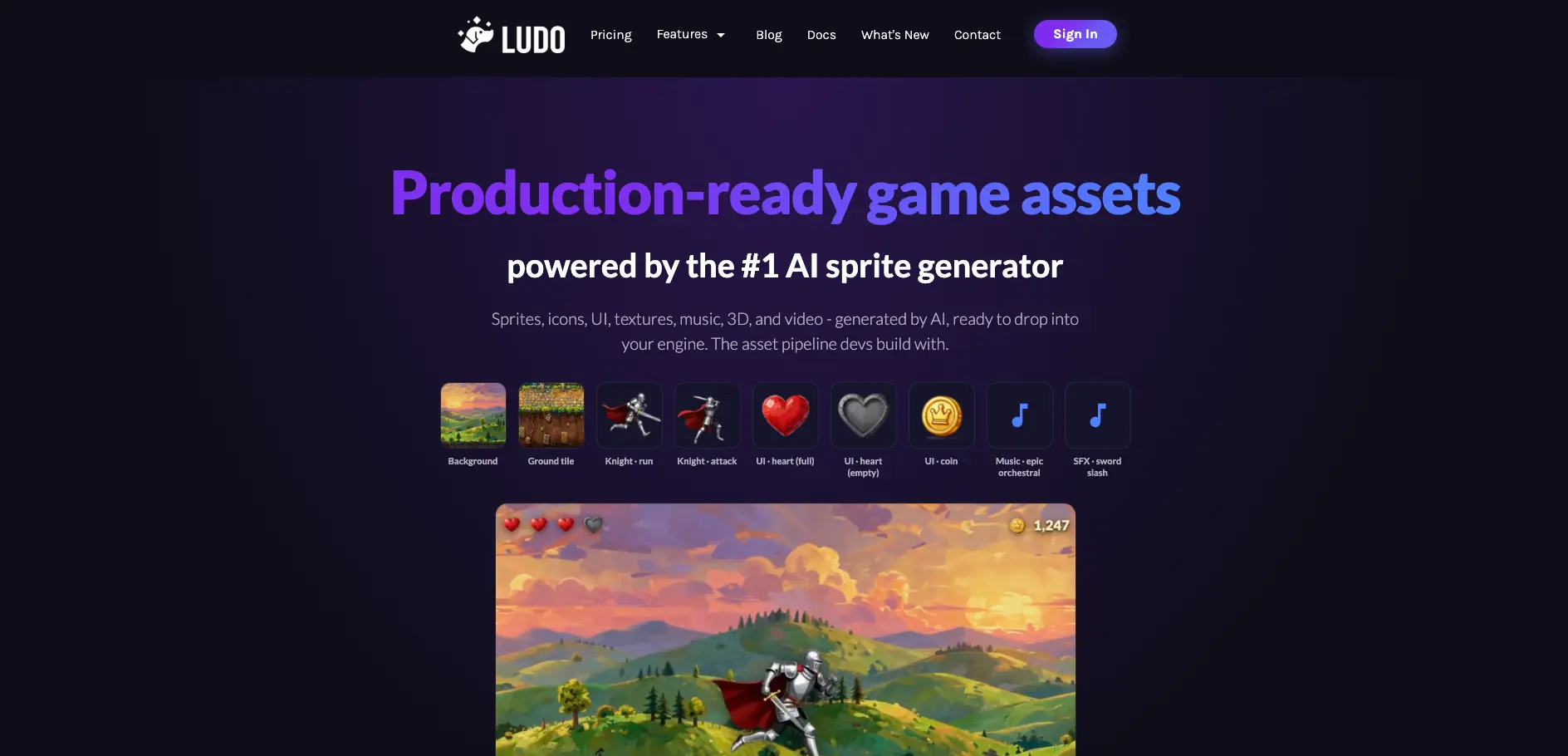
Ludo is a web-based game asset studio that uses generative models to create sprites, animations, UI, textures, music, 3D models, and video for game teams. It targets indie developers and small studios that need production-ready art faster than traditional pipelines allow. By connecting to engines and AI assistants through an API, MCP server, and a Unity plugin, it fits into existing workflows instead of sitting off to the side.
Ludo stands out by centering its product on high-quality 2D sprite animation and then surrounding it with 2D art, 3D meshes, audio, and video generators that feed directly into Unity, web, and MCP-driven tools. The pairing of a sprite-first workflow, export formats tailored to game engines, an open source Unity plugin, and case studies from shipped games makes it feel like an asset pipeline built for production teams rather than a general image toy.
Ludo is strongest when a team needs a lot of 2D animation and supporting assets but does not have a large art department. The sprite generator, style system, and integrations make it a practical workhorse for indie developers and small studios that live in Unity and modern AI editors. It will not replace rigging tools or long-term asset storage, yet as an AI asset studio focused on real game pipelines it offers strong value for teams comfortable working inside its subscription tiers.
Who is Using Ludo?
Solo indie developers
Use it to generate sprites, tiles, UI, music, and SFX so a single person can ship content-heavy games.
Small studios and micro-teams
Replace parts of traditional art pipelines with automated spritesheets, environments, and props to hit schedules with small headcount.
Technical artists and animators
Turn keyframes into spritesheets and iterate on motion with prompts instead of redrawing full cycles.
Game designers and prototypers
Previsualize mechanics, levels, and cutscenes with quick shots and animated characters before committing engineering time.
AI tooling and assistant builders
Plug the MCP server into Claude, Cursor, or custom agents so copilots can request art, 3D, and audio on demand.
Uncommon Use Cases
Classroom exercises in game art and audio where students need rapid feedback; story-driven marketing pieces that borrow game-style visuals and sound.
Key Features
Rating Breakdown
Pricing Plans
Indie
$20 per month
- 250 credits per month, 1 seat, 5 active projects, 1 concurrent generation job, basic support, and unused credits roll over
Pro
$50 per month
- 1,000 credits per month, unlimited active projects, unlimited ideation/game concept/image generation, 2 concurrent generation jobs, API and MCP access, premium support, and unused credits roll over
Studio
$350 per month
- 10,000 credits per month, 10 seats, real-time collaboration, 5 concurrent generation jobs, API and MCP access, priority support, and unused credits roll over
Enterprise
- Custom integrations, tailored AI solutions, dedicated support, and volume licensing
Which Ludo plan should you pick?
Start with the free plan to test ideation and asset generation, choose Pro for API or MCP access, and upgrade to Studio for seats and real-time collaboration.
Indie
Good for individuals who need core game ideation and asset generation with one seat and five active projects.
Pro
Good for solo developers who need unlimited core generation plus API and MCP access.
Studio
Good for studios who need ten seats, real-time collaboration, higher capacity, and priority support.
Enterprise
Good for large teams that need custom integrations, tailored AI solutions, dedicated support, or volume licensing.
Ludo Use Cases
Game concept development
Create and refine a structured game design document with AI suggestions for mechanics, story, characters, and art.
Outcome: A shareable game plan or exported PDF.
2D game asset creation
Generate sprites, icons, UI assets, textures, backgrounds, and animated sprite sheets from prompts or references.
Outcome: Game-ready 2D assets and animations.
3D asset production
Convert images into 3D models, generate textures, optimize models, and rig or animate assets.
Outcome: Textured, optimized, and animated 3D game assets.
Game development guidance
Generate personalized engine-specific tutorials and code snippets based on a game's concept and selected engine.
Outcome: A step-by-step development roadmap.
Automated asset pipelines
Use the REST API, MCP, or Unity Plugin to generate assets inside custom pipelines and development environments.
Outcome: Programmatic asset creation with reduced manual export and import work.
Workflow Ideas with Ludo
Concept to development guide
- 1Start a project from a blank document, text, PDF, or Game Ideator concept.
- 2Add mechanics, story, characters, and art using AI suggestions.
- 3Generate an engine-specific guide for Unity, Godot, Unreal, Roblox, or another supported engine.
Reference image to game asset
- 1Upload an image or reference asset in the Image or 3D Generator.
- 2Describe the desired edit, style, texture, or 3D conversion.
- 3Download the generated asset or save it into the project.
Automated sprite pipeline
- 1Connect Ludo through the REST API, MCP, or Unity Plugin.
- 2Generate a sprite from a text prompt or reference image.
- 3Send the sprite into animation generation and save the resulting sprite sheet to the project.
How Ludo fits into your stack
Browser
Ludo is primarily a web-based game-development workspace for market research, ideation, projects, concept documents, and asset generation.
Docs and writing
Projects act as collaborative game-design documents containing concepts, research, assets, tutorials, and exported content. PDFs can be imported as existing design documents.
Team chat and tickets
Ludo supports Slack integration for team communication around game ideas and project progress.
Automation and APIs
The REST API and MCP server connect Ludo to custom applications, pipelines, Claude, Cursor, and other compatible AI-assisted workflows.
Desktop / IDE
Ludo provides a Unity plugin that generates and saves images, sprites, 3D models, rigs, animations, and audio inside the Unity Editor.
Pros
- +Game-focused outputs: Spritesheets, JSON metadata, GLTF models, and looping audio come in engine-friendly formats that reduce manual conversion work.
- +Speed for animation-heavy games: Case studies report going from prompt to usable animations in a few minutes, which makes tuning movement and VFX feel iterative.
- +Cross-modal consistency: The same styles and prompts can drive 2D art, 3D props, and audio so a game's look and sound stay aligned.
- +Strong workflow hooks: MCP, API endpoints per asset type, and the Unity plugin support automated asset generation inside chat-based tools and the Unity editor.
- +Proof from shipped titles: Public case studies from multiple indie releases show the tool in real production use, not just demo concepts.
Cons
- −Static 3D only: Generated 3D assets are unrigged static meshes, so character animation still needs external tools or manual work.
- −Limited API access by plan: API and MCP keys are restricted to Pro and Studio subscriptions, which can slow experimentation for hobbyists.
- −Short-lived API asset URLs: API responses use asset links that expire after several days, so teams must copy files into their own storage quickly.
Limitations & when to consider alternatives
Known limitations
- English-first experience. The interface and generated content are currently available in English, with best performance from English prompts.
- Free-plan watermark. Sprite sheet downloads on the free plan include a Ludo watermark on each frame.
- API and MCP are plan-limited. API and MCP access is included on Pro and Studio plans rather than Indie.
- Project workspace has no standalone API. The Project workspace itself is used inside the app and is not exposed as a standalone API or MCP endpoint.
- No custom model training. Ludo does not offer LoRA or custom model training; style consistency uses references and presets.
Look elsewhere when
- You need custom-trained LoRA models for a locked house style.
- You need project documents exposed through a standalone API.
- Your team requires multilingual interface and generated content.
- You need native mobile or desktop applications rather than a web app.
How to Use Ludo
- 1
Create or import a project
Start from a blank document, text, PDF, real game reference, or Game Ideator concept to establish the game's foundation.
- 2
Build the game design document
Add mechanics, story, characters, and art sections, then use AI suggestions and Ask Ludo for contextual feedback.
- 3
Generate supporting assets
Create and embed images, sprites, 3D models, audio, and video directly within the project.
- 4
Generate an engine guide
Choose a supported engine and experience level to produce an ordered development guide with explanations and code snippets.
- 5
Use API, MCP, or Unity integration
For automated pipelines, generate an API key and connect Ludo to Claude, Cursor, custom applications, or the Unity Plugin.
- 6
Export and share
Export the project as a PDF, download generated assets, or share playable prototypes through a link.
Who is Ludo For?
Individual game developers
The Indie plan is designed for individuals who want to accelerate game development with AI-powered ideation and asset tools.
Solo developers
The Pro plan is positioned for solo developers who need unlimited creative freedom and API or MCP access.
Indie developers
Ludo supports indie developers with game concepts, market research, engine guides, prototypes, and production assets.
Game studios
The Studio plan provides multiple seats, real-time collaboration, premium tools, and higher generation capacity.
Large teams and organizations
Enterprise offers scalable access, custom integrations, tailored AI solutions, dedicated support, and volume licensing.
Frequently Asked Questions
What is Ludo.ai?
Ludo.ai is a specialized platform for game research, design, ideation, asset creation, prototyping, and development guidance.
Does Ludo.ai provide an API?
Yes. Ludo provides REST API and MCP access for programmatic asset generation, including images, sprites, animation, 3D models, video, and audio.
Can teams collaborate in Ludo.ai?
Yes. Projects support real-time collaboration, allowing multiple team members to edit documents, sections, and generated assets together.
Can Ludo.ai generate code?
Yes. Ludo can generate Unity C# scripts and engine-specific development guides with code snippets.
Does Ludo.ai train custom models on user artwork?
No. Ludo uses reference images, style presets, and character tools instead of LoRA or custom model training.
What languages does Ludo.ai support?
The interface and generated content are currently available in English, and Ludo recommends English prompts for best results.
Community reviews
Be the first to share your experience.
Sign in to leave a review for Ludo.
Ludo Alternatives
Looking for alternatives to Ludo? Here are similar tools in the same category:
Learn to Master Ludo
With Skill Leap courses
Get in-depth training on Ludo and 50+ other AI tools with our expert-led video courses.
Start 7-Day Free Trial