
Lyzr Agent Studio
Automate complex business workflows with customizable AI agents.
Key Takeaways
- What it is
- Automate complex business workflows with customizable AI agents.
- Pricing
- $99 per month · $999 per month · $2,499 per month
- Best for
- Lyzr Agent Studio
- Multi-Agent Orchestration
- Pre-built Agents Hub
- Rating
- 4.6/5
What is Lyzr Agent Studio?
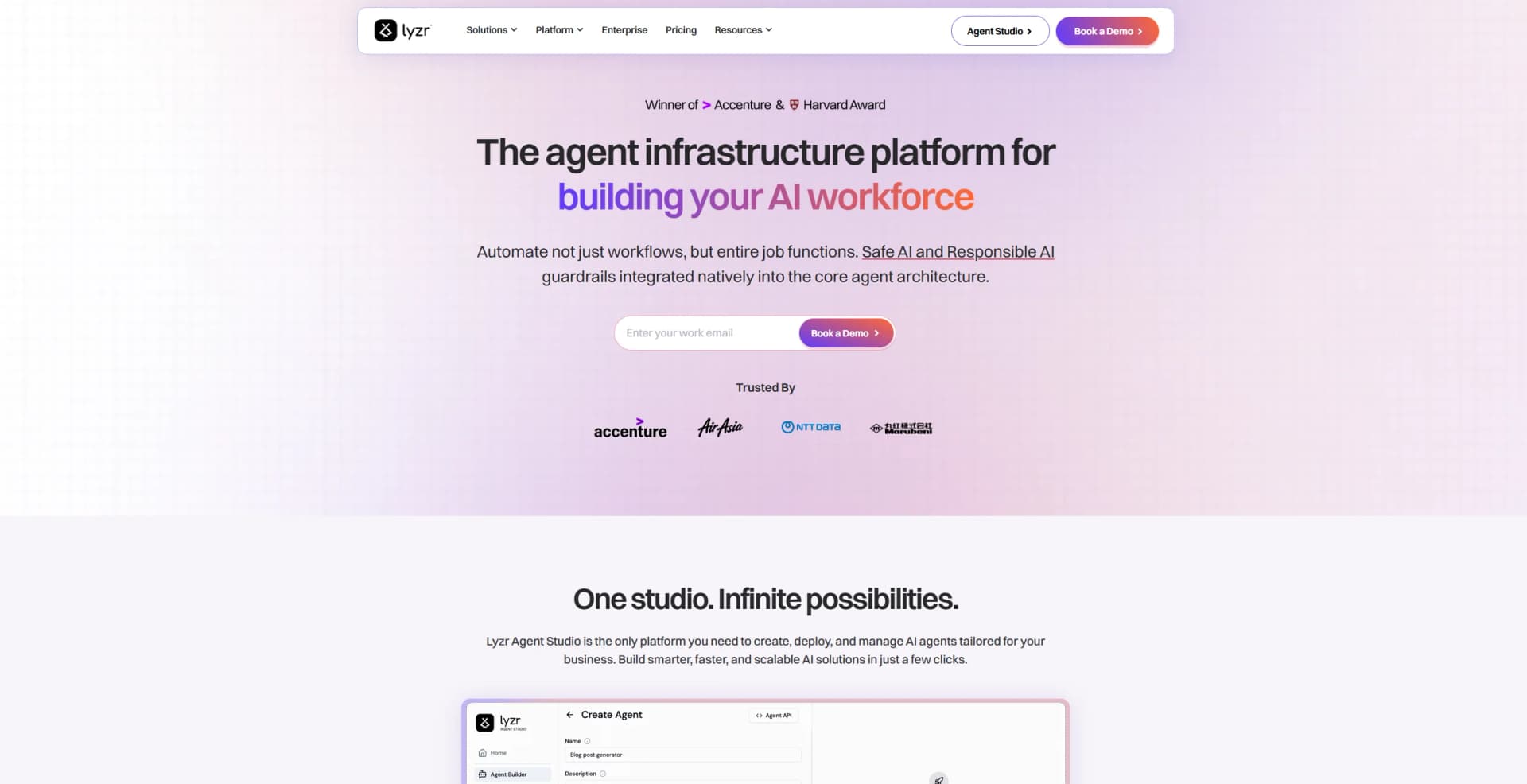
Lyzr Agent Studio innovative platform designed to revolutionize the creation and deployment of AI agents tailored for specific business workflows. Catering to industries such as banking, financial services, and more, Lyzr Agent Studio offers a comprehensive suite of tools that enable enterprises to automate complex workflows and enhance operational efficiency. By integrating safe and responsible AI guardrails, Lyzr Agent Studio ensures that businesses can automate not just individual tasks, but entire job functions with confidence and security.
Lyzr Agent Studio stands out with its comprehensive Agent Studio platform, a game-changer for businesses seeking to automate complex workflows. Its ability to offer both cloud and on-premise deployment options sets it apart, providing flexibility and control to users across various industries.
Lyzr Agent Studio offers a powerful platform for enterprises aiming to harness the full potential of AI technology. With its robust features and flexible deployment options, it empowers businesses to automate workflows intelligently and responsibly. Whether you're a developer looking to build custom agents or a business leader seeking ready-to-use solutions, Lyzr Agent Studio provides the tools and support needed to thrive in today's competitive landscape.
Who is Using Lyzr Agent Studio?
E-commerce Businesses
Leveraging Lyzr Agent Studio to automate customer service and enhance the shopping experience.
Financial Institutions
Utilizing AI agents for fraud detection, compliance, and customer support.
Marketing Agencies
Employing the platform to streamline campaign management and data analysis.
Human Resources Departments
Using AI agents for recruitment, onboarding, and performance tracking.
Uncommon Use Cases
Educational institutions adopting Lyzr Agent Studio for training purposes; Freelancers using AI agents for personal productivity enhancement.
Key Features
Rating Breakdown
Pricing Plans
Community
- 1 license
- Base model access
- 100MB of knowledge base storage
Pro
$99 per month
- 10,000 credits
- 1 license
- Access to leading LLMs
- Super agents
- 1GB of storage
Teams
$999 per month
- 100,000 credits
- 10 licenses
- 10GB storage
- Multi-agent orchestration
- Advanced logs
Organization
$2,499 per month
- 300,000 credits
- 35 licenses
- 30GB storage
- OGI & BYO model support
- 1-year traceability
Enterprise
- Unlimited credits
- Storage as needed
- Full feature access including Lyzr Build Services
Which Lyzr Agent Studio plan should you pick?
Start with Community to evaluate Agent Studio at no cost, move to Starter or Pro for higher credit and agent limits, and upgrade to Enterprise for collaboration, full orchestration, deployment flexibility, governance, and support.
Community
Good for hackers, students, and teams experimenting with agent workflows who need a free starting tier.
Starter
Good for teams beginning with AI agents that need more credits and knowledge bases.
Pro
Good for growing teams that need more agents, storage, credits, and some advanced agent capabilities.
Enterprise
Good for organizations needing unlimited agents and knowledge bases, team collaboration, full orchestration, deployment options, governance, and enterprise support.
Lyzr Agent Studio Use Cases
Customer support automation
Build agents that answer customer questions, route tickets, and escalate issues using connected tools.
Outcome: More automated and consistent support operations.
Document analysis
Upload PDFs, DOCX files, images, or other business documents and ask agents to summarize, compare, extract, or analyze them.
Outcome: Faster document understanding and information extraction.
Workflow orchestration
Chain multiple agents, API calls, conditions, file inputs, and approvals into a visual workflow.
Outcome: End-to-end automation of repeatable multi-step processes.
Sales and marketing operations
Use pre-built applications and integrations for lead qualification, competitive research, and content generation.
Outcome: Automated sales and marketing workflows.
Internal knowledge assistants
Connect knowledge bases containing company documents, websites, databases, or spreadsheets to conversational agents.
Outcome: Grounded answers from organizational information.
Workflow Ideas with Lyzr Agent Studio
Document processing pipeline
- 1Receive a document through a file-upload trigger
- 2Parse and extract the document contents
- 3Send the extracted information to an agent for analysis
Customer support escalation
- 1Receive a customer message through an input or webhook
- 2Use an agent to classify the request and determine priority
- 3Send the result to Slack or another external system
Scheduled reporting workflow
- 1Trigger the workflow on a schedule
- 2Retrieve data through connected tools or APIs
- 3Generate a report and deliver the result to a configured destination
How Lyzr Agent Studio fits into your stack
Browser
Agent Studio is a web-based visual builder used to create, configure, test, and deploy AI agents through studio.lyzr.ai.
Automation and APIs
Agents can be deployed through REST APIs, API keys, cURL requests, custom REST integrations, webhooks, and scheduled triggers.
Team chat and tickets
Agents can operate through Slack and Microsoft Teams, including messaging, workflow notifications, two-way conversations, and bot interactions.
Knowledge and files
Knowledge bases ingest PDFs, DOC, DOCX, TXT files, URLs, spreadsheets, and other connected data sources for grounded agent responses.
Pros
- +Time Efficiency: Automates repetitive tasks, reducing manual workload and freeing up valuable time for more strategic activities.
- +Cost-Effective: Lowers operational costs through the automation of entire job functions, resulting in significant savings.
- +User-Friendly Interface: Intuitive design allows users, even with minimal technical expertise, to launch and manage AI agents effortlessly.
- +Enterprise-Ready Integrations: Seamlessly connects with major cloud platforms and enterprise applications, ensuring smooth integration into existing systems.
Cons
- −Initial Learning Curve: Some users may require time to familiarize themselves with the extensive features and customization options.
- −Limited Third-Party Integrations: While Lyzr Agent Studio offers robust integrations, the range of third-party platforms supported could be expanded.
- −Pricing Structure: The lack of transparent pricing details on the website may necessitate further inquiry for potential users.
Limitations & when to consider alternatives
Known limitations
- Community usage limits. The Community plan includes 5 credits per month, up to 10 agents, up to 5 knowledge bases, and 100 MB of RAG storage.
- Limited orchestration on non-Enterprise plans. Community, Starter, and Pro plans list orchestration as limited; full orchestration is an Enterprise feature.
- Limited models and blueprints on non-Enterprise plans. Community, Starter, and Pro plans provide limited models and a few blueprints, while Enterprise provides access to all models and blueprints.
- File-size limit. A single file in a SuperFlow can be up to 100 MB; larger files should be stored externally and referenced by URL.
- Credits reset on a schedule. Free-plan credits reset every 30 days and do not roll over; additional credits require top-ups or a paid plan.
Look elsewhere when
- You need a native mobile app.
- You need a dedicated desktop installer.
- You need SSO or SAML documented as a standard plan feature.
How to Use Lyzr Agent Studio
- 1
Create an account
Go to studio.lyzr.ai and sign up with Google, GitHub, or email to access the visual builder and API keys.
- 2
Create an agent
Select New Agent, choose a template or start from scratch, and configure the model, role, goal, and instructions.
- 3
Add knowledge sources
Attach PDFs, web URLs, databases, spreadsheets, or other files so the agent can retrieve relevant information.
- 4
Connect tools
Add pre-built connectors such as Slack or Gmail, or configure custom REST integrations for external systems.
- 5
Test and refine
Use the Playground or chat simulator to test prompts, file inputs, retrieval, and tool calls before deployment.
- 6
Deploy and monitor
Publish the agent to the Lyzr App Store or organization, or invoke it through the REST API and monitor usage and logs.
Who is Lyzr Agent Studio For?
Business users
The no-code visual builder lets business users create agents without extensive coding knowledge.
Product teams
Product teams can build, test, publish, and deploy agents into their own applications.
Developers
Developers get REST APIs, SDKs, API keys, custom tools, and workflow integration endpoints.
Enterprises
Enterprise teams get on-premises or cloud deployment, team collaboration, governance, evaluation, and support features.
Frequently Asked Questions
What is Lyzr Agent Studio?
Lyzr Agent Studio is a no-code platform for creating, deploying, and managing AI agents.
Can developers use Lyzr Agent Studio programmatically?
Yes. Agents are exposed through REST endpoints, and Lyzr provides API keys, API documentation, SDK support, and workflow APIs.
Can agents use company documents?
Yes. Agents can use knowledge sources such as PDFs, DOCX files, spreadsheets, web URLs, databases, and uploaded assets.
Can agents connect to external tools?
Yes. Lyzr provides pre-built integrations and supports custom REST integrations and API-connected tools.
Can workflows be automated?
Yes. The visual Workflow Builder chains agents, APIs, conditionals, file inputs, schedules, and webhooks into multi-step processes.
How is pricing structured?
Agent Studio offers Community, Starter, Pro, and Enterprise plans with monthly credits, usage-based credit consumption, and optional top-ups.
Community reviews
Be the first to share your experience.
Sign in to leave a review for Lyzr Agent Studio.
Lyzr Agent Studio Alternatives
Looking for alternatives to Lyzr Agent Studio? Here are similar tools in the same category:
Learn to Master Lyzr Agent Studio
With Skill Leap courses
Get in-depth training on Lyzr Agent Studio and 50+ other AI tools with our expert-led video courses.
Start 7-Day Free Trial