
Madgicx
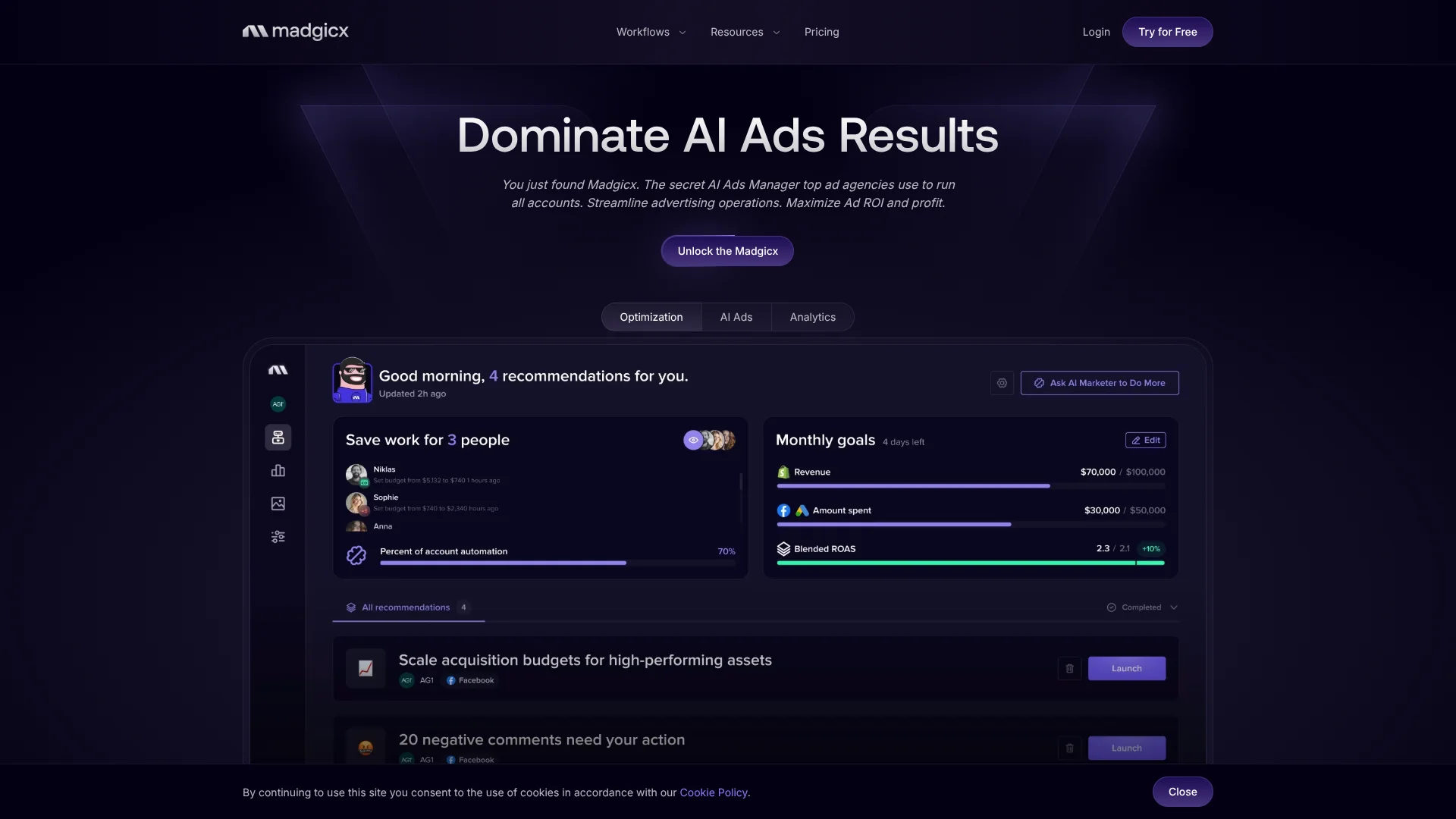
Runs Meta ads as virtual buyer.
Key Takeaways
- What it is
- Runs Meta ads as virtual buyer.
- Pricing
- Freemium · $49/mo add-on.
- Best for
- AI Marketer
- AI Ad Generator
- Audience Studio
Who is Using Madgicx?
E-commerce businesses
Madgicx is built around improving Meta advertising performance, targeting, creative production, and ROAS for e-commerce advertisers.
Advertising agencies
Agencies can manage multiple client ad accounts, create workspaces, invite team members, and assign account permissions.
Performance marketing teams
Teams can use AI optimization, audience analysis, creative insights, and automated campaign rules to manage paid advertising.
Advertisers managing multiple accounts
The platform supports connected ad accounts and aggregates data across accounts and channels in reporting.
Key Features
Pricing Plans
Madgicx Pro Complete
Free
- Automation
- Targeting
- Analytics
- Ad Management
Tracking Pro
$49/mo add-on.
- Advanced tracking and attribution for each connected account
- Accurate first-party conversion data in real time
- Server-to-server tracking for Facebook ads
- Enhanced conversions with Facebook Click ID support
Which Madgicx plan should you pick?
Start with the 7-day trial of Madgicx Pro Complete, then upgrade based on monthly Meta ad spend and add Tracking Pro if you need enhanced attribution support.
Madgicx Pro Complete
Good for advertisers and agencies who need the complete optimization, analytics, creative, targeting, ad-management, and automation suite.
Tracking Pro
Good for teams who need enhanced tracking support, implementation help, tracking audits, and pixel-audit services.
Madgicx Use Cases
Launch full-funnel Meta audiences
Use Audience Launcher to select preset acquisition, re-engagement, retargeting, and retention audiences and deploy them into campaigns.
Outcome: Faster setup of a structured funnel strategy.
Generate and refresh ad creatives
Upload an image or use an existing creative, describe desired changes, generate variations, edit them, and launch them to Meta.
Outcome: More creative variations with less manual design work.
Automate budget and ad optimization
Build tactics from metrics and conditions, then schedule triggers to pause losing ads, scale winners, or make other account changes.
Outcome: Reduced repetitive campaign-management work.
Consolidate cross-channel reporting
Connect Meta, Google, TikTok, Shopify, GA4, and Klaviyo data into Business Dashboard or One-Click Report.
Outcome: Unified performance reporting across advertising and commerce sources.
Manage ads through AI assistants
Connect the Madgicx MCP servers to compatible clients such as Claude, ChatGPT, n8n, or agent frameworks.
Outcome: Analyze and manage supported advertising operations using natural-language requests.
Workflow Ideas with Madgicx
Creative refresh and launch
- 1Open AI Ad Hub and upload a product or lifestyle image.
- 2Add a prompt, choose the format and number of outputs, and generate variations.
- 3Edit the selected creative and launch it to Meta through the ad-creation flow.
Audience testing workflow
- 1Review performance in Audience Studio and identify winning audiences or interests.
- 2Mix interests, lookalikes, inclusions, and exclusions into new audience combinations.
- 3Launch the selected audiences through Audience Launcher into new or existing campaigns.
Automated account optimization
- 1Choose metrics and conditions for a custom automation tactic.
- 2Combine tactics into a strategy and define when triggers should run.
- 3Review the resulting changes and continue refining the automation rules.
How Madgicx fits into your stack
Browser
Madgicx is accessed as a web platform at app.madgicx.com for managing campaigns, audiences, creatives, analytics, and reports.
Automation and APIs
Madgicx provides remote MCP servers for Facebook Ads and Google Ads, with OAuth 2.0, client credentials, and support for n8n and agentic frameworks.
Analytics and reporting
One-Click Report and Business Dashboard combine data from Meta Ads, Google Ads, Google Analytics 4, Shopify, Klaviyo, and TikTok.
Creative production
The AI Ad Hub, Ad Library, AI Ad Generator, and AI Image Editor support ad inspiration, creative generation, editing, testing, and launch.
Pros
- +7-day free trial available
- +Combines automation, targeting, analytics, ad management, and creative tools
- +Supports team workspaces with invitations and permissions
- +Connects multiple advertising and commerce data sources
- +Can launch Meta ads directly from the platform
Cons
- −Pricing varies with monthly Meta ad spend
- −The free access is a time-limited trial rather than a permanent free plan
- −Google Ads MCP access is read-only
- −One-Click Report is documented as a paid add-on
- −No native iOS or Android app is documented; mobile access uses a browser
Limitations & when to consider alternatives
Known limitations
- The free access period is limited. Madgicx offers a 7-day trial rather than a permanent free plan.
- Trial automation is restricted. During the trial, users can create multiple automations but can run only one at a time.
- Trial AI usage is capped. The trial limits AI Marketer to three tasks and AI Ad Hub to four projects with up to twelve ads total.
- Some audience features require a paid plan. eRFM audiences are available only to paying users, and trial users can create up to three audiences.
- Some Meta ad types cannot be created. Madgicx does not allow users to create new DCO or DPA ads or relaunch existing ones.
Look elsewhere when
- You need a permanent free plan rather than a 7-day trial.
- You need a native mobile app rather than mobile-browser access.
- You need to create or relaunch DCO or DPA ads.
- You need automated report delivery.
How to Use Madgicx
- 1
Start the trial
Create a Madgicx account and begin the 7-day trial to access the platform and evaluate its advertising workflows.
- 2
Connect advertising accounts
Connect Meta accounts and, for reporting, add supported sources such as Google Ads, TikTok, Shopify, GA4, or Klaviyo.
- 3
Set up your workspace
Create a workspace, invite teammates, assign owner, admin, or advertiser permissions, and grant access to selected ad accounts.
- 4
Analyze audiences and performance
Use Audience Studio, Targeting Insights, Business Dashboard, and AI Marketer recommendations to identify opportunities.
- 5
Create and launch ads
Use AI Ad Hub or Ad Launcher to generate, edit, select, and launch creatives and audience combinations into Meta campaigns.
- 6
Automate recurring optimization
Create custom tactics from metrics and conditions, schedule triggers, and monitor the resulting account changes.
Who is Madgicx For?
E-commerce businesses
Madgicx is positioned as an e-commerce advertising platform for improving Meta advertising performance, creative production, and ROAS.
Agencies
Agencies can manage multiple client ad accounts, invite team members, assign permissions, and white-label reports and campaign assets.
High-spending advertisers
Madgicx states that it is most suitable for advertisers with monthly Facebook ad budgets of $2,500 or more.
Performance marketers
The platform combines audience analysis, creative insights, automation, reporting, and campaign-management workflows for paid-social practitioners.
Frequently Asked Questions
What is Madgicx?
Madgicx is an advertising platform that adds targeting, automation, analytics, creative generation, and ad-management tools on top of Meta Ads Manager.
How long is the free trial?
The pricing page offers a 7-day free trial with access to the platform's features. The trial is not a permanent free tier.
Which platforms can One-Click Report monitor?
One-Click Report supports Meta Ads, Google Ads, Google Analytics 4, Shopify, Klaviyo, and TikTok.
Can teams collaborate in Madgicx?
Yes. Workspaces support invitations, team-member roles, permissions, and assignment of specific ad accounts.
Can Madgicx generate ads from uploaded images?
Yes. Users can upload product photos, lifestyle images, creative references, or competitor inspiration and generate new ad variations.
Can Madgicx automate ad-management workflows?
Yes. Custom Automation lets users combine metrics, conditions, tactics, and scheduled triggers into automated strategies.
Community reviews
Be the first to share your experience.
Sign in to leave a review for Madgicx.
Madgicx Alternatives
Looking for alternatives to Madgicx? Here are similar tools in the same category:
Learn to Master Madgicx
With Skill Leap courses
Get in-depth training on Madgicx and 50+ other AI tools with our expert-led video courses.
Start 7-Day Free Trial