
Magic Hour AI
For creators and teams to produce AI videos, images, and audio.
Key Takeaways
- What it is
- For creators and teams to produce AI videos, images, and audio.
- Pricing
- Freemium · $15 per month · $59 per month · $299.40 per month
- Best for
- AI video toolkit
- AI image workspace
- Audio and voice tools
- Rating
- 4.5/5
What is Magic Hour AI?
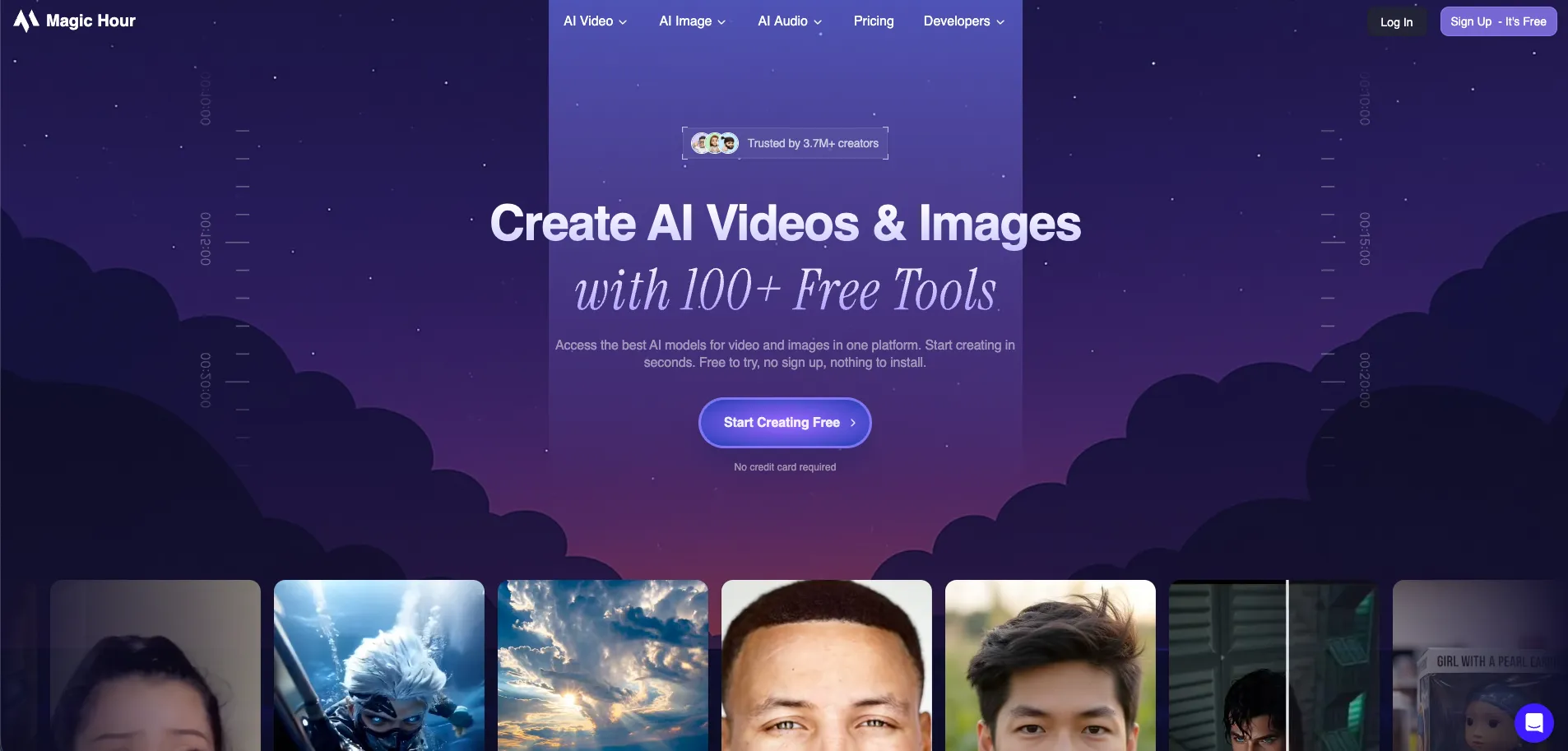
Magic Hour AI is a browser based creative suite for generating and editing video, images, and audio with artificial intelligence. It combines 100+ free tools, including text-to-video, animation, face swap, lip sync, and headshot generation, inside a single interface. Creators, marketers, and teams can turn prompts, scripts, or existing assets into social ready videos, polished photos, and voice content in minutes, or call the same capabilities programmatically through a documented API and credit based pricing.
Magic Hour AI combines a broad, creator friendly studio of over one hundred specialized tools with a production ready API, which is unusual among consumer facing AI video generators. Few competitors pair social friendly tricks like face swap, lip sync, clothes try ons, memes, and QR art with more serious text-to-video, UGC ad generation, and 4K export in one product. Credit based plans that span from free experimentation to high volume business usage make it attractive both for solo creators and growth minded teams.
Magic Hour AI offers an approachable toolkit for producing video, imagery, and audio without building a full studio. Its blend of quick social tools, higher end options like 4K output and UGC ad generation, and a documented API gives individuals and teams a practical path from experiments to scaled content. For those comfortable with a credit model and web interface, it delivers strong creative value per dollar.
Who is Using Magic Hour AI?
Performance marketers and DTC brands
Producing UGC-style ad creatives, product launch teasers, and rapid test variations.
Social media creators and influencers
Generating shorts, memes, face swap clips, and stylized selfies for TikTok, Instagram, and YouTube.
Creative agencies and studios
Prototyping concepts, localizing videos in many languages, and delivering client ready storyboards or assets.
SaaS and product teams
Embedding text-to-video and image generation into products or internal tools through the API.
Uncommon Use Cases
Utilized by real estate marketers for quick neighborhood highlight videos; Adopted by educators for teaching modern media and advertising workflows.
Key Features
Rating Breakdown
Pricing Plans
Basic
Free
- 400 credits, ~17 seconds of video, 576px resolution, limited video tool access, watermark, 200MB uploads, and API access
Creator
$15 per month
- 10,000 credits per month, ~7 minutes of video, 1024px resolution, full tool access, no watermark, 2GB uploads, API access, commercial use, priority queue, and priority support
Pro
$59 per month
- 50,000 credits per month, ~35 minutes of video, 1472px resolution, full tool access, no watermark, 5GB uploads, API access, commercial use, priority queue, and priority support
Business
$299.40 per month
- 250,000 credits per month, ~3 hours of video, 4K resolution (select modes), full tool access, no watermark, 10GB uploads, API access, commercial use, priority queue, and priority support
Which Magic Hour AI plan should you pick?
Start with the Free plan for testing, choose Creator for regular social production, upgrade to Pro for frequent professional work, and choose Business for teams, agencies, or high-volume 4K production.
Creator
Good for social content and everyday creation needing 1024px output, watermark-free exports, commercial use, 2GB uploads, and API access.
Pro
Good for professional work and frequent production needing 1472px output, 5GB uploads, higher concurrency, and API access.
Business
Good for teams, agencies, and high-volume content needing 4K output, 10GB uploads, unlimited concurrent generations, and API access.
Magic Hour AI Use Cases
Localized video advertising
Upload a video ad, provide a prompt or product photo, select markets and languages, and generate regional variations.
Outcome: Create multilingual, culturally adapted ad creatives without separate production runs.
Agency creative production
Paste a client brief, generate multiple creative directions, then refine and deliver selected concepts.
Outcome: Produce more client concepts with faster turnaround.
Talking-photo explainers
Upload a portrait, provide a script or audio, and generate a speaking avatar with synchronized lip movement.
Outcome: Create product explainers, onboarding clips, courses, and marketing videos without filming.
Image-to-video animation
Upload an image, describe desired motion, select a model and settings, then render and download the video.
Outcome: Turn still images into animated visual content.
Video style transfer
Upload an existing video or YouTube URL, choose a style, and generate a restyled version while preserving motion.
Outcome: Create cinematic, anime, or other stylized versions of existing footage.
Workflow Ideas with Magic Hour AI
Automated image-generation pipeline
- 1Create a Magic Hour API key
- 2Send prompts and generation parameters to the image endpoint
- 3Receive results through the response or webhook and store the output
Talking-avatar localization workflow
- 1Prepare and translate the script into target languages
- 2Generate language-specific voices with AI Voice Generator
- 3Use Talking Photo with the portrait and audio to create localized videos
Agency brief-to-delivery workflow
- 1Paste the client brief or creative direction
- 2Generate several creative concepts simultaneously
- 3Refine the selected concepts and download the final assets
How Magic Hour AI fits into your stack
Browser
Magic Hour is primarily a browser-based creative workspace for generating and editing videos, images, and audio. Projects can be saved in the Library and downloaded from the web interface.
Automation and APIs
The REST API provides programmatic access to media-generation tools with API keys, SDKs, asynchronous jobs, uploads, polling, and webhooks.
Desktop / IDE
Magic Hour exposes MCP connections for Claude, Cursor, VS Code, and Claude Code, allowing AI-assisted access to its API documentation or media-generation tools.
Pros
- +Huge tool library in one account: Video, image, and audio tools live together, reducing the need for multiple services.
- +Strong fit for short-form content: HD text-to-video up to around 60 seconds, UGC-style ads, and talking photos suit TikTok, Reels, and shorts workflows.
- +Approachable for non technical users: Guided flows, clear steps, and sensible defaults keep the learning curve relatively gentle.
- +Scales from hobby to enterprise: Credit tiers, 4K support, higher upload limits, and an API give agencies and product teams room to grow.
Cons
- −Watermarks and limits on the free tier: The no cost plan is best for testing rather than polished client delivery.
- −Credit system feels abstract: New users think in credits, resolutions, and modes instead of simple minutes or projects.
- −Web based experience only: Those who prefer native desktop or mobile apps must work in the browser and export assets.
Limitations & when to consider alternatives
Known limitations
- Free outputs have restricted rights. Free users may use generated videos only for personal, non-commercial purposes; paid plans provide commercial use.
- Free and lower tiers have resolution and upload limits. The Free tier is limited to lower resolution, while upload limits range from 200 MB on Free to 10 GB on Business.
- Uploaded API files are temporary. Files uploaded to Magic Hour storage are automatically deleted after seven days.
- Talking Photo supports one face per photo. Magic Hour currently supports animating one face per photo for AI Talking Photo.
- Interface language is English. The web interface is currently English-only, even though prompts, voices, and audio can support multiple languages.
Look elsewhere when
- You need a native iOS or Android app.
- You need a downloadable Windows, Mac, or Linux application.
- You need built-in automatic speech translation.
- You need fine-tuning on your proprietary uploads or outputs.
How to Use Magic Hour AI
- 1
Create an account and choose a starting tier
Use the Free plan to test tools and credits, or select Creator, Pro, or Business if you need commercial use, larger uploads, or higher resolution.
- 2
Choose a creation tool
Open a tool such as Text-to-Video, Image-to-Video, Face Swap, Talking Photo, AI Image Editor, or AI Voice Generator based on the desired output.
- 3
Add a prompt or source media
Write a prompt, upload an image, video, or audio file, or provide a supported URL depending on the selected tool.
- 4
Select model and output settings
Choose the available model, duration, resolution, aspect ratio, audio options, and output quantity.
- 5
Review the credit estimate and generate
Check the displayed credit cost, submit the job, and monitor the result in History or My Library.
- 6
Download or automate delivery
Download completed media from the web app, or use the API and webhooks to integrate generation into an application or workflow.
Who is Magic Hour AI For?
Content creators and influencers
Magic Hour provides fast video, image, audio, face-swap, avatar, and social-content tools for producing short-form and shareable media.
Marketers and brands
Marketing teams can create ads, product videos, localized campaigns, UGC-style creatives, and multiple campaign variations.
Agencies
Agencies can generate multiple creative concepts from client briefs, refine variations, and deliver campaigns faster.
Filmmakers and previs artists
Filmmakers can prototype scenes, test visual styles, animate stills, and explore cinematic concepts before production.
Developers and product teams
Developers can integrate Magic Hour’s media-generation APIs and MCP server into products, pipelines, and applications.
Frequently Asked Questions
Is Magic Hour free to use?
Yes. Magic Hour offers free starter credits and account-specific rewards. Paid Creator, Pro, and Business plans add capacity and premium benefits.
Can I use Magic Hour outputs commercially?
Paid Creator, Pro, and Business subscribers receive commercial-use rights. Free users are limited to personal, non-commercial use.
Does Magic Hour offer an API?
Yes. Magic Hour provides API keys, REST endpoints, SDKs, webhooks, and documentation for programmatic media generation.
What types of media can Magic Hour create?
Magic Hour provides tools for generating and editing video, images, and audio, including text-to-video, image-to-video, face swap, lip sync, voice generation, and image editing.
Are Magic Hour generations private?
Magic Hour says generations are private from other users and Magic Hour, and users can delete generated assets from the system.
Does Magic Hour translate audio automatically?
No. Lip Sync and Talking Photo can use multilingual audio, but they do not automatically translate speech or scripts.
Community reviews
Be the first to share your experience.
Sign in to leave a review for Magic Hour AI.
Magic Hour AI Alternatives
Looking for alternatives to Magic Hour AI? Here are similar tools in the same category:
Learn to Master Magic Hour AI
With Skill Leap courses
Get in-depth training on Magic Hour AI and 50+ other AI tools with our expert-led video courses.
Start 7-Day Free Trial