
Magic Studio
Unleash AI to edit, upscale, and create images effortlessly.
Key Takeaways
- What it is
- Unleash AI to edit, upscale, and create images effortlessly.
- Pricing
- Freemium
- Best for
- AI-Powered Editing
- Background Transformation
- Text-to-Image Creation
- Rating
- 4.6/5
What is Magic Studio?
Magic Studio is an AI-powered tool revolutionizing image creation and editing. With its user-friendly interface and advanced AI capabilities, it caters to both professionals and beginners. From crafting product pages to designing ads and social media posts, Magic Studio ensures high-quality visual content is easily accessible with just a few clicks.
Magic Studio's intuitive design simplifies complex tasks, making professional-grade image manipulation accessible. Its ability to generate images from text showcases the power of AI in creative processes.
Magic Studio offers a seamless and intuitive image editing experience, catering to diverse users. Its standout feature of generating images from text provides a unique advantage for rapid content creation. With global popularity and continuous improvement, Magic Studio is positioned to be a go-to solution for enhancing visual content with AI.
Who is Using Magic Studio?
E-commerce Businesses
Enhance product imagery for online conversions.
Digital Marketing Agencies
Create visually appealing campaign content.
Social Media Managers
Generate engaging posts quickly.
Graphic Designers
Streamline design workflows.
Uncommon Use Cases
Utilized by real estate agents and educators for various visual needs.
Key Features
Rating Breakdown
Pricing Plans
Free Tier
Free
- Explore basic features with the free version
Pro Plan
- Unlock additional advanced features
Which Magic Studio plan should you pick?
Start with FREE for occasional basic image editing; upgrade to PRO when you need unlimited generations, high-resolution watermark-free downloads, or bulk editing.
FREE
Good for users who need basic web or mobile access, limited AI generations, watermarked downloads, and one-image-at-a-time editing.
PRO
Good for frequent creators, businesses, and professionals who need unlimited generations, high-resolution watermark-free downloads, full tool access, and selected bulk-editing features.
Magic Studio Use Cases
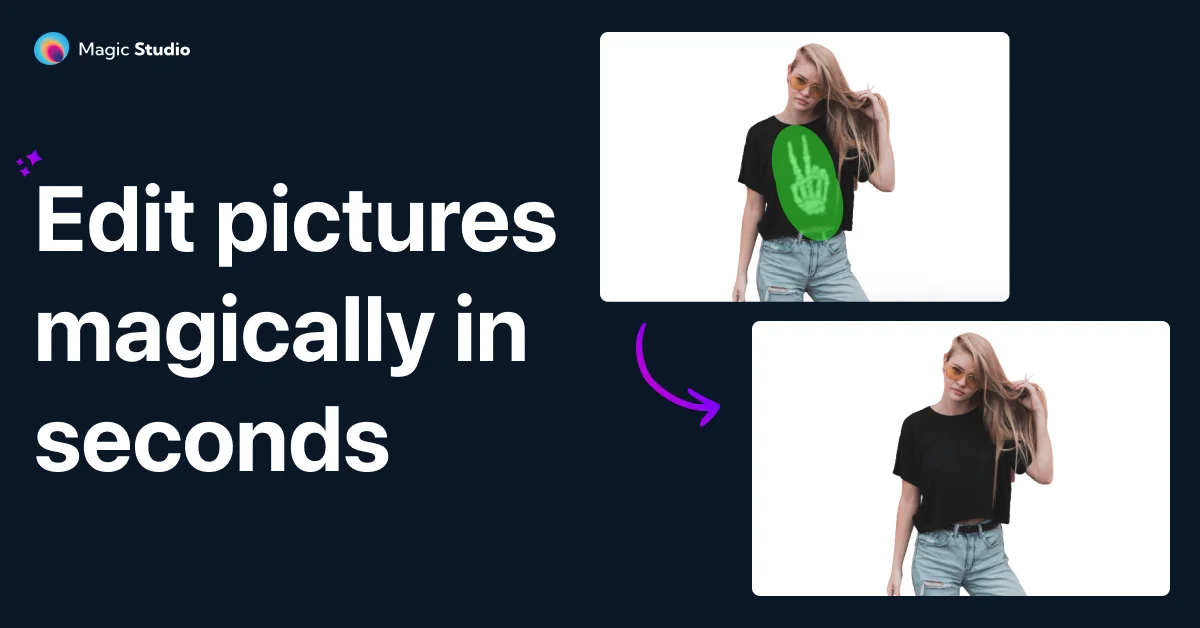
Remove unwanted objects
Upload an image, brush over objects, people, text, blemishes, or watermarks, and erase them with AI.
Outcome: A cleaner photo without distracting elements.
Create transparent product images
Upload a product photo and automatically remove its background.
Outcome: An isolated subject suitable for product pages and designs.
Generate images from text
Describe a scene, choose a style and aspect ratio, then generate and download an image.
Outcome: A custom AI-generated visual.
Upscale images
Upload an image, select a target resolution, and enlarge it with AI.
Outcome: A larger image with output options up to 4K.
Prepare social and advertising visuals
Create or clean up images for product pages, ads, social posts, restaurants, and real estate listings.
Outcome: More polished visual content for publishing.
Workflow Ideas with Magic Studio
Clean up a listing photo
- 1Upload the property image
- 2Brush over people, clutter, furniture, or other distractions
- 3Erase the selected areas and download the cleaned photo
Create a product image with a new background
- 1Upload the product photo
- 2Automatically remove the background
- 3Choose a transparent, colored, or generated background and download
Generate a promotional visual
- 1Describe the desired scene or promotional image
- 2Select a style and aspect ratio
- 3Generate variations and download the preferred result
How Magic Studio fits into your stack
App Availability
Mobile app for editing convenience.
Desktop Preference
Recommended for more powerful editing.
File Format Support
Handles various image formats.
API Access
Integration options for custom platforms.
Pros
- +Accessibility: Designed for simplicity, democratizing design capabilities and making it accessible to all.
- +Speed of Creation: Enables rapid production of images, reducing the time from concept to final product.
- +Versatility: Suitable for various uses, from professional marketing to personal projects.
- +Global Popularity: Boasts a large user base, indicating high satisfaction and reliability.
Cons
- −Learning Curve: Mastery of advanced features may require some learning.
- −Integration Limitations: May have limited integration with certain third-party platforms.
- −Mobile App Control: While a mobile app is available, finer control is recommended on a desktop.
Limitations & when to consider alternatives
Known limitations
- FREE downloads are limited. The FREE plan provides limited-resolution downloads with a Magic Studio watermark.
- FREE editing is one image at a time. Bulk editing is not included in the FREE pricing tier.
- FREE generation allowance. The FREE plan includes 40 AI generations, while PRO provides unlimited AI generations.
- Bulk editing is tool-dependent. Bulk editing is available only for selected tools and plans rather than universally across the product.
- Image upscaling is capped at 4K. The Image Upscaler documents a maximum output of 4K, with a 4096-pixel limit on the longer dimension.
Look elsewhere when
- You need a dedicated desktop installer.
- You need team workspaces or user roles.
- You need code generation.
- You need named third-party integrations.
How to Use Magic Studio
- 1
Access a range of learning resources, including a Helpdesk, to master features and capabilities.
Who is Magic Studio For?
Real estate professionals
Clean up property photos by removing people, furniture, cars, trash cans, plants, and other distractions.
Photographers
Use AI-assisted editing to remove unwanted objects, improve backgrounds, and prepare polished images.
E-commerce businesses
Create cleaner product imagery and improve product pages with background removal and image editing.
Social media creators
Produce polished posts by removing blemishes, photobombers, text, and other distractions.
Fashion and auto-listing professionals
Prepare cleaner, more appealing listing and promotional images through AI object and background editing.
Frequently Asked Questions
Is Magic Studio free to use?
Magic Studio offers a FREE plan with basic web and mobile access, 40 AI generations, limited-resolution downloads, watermarked output, and one-image-at-a-time editing.
What does the PRO plan include?
PRO includes access across the website and mobile apps, unlimited AI generations, high-resolution downloads, watermark-free output, and bulk editing for selected tools.
What can Magic Studio do?
It removes objects, people, and text; changes backgrounds; generates images from words; and adds described elements to images.
What file formats does Magic Studio support?
Magic Eraser supports JPG, PNG, AVIF, and WEBP. Other tools document additional common formats such as JPEG, HEIC, TIFF, and SVG.
Can Magic Studio edit multiple images?
Selected tools support bulk editing, including editing up to 50 pictures at once. The FREE pricing tier is limited to one image at a time.
Can Magic Studio be used for commercial projects?
The site documents use cases including e-commerce, product pages, ads, social media, real estate, photography, fashion, and auto listings.
Community reviews
2 reviews from people who use Magic Studio.
Sign in to leave a review for Magic Studio.
Sayyam Kothari
Blake Hodgetts
Magic Studio Alternatives
Looking for alternatives to Magic Studio? Here are similar tools in the same category:
Learn to Master Magic Studio
With Skill Leap courses
Get in-depth training on Magic Studio and 50+ other AI tools with our expert-led video courses.
Start 7-Day Free Trial