
Makiverse
Turns prompts into full manga chapters.
Key Takeaways
- What it is
- Turns prompts into full manga chapters.
- Best for
- AI Manga and Comic Creation
- Consistent Characters and Props
- AI Image Generation
Who is Using Makiverse?
Manga Creators
Create complete manga chapters, recurring characters, page layouts, dialogue, and publishable illustrated stories.
Comic Creators
Turn scripts or one-line ideas into comics with automated panel layout, art, lettering, and pacing.
Anime Storytellers
Develop episodes, reusable casts, storyboards, animated scenes, and publishable anime-style content.
Visual Storytellers
Generate character art, backgrounds, concept art, reference images, and story visuals without drawing skills.
Key Features
Makiverse Use Cases
Create a manga chapter
Use the AI Agent to develop a story, generate frames and dialogue, refine pages, and publish the chapter.
Outcome: A completed manga chapter or comic-style story.
Generate character artwork
Combine prompts, Tags, styles, and saved Characters to create portraits, concept art, and reference images.
Outcome: Reusable character visuals with more consistent designs.
Create backgrounds and cover art
Generate environments, fantasy scenes, backgrounds, thumbnails, and cover images using image generation settings.
Outcome: Visual assets for stories, projects, covers, or social posts.
Animate an existing image
Select an existing image, describe motion, configure animation settings, and generate a GIF or video.
Outcome: Short animated scenes, GIFs, videos, or social clips.
Maintain recurring props
Save objects such as weapons, tools, furniture, or accessories as Items and reuse them in generations.
Outcome: More consistent recurring objects across scenes and chapters.
Workflow Ideas with Makiverse
From story idea to manga chapter
- 1Create a Manga Project and define its name, description, style, Characters, and Props.
- 2Ask the Agent to develop the story and review its summary.
- 3Generate frames and dialogue, edit pages, run Polish, and publish the chapter.
From prompt to polished image
- 1Open Image Generation and enter a prompt or select Tags.
- 2Choose a style, Characters, Items, aspect ratio, and queue.
- 3Review the result and refine it with new prompts, Tags, or settings.
From still image to animation
- 1Select an existing image or begin from a prompt.
- 2Describe the motion and configure animation settings.
- 3Generate and save or share the resulting GIF or video.
How Makiverse fits into your stack
Browser
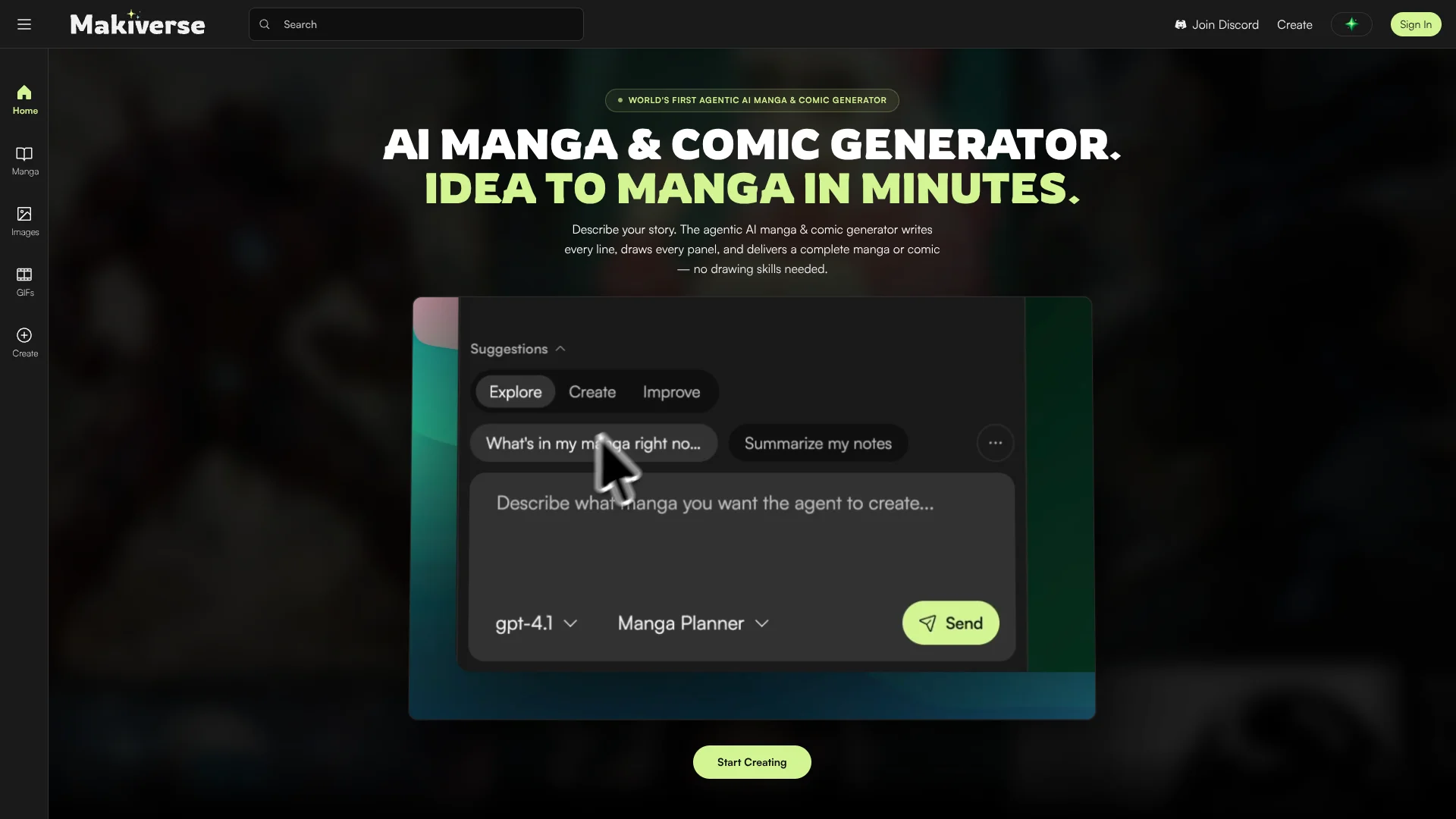
Makiverse is a browser-based creative workspace for generating images, GIFs, videos, manga, comics, and anime-style episodes.
Docs and writing
Creators provide premises or scripts, collaborate with the AI agent on story development, and refine dialogue and scene instructions.
Knowledge and files
Projects organize manga chapters, images, characters, props, visual references, and saved creations around larger story ideas.
Pros
- +Free tier available
- +End-to-end manga and comic creation workflow
- +Reusable characters and props support visual consistency
- +Built-in GIF and video generation
- +Publishing and community sharing are supported
Cons
- −Generation uses credits or Emeralds
- −Free Queue can have longer wait times
- −Manga Maker is still under development
- −The documented agent may struggle with continuity across pages or panels
Limitations & when to consider alternatives
Known limitations
- Manga Maker is still under development. Makiverse says some Manga Maker features are still being improved.
- Continuity can be inconsistent. The Agent may struggle with context and continuity across pages or panels, including locations, costumes, Characters, and Props.
- Generation queues affect waiting time. The Free Queue does not use Emeralds but may have longer wait times than the Express Queue.
- Generation costs vary. Emerald costs depend on the tool, style, queue type, animation settings, Character or Item usage, and advanced options.
- Do not refresh during certain operations. Makiverse advises not refreshing or closing the tab while the Agent is working or while Re-polish is running.
Look elsewhere when
- You need a documented developer API.
- You need native mobile applications.
- You need team workspaces with shared users and roles.
- You need document or PDF processing.
How to Use Makiverse
- 1
Start with Image Generation
Open Create, select Images, enter a prompt or choose Tags, select a style, and generate an image.
- 2
Add saved Characters and Items
Use reusable Characters and Props when you need more consistent people or recurring objects across generations.
- 3
Choose the appropriate queue
Use Free Queue when you want to conserve Emeralds, or Express Queue when faster generation is more important.
- 4
Create a Manga Project
Set the story description, style, Characters, and Props before asking the Agent to develop the narrative.
- 5
Review before generating pages
Ask the Agent for a story summary first, then request changes to characters, settings, pacing, dialogue, or plot.
- 6
Polish and publish
Edit frames and dialogue, run Polish on a page or chapter, review the result, and publish the completed Manga.
Who is Makiverse For?
Manga creators
Makiverse provides AI-assisted story development, frames, dialogue, page layouts, and chapter publishing.
Comic creators
The platform supports comic scenes, illustrated story ideas, reusable Characters, and editing tools.
Visual storytellers
Creators can combine prompts, Tags, Characters, Props, images, dialogue, and animated scenes.
Content creators
GIFs, short videos, social media clips, trailers, and project previews are documented use cases.
Frequently Asked Questions
What does Makiverse do?
Makiverse is an AI Manga Generation platform for creating illustrations, manga panels, full comic pages, and related creative content.
What can you generate on Makiverse?
You can create artwork, GIFs, and full manga editions, with tools such as Inpainting, Outpainting, and Upscale.
Do you offer a free plan?
Yes. Makiverse offers a limited free plan for trying image-generation tools and exploring the platform.
How does the credit system work?
Makiverse charges Emerald credits for AI functions, with costs depending on the tool and selected settings.
Can I create my own Characters and Props?
Yes. Makiverse supports consistent Character and Prop creation for maintaining continuity across stories.
How can I improve image quality?
Use clear prompts and built-in Inpaint, Outpaint, and Upscale tools to correct details, expand scenes, and improve sharpness.
Community reviews
Be the first to share your experience.
Sign in to leave a review for Makiverse.
Makiverse Alternatives
Looking for alternatives to Makiverse? Here are similar tools in the same category:
Learn to Master Makiverse
With Skill Leap courses
Get in-depth training on Makiverse and 50+ other AI tools with our expert-led video courses.
Start 7-Day Free Trial