MapDeduce
Unlock rapid, multilingual document analysis and question-answering.
Key Takeaways
- What it is
- Unlock rapid, multilingual document analysis and question-answering.
- Best for
- Rapid Information Retrieval
- Advanced Document Analysis
- Multilingual Document Processing
- Rating
- 4.4/5
What is MapDeduce?
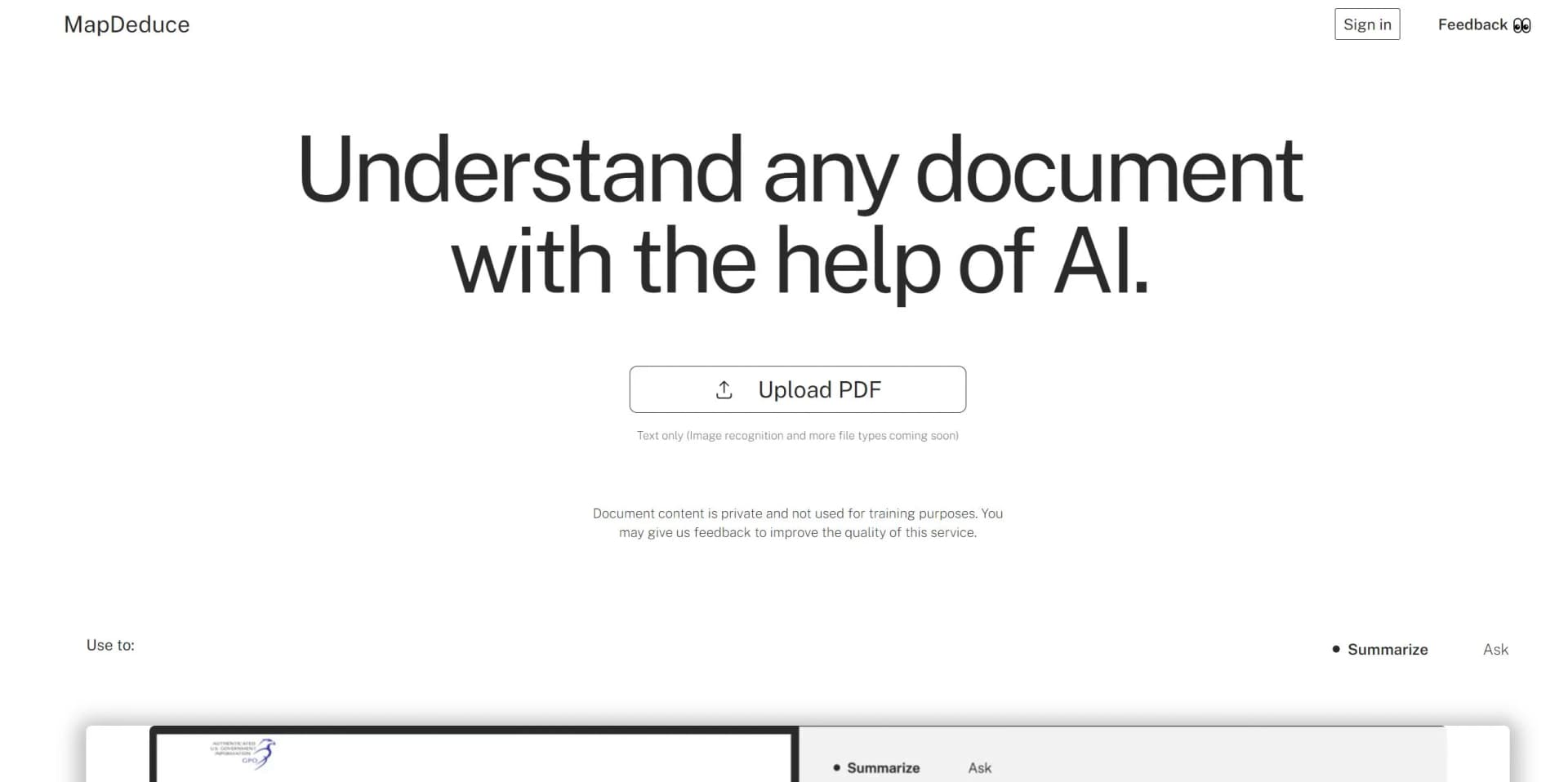
MapDeduce is an innovative AI tool designed to enhance the way we interact with documents. It's a powerful platform that specializes in processing complex documents and providing precise question-answering capabilities. Created for professionals who handle large volumes of text, such as legal contracts, business reports, and academic materials, MapDeduce aims to streamline the tedious process of information retrieval by offering rapid, reliable, and intelligent document analysis.
MapDeduce distinguishes itself with its ability to process documents in various languages and support multiple file types, which is particularly beneficial for users dealing with international and cross-platform materials. Its commitment to robust security measures, such as industry-grade file encryption, ensures that sensitive information remains protected.
MapDeduce excels at transforming the way users interact with documents by offering a suite of intelligent, efficient, and versatile tools. It is particularly valuable for professionals who regularly work with complex texts, providing them with an unmatched ability to quickly summarize, analyze, and extract critical information. With its strong emphasis on security and user-friendly interface, MapDeduce is an essential tool for anyone looking to optimize their document management processes.
Who is Using MapDeduce?
Legal Professionals
Analyzing contracts and legal documents to identify critical clauses and red-flag terms.
Academics and Researchers
Navigating extensive research papers to extract key findings and support their research endeavors.
Business Analysts
Processing lengthy business reports to generate concise summaries and actionable insights.
Students
Finding answers and relevant information within textbooks and study guides for efficient learning.
Uncommon Use Cases
Real estate agents employing the tool to decipher complex property documents; HR professionals using it to quickly review and summarize employee contracts.
Key Features
Rating Breakdown
Pricing Plans
Free Access
- MapDeduce offers a free version with essential features for users to start with
Premium Options
- Details about premium plans and pricing are available on the MapDeduce website
Which MapDeduce plan should you pick?
Start with Basic to test document analysis at no cost; upgrade to Pro for larger documents and priority support, or choose Enterprise for concierge setup and support.
Basic
Good for users testing MapDeduce with short documents up to five pages.
Pro
Good for users who need documents up to 500 pages and priority customer support.
Enterprise
Good for organizations needing concierge team setup and concierge support.
MapDeduce Use Cases
Research-paper analysis
Upload a research paper, ask questions, and extract important findings.
Outcome: Faster review of academic material.
Contract red-flag review
Analyze a contract and highlight potentially risky or problematic language.
Outcome: Quicker identification of clauses requiring attention.
Business-report summarization
Process a lengthy business report and generate concise summaries or answers.
Outcome: More efficient document-based decision support.
Educational-material review
Upload educational documents and ask targeted questions about their contents.
Outcome: Simplified study and comprehension.
Workflow Ideas with MapDeduce
Analyze a document
- 1Upload a PDF, DOCX, PPTX, or TXT file
- 2Ask questions about the document
- 3Review answers with supporting document sources
Review a contract
- 1Upload the contract
- 2Run the red-flag analysis
- 3Inspect highlighted clauses that may require attention
Summarize research
- 1Upload the research paper
- 2Request a summary or key takeaways
- 3Ask follow-up questions about specific findings
How MapDeduce fits into your stack
Browser Extension
MapDeduce offers a Chrome extension for ease of use.
File Type Compatibility
Supports a variety of file types for comprehensive document analysis.
Language Support
Capable of processing documents in multiple languages, catering to a global user base.
Security Features
Prioritizes data privacy with encrypted file storage and secure processing.
Pros
- +User Efficiency: Enhances productivity by enabling quick navigation and understanding of complex documents.
- +Versatility: Supports a wide range of document types and languages, catering to diverse user needs.
- +No Usage Limitations: Features no question or upload limits, facilitating uninterrupted work.
- +Ease of Access: Accessible through a Chrome extension, making it readily available for use without the need for software installation.
- +Free Version Available: Offers a free tier, allowing users to experience the tool's capabilities before committing financially.
Cons
- −Learning Curve: New users may require some time to fully grasp the tool's advanced features and best use practices.
- −Chrome Dependency: While the Chrome extension is convenient, users without Chrome may find it limiting.
- −Integration Breadth: May not integrate with as many third-party tools as some users would prefer.
Limitations & when to consider alternatives
Known limitations
- Basic plan page limit. The Basic plan supports five pages per document.
- Basic plan storage limit. The Basic plan stores one document at a time.
- Paid plan document limit. The published Pro plan supports up to 500 pages per document.
- No published developer API. The published product and pricing materials do not provide API documentation, API keys, or endpoints.
- No native mobile application listed. The published access options identify the web product and Chrome Extension, not native iOS or Android apps.
How to Use MapDeduce
- 1
MapDeduce provides resources and guides to help users navigate its features. These tutorials are designed to assist with everything from basic setup to advanced document analysis.
Who is MapDeduce For?
Students
MapDeduce helps students navigate lengthy educational materials and extract key information.
Researchers
Researchers can use it to summarize and question long research papers.
Legal professionals
Legal users can review contracts and identify potentially problematic terms.
Business professionals
Business users can analyze reports and retrieve relevant information quickly.
Frequently Asked Questions
What is MapDeduce?
MapDeduce is an AI tool for understanding complex documents by answering questions, producing summaries, and surfacing relevant sources.
What file types does MapDeduce support?
The published plans list PDF, DOCX, PPTX, and TXT files.
Can MapDeduce summarize documents in different languages?
Yes. MapDeduce describes document summarization in any language.
Can MapDeduce identify contract risks?
Yes. Its demonstrations show red-flag highlighting for contract documents.
Does MapDeduce offer a Chrome Extension?
Yes. The pricing page lists Chrome Extension access.
Community reviews
1 review from people who use MapDeduce.
Sign in to leave a review for MapDeduce.
Léonard Bosom
MapDeduce Alternatives
Looking for alternatives to MapDeduce? Here are similar tools in the same category:
Learn to Master MapDeduce
With Skill Leap courses
Get in-depth training on MapDeduce and 50+ other AI tools with our expert-led video courses.
Start 7-Day Free Trial