Mastt
Construction project controls help owners track costs and progress.
Key Takeaways
- What it is
- Construction project controls help owners track costs and progress.
- Pricing
- Freemium · $165 per project per month
- Best for
- AI Upload
- AI Assistant
- AI Contract and Payment Review
- Rating
- 4.2/5
What is Mastt?
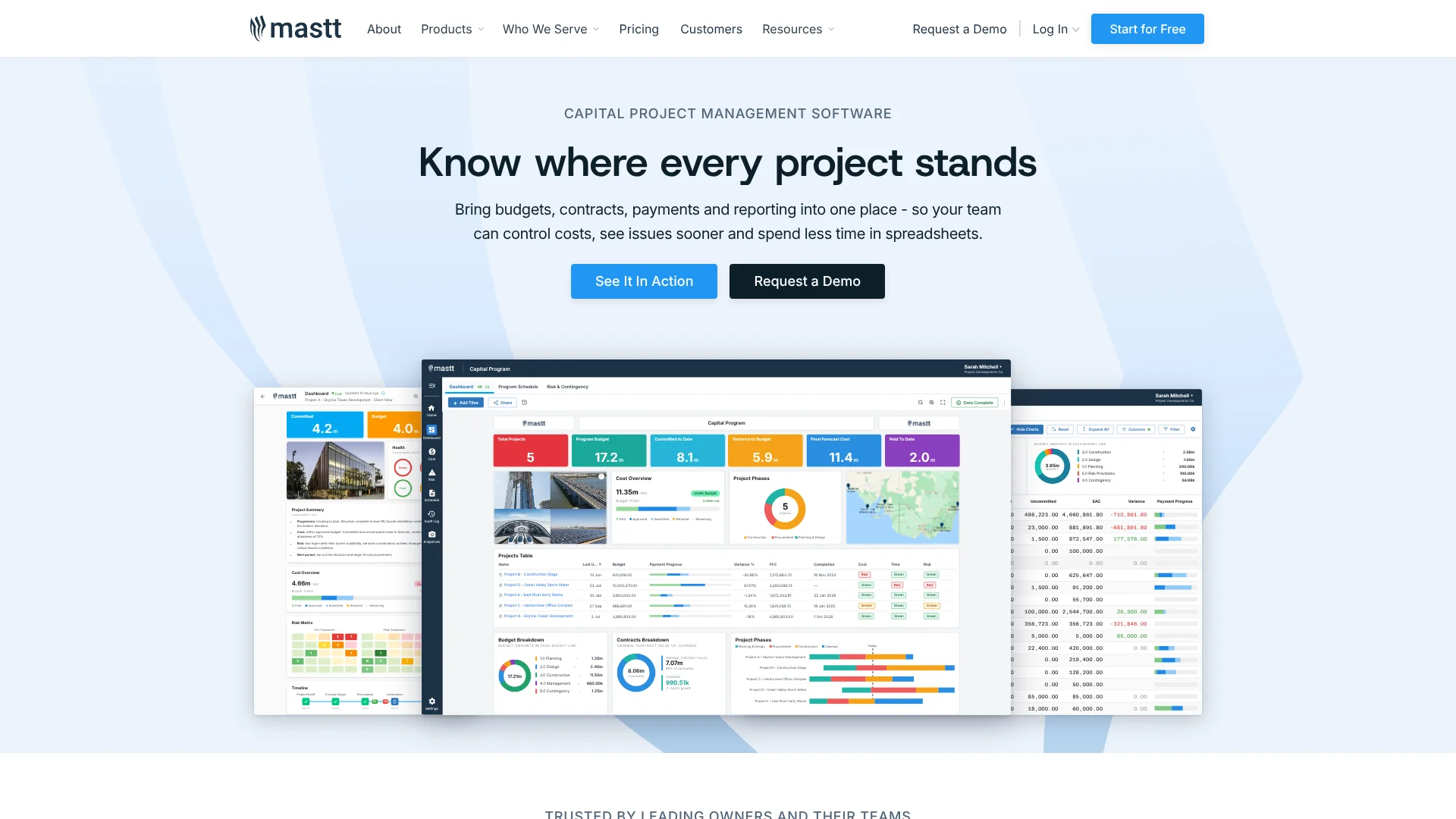
Mastt brings construction project budgets, contracts, payments, risks, schedules, and reporting into a browser-based workspace for project owners and the teams managing capital projects. Its AI can fill contract and payment details from PDFs, review project documents, and answer questions using project information. The aim is to give teams a clearer view of costs and progress without relying on separate spreadsheets for every update.
A specific strength is how Mastt connects AI document work to project controls: AI can extract contract and payment details, while paid plans add review of invoices and payments against project records. That makes it useful for checking construction paperwork in the context of budgets, contracts, and project reporting, rather than treating each file as an isolated chat.
Mastt is best suited to owners, developers, consultants, and owner's representatives who oversee construction projects and need clear cost and progress reporting. It is less suited to general office work or teams looking for a downloadable desktop app, since Mastt is built for browser-based construction project management.
Who is Using Mastt?
Project Owner
Portfolio dashboards help track project budgets, risks, and progress across active work.
Real Estate Development Manager
Cost and payment tracking supports financial oversight across development projects.
Project Management Consultant
Reusable dashboards and reports help keep clients updated on project status.
Owner's Representative
Contract and payment reviews help surface paperwork that needs a closer look.
Project Accountant
Actuals imports and reconciliation help compare recorded costs with planned payments.
Uncommon Use Cases
Extract action items from project emails with Agent Workflows; prepare recurring client digests from project updates.
Key Features
Rating Breakdown
Pricing Plans
Starter
Free
- One project
- Unlimited users, budgets, and contracts
- Track up to 10 payments
- AI Upload and AI Templates
Professional
$165 per project per month
- The pricing page lists $165 total per month for one project
- AI Assistant for chat and document reviews
- AI Contract and Payment Review
- Additional projects and external users
Enterprise
- Unlimited projects, programs, and portfolios
- Unlimited AI usage
- ERP and other business-system integrations
- Single Sign-On and dedicated customer success
Agent
- Can be added to a platform plan or purchased standalone
- Includes Ask, Agent, Knowledge, Templates, Workflows, and integrations
Which Mastt plan should you pick?
Start with Starter for one project, choose Professional when you need paid AI reviews or additional projects, and ask Mastt about Enterprise or Agent for portfolio controls or automated workflows.
Starter
Good for owners and project teams testing core controls on one project with limited payment tracking.
Professional
Good for active project teams that need AI chat, document reviews, and more than one project.
Enterprise
Good for organizations that need unlimited projects, program and portfolio views, ERP integrations, or SSO.
Agent
Good for teams that want AI to run repeatable construction workflows or use company knowledge and templates.
Mastt Use Cases
Review construction invoices
Invoice and payment reviews can flag details that project teams should verify before approval.
Outcome: Fewer manual checks across invoices and project payment records.
Track project costs
Budgets, committed costs, payments, and forecasts give teams a current view of project finances.
Outcome: A clearer view of expected final costs and changes to the budget.
Prepare stakeholder reports
Dashboards turn project information into shareable views for clients, executives, and project teams.
Outcome: Project updates based on information maintained in the workspace.
Reconcile ERP actuals
Enterprise users can import financial data and match actual costs with planned payments.
Outcome: A guided review of matched costs, duplicates, and data conflicts.
Automate recurring project tasks
Agent Workflows can extract action items from emails or draft recurring updates, with review steps for work that needs approval.
Outcome: Repeatable project admin tasks run on demand, on a trigger, or on a schedule.
Workflow Ideas with Mastt
Check a contract payment
- 1Add the contract or payment PDF to the project.
- 2Review the AI-extracted details and correct anything that needs changing.
- 3Use AI Contract and Payment Review to check the invoice or payment against project records.
Prepare a project update
- 1Keep project costs, risks, and schedule information current in Mastt.
- 2Build or update a dashboard for the client or project team.
- 3Share the dashboard or export the report for the update.
Automate an email follow-up routine
- 1Describe the repeatable routine to Agent in plain language.
- 2Review the workflow steps and set an email trigger or schedule.
- 3Check extracted actions or draft replies in the review queue before they are finalized.
How Mastt fits into your stack
Browser-based project workspace
Mastt runs in a modern web browser and holds project cost, contract, risk, schedule, document, and reporting information.
Project documents
The Documents module stores and organizes project files. AI questions are available after a file is marked AI Ready.
ERP and finance data
Enterprise users can import ERP actuals from spreadsheets and reconcile them with planned payments. Mastt also lists ERP and other business-system integrations on Enterprise.
Agent connections and workflows
The separate Agent offering can connect to systems and run repeatable project routines; pricing is custom, and Mastt describes it as an add-on or standalone purchase.
Pros
- +Project-aware document AI: AI reviews can draw on project documents and modules, not only the prompt.
- +Unlimited users: Professional and Enterprise subscriptions do not charge by user.
- +Free first project: Starter includes core project tools with no credit card required.
- +Repeatable AI workflows: Agent can run scheduled or triggered routines and pause for human review.
Cons
- −Project-based price: Professional is priced per project, so costs rise as active projects are added.
- −Extra document step: Files need to be marked AI Ready before users can chat with them.
- −Construction focus: Its project controls are geared toward capital construction work, not general-purpose task management.
Limitations & when to consider alternatives
Known limitations
- Starter payment limit. The free Starter plan tracks up to 10 payments on its included project.
- Documents need AI preparation. Uploading a file does not make it ready for AI chat; users must mark it AI Ready first.
- One document per chat. Mastt's Help Center says users can chat with only one document at a time.
- AI pre-fill accepts PDFs only. The contract and payment AI pre-fill feature does not support non-PDF documents.
Look elsewhere when
- You need a native mobile app or desktop installer.
- You need an AI tool for work outside construction project management.
- Your team needs to compare several documents in a single AI chat.
How to Use Mastt
- 1
Start a project
Create a Starter project to explore Mastt's core controls; the free plan includes one project and does not require a credit card.
- 2
Set up the project records
Add budgets and contracts, then organize the project documents that the team will need.
- 3
Add PDF contract or payment details
Choose AI Upload when adding a contract or payment, then review the extracted fields before saving.
- 4
Prepare files for AI questions
Mark a document AI Ready in the Documents module before opening it with Ask AI.
- 5
Build a project update
Use the Dashboard module to present project information to clients, executives, or team members.
- 6
Choose a plan for more projects or Agent
Professional adds AI chat and document reviews for additional projects; contact Mastt about Enterprise or the separately priced Agent offering when you need portfolio roll-ups or automated workflows.
Who is Mastt For?
Project Owners
Portfolio views and project reporting help owners monitor costs, risks, and progress.
Real Estate Developers
Budgets, payments, and stakeholder reports stay organized across development projects.
Project Management Consultants
Shared dashboards and project controls support consistent client reporting.
Owner's Representatives
Contract, cost, and progress information helps keep clients informed during construction.
Frequently Asked Questions
Does Mastt have a free plan?
Yes. Starter is free for one project, includes unlimited users, and tracks up to 10 payments.
How much does Professional cost?
The pricing page lists Professional at $165 per project per month, with a total of $165 per month for one project.
Can I ask questions about project documents?
Yes. Mark a document AI Ready, then open it with Ask AI. Mastt currently supports one document per chat.
Does Mastt have a mobile app?
Mastt describes its platform as browser-based and accessible from modern browsers; a native mobile app is not confirmed in the official sources reviewed.
Does Mastt support SSO?
Yes. Mastt lists Single Sign-On as an Enterprise security feature and names Microsoft and Okta authentication.
What is Agent?
Agent is a separately priced Mastt offering for AI chat, company knowledge, templates, integrations, and repeatable project workflows.
Community reviews
Be the first to share your experience.
Sign in to leave a review for Mastt.
Mastt Alternatives
Looking for alternatives to Mastt? Here are similar tools in the same category: