
MCP Showcase
Test endpoints live and showcase AI-based integrations.
Key Takeaways
- What it is
- Test endpoints live and showcase AI-based integrations.
- Pricing
- Freemium · $29 per month · $199 per month
- Best for
- Interactive Playground
- Automatic MCP Introspection
- Mocked Data Support
- Rating
- 4.3/5
What is MCP Showcase?
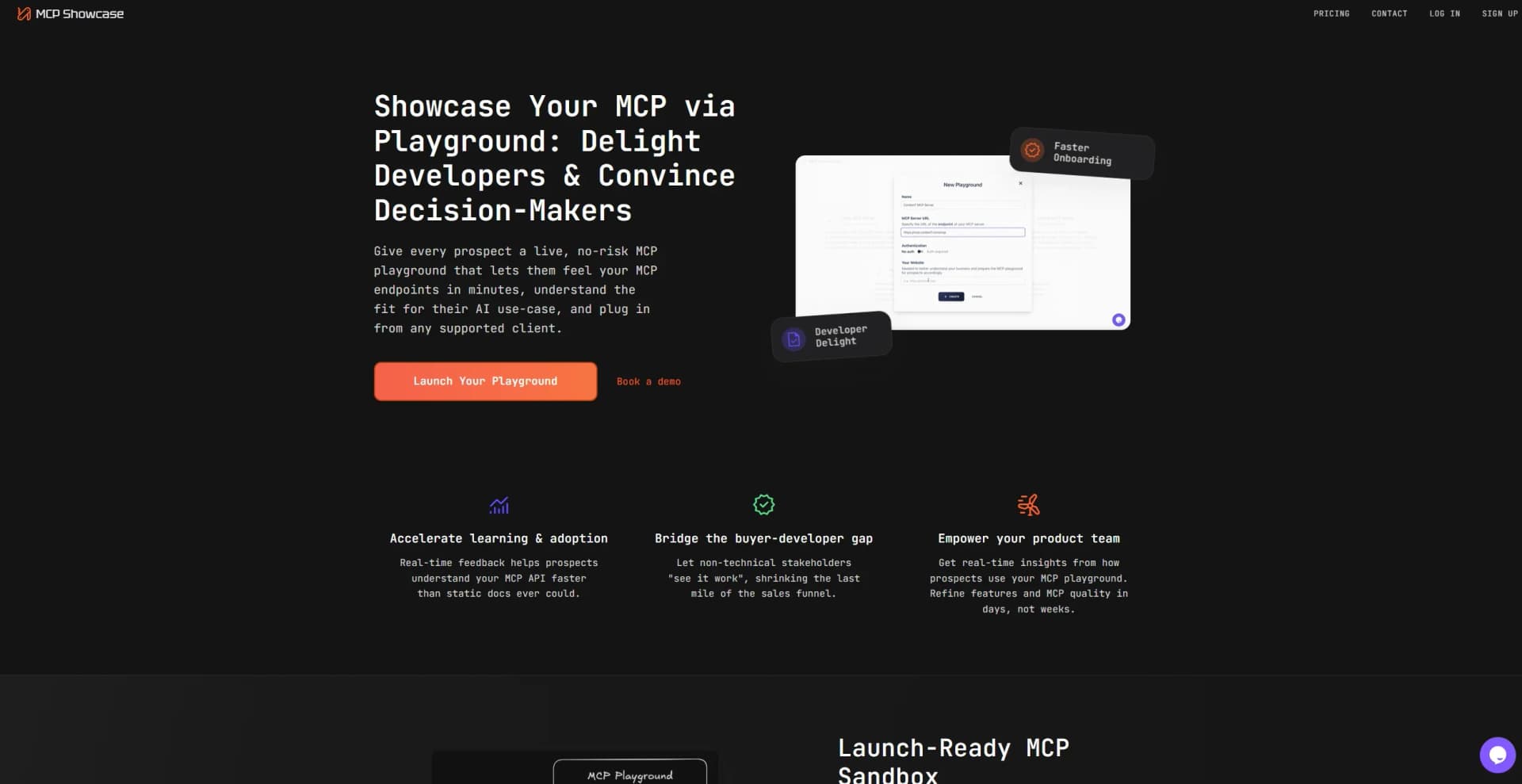
MCP Showcase offers an interactive playground for MCP servers, also known as Model Context Protocol endpoints. It is designed so companies can safely demonstrate their MCP integrations in real time. The tool helps both technical and non-technical audiences understand and experience how an MCP server works, reducing friction in adoption and building confidence in its capabilities.
MCP Showcase stands out because it transforms abstract MCP endpoints into interactive demonstrations. Instead of reading about features, users can experiment with endpoints, change parameters, and observe responses in a secure environment. This creates a clearer and more practical understanding of what MCP can do.
Interacting with MCP Showcase brings MCP to life in a way static documentation cannot. It turns endpoint descriptions into live conversations, letting people test and learn by doing. This hands-on clarity helps everyone, from engineers to executives, understand how MCP can power efficient AI-to-data workflows.
Who is Using MCP Showcase?
API-first SaaS Companies
Using it to give prospects a hands-on walkthrough of their MCP endpoints.
Enterprise Platform Providers
Demonstrating secure MCP integrations to stakeholders before approval.
Developer Tools Providers
Showing integrations with services such as GitHub or documentation platforms through MCP.
Sales and Marketing Teams
Helping align buyer understanding with technical features.
Uncommon Use Cases
Used by investor relations teams to showcase internal AI agent capabilities and adopted by internal training teams to simulate live agent interactions for onboarding.
Key Features
Rating Breakdown
Pricing Plans
Free
Free
- Includes 1 playground, MCP Chat demos, up to 10 MCP tools, and 1 user
Lite
$29 per month
- Includes 1 playground, MCP chat with up to 1k messages, up to 20 MCP tools, and 1 user
Pro
$199 per month
- Includes up to 5 playgrounds, MCP chat with up to 10k messages, up to 200 MCP tools, and 5 users
Personalized
- Custom enterprise plan with personalized Pro features
- Individual contract & NDA
- Payment via invoice
- Self-hosting options
Which MCP Showcase plan should you pick?
Start with Lite for one playground and basic MCP chat; upgrade to Pro when you need more playgrounds, users, tools, or monthly chat capacity.
Lite
Good for startups and consultants who need one playground, up to 20 MCP tools, and one user.
Pro
Good for teams needing two playgrounds, up to 200 MCP tools, two users, and 1,000 live-chat messages per month.
Personalized
Good for enterprises needing individual contracts, NDAs, invoicing, and self-hosted deployment.
MCP Showcase Use Cases
Create a live MCP demo
Connect an MCP server and generate an isolated, interactive playground.
Outcome: Prospects can try the server without production access or complex setup.
Share an integration experience
Send a playground link or embed the widget in a website or application.
Outcome: Stakeholders can evaluate the integration directly in the browser.
Analyze tool usage
Review captured chats and tool calls from playground sessions.
Outcome: Teams can identify confusing tools and improve MCP quality.
Generate MCP documentation
Use automatic MCP introspection to create documentation and examples for tools.
Outcome: Users get interactive documentation instead of static schemas.
Convert an OpenAPI specification
Paste an OpenAPI JSON document to generate MCP tool definitions and a Python server scaffold.
Outcome: Developers receive a runnable starting point for an MCP server.
Workflow Ideas with MCP Showcase
Launch a shareable MCP playground
- 1Connect your MCP server endpoint
- 2Add optional mock data
- 3Share a link or embed the widget
Validate a new MCP server
- 1Build the server in a supported language
- 2Run it through MCP Inspector
- 3Review the advertised tools, resources, prompts, and request log
Convert an existing API
- 1Paste an OpenAPI JSON document
- 2Generate MCP tool definitions and a FastMCP Python scaffold
- 3Add authentication and deploy the generated server
How MCP Showcase fits into your stack
Browser
MCP Showcase provides hosted, shareable playgrounds and an MCP Inspector that run directly in the browser with no installation.
Automation and APIs
Teams point MCP Showcase at an MCP endpoint, inspect its tools and schemas, and create a live demo connected to that endpoint.
Desktop / IDE
The product documents setup and compatibility with clients including Claude, Cursor, VS Code, Gemini CLI, Amazon Bedrock, and Amazon Q.
Pros
- +Developer-Friendly: Simplifies onboarding and learning processes with interactive features.
- +Enhances Sales Funnel: Helps bridge the gap between buyers and developers, improving conversion rates.
- +Flexible Integration: Supports various client connections, enhancing compatibility with existing systems.
- +Real-Time Insights: Provides valuable data on user interactions, aiding in product refinement.
Cons
- −Initial Setup Complexity: May require technical expertise to set up playgrounds initially.
- −Limited to Supported Clients: Integration may be restricted to certain platforms.
Limitations & when to consider alternatives
Known limitations
- Requires an MCP endpoint. The product is built around connecting an existing MCP server URL.
- Transport support is specified. The launch-ready playground explicitly lists SSE and streamable HTTP support.
- OpenAPI converter accepts JSON only. YAML specifications are not supported and must be exported or converted to JSON first.
- Generated server scaffolds need authentication work. The converter does not include authentication; users must add headers, tokens, or OAuth themselves.
- Generated code is a starting point. Path parameters and referenced request bodies may require manual review and adjustment.
Look elsewhere when
- You need a native mobile application.
- Your team needs SSO or SAML controls.
- You need multilingual AI conversation features.
How to Use MCP Showcase
- 1
Connect your MCP server
Provide the MCP endpoint so MCP Showcase can inspect its tools, resources, prompts, and schemas.
- 2
Add optional mock data
Use mocked data to demonstrate workflows without affecting production systems.
- 3
Review generated documentation
Inspect the automatically generated tool documentation and examples before sharing the playground.
- 4
Share or embed the playground
Send a live link or embed the widget in your website or application for prospects and stakeholders.
- 5
Monitor usage analytics
Review chats and tool calls to identify adoption, friction, and opportunities to improve MCP descriptions.
- 6
Use the free developer tools
Test endpoints with MCP Inspector, validate servers with MCP Server Tester, and estimate tool-token costs with the MCP Token Calculator.
Who is MCP Showcase For?
Sales teams
Share live MCP playground links so prospects can try integrations without an integration call.
Product and engineering teams
Review chat and tool-call analytics to identify confusing tools, prompts, and descriptions.
Marketing teams
Publish interactive, SEO-friendly showcase pages that explain MCP to prospective customers.
API companies
Turn MCP endpoints into live demonstrations that prospects can explore in a browser.
SaaS providers and developers
Showcase MCP integrations to technical and non-technical stakeholders.
Frequently Asked Questions
What is MCP?
MCP is a standardized protocol that lets AI applications connect with external data sources and tools.
What is an MCP playground?
An interactive testing environment where developers and stakeholders experiment with MCP endpoints in real time.
What is an MCP sandbox?
An isolated environment for testing MCP servers with mocked data, rate limiting, and automatic introspection.
Why do I need an MCP playground?
It accelerates learning and adoption by providing real-time feedback instead of static API documentation.
Is the MCP server playground suitable for enterprise clients?
Yes. The sandbox is designed for enterprise use with isolated environments, rate limiting, and security controls.
What makes MCP demo environments different from traditional API documentation?
They provide live documentation, sample chat history, and interactive chat connected to real MCP tools.
Community reviews
Be the first to share your experience.
Sign in to leave a review for MCP Showcase.
MCP Showcase Alternatives
Looking for alternatives to MCP Showcase? Here are similar tools in the same category:
Learn to Master MCP Showcase
With Skill Leap courses
Get in-depth training on MCP Showcase and 50+ other AI tools with our expert-led video courses.
Start 7-Day Free Trial