
MenuForma
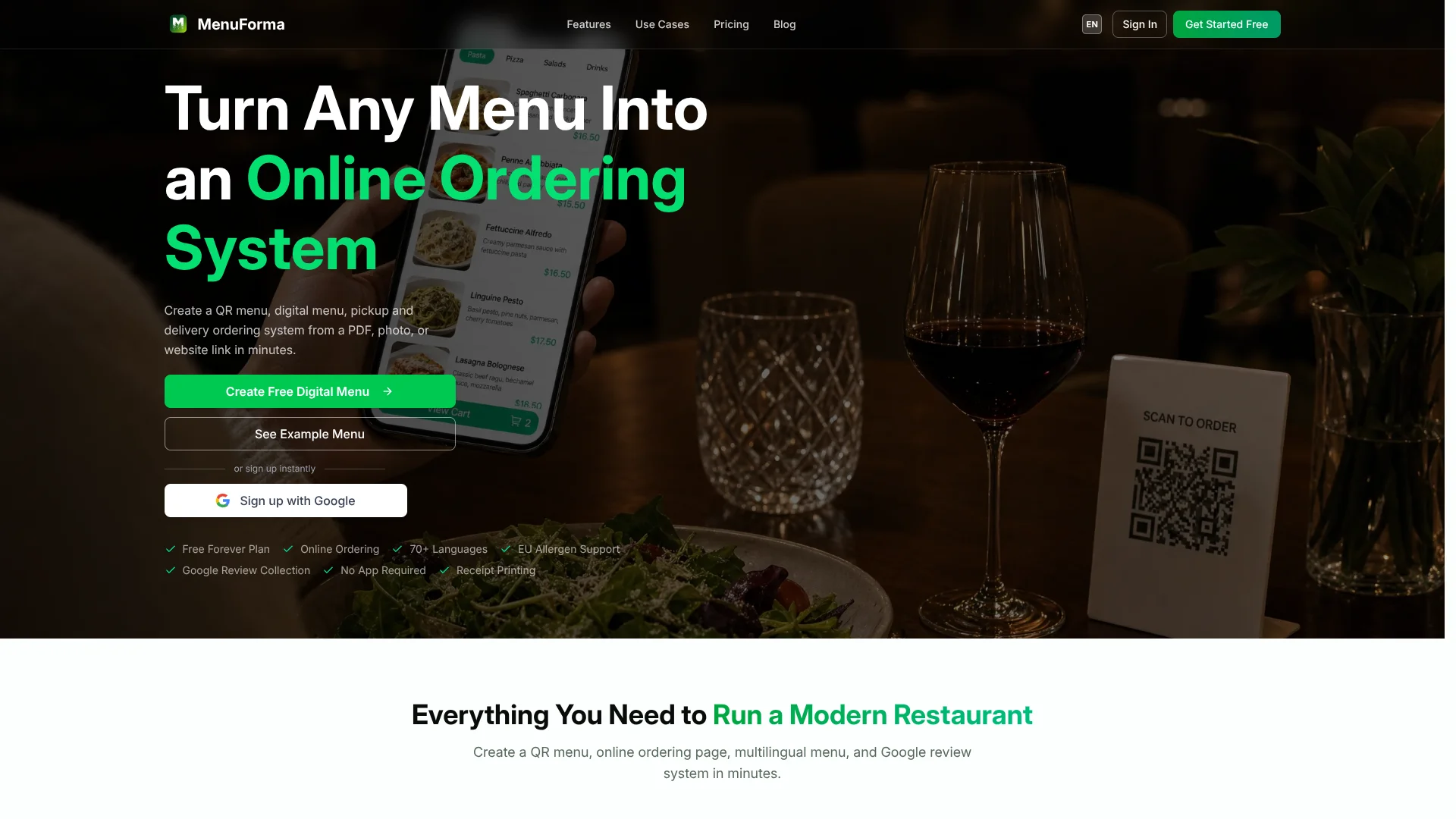
Convert menus to multilingual QR ordering.
Key Takeaways
- What it is
- Convert menus to multilingual QR ordering.
- Pricing
- Freemium · $9.9/month
- Best for
- AI Menu Extraction
- QR Menu Generator
- Online Ordering
Who is Using MenuForma?
Restaurants
Use per-table QR ordering and manage sections, courses, and specials.
Cafes & Bakeries
Use unified QR ordering for counter service and ticket-number workflows.
Hotels
Use room-specific QR codes for room-service ordering and scheduled delivery.
Food Trucks
Use mobile ordering and update menu availability as items sell out.
Bars & Pubs
Use categorized drink menus, happy-hour specials, and seasonal menu rotations.
Key Features
Pricing Plans
Free
Free
- QR Menu Display
- Online Ordering
- Table QR Code Ordering
- Custom Business Info
- Upload Custom Food Images
- 1 Restaurant
- 1 Primary Language
- 1 Menu Display Template
- MenuForma Branding Shown
Regular
$9.9/month
- QR Menu Display
- Online Ordering
- Table QR Code Ordering
- Multiple Restaurants
- Multiple Languages
- Multiple Menu Display Templates
- Optional: Remove MenuForma Branding
- Pickup & Delivery Ordering
- AI-Generated Food Images
- Online Payments (42 countries)
Which MenuForma plan should you pick?
Start with Free for one restaurant and one primary language; upgrade to Regular when you need multiple locations, languages, payments, team accounts, custom QR codes, or analytics.
Free
Good for one restaurant that needs a free QR menu, online ordering, and table QR ordering.
Regular
Good for restaurants that need multiple restaurants, languages, templates, pickup and delivery, AI food images, payments, tablet ordering, team accounts, custom QR codes, and analytics.
MenuForma Use Cases
Per-table restaurant ordering
Give each table a unique QR code and automatically tag orders with the table number.
Outcome: Staff knows where each order should be delivered.
Counter-service ordering
Use one unified QR code for a cafe, food court, or counter-service venue.
Outcome: Each customer receives a unique order number.
Hotel room service
Assign QR codes to rooms so guests can order immediately or schedule delivery.
Outcome: Guests can request room service digitally.
Multilingual menu publishing
Create a menu and automatically translate it into more than 70 languages.
Outcome: International guests can view the menu in their preferred language.
View-only digital menu
Publish a display-only menu for windows, social media, or review sites.
Outcome: Customers can browse the menu without placing orders.
Workflow Ideas with MenuForma
Launch a QR ordering menu
- 1Upload a PDF, photo, or website menu
- 2Create the QR menu and ordering page
- 3Share the QR code and menu link to receive orders
Set up hotel room service
- 1Create QR codes for room numbers
- 2Configure room-service ordering and delivery times
- 3Place the QR codes in guest rooms
Publish a multilingual menu
- 1Upload or create the restaurant menu
- 2Enable automatic translation into supported languages
- 3Share the multilingual QR code or link with guests
How MenuForma fits into your stack
Browser
The core product is a web-based QR menu and online-ordering system opened through a browser without requiring a customer app.
Knowledge and files
Restaurants upload PDFs, photos, Excel files, Word documents, or website URLs for AI menu extraction.
Desktop
The MenuForma Print Agent connects the service to ESC/POS thermal receipt printers on Mac, Windows, and Linux.
Pros
- +Permanent free plan
- +Imports menus from multiple file formats and URLs
- +Supports 70+ languages
- +Online ordering for dine-in, pickup, delivery, and room service
- +No customer app download required
Cons
- −Free plan is limited to one restaurant
- −Free plan supports one primary language
- −Free plan displays MenuForma branding
- −AI-generated food images require a paid plan
- −Analytics and team accounts are listed among paid features
Limitations & when to consider alternatives
Known limitations
- Free plan has one primary language. The pricing table lists one primary language on the Free plan and multiple languages as an upgrade feature.
- Free plan supports one restaurant. The pricing table lists one restaurant on the Free plan and multiple restaurants as an upgrade feature.
- Self-Select orders are not submitted to the system. Customers select items to show the waiter, but the waiter takes the order verbally.
- Display Only mode cannot place orders. Customers can browse the menu but cannot place orders or select items.
- Online payments are limited by availability. The pricing table identifies online payments as available in 42 countries.
Look elsewhere when
- You need a native customer mobile app
- You need documented API access
- You need SSO or SAML
How to Use MenuForma
- 1
Upload an existing menu
Start with a PDF, photo, or website link so MenuForma can create the digital menu structure.
- 2
Choose the ordering mode
Select per-table, unified, hotel room service, tablet, self-select, or display-only QR behavior.
- 3
Configure languages and menu content
Set the primary language, add translations when needed, and configure allergens, images, and menu details.
- 4
Publish the QR code and link
Customize the QR code with branding, then share or print it for tables, takeaway, delivery, or marketing.
- 5
Monitor incoming orders
Use real-time order alerts on desktop, tablet, or mobile and optionally print orders through the Print Agent.
- 6
Upgrade when operations expand
Move to Regular when you need additional restaurants, languages, payments, staff accounts, custom QR codes, or analytics.
Who is MenuForma For?
Restaurants
Use per-table QR ordering and manage sections, courses, and specials.
Cafes and bakeries
Use unified QR ordering for counter service and customer ticket numbers.
Hotels
Offer room-service ordering by room number and scheduled delivery times.
Food trucks
Provide mobile ordering and update menus when items sell out.
Bars and pubs
Publish categorized drink menus with happy-hour and seasonal specials.
Frequently Asked Questions
What does MenuForma create?
MenuForma creates QR menus, digital menus, online ordering pages, multilingual menus, and Google review systems.
What types of source menus can be imported?
You can create a menu from a PDF, photo, or website link.
Does MenuForma support online ordering?
Yes. Customers can place pickup, takeaway, dine-in, delivery, and hotel room-service orders.
How many languages does MenuForma support?
MenuForma can automatically translate menus into more than 70 languages.
Is there a free plan?
Yes. MenuForma offers a free-forever plan with no credit card required.
Does MenuForma require a customer app?
No. Customers can access the menu through their mobile browser by scanning a QR code.
Community reviews
Be the first to share your experience.
Sign in to leave a review for MenuForma.
MenuForma Alternatives
Looking for alternatives to MenuForma? Here are similar tools in the same category:
Learn to Master MenuForma
With Skill Leap courses
Get in-depth training on MenuForma and 50+ other AI tools with our expert-led video courses.
Start 7-Day Free Trial