
Meshy
Turn prompts into print-ready 3D models.
Watch Meshy in Action
Key Takeaways
- What it is
- Turn prompts into print-ready 3D models.
- Best for
- Text to 3D Conversion
- Image to 3D Capability
- AI Texturing
- Rating
- 4.5/5
What is Meshy?
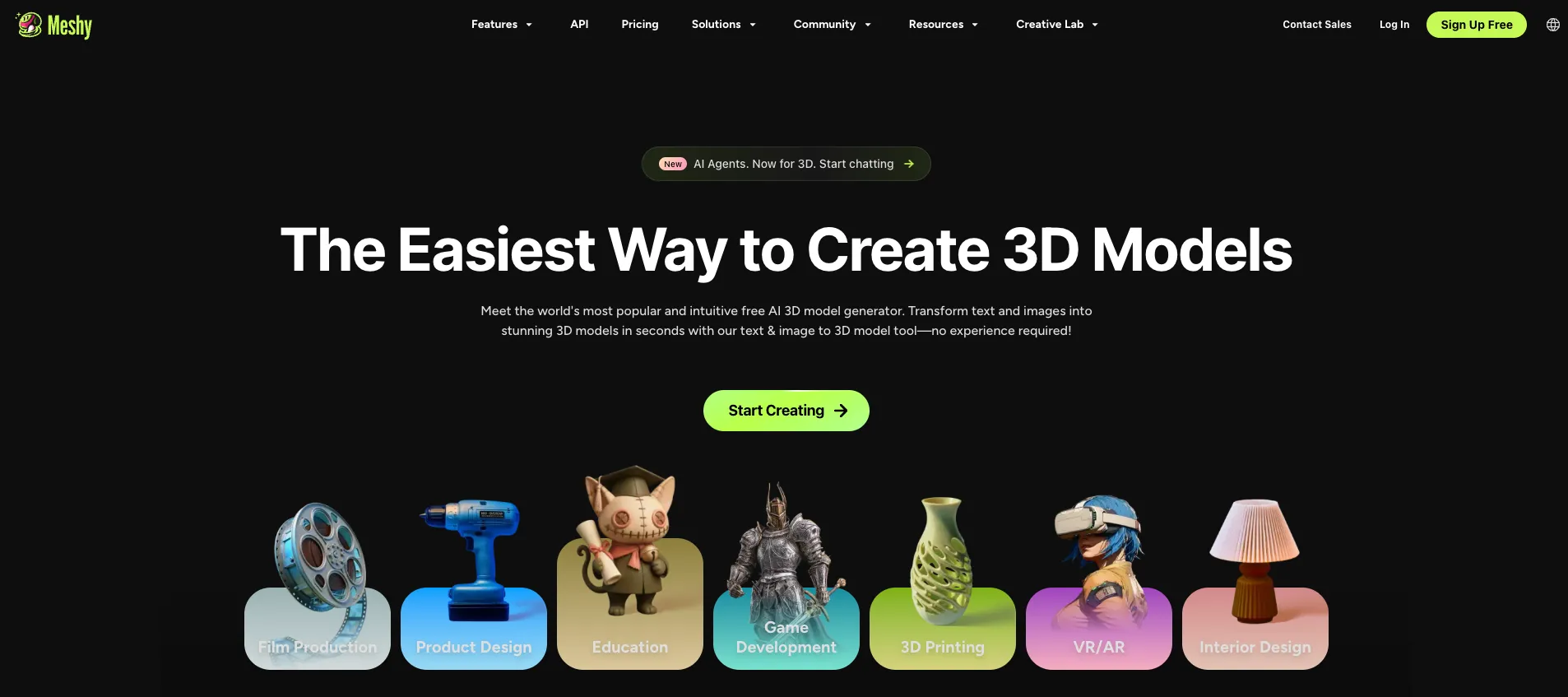
Meshy is a cutting-edge AI tool that is reshaping the landscape of 3D content creation. It harnesses the power of artificial intelligence to transform text and images into detailed 3D models and textures within a matter of minutes. Aimed at content creators, game developers, and digital artists, Meshy is a game-changer for those who seek to streamline their 3D modeling and texturing processes.
Meshy's unique selling point lies in its ability to democratize 3D content creation. By enabling text and image-based generation for models, it lowers the barrier of entry for novices while offering seasoned professionals a powerful tool to expedite their workflows.
Meshy excels in streamlining the 3D content creation process, offering remarkable time savings and quality output. Its intuitive interface and powerful AI capabilities make it an indispensable tool for a wide range of users, from professionals to hobbyists. With Meshy's innovative approach to model and texture generation, the future of 3D design looks more accessible and efficient than ever.
Who is Using Meshy?
Game Developers
Incorporating Meshy for rapid prototyping and asset creation.
Architects and Interior Designers
Using AI to visualize concepts and designs in 3D.
Educational Institutions
Applying Meshy as a teaching tool in courses on design and technology.
Hobbyists
Exploring 3D modeling without the need for extensive learning or investment.
Uncommon Use Cases
Meshy is also being used by fashion designers for virtual product mockups and by filmmakers for pre-visualization of sets and props.
Key Features
Rating Breakdown
Pricing Plans
Free Trial
- Users can start with Meshy for free
- Exploring its core functionalities
Subscription Plans
- Detailed pricing information is available on the Meshy website
- Offering different tiers based on usage needs
Which Meshy plan should you pick?
Start with Free to test generation, move to Pro for individual API and private-asset needs, and choose Studio or Enterprise for teams.
Free
Good for beginners who need 100 monthly credits to explore Meshy without a credit card.
Pro
Good for individual creators who need 1,000 credits, API access, faster generation, and private licensing.
Premium
Good for heavier individual usage requiring 3,000 monthly credits and higher queue priority.
Ultra
Good for high-volume individual production requiring 10,000 monthly credits and the highest individual priority.
Studio
Good for studios and teams needing shared team-oriented usage with 4,000 credits per seat.
Enterprise
Good for organizations needing custom credit volume, shared workspaces, SSO, governance, and dedicated support.
Meshy Use Cases
Generate game assets
Describe a character, prop, vehicle, or environment object and generate a textured 3D model.
Outcome: A downloadable asset suitable for further game-engine preparation.
Convert images into 3D models
Upload a photo, sketch, concept art, or multiple views and convert it into a 3D mesh.
Outcome: A model that more closely follows the supplied visual reference.
Prepare models for 3D printing
Remesh or repair geometry and export STL or 3MF files for printing workflows.
Outcome: A print-oriented model ready for slicing or further preparation.
Texture existing models
Upload an existing mesh and apply text- or image-guided PBR materials.
Outcome: A retextured model with albedo, normal, roughness, and metallic maps.
Rig and animate characters
Use auto-rigging and animation tools on humanoid or quadruped character models.
Outcome: A rigged and animated character export.
Workflow Ideas with Meshy
Image to printable model
- 1Upload a photo or concept image to Image to 3D
- 2Review and remesh the generated geometry
- 3Export STL or 3MF for slicing
Game-ready character pipeline
- 1Generate a character from text or images
- 2Apply PBR texturing and optimize topology
- 3Auto-rig, animate, and export FBX
Conversational batch asset creation
- 1Describe a multi-step asset request to Meshy Agent
- 2Have Agent generate, texture, and refine multiple assets
- 3Review results and download or send them to a slicer
How Meshy fits into your stack
Standard 3D Formats
Export models in FBX, GLB, or USDZ formats for use in various 3D software.
API for Custom Applications
Extend Meshy's capabilities to your custom applications with API access.
Multilingual Interface
Supports prompts in multiple languages, catering to a global user base.
Discord Community
A dedicated platform for support, sharing, and collaboration among Meshy users.
Pros
- +Efficiency Boost: Drastically reduces the time required for 3D modeling and texturing tasks.
- +Ease of Use: Features an intuitive interface that simplifies the 3D creation process.
- +Quality Output: Produces high-quality, customizable PBR textures and realistic 3D models.
- +Versatility: Offers support for various art styles and export formats, ensuring broad usability.
- +API Access: Allows for custom integrations, extending the utility of the tool beyond its standalone capabilities.
Cons
- −Learning Curve: Users may need time to get accustomed to the AI's capabilities and how to formulate effective prompts.
- −Dependency on AI Interpretation: The quality of the output may vary depending on the AI's understanding of the user's input.
- −Limited by Current Tech: While advanced, the tool's capabilities are still bound by the limitations of current AI technology.
Limitations & when to consider alternatives
Known limitations
- Free-plan downloads are restricted. Free users receive monthly credits, but generated models generally cannot be downloaded unless they have qualifying paid-plan assets or campaign rewards.
- Free outputs use CC BY 4.0. Free-plan models require attribution for commercial use; private licensing is available on paid plans.
- API-generated assets have limited retention. Non-Enterprise API-generated assets are retained for a maximum of three days.
- Meshy Agent is still in beta. Agent availability is rolling out, complex workflows can take longer, and results may require manual refinement.
- Direct 3D mesh editing is unavailable in Agent. Meshy Agent does not yet support direct mesh manipulation through chat.
Look elsewhere when
- You need a publicly available native mobile app.
- You need a native plugin for Maya, 3ds Max, or Omniverse.
- You need browser-side API calls without a server proxy.
- You need precise frame-perfect topology control through an agent.
How to Use Meshy
- 1
Meshy provides tutorials and FAQs to help users get started and master the platform's features, ensuring a smooth learning curve.
Who is Meshy For?
Game developers
Generate, optimize, rig, animate, and export game-ready 3D assets for engines such as Unity and Unreal.
3D artists
Create models, apply PBR textures, remesh geometry, and prepare assets for external creative tools.
3D printing hobbyists
Create printable models, repair or optimize geometry, and export STL or multicolor 3MF files.
Makers
Turn ideas into custom physical objects, figurines, gifts, and other printable assets.
Product designers
Convert product concepts, photos, and reference images into editable 3D models and visual prototypes.
Frequently Asked Questions
What is Meshy used for?
Meshy turns text, images, and conversational prompts into production-ready 3D assets for games, AR/VR, 3D printing, and design.
Is Meshy free to use?
Yes. The Free plan provides 100 credits per month without requiring a credit card.
Does Meshy offer an API?
Yes. Meshy provides documented REST endpoints for text-to-3D, image-to-3D, texturing, remeshing, rigging, animation, and related tasks.
What file formats can Meshy export?
Meshy supports GLB, FBX, OBJ, STL, USDZ, and 3MF exports.
Can I upload my own 3D models?
Yes. AI Texturing accepts uploaded models, including OBJ, FBX, and GLB files.
Does Meshy have a mobile app?
Meshy is primarily web-based. Its mobile app is in beta and is not publicly available through the Apple App Store or Android Marketplace.
Community reviews
1 review from people who use Meshy.
Sign in to leave a review for Meshy.
luca martinelli
Meshy Alternatives
Looking for alternatives to Meshy? Here are similar tools in the same category:
Learn to Master Meshy
With Skill Leap courses
Get in-depth training on Meshy and 50+ other AI tools with our expert-led video courses.
Start 7-Day Free Trial