
Mexty
Turn prompts into interactive, trackable training.
Watch Mexty in Action
Key Takeaways
- What it is
- Turn prompts into interactive, trackable training.
- Pricing
- Freemium · $9.80 per month · $31.60 per month
- Best for
- AI-Powered Lesson Creator
- Interactive & Gamified Learning
- No-Code Authoring
- Rating
- 4.5/5
What is Mexty?
Mexty is an innovative AI-driven platform that redefines the creation of personalized learning content. Tailored for educators, trainers, and instructional designers, this tool simplifies the process of building interactive, SCORM-compliant e-learning materials. With Mexty, users can craft engaging lessons, quizzes, and assessments effortlessly, catering to diverse learning styles without the need for coding skills.
Mexty stands out with its no-code, AI-powered authoring capabilities, allowing users to create interactive, personalized learning content effortlessly. Its unique ability to cater to diverse learning styles and preferences makes it an essential tool for educators and trainers aiming to enhance their teaching impact.
Mexty offers a revolutionary approach to e-learning by merging AI technology with user-friendly design. It empowers educators and trainers to create impactful, personalized content that resonates with learners worldwide. Whether you're crafting a simple quiz or a full-fledged course, Mexty ensures that your educational materials are not only engaging but also tailored to meet the unique needs of every student.
Who is Using Mexty?
K–12 Educators
Utilizing Mexty for creating dynamic, interactive lessons tailored to young learners.
Higher Education Faculty
Employing the platform for developing advanced courses and assessments.
Corporate Trainers
Leveraging the tool for employee training and development programs.
Instructional Designers
Using Mexty to design engaging educational content across various sectors.
Uncommon Use Cases
Adopted by parents for crafting personalized learning activities at home; Used by language schools for developing multilingual courses.
Key Features
Rating Breakdown
Pricing Plans
Free Plan
Free
- Includes 10 one-time credits, with additional credits available at $0.22 each. No discounts apply to extra credits
Creator Plan
$9.80 per month
- Includes 50 monthly credits and access to the marketplace for sales. Additional credits cost $0.17 each, with a 20% discount on extra credit purchases
Professional Plan
$31.60 per month
- Includes 200 monthly credits, marketplace access, and discounted credit purchases. Additional credits cost $0.15 each, with a 30% discount on added credits
Enterprise Plan
- Includes tailored credit limits, marketplace access, and flexible discount rates depending on business needs
Which Mexty plan should you pick?
Start with Free to test core authoring and exports; upgrade to Pro for collaboration, analytics, learning paths and automation, or Enterprise for SSO and private deployment.
Free
Good for solo users who need starter credits, core AI authoring, interactive activities, course building and HTML/SCORM export.
Pro
Good for teams who need creators and learners, users and roles, analytics, learning paths, People Chat, custom permissions and Mexty MCP.
Enterprise
Good for large organizations that need 10,000+ users, SSO, custom integrations, private deployment and dedicated support.
Mexty Use Cases
Interactive lesson creation
Transform ideas, PDFs, presentations and existing content into interactive lessons with quizzes, scenarios and activities.
Outcome: Faster production of editable learning experiences.
Corporate onboarding
Convert onboarding materials and SOPs into structured courses, evaluations and learning paths.
Outcome: More consistent, trackable employee onboarding.
Compliance training
Create knowledge checks, assessments and SCORM-compatible compliance modules from approved source material.
Outcome: Deployable and measurable compliance learning.
Customer and partner training
Turn product documentation, release notes and training materials into customer education and partner certification programs.
Outcome: Consistent, localized external training at scale.
Document-to-course conversion
Upload a PDF, slide deck or document and let Mexty generate an interactive, editable course.
Outcome: Static source material becomes LMS-ready learning content.
Workflow Ideas with Mexty
Convert a PDF into an interactive course
- 1Open Mexty Tools.
- 2Upload a PDF, presentation or document.
- 3Review, edit and save the generated course or activities.
Build a scheduled learning workflow
- 1Create or select an AI agent.
- 2Connect required services and knowledge bases.
- 3Set a recurring or one-off schedule and run the task automatically.
Create and publish SCORM training
- 1Generate a course from a prompt or source material.
- 2Add interactive activities and assessments.
- 3Export the completed course as HTML or SCORM.
How Mexty fits into your stack
Browser
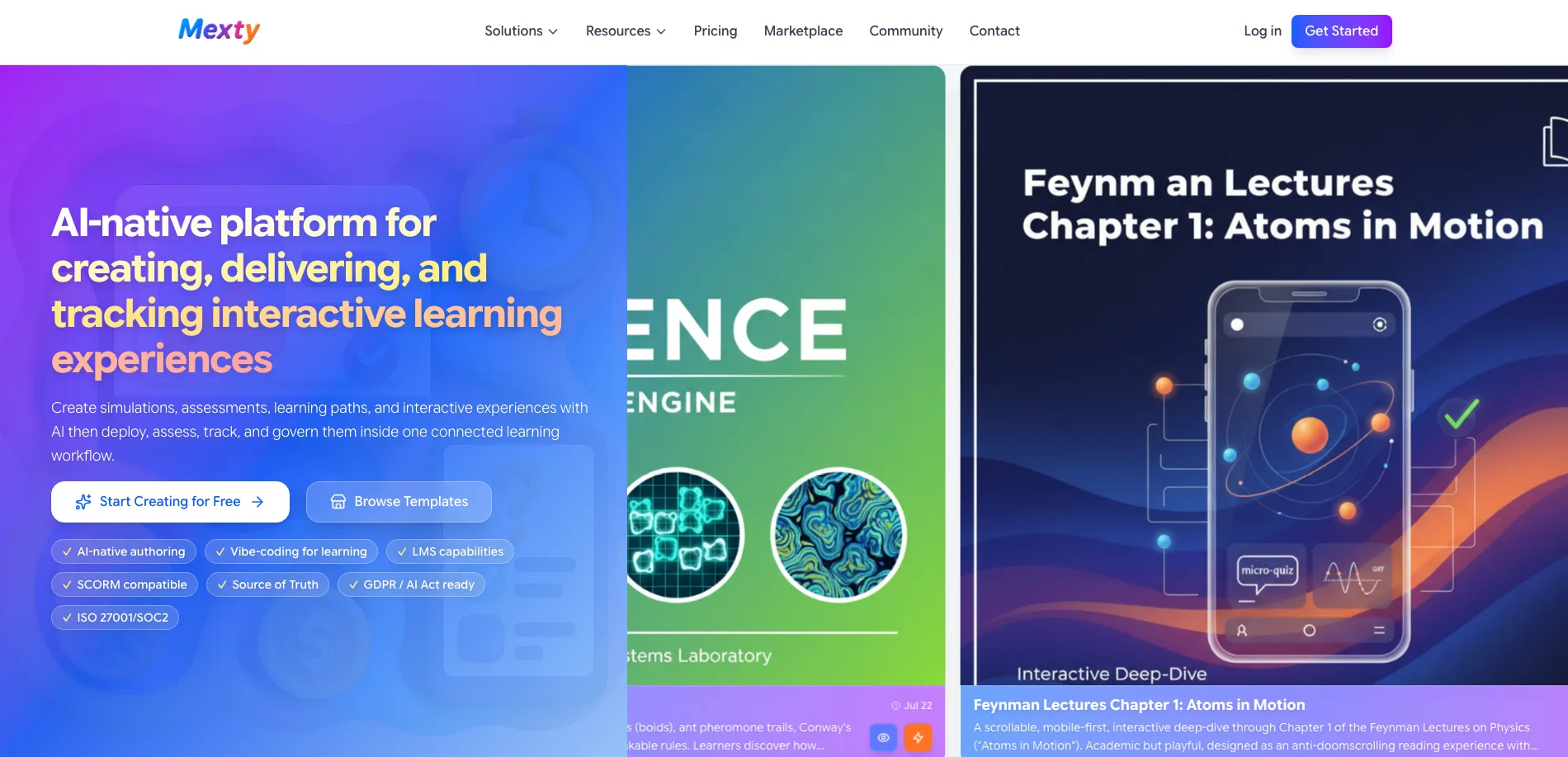
Mexty operates as a browser-based AI-native authoring and LMS platform for creating, delivering, assessing, and tracking interactive learning.
Docs and writing
Creators can turn prompts, PDFs, presentations, documents, and other source materials into editable courses, quizzes, activities, and learning paths.
Knowledge and files
Knowledge bases store uploaded documents and media, index them into searchable chunks, and ground Mexty Chat or agents in approved source material.
Automation and APIs
AI agents can use connectors such as Google Calendar, Gmail, Drive, and Linear, with scheduled tasks for automated actions.
Pros
- +Time Efficiency: Significantly cuts down on the time required to develop comprehensive e-learning content.
- +Personalization at Scale: Adapts to different learning styles and paces, ensuring each learner's needs are met.
- +Community Support: Connect with a vibrant community of educators and content creators for idea sharing and collaboration.
- +Cost-Effective: Offers a free trial to explore features before committing financially.
Cons
- −Initial Learning Curve: Users may need some time to become fully comfortable with all available features and functionalities.
- −Limited Integration: Currently, it may have restrictions in terms of integration with certain third-party platforms.
Limitations & when to consider alternatives
Known limitations
- AI credits are metered. AI generation consumes credits; paid plans include monthly allowances and extra credits cost additional fees.
- File uploads are limited to 50 MB. The Tools documentation lists a maximum size of 50 MB for each uploaded file.
- Free usage is limited. The Free plan includes starter or one-time credits rather than an unlimited recurring AI allowance.
- Advanced collaboration is plan-dependent. The pricing comparison limits collaboration features to higher-tier plans.
- Enterprise features require a custom plan. SSO, on-premise or private-cloud deployment, dedicated support and SLA are listed under Enterprise.
Look elsewhere when
- You need a native mobile app.
- You need a downloadable desktop authoring application.
- You need a conventional REST API with API keys and endpoints.
How to Use Mexty
- 1
Start with Mexty Chat
Describe the audience, topic and desired format so Mexty can generate an initial course, quiz or activity.
- 2
Ground the AI in source material
Attach PDFs, presentations or documents, or select a knowledge base, so generated content reflects approved materials.
- 3
Refine the result
Edit content manually, ask the AI for revisions, or use the in-browser React/TypeScript editor for interactive blocks.
- 4
Add assessments and learning paths
Combine activities into evaluations or organize courses into multi-step learning paths with branching and progression rules.
- 5
Invite users and assign learning
Use users, roles and groups to manage creators and learners, then assign courses or evaluations.
- 6
Publish and measure
Deliver through Mexty's LMS or export HTML/SCORM, then review learner progress, completion and engagement analytics.
Who is Mexty For?
Universities
Create, deliver and track interactive learning experiences, assessments and learning paths.
Schools
Build engaging lessons, quizzes and accessible learning content without coding.
Corporate learning teams
Create onboarding, compliance, sales enablement and workforce training with analytics and LMS delivery.
Training providers
Build interactive courses and certification programs for customers, partners or external learners.
Instructional designers
Transform source materials into editable courses, activities, scenarios and SCORM packages.
Frequently Asked Questions
What is Mexty?
Mexty is an AI-native platform for creating, delivering, assessing, tracking and governing interactive learning experiences.
Is Mexty an authoring tool or an LMS?
It combines AI authoring capabilities with integrated LMS features for delivery, tracking, assessment and learner management.
Can Mexty convert existing documents into courses?
Yes. Users can upload PDFs, presentations and documents, then generate editable interactive courses and activities from them.
Can I export Mexty courses to another LMS?
Yes. Mexty supports HTML and SCORM export for deployment in external learning management systems.
Does Mexty support multiple languages?
Yes. Mexty provides translation, localization and multilingual workspace capabilities.
Can I try Mexty for free?
Yes. The Free plan costs €0 forever and includes starter credits with access to core authoring features.
Community reviews
10 reviews from people who use Mexty.
Sign in to leave a review for Mexty.
Hanene Maupas
Melek Rekik
Aekkarit Surit
Celina Okili
HAl HALILA
Hubert Maupas
Alexandre Maupas
marva okili
Mounira Bouba
Dominika Kalisz
Mexty Alternatives
Looking for alternatives to Mexty? Here are similar tools in the same category:
Learn to Master Mexty
With Skill Leap courses
Get in-depth training on Mexty and 50+ other AI tools with our expert-led video courses.
Start 7-Day Free Trial