
Microsoft Azure
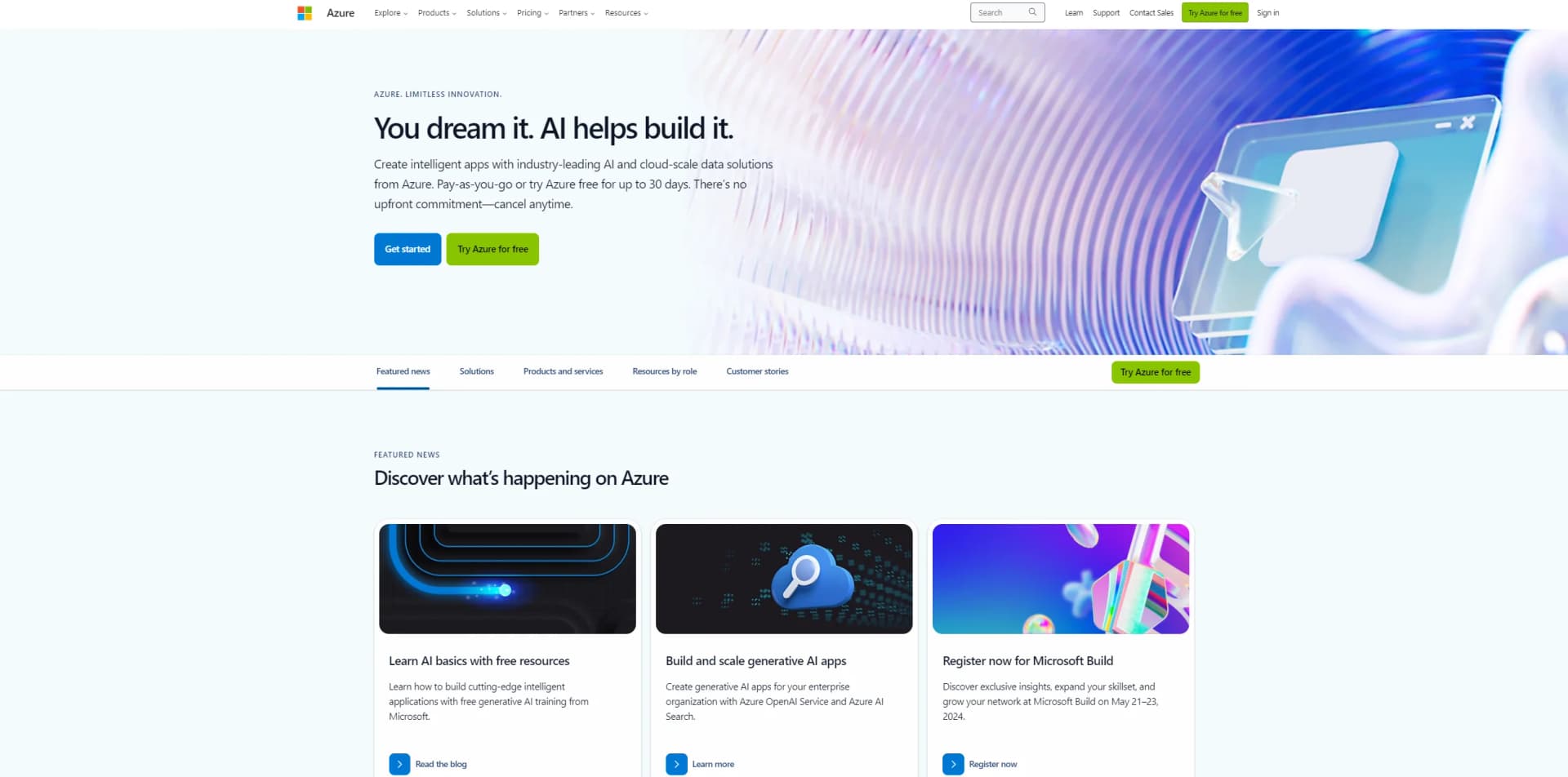
Build, deploy, manage applications globally with Azure's cloud, AI, and hybrid capabilities.
Watch Microsoft Azure in Action
Key Takeaways
- What it is
- Build, deploy, manage applications globally with Azure's cloud, AI, and hybrid capabilities.
- Pricing
- $200
- Best for
- Global Network
- Hybrid Capabilities
- AI and Machine Learning
- Rating
- 4.6/5
What is Microsoft Azure?
Microsoft Azure is a comprehensive cloud computing service created by Microsoft for building, testing, deploying, and managing applications and services through Microsoft-managed data centers. It provides software as a service (SaaS), platform as a service (PaaS), and infrastructure as a service (IaaS) and supports many different programming languages, tools, and frameworks, including both Microsoft-specific and third-party software and systems. Azure is designed to help businesses manage challenges and meet their organizational goals. It offers a wide range of cloud services, including those for compute, analytics, storage, and networking. Users can pick and choose from these services to develop and scale new applications, or run existing applications, in the public cloud.
Microsoft Azure stands out with its comprehensive hybrid cloud capabilities, allowing for seamless integration and management across on-premises, multicloud, and edge environments. Its global infrastructure, offering more regions than any other cloud provider, ensures that your applications and data can run wherever they are needed. Furthermore, Azure's deep investment in AI and machine learning innovation provides businesses with the tools to build the next generation of intelligent applications.
Microsoft Azure excels in providing a highly scalable, flexible, and secure cloud platform, making it an essential tool for businesses of all sizes. Its extensive global infrastructure and powerful hybrid cloud capabilities enable seamless integration and management across various environments. With advanced analytics, AI services, and a broad range of integrations, Azure empowers organizations to innovate and transform their operations efficiently. Despite its complexity and potential challenges in cost management, Azure's comprehensive features and benefits make it a top choice for cloud computing needs.
Who is Using Microsoft Azure?
Enterprises
Leveraging Azure for global data management, disaster recovery, and business continuity strategies.
Startups and SMBs
Utilizing Azure's scalability to grow with their evolving business needs without heavy upfront investments.
Government Agencies
Employing Azure to improve operations and enhance public services while adhering to strict compliance and security standards.
Healthcare Organizations
Using Azure to manage patient data securely, enhance patient care through AI, and streamline operations.
Uncommon Use Cases
Non-profits leveraging Azure for cloud computing needs on a budget; educational institutions using Azure to facilitate remote learning and research.
Key Features
Rating Breakdown
Pricing Plans
Free Tier
$200
- Credit to explore Azure services for 30 days
Pay-As-You-Go
- Flexible pricing based on resource consumption
- No upfront costs. Perfect for businesses looking to scale with demand
Reserved Instances
- Save up to 72% compared to pay-as-you-go prices with one- or three-year upfront commitment on service usage
Which Microsoft Azure plan should you pick?
Start with the Azure free account for proof of concept and exploration; upgrade to Pay as you go when you need continued usage beyond free credits or production-scale consumption.
Azure free account
Good for new customers exploring Azure services with free monthly amounts and a $200 credit for 30 days.
Pay as you go
Good for customers running ongoing workloads who need access beyond free amounts and production usage without a fixed upfront commitment.
Microsoft Azure Use Cases
Image analysis
Upload images or provide image URLs for visual analysis, OCR, captions, object detection, and tagging.
Outcome: Extract structured information and insights from image content.
Multilingual translation
Translate text and documents with Azure Translator, including custom translation models and glossaries.
Outcome: Deliver multilingual applications and translated business content.
Document intelligence
Process documents to extract text, key-value pairs, tables, and other structured information.
Outcome: Turn unstructured documents into usable data.
Automated integrations
Create Logic Apps workflows that trigger on events and perform actions across services such as Office 365, Salesforce, databases, and file servers.
Outcome: Automate cross-system business processes.
Custom model development
Fine-tune foundation models using uploaded or registered training datasets, then evaluate and deploy the resulting model.
Outcome: Adapt models for specialized tasks and workloads.
Workflow Ideas with Microsoft Azure
Automate document processing
- 1Trigger a workflow when a document arrives in storage or a connected service
- 2Send the document to Document Intelligence for extraction
- 3Route the extracted data to a database, business application, or approval process
Create a multilingual content pipeline
- 1Receive text or documents through an application or connected service
- 2Translate the content with Azure Translator
- 3Store or distribute the translated output through connected systems
Build and deploy a fine-tuned model
- 1Upload or select a registered training dataset
- 2Submit a fine-tuning job using Azure Machine Learning or Microsoft Foundry
- 3Evaluate, register, and deploy the resulting model to an endpoint
How Microsoft Azure fits into your stack
Microsoft and Open Source Technologies
Azure supports a wide range of operating systems, programming languages, frameworks, databases, and devices.
Hybrid Cloud Environments
Azure Arc and Azure Stack enable seamless integration and management of hybrid cloud environments.
Marketplace Ecosystem
Azure Marketplace offers thousands of third-party applications and services that are pre-tested and optimized to run on Azure.
Development and DevOps Tools
Integration with tools like GitHub, Visual Studio, and Azure DevOps enhances productivity and collaboration.
Pros
- +Scalability and Flexibility: Azure allows you to scale up or down based on your needs, ensuring you only pay for what you use. Its vast array of services and applications provides unparalleled flexibility.
- +Integrated Development Environment: Azure seamlessly integrates with Microsoft's Visual Studio, empowering developers with a powerful, efficient, and familiar environment to build their applications.
- +Comprehensive Hybrid Cloud Solutions: Azure's hybrid cloud solutions offer the best of both worlds, allowing for easy mobility and a consistent platform between on-premises and cloud environments.
- +Advanced Analytics and AI Capabilities: Azure's analytics and AI services enable businesses to analyze data in real-time and build predictive models, enhancing decision-making and creating new opportunities for innovation.
Cons
- −Complexity: The sheer breadth of services and capabilities can be overwhelming for new users, requiring a steep learning curve.
- −Cost Management: While Azure offers a pay-as-you-go model, managing and optimizing costs can be challenging due to the complexity of pricing and billing structures.
- −Support Costs: High-level support plans can be expensive, although they provide extensive resources and assistance.
Limitations & when to consider alternatives
Known limitations
- Free usage has quotas. Free tiers provide specified monthly amounts; usage beyond those amounts is billed at applicable pay-as-you-go rates.
- The Azure free account has an eligibility window. The free account is for new customers and includes a $200 credit usable within 30 days; continued use may require pay-as-you-go billing.
- AI service availability varies. Features, fine-tuning models, pricing, quotas, and supported regions vary by service and deployment region.
- Some Vision APIs are being retired. Azure Vision Image Analysis 4.0 is deprecated and scheduled for retirement on September 25, 2028.
- Fine-tuning requires suitable compute or access. Managed-compute fine-tuning requires available GPU quota, while model availability depends on supported models and regions.
Look elsewhere when
- You need an installable desktop application rather than a browser-based console.
- You need a dedicated browser extension rather than browser access to the portal.
How to Use Microsoft Azure
- 1
Explore the official Azure documentation and Microsoft Learn for a wide range of tutorials and guided learning paths, covering everything from basic setup to advanced features of Azure.
Who is Microsoft Azure For?
Developers
REST APIs, SDKs, and service endpoints provide programmatic access for building intelligent applications.
Data scientists
Azure supports model customization, fine-tuning, training datasets, evaluation, and deployment workflows.
Data engineers
Azure provides workflow automation, connectors, data movement, and integration across cloud and on-premises systems.
Organizations
Foundry Tools help organizations create responsible, market-ready applications using prebuilt and customizable AI capabilities.
Frequently Asked Questions
Is there a free tier for Azure AI services?
Many Foundry Tools offer an F0 free tier. Azure also provides free monthly amounts for selected services and a free-account credit for eligible new customers.
How are Azure AI services accessed programmatically?
Most Foundry Tools expose REST APIs and client-library SDKs for popular programming languages.
Can Azure AI services integrate with other applications?
Azure Logic Apps provides more than 1,400 connectors for Microsoft services, databases, enterprise systems, file shares, and external applications.
Does Azure support fine-tuning or custom models?
Azure supports fine-tuning foundation models and OpenAI models with customer-provided training data, subject to model and regional availability.
Does Azure provide mobile access?
Microsoft provides an Azure mobile app for iOS and Android, while the Azure portal itself runs in supported desktop and tablet browsers.
How does Azure protect data?
Azure documents encryption at rest and TLS-protected service endpoints, with customer-managed key options for supported services.
Community reviews
Be the first to share your experience.
Sign in to leave a review for Microsoft Azure.
Microsoft Azure Alternatives
Looking for alternatives to Microsoft Azure? Here are similar tools in the same category:
Learn to Master Microsoft Azure
With Skill Leap courses
Get in-depth training on Microsoft Azure and 50+ other AI tools with our expert-led video courses.
Start 7-Day Free Trial