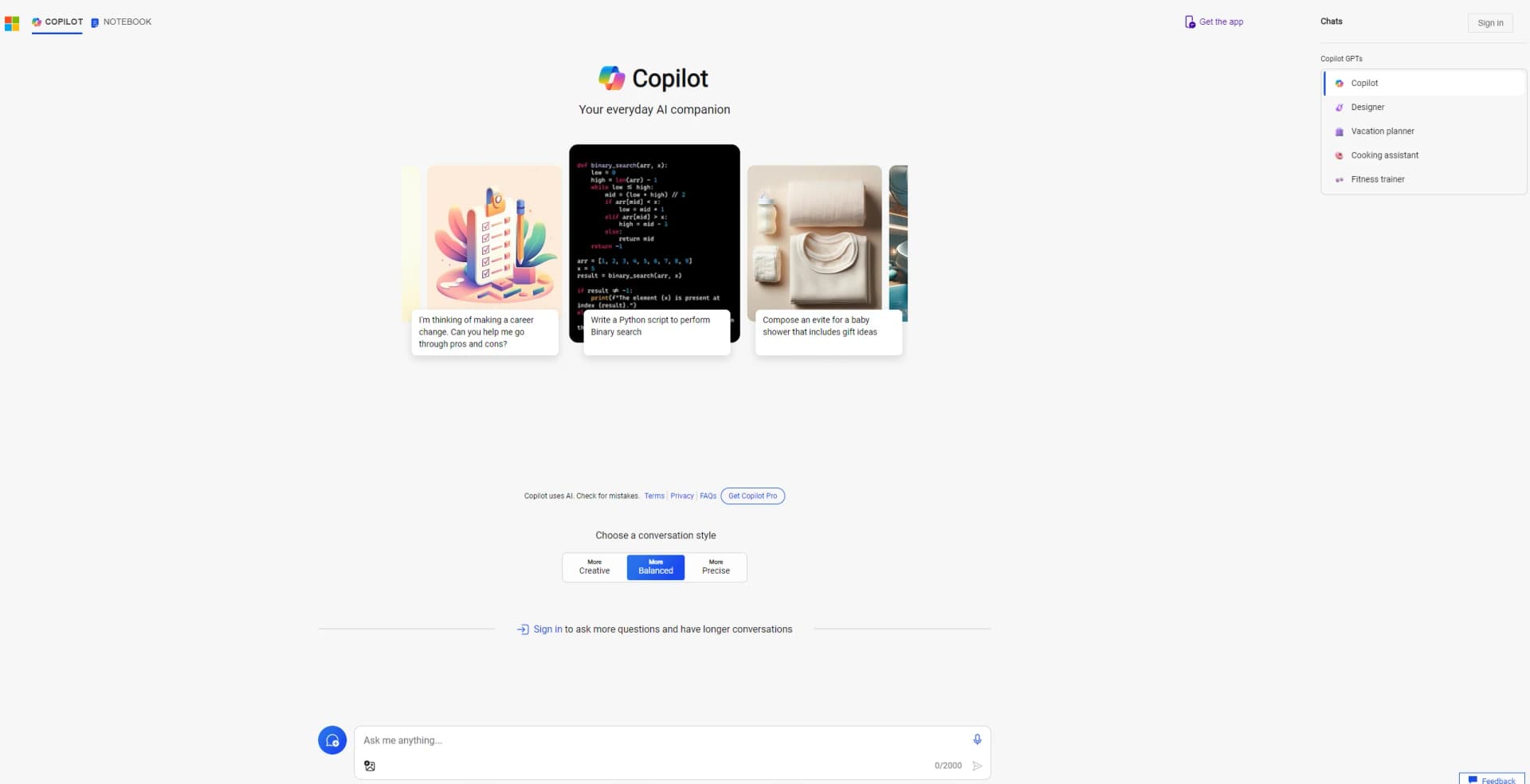
Microsoft Copilot
Boost productivity with AI-driven organizing, deep search, and Microsoft integration.
Key Takeaways
- What it is
- Boost productivity with AI-driven organizing, deep search, and Microsoft integration.
- Best for
- Deep Search
- AI-driven Notebook
- User-Friendly Interface
- Rating
- 4.6/5
What is Microsoft Copilot?
Microsoft Copilot is poised to redefine how we interact with digital workspaces. It's an everyday AI companion designed to streamline tasks, enhance productivity, and foster innovation. With its deep search capabilities and intuitive notebook features, Microsoft Copilot is tailored for a wide array of users, from professionals seeking to cut down on time-consuming tasks to individuals looking to organize their digital lives more efficiently.
What sets Microsoft Copilot apart is its deep integration with the Microsoft ecosystem, making it an invaluable tool for users already entrenched in Microsoft products. Its AI-driven notebook and advanced search capabilities offer a level of efficiency and organization that is hard to match.
Microsoft Copilot excels in enhancing productivity and organization for a wide range of users. Its deep search capabilities and AI-driven notebook feature, in particular, provide an unmatched advantage for efficiently managing tasks and information. Coupled with its seamless integration within the Microsoft ecosystem, Microsoft Copilot stands out as an essential tool for anyone looking to streamline their digital workflows and enhance their productivity.
Who is Using Microsoft Copilot?
Business Professionals
Enhancing productivity through streamlined task management.
Students
Organizing study materials and schedules more efficiently.
Project Managers
Keeping track of project timelines and deliverables.
Writers and Researchers
For deep search capabilities that aid in gathering and organizing information.
Uncommon Use Cases
Non-profits using it for organizing fundraising events and campaigns; Personal users for managing household tasks and schedules.
Key Features
Rating Breakdown
Pricing Plans
Subscription Model
- Microsoft Copilot is available through a subscription model
- Details of which can be found on the official website
Free Trial
- A free trial period is offered to let users experience its features firsthand
Which Microsoft Copilot plan should you pick?
Start with the free Microsoft Copilot experience for general chat, writing, research, and image tasks; upgrade to Microsoft 365 Personal, Family, or Premium when you need higher AI usage, Microsoft 365 apps, or advanced features.
Microsoft Copilot (free)
Good for individuals who need no-cost conversational AI, web-grounded answers, writing help, summarization, and image creation.
Microsoft 365 Personal
Good for one person who needs Copilot in Word, Excel, PowerPoint, Outlook, and 1 TB of OneDrive storage.
Microsoft 365 Family
Good for households needing Microsoft 365 apps and storage for up to six people, while Copilot AI benefits remain limited to the subscription owner.
Microsoft 365 Premium
Good for users who need the highest available usage, advanced AI features, and agents for complex tasks such as research and data analysis.
Microsoft Copilot Use Cases
Research and information retrieval
Ask questions, search the web, summarize information, and produce source-cited research.
Outcome: Faster access to organized information and analysis.
Writing and rewriting
Draft content, polish resumes and cover letters, rewrite text, and adjust tone.
Outcome: More quickly produced and refined written content.
Email and calendar assistance
Summarize email threads, draft replies, search messages, and manage calendar activities.
Outcome: Less time spent on routine communication and scheduling.
Document and presentation creation
Create Word documents, Excel spreadsheets, PowerPoint presentations, and PDFs from natural-language instructions.
Outcome: Faster creation of business and personal deliverables.
Image analysis and creation
Upload images for analysis or ask Copilot to create and edit images.
Outcome: Visual information can be interpreted or transformed through conversation.
Workflow Ideas with Microsoft Copilot
Create a research report
- 1Ask Copilot to research a topic across multiple sources
- 2Request a structured analysis with citations
- 3Review and refine the generated report
Turn a Copilot response into a shared page
- 1Chat with Copilot to brainstorm or outline content
- 2Transfer the response into Copilot Pages
- 3Edit and share the page with collaborators
Automate meeting follow-up
- 1Ask Cowork to summarize meeting information
- 2Have it draft stakeholder communications
- 3Schedule follow-up meetings or post updates in Teams
How Microsoft Copilot fits into your stack
Microsoft Teams Compatibility
Enhances collaboration within teams.
OneNote Integration
Seamlessly works with OneNote for note-taking and organization.
Office 365 Support
Integrates with Office 365 suite for a comprehensive productivity boost.
API Access
Offers developers API access for creating custom solutions.
Pros
- +Increased Productivity: By automating routine tasks, Microsoft Copilot helps users save valuable time.
- +Enhanced Organization: The AI-driven notebook feature makes managing tasks, notes, and reminders a breeze.
- +Intuitive Search Functionality: Its deep search capability ensures that all necessary information is just a query away.
- +Seamless Integration: Works effortlessly with other Microsoft tools, providing a cohesive user experience.
Cons
- −Learning Curve: New users may need time to fully leverage all features.
- −Microsoft Ecosystem Dependency: Maximum benefits are reaped when used within the Microsoft ecosystem.
- −Potential Overreliance: Users might become overly dependent on AI for task management and organization.
Limitations & when to consider alternatives
Known limitations
- AI usage limits vary by plan. Feature limits, AI credits, voice duration, vision usage, image generation, and agent availability depend on the Microsoft 365 subscription.
- File upload limits. The consumer Copilot experience supports up to 20 files per conversation, with each file limited to 50 MB.
- Supported formats only. Unsupported files may need to be converted to formats such as PDF or DOCX before upload.
- Language performance varies. Microsoft notes that performance can vary across languages, with English performing best in some model releases.
- Internet connection required. The Copilot experience relies on internet connectivity, so disruptions can affect availability and performance.
How to Use Microsoft Copilot
- 1
Microsoft provides a range of tutorials, from basic setup to advanced features, available directly on their website and through dedicated YouTube channels.
Who is Microsoft Copilot For?
Individuals
The free Copilot experience and Microsoft 365 Personal, Family, and Premium plans support personal productivity, writing, research, and creative tasks.
Work and school users
Microsoft Entra sign-in enables Copilot experiences grounded in organizational work data and Microsoft 365 content.
Organizations
Organizations can extend Copilot with agents, connectors, APIs, workflow automation, and enterprise security controls.
Frequently Asked Questions
Is Microsoft Copilot free?
Microsoft offers a free Copilot experience at copilot.com, with additional features and higher usage limits available through Microsoft 365 plans.
Where can I use Microsoft Copilot?
Copilot is available on the web, Windows, macOS, iOS, Android, and within Microsoft Edge.
Can Microsoft Copilot analyze uploaded files?
Yes. Copilot can process supported documents, spreadsheets, presentations, text files, and images. Uploads are limited to 20 files per conversation and 50 MB per file.
Can Microsoft Copilot connect to other services?
Consumer connectors support Microsoft OneDrive and Outlook.com, plus Google Drive, Gmail, Calendar, and Contacts.
Does Microsoft Copilot support multiple languages?
Yes. Copilot supports text prompts and responses across a broad list of human languages, including English, Spanish, French, German, Chinese, Japanese, and many others.
Can Microsoft Copilot make mistakes?
Microsoft states that Copilot is probabilistic and may produce biased, ungrounded, inaccurate, or unreliable content. Users should verify important information.
Community reviews
Be the first to share your experience.
Sign in to leave a review for Microsoft Copilot.
Microsoft Copilot Alternatives
Looking for alternatives to Microsoft Copilot? Here are similar tools in the same category: