
Mindflow
Automates IT, enhances cybersecurity, streamlines operations.
Key Takeaways
- What it is
- Automates IT, enhances cybersecurity, streamlines operations.
- Best for
- Automated Incident Response
- Proactive Threat Detection
- Seamless Integration
- Rating
- 4.5/5
What is Mindflow?
Mindflow is an advanced AI tool designed to optimize the efficiency of enterprise IT and cybersecurity teams. Leveraging generative AI, Mindflow automates complex IT processes and decision-making tasks to enable swift responses to IT challenges and security threats. It is specifically developed for organizations aiming to enhance their digital infrastructure's resilience and streamline IT operations.
Mindflow distinguishes itself with its seamless integration capabilities and proactive threat detection features. By enhancing existing IT and cybersecurity systems and predicting potential security breaches, Mindflow offers a significant advantage in maintaining robust digital security and operational efficiency.
Mindflow excels at enhancing the operational efficiency of IT and cybersecurity teams by automating processes and providing proactive threat detection. It is an essential tool for modern enterprises seeking to strengthen their digital infrastructure and streamline IT operations. Its integration capabilities and advanced threat detection make it a standout choice for maintaining robust security and operational continuity.
Who is Using Mindflow?
Enterprise IT Departments
Utilizing Mindflow for network management and data flow automation.
Cybersecurity Teams
Enhancing threat detection and incident response strategies with the tool.
Financial Institutions
Using Mindflow for secure transaction processing and compliance management.
Healthcare Organizations
Protecting sensitive patient data and ensuring system integrity.
Uncommon Use Cases
Employed by universities for managing complex IT infrastructures; adopted by government agencies for automating compliance with cybersecurity regulations.
Key Features
Rating Breakdown
Pricing Plans
Enterprise Plan
- Custom pricing based on the specific needs and scale of the organization
Mindflow Use Cases
Employee onboarding
Automate user creation and access provisioning across BambooHR, Google Workspace, Okta, Microsoft Teams, GitHub, and Bitwarden.
Outcome: Faster onboarding with consistent access control.
Security alert response
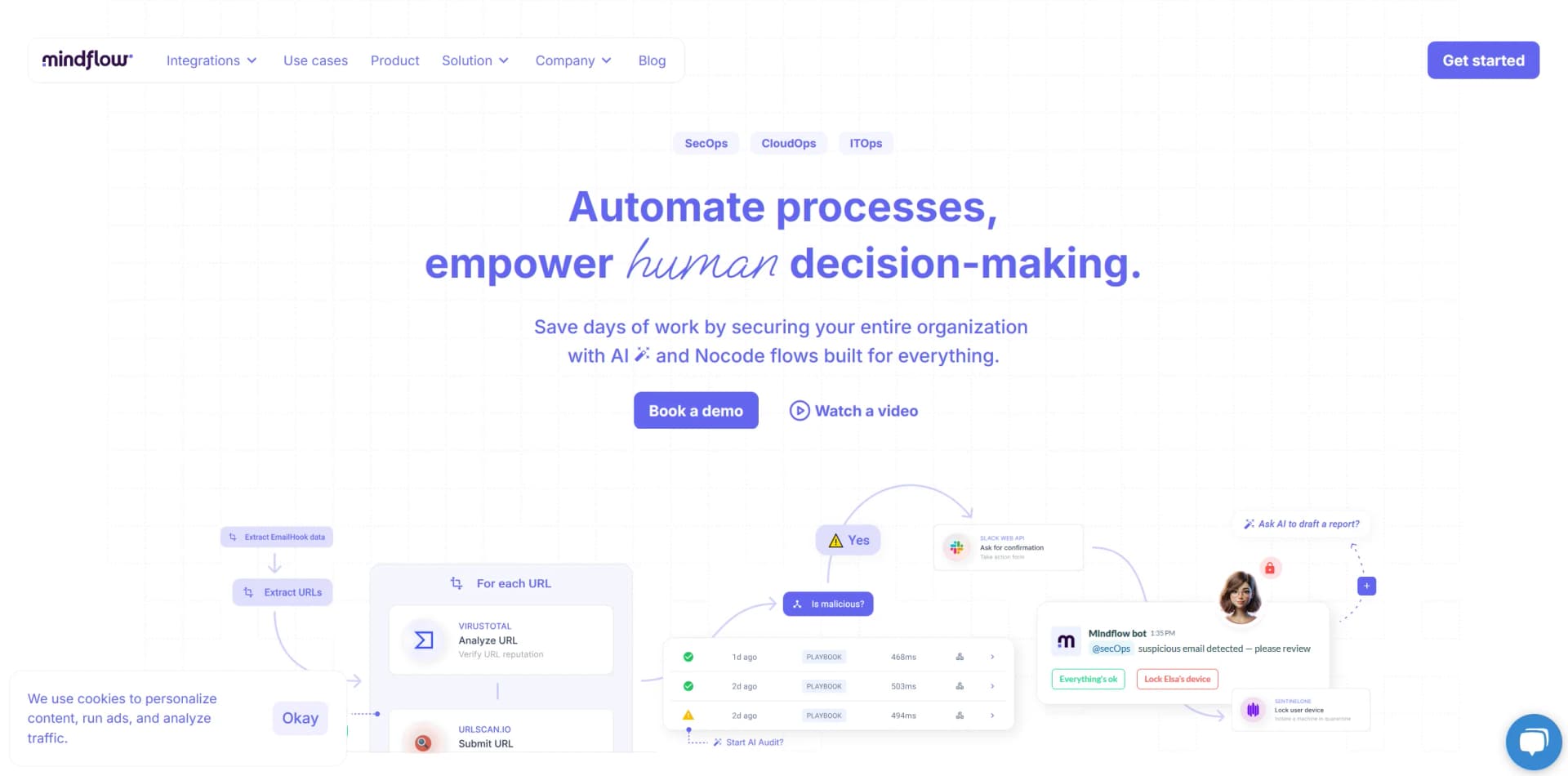
Analyze alerts, enrich indicators with security services, create tickets, notify teams, and perform remediation actions.
Outcome: Reduced manual investigation and response time.
Just-in-time cloud access
Use AWS IAM, AWS SSO, and Slack to request, grant, notify, and automatically revoke temporary access.
Outcome: Streamlined access management with stronger security controls.
Email threat analysis
Inspect email headers, URLs, and attachments using connected security and threat-intelligence services.
Outcome: More consistent phishing and malware triage.
Cloud cost optimization
Analyze cloud resources and automate cost-management actions across connected cloud platforms.
Outcome: Improved visibility and operational efficiency.
Workflow Ideas with Mindflow
Automate employee onboarding
- 1Retrieve new-hire information from BambooHR
- 2Create accounts and assign access in Google Workspace and Okta
- 3Invite the employee to Microsoft Teams and provision connected tools
Respond to a security alert
- 1Ingest an alert from a security platform
- 2Enrich the indicator with threat-intelligence integrations
- 3Create a ticket, notify responders, and execute approved remediation
Grant temporary cloud access
- 1Receive an access request through Slack
- 2Grant time-limited AWS permissions through IAM and SSO
- 3Notify the requester and revoke access automatically after the approved period
How Mindflow fits into your stack
API Access
Provides custom integration options with other enterprise systems.
Cloud Services Compatibility
Works with major cloud providers such as AWS, Google Cloud, and Azure.
Security Platform Integration
Compatible with popular cybersecurity platforms to enhance threat intelligence.
Custom Plugin Support
Allows for the development of custom plugins to extend functionality and address specific needs.
Pros
- +Enhanced Security Posture: Improves security by automating threat detection and response.
- +Increased Operational Efficiency: Reduces the manual workload on IT and cybersecurity teams, allowing them to focus on strategic tasks.
- +Scalability: Adapts to the growing demands of the organization, accommodating increased security and IT needs without additional resources.
- +User-Friendly Interface: Features an intuitive interface that simplifies complex processes for users at all levels.
Cons
- −Initial Setup Complexity: Requires a detailed initial setup to integrate effectively with existing enterprise environments.
- −Higher Cost for Advanced Features: Advanced functionalities can be expensive, potentially impacting the budget.
- −Training Required: Teams may need training to fully utilize the advanced features and customizations available in Mindflow.
Limitations & when to consider alternatives
Known limitations
- Public pricing is not provided. The site directs visitors to book a demo, while subscription fees are handled through customer order forms rather than published plan prices.
- Enterprise-oriented buying process. Core product pages repeatedly direct prospective customers to book a demo or contact Mindflow rather than offering immediate self-serve signup.
- Automation depends on connected services. Mindflow’s functionality is centered on integrations, connectors, credentials, and external tool APIs.
Look elsewhere when
- You need a native mobile app.
- You need a public developer API for Mindflow itself.
- You need a desktop-installed automation client.
How to Use Mindflow
- 1
Visit the Mindflow website for a comprehensive library of tutorials, covering everything from initial setup to advanced feature usage.
Who is Mindflow For?
IT teams
Mindflow automates repetitive IT operations across connected enterprise tools.
Security operations teams
SecOps teams can automate threat detection, investigation, notification, and remediation workflows.
Cloud operations teams
CloudOps teams can automate cloud-resource monitoring, access management, and remediation.
MSSPs
Mindflow provides multi-tool automation and AI agents for managed security and operational services.
Enterprise teams
Teamspaces, RBAC, auditability, and thousands of integrations support organization-wide automation.
Frequently Asked Questions
How is my data handled?
Mindflow states that customer data is encrypted at rest and in transit using AES-256, with single-tenant deployment and daily backups.
Is my data used to train AI models?
Mindflow says it does not use customer data, inputs, outputs, or configurations to train or fine-tune general-purpose AI models unless the customer opts in in writing.
Can I control what AI agents access?
AI agents inherit permissions from the credentials shared with them, limiting access to specified tools and data.
Can AI agents take actions?
AI agents can reason, trigger custom workflows, and execute approved actions, with human validation available for critical operations.
Community reviews
Be the first to share your experience.
Sign in to leave a review for Mindflow.
Mindflow Alternatives
Looking for alternatives to Mindflow? Here are similar tools in the same category:
Learn to Master Mindflow
With Skill Leap courses
Get in-depth training on Mindflow and 50+ other AI tools with our expert-led video courses.
Start 7-Day Free Trial