Mindgrasp AI
Study from your own lectures and readings with AI-made review guides.
Watch Mindgrasp AI in Action
Key Takeaways
- What it is
- Study from your own lectures and readings with AI-made review guides.
- Pricing
- $9.99 per month · $12.99 per month · $14.99 per month
- Best for
- AI Notes and Summaries
- AI Flashcards
- AI Quizzes and Practice Tests
- Rating
- 4.2/5
What is Mindgrasp AI?
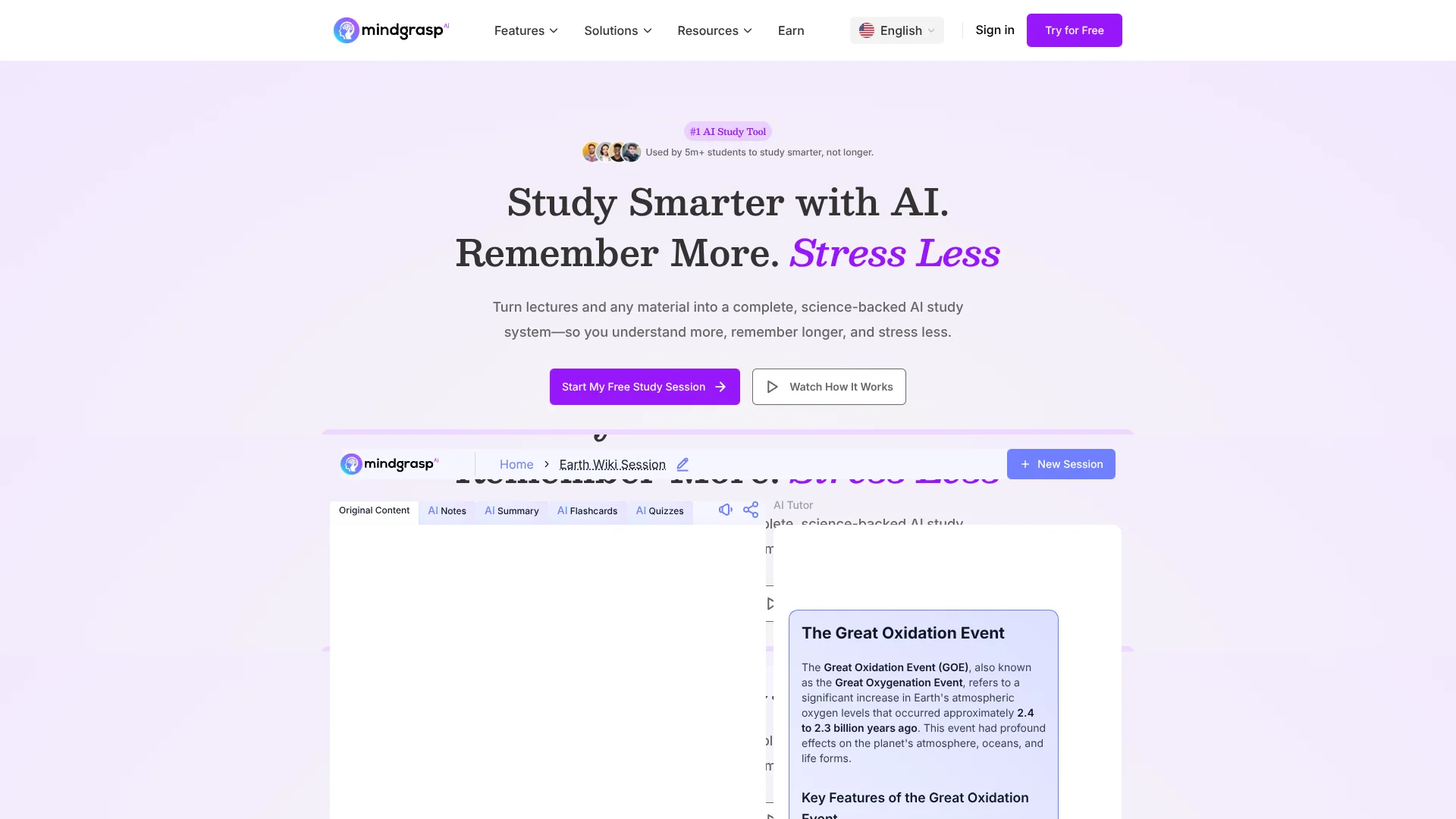
Mindgrasp turns class materials such as PDFs, slides, recordings, and YouTube links into notes, summaries, flashcards, quizzes, and study guides. Students can then ask its AI Tutor questions about what they uploaded, rather than starting with a blank chat. It is built for people who need to understand and review course content without manually making every study aid.
A single upload can feed several linked study steps: summarize a chapter, make flashcards from it, then test yourself with a quiz or practice test. The materials come from your own coursework, so the study aids are tied to what you are learning rather than a generic deck.
Students preparing for classes and exams are the clearest fit, though educators, professionals, and independent learners can also turn readings or lectures into review materials. Mindgrasp is focused on learning from supplied content, so it is a narrower choice for broad, open-ended work unrelated to a source.
Who is Using Mindgrasp AI?
College Students
Lecture slides and textbook chapters become notes, flashcards, and quizzes for exam review.
Teachers and Professors
Teaching videos and course materials can be converted into quizzes for learners.
Certification Candidates
Practice tests and flashcards help organize review of dense exam material.
Working Professionals
Summaries and AI Tutor answers help make long work-related readings easier to review.
Uncommon Use Cases
Turn a video module into a quiz for a training session; make flashcards from a professional licensing textbook.
Key Features
Rating Breakdown
Pricing Plans
Basic
$9.99 per month
- Annual billing is $71.88 per year, shown as $5.99 per month.
- Unlimited AI Assistant questions and study tools.
- Unlimited file uploads and library storage.
Scholar
$12.99 per month
- Annual billing is $107.88 per year, shown as $8.99 per month.
- Includes the AI Math Expert, Chrome extension, iOS app access, and live recording.
Premium
$14.99 per month
- Annual billing is $131.88 per year, shown as $10.99 per month.
- Includes uploading multiple files or links to one session and analyzing images with AI.
Which Mindgrasp AI plan should you pick?
Start with Basic for the core study tools, choose Scholar for live recording and the Chrome extension, and consider Premium if you need image analysis or multiple sources in one session.
Basic
Good for learners who need the AI study tools, unlimited uploads, and library storage.
Scholar
Good for students who need the AI Math Expert, Chrome extension, iOS app access, or live recording.
Premium
Good for learners who need image analysis or multiple files and links in the same session.
Mindgrasp AI Use Cases
Review a lecture
A recording or set of slides becomes notes and a summary that are easier to revisit.
Outcome: A saved study session with review materials.
Prepare for an exam
Course materials can supply flashcards, quizzes, and practice tests for focused review.
Outcome: Practice questions and flashcards based on your course content.
Understand a difficult reading
The AI Tutor can answer questions about uploaded documents while summaries help surface the main points.
Outcome: Explanations and summaries grounded in the uploaded material.
Build a quiz from teaching content
Educators can turn video modules or other course materials into questions for learners.
Outcome: A quiz generated from the supplied content.
Workflow Ideas with Mindgrasp AI
Turn a chapter into exam practice
- 1Start a study session for the chapter and add its PDF or slides.
- 2Review the generated notes and summary.
- 3Practice with flashcards, then take a quiz or practice test.
Review a recorded class
- 1Record a lecture in the iOS app or add an existing recording.
- 2Read the generated notes and summary.
- 3Ask the AI Tutor about points that remain unclear.
Make a quiz from a course video
- 1Add the video or its link to a study session.
- 2Review the generated notes or summary.
- 3Create a quiz from the supplied material for a knowledge check.
How Mindgrasp AI fits into your stack
Course materials
Mindgrasp accepts study sources such as PDFs, slides, articles, audio, and video, including YouTube links. It uses those sources to create study aids.
School platforms
The site names Canvas, Blackboard, Panopto, and Google Docs as integrations for bringing class materials into Mindgrasp.
Browser study
The Chrome extension can analyze a webpage and save it as a session in your Mindgrasp library.
Mobile study
The iOS app provides access to saved study materials and supports live lecture recording on eligible plans.
Pros
- +Course-based practice: Flashcards and quizzes are generated from the materials you provide.
- +Multiple study formats: A source can become notes, summaries, flashcards, and quizzes.
- +School connections: Mindgrasp names Canvas, Blackboard, Panopto, and Google Docs as integrations.
- +Cross-device access: The iOS app and Chrome extension can bring study materials into your library.
Cons
- −Study-focused scope: Its strongest tools center on learning from supplied materials.
- −Feature differences by plan: Live recording and image analysis are not included in every paid tier.
Limitations & when to consider alternatives
Known limitations
- Live recording is tier-limited. The pricing page lists live recording with Scholar and Premium, not Basic.
- Image analysis is tier-limited. Analyzing images with AI is listed as a Premium feature.
- Multiple sources in one session are tier-limited. Uploading multiple files or links to the same session is listed as a Premium feature.
- The AI grader is not an official grading service. Mindgrasp says its grader provides practice feedback and does not assign official grades or replace a teacher.
Look elsewhere when
- You need an AI tool for generating or editing programming code.
- You need a documented shared team workspace with user roles and invites.
- Your plagiarism-checking workflow requires a scan of the entire internet or a commercial plagiarism database.
How to Use Mindgrasp AI
- 1
Create a study session
Make a session for a lecture, chapter, or exam topic so its materials and study aids stay together.
- 2
Add your source material
Upload a document, slides, audio, or video, or add a supported link such as a YouTube video.
- 3
Review the generated study aids
Open the notes and summary to get oriented before choosing what to practice.
- 4
Practice and ask questions
Work through the flashcards and quizzes, then ask the AI Tutor about confusing points.
- 5
Choose a plan for gated tools
Check the plan details if you need live recording, the Chrome extension, or image analysis, since these vary by tier.
Who is Mindgrasp AI For?
Students
Course readings, lecture recordings, and slides can become organized review materials.
Educators
Video modules and other teaching materials can be turned into quizzes and study aids.
Exam Prep Learners
Flashcards, quizzes, and practice tests help structure review around supplied study content.
Self-Learners
Independent learners can turn readings and online materials into a study session.
Professionals
Work-related reading and recordings can be summarized and reviewed with AI-generated study aids.
Frequently Asked Questions
Can I use Mindgrasp for free?
Mindgrasp offers free learning tools and a free account. Its site says you can try generating study materials before choosing a paid plan.
What does Mindgrasp cost?
The listed paid plans are Basic at $9.99 per month, Scholar at $12.99 per month, and Premium at $14.99 per month. The site also lists lower per-month prices when billed yearly.
What materials can I add?
Mindgrasp supports materials including PDFs, Word documents, PowerPoint slides, images, articles, audio, video, and web links.
Does Mindgrasp work with school platforms?
Mindgrasp names Canvas, Blackboard, Panopto, and Google Docs as integrations.
Can I use Mindgrasp on my phone or in a browser?
Mindgrasp offers an iOS app and a Chrome extension. The extension can import webpage content into a study session.
Can Mindgrasp make study aids in other languages?
The iOS App Store listing says Mindgrasp supports 35 languages for generated study aids and questions.
Community reviews
3 reviews from people who use Mindgrasp AI.
Sign in to leave a review for Mindgrasp AI.
Stella
Jasmin Shah
Nic The Specialist
Mindgrasp AI Alternatives
Looking for alternatives to Mindgrasp AI? Here are similar tools in the same category: