
MinutesLink
AI tool automates meeting attendance, transcription, and summaries.
Key Takeaways
- What it is
- AI tool automates meeting attendance, transcription, and summaries.
- Pricing
- $9 per month (billed annually) · $24 per month (billed annually)
- Best for
- Automated Meeting Attendance
- Human-Accurate Transcriptions
- Actionable Insights
- Rating
- 4.6/5
What is MinutesLink?
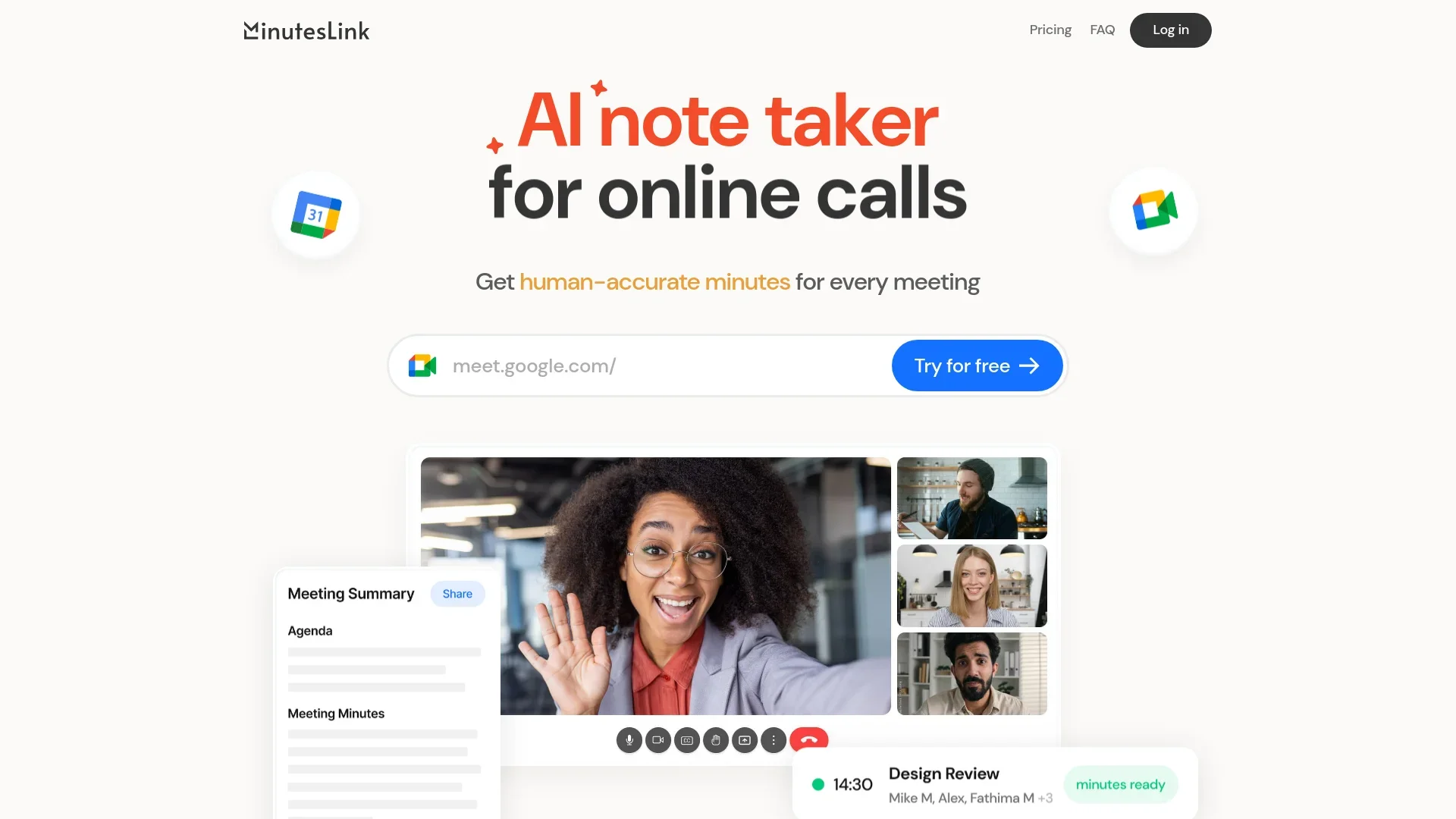
MinutesLink is an innovative AI-powered tool designed to revolutionize the way we handle online meetings. Targeted at professionals and businesses, it simplifies the note-taking process by providing human-accurate transcripts and summaries of meetings, even when you're not present. This AI Meeting Assistant automatically joins your scheduled Google Meet calls, capturing every detail and transforming them into actionable insights and comprehensive meeting minutes.
MinutesLink stands out with its ability to deliver human-level accuracy in meeting transcriptions and summaries. Its seamless integration with Google Meet and the provision of actionable insights make it a game-changer for professionals looking to streamline their meeting processes and enhance productivity.
MinutesLink excels in providing efficient and accurate meeting management solutions, making it an essential tool for professionals and businesses. Its unique ability to automate meeting attendance and deliver precise transcripts and action items sets it apart, ensuring that users can focus on what truly matters in their meetings.
Who is Using MinutesLink?
Remote Teams
Ideal for teams spread across different locations, ensuring everyone stays informed with accurate meeting notes.
HR and Recruiting
Facilitates organized interview processes and staff reviews with reliable transcripts.
Sales Teams
Captures all client interactions and agreements, making it easier to follow up and close deals.
Consultants and Educators
Perfect for maintaining detailed lesson notes and client meeting summaries.
Uncommon Use Cases
Adopted by legal professionals for precise case meeting records; utilized by event planners to manage and review client consultations.
Key Features
Rating Breakdown
Pricing Plans
Basic Plan
- Includes 10 AI meeting minutes and transcriptions per month
Pro Plan
$9 per month (billed annually)
- Includes 360 AI-powered call processings per year
Business Plan
$24 per month (billed annually)
- Includes 1200 AI-powered call processings per year
Which MinutesLink plan should you pick?
Start with Basic for occasional meetings, upgrade to Pro for regular individual use, and choose Business for higher monthly volume and priority support.
Basic
Good for individuals who need up to 10 AI-processed calls per month and 30-minute recordings.
Pro
Good for regular users who need 30 monthly call processings, unlimited recordings, personalized action items, and advanced sharing.
Business
Good for higher-volume users who need 100 monthly call processings, concurrent meeting capture, and priority support.
MinutesLink Use Cases
Sales call analysis
Search past sales transcripts for objections such as pricing, integrations, or security concerns.
Outcome: Identify recurring customer pain points and improve sales strategy.
Project decision tracking
Search prior meeting transcripts for feature decisions, stakeholder discussions, and assigned actions.
Outcome: Prevent rework and keep projects aligned.
Interview trend analysis
Analyze multiple recruitment interviews to identify patterns behind candidate success or drop-off.
Outcome: Improve hiring efficiency.
Compliance research
Search meeting records for GDPR, compliance, regulatory, or contractual discussions.
Outcome: Locate potentially important compliance issues quickly.
Lecture and study notes
Record classes, workshops, or study sessions and generate searchable summaries and structured notes.
Outcome: Create clearer study materials and review content faster.
Workflow Ideas with MinutesLink
Automatic scheduled-meeting notes
- 1Connect MinutesLink to your Google Calendar
- 2Let MinutesLink detect and record scheduled meetings
- 3Review the generated transcript, summary, and action items
Browser-based meeting capture
- 1Install the MinutesLink Chrome extension
- 2Open a Zoom, Google Meet, webinar, lecture, or other audio page
- 3Start recording and receive the transcript and summary afterward
Sales insight workflow
- 1Record and transcribe customer or prospect calls
- 2Search transcripts for recurring objections and concerns
- 3Share insights and action items with the sales team through connected tools
How MinutesLink fits into your stack
Browser
MinutesLink operates as a web app for connecting calendars, automatically joining scheduled meetings, and reviewing transcripts, summaries, recordings, and notes. Its Chrome extension can record audio directly from browser tabs.
Team chat and tickets
Meeting insights can be shared into collaboration workflows through integrations such as Slack and HubSpot, keeping summaries and transcripts available where teams already work.
Knowledge and files
MinutesLink stores meeting recordings, transcripts, notes, decisions, and action items in one searchable workspace. Its deep-research features let users query information across past meetings.
Pros
- +Time Efficiency: Eliminates the need for manual note-taking, allowing you to focus on the meeting itself.
- +Cost-Effective: Offers a free tier, with affordable upgrade options for more extensive usage.
- +User-Friendly: Intuitive interface that requires minimal setup, enabling quick adoption.
- +Data Security: Prioritizes user privacy with advanced encryption and compliance with global data protection standards.
Cons
- −Limited Integration: Currently optimized for Google Meet, which may limit users relying on other conferencing tools.
- −Initial Setup Required: Users need to log in and authorize the AI Assistant to access their calendar for optimal performance.
Limitations & when to consider alternatives
Known limitations
- Basic plan processing limit. The free Basic plan includes 10 AI-powered call processings per month.
- Basic plan recording limit. Basic plan recordings are limited to 30 minutes per call.
- Pro plan processing limit. The monthly Pro plan includes 30 AI-powered call processings per month.
- Business plan processing limit. The monthly Business plan includes 100 AI-powered call processings per month.
- Microsoft Teams availability. The integrations page lists Microsoft Teams as coming soon rather than currently available.
Look elsewhere when
- You need a native mobile application
- You need a documented developer API
- You need SSO or SAML authentication
How to Use MinutesLink
- 1
Create an account
Sign up for MinutesLink and choose the Basic plan to begin without payment.
- 2
Connect your calendar
Sign in with Google and grant calendar access so MinutesLink can detect scheduled meetings automatically.
- 3
Record a meeting
Use automatic calendar capture or install the Chrome extension to record a Zoom, Google Meet, webinar, lecture, or other browser audio.
- 4
Review the transcript
After recording, open the dashboard to read the full transcript and search for specific topics or decisions.
- 5
Use the summary and action items
Review generated summaries, decisions, assigned tasks, and follow-up items to organize post-meeting work.
- 6
Share or integrate the results
Share meeting notes with colleagues or connect MinutesLink with Slack, HubSpot, Google, and Zoom.
Who is MinutesLink For?
Sales teams
Sales professionals can search customer-call transcripts for objections, recurring concerns, and actionable insights.
Project managers
Project managers can find previous decisions, action items, and stakeholder discussions across meetings.
HR and recruitment teams
Recruitment teams can analyze interview trends across multiple sessions and identify recurring patterns.
Legal and compliance teams
Legal teams can search transcripts for regulatory mentions, compliance discussions, and contractual topics.
Students and educators
Students and educators can record lessons, create structured notes, and review searchable summaries.
Frequently Asked Questions
Is MinutesLink free to use?
Yes. The Basic plan is free forever and includes up to 10 AI-powered call processings per month.
What meetings can MinutesLink record?
MinutesLink records and transcribes meetings from Google Meet and Zoom, including scheduled calendar meetings.
Can MinutesLink join meetings automatically?
Yes. After connecting a calendar, MinutesLink detects scheduled meetings and can automatically capture them.
Does MinutesLink support multiple languages?
Yes. MinutesLink supports transcription and structured notes in more than 100 languages.
Can I use MinutesLink without adding a bot to a meeting?
Yes. Its Chrome extension records audio directly in the browser without joining the call as a participant.
Can I invite MinutesLink to an unscheduled call?
Yes. Add a Google Meet link on the website and select the option to add the bot.
Community reviews
Be the first to share your experience.
Sign in to leave a review for MinutesLink.
MinutesLink Alternatives
Looking for alternatives to MinutesLink? Here are similar tools in the same category:
Learn to Master MinutesLink
With Skill Leap courses
Get in-depth training on MinutesLink and 50+ other AI tools with our expert-led video courses.
Start 7-Day Free Trial