
MixAudio
AI tool for seamless, professional audio mixing and editing.
Watch MixAudio in Action
Key Takeaways
- What it is
- AI tool for seamless, professional audio mixing and editing.
- Pricing
- Freemium · $14.99 per month
- Best for
- AI-Driven Mixing
- User-Friendly Interface
- Real-Time Collaboration
- Rating
- 4.3/5
What is MixAudio?
MixAudio is a cutting-edge AI tool designed to revolutionize the audio mixing and editing process. By leveraging advanced AI algorithms, it provides users with seamless audio production capabilities, making it an ideal solution for musicians, podcasters, and audio engineers. MixAudio simplifies the often complex and time-consuming task of audio mixing, allowing users to focus more on creativity and less on technical details.
MixAudio stands out with its AI-Driven Mixing feature, a game-changer for audio production. Its ability to automatically optimize audio tracks sets it apart, providing users with high-quality sound effortlessly.
MixAudio excels in providing streamlined and efficient audio mixing solutions, making it an essential tool for musicians, podcasters, and audio engineers alike. Its AI-Driven Mixing feature, in particular, offers an unmatched advantage in producing high-quality audio with minimal effort.
Who is Using MixAudio?
Musicians and Bands
Streamlining the production of albums and singles with professional audio quality.
Podcasters
Enhancing the clarity and production value of podcast episodes.
Audio Engineers
Utilizing AI-driven features to optimize mixing workflows.
Content Creators
Employing the tool for high-quality audio in video content.
Uncommon Use Cases
Used by educational institutions for audio engineering courses; adopted by independent filmmakers for sound design.
Key Features
Rating Breakdown
Pricing Plans
Free Tier
Free
- Offers a basic version with limited features to get started
Pro Tier
$14.99 per month
- Providing access to all premium features
Which MixAudio plan should you pick?
Start with Free to test core music workflows; upgrade to Pro for full features and small-team sharing, or Pro+ for higher-volume creators and beta features.
Free
Good for beginners or hobbyists who need limited core features and 5 million monthly tokens.
Pro
Good for indie musicians or small studios who need full access and shared tokens for 2–5 members.
Pro+
Good for pro creators and frequent power users who need 50 million monthly tokens and beta features.
MixAudio Use Cases
Create video soundtracks
Generate original music tailored to films, games, social media, ads, or video scenes.
Outcome: A custom soundtrack aligned with the project’s style and visual cues.
Remix existing tracks
Change a track’s genre, tempo, pitch, or overall vibe while retaining core elements.
Outcome: A new rendition suitable for a different creative context.
Separate stems
Break a mixed track into vocals, drums, guitar, bass, and other isolated layers.
Outcome: Individual audio layers for editing or repurposing.
Generate samples and loops
Create loops, beats, atmospheric sounds, or search a library using text, audio, video, or image references.
Outcome: A curated or newly generated set of usable audio assets.
Analyze and edit audio
Detect BPM, key, mood, instruments, cue points, clipping, or off-pitch segments, then apply global edits.
Outcome: More organized and refined audio files.
Workflow Ideas with MixAudio
Create a soundtrack from visual references
- 1Upload an image, mood board, or video
- 2Add text describing the desired genre, mood, tempo, or instrumentation
- 3Generate and customize the resulting soundtrack
Remix and refine an existing song
- 1Upload the original audio track
- 2Describe the target genre, tempo, pitch, or vibe
- 3Apply remix, stem, or global-edit operations and export the modified audio
Organize a sample library
- 1Upload music or stem audio for analysis
- 2Run tagging, BPM, key, mood, and instrument detection
- 3Search the resulting library for matching loops or background sounds
How MixAudio fits into your stack
Browser
MixAudio is used through its web experience to generate soundtracks, remix audio, separate stems, analyze tracks, and apply edits.
Pros
- +Time Efficiency: Significantly reduces the time required for audio mixing, allowing users to produce content faster.
- +High-Quality Output: Delivers professional-grade audio quality, meeting industry standards.
- +Cost-Effective: Offers features that eliminate the need for expensive studio equipment.
- +Scalable: Suitable for both small projects and large-scale productions.
Cons
- −Initial Learning Curve: May require some time for users to familiarize themselves with all the advanced features.
- −Limited Integration: Currently, it supports only a few third-party digital audio workstations (DAWs).
Limitations & when to consider alternatives
Known limitations
- Limited Free-plan features. The Free plan includes basic features only and is limited to a single user.
- Monthly tokens do not roll over. Unused monthly plan tokens reset at the beginning of the next billing cycle.
- Commercial licensing varies by plan. Basic and Personal plans have narrower usage rights than Professional and Enterprise plans.
- User documentation is incomplete. The official documentation says the user guide and detailed reference materials are still coming soon.
- Multi-user collaboration is not yet current. The official roadmap describes multi-collaborator sessions as a future extension; current Conversational Edit is one-on-one.
Look elsewhere when
- You need a documented developer API with published reference materials.
- Your team needs simultaneous collaborative editing with roles or permissions.
- You need multilingual music localization available today.
- You need broad commercial licensing on the entry plan.
How to Use MixAudio
- 1
Choose a creation mode
Open Soundtrack, Remix, Stem, Search Sounds, Analysis, or Global Edit based on whether you are creating, transforming, finding, analyzing, or modifying audio.
- 2
Provide multimodal inputs
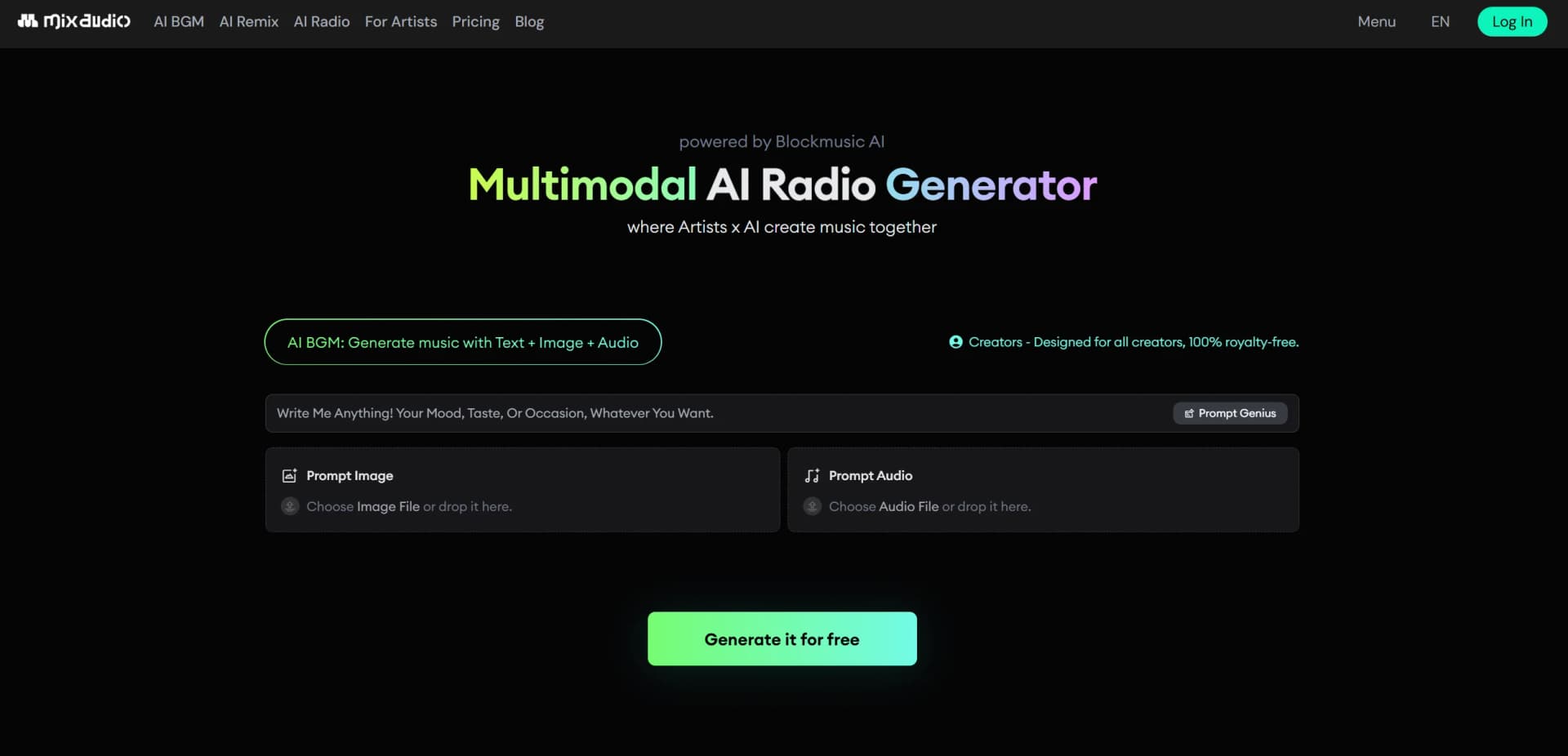
Add a text prompt and, where supported, upload reference audio, video, images, or mood boards to guide the result.
- 3
Set musical parameters
Specify genre, mood, theme, duration, key, tempo, or BPM to make the output better fit the project.
- 4
Generate or process the audio
Run composition, remixing, stem separation, sample generation, analysis, or editing using the selected feature.
- 5
Refine the result
Use conversational or global edits to adjust sections, BPM, key, pitch, reverb, or other characteristics.
- 6
Download or license the result
Export the finished audio in supported formats such as WAV, while checking the usage rights associated with your plan.
Who is MixAudio For?
Beginners or hobbyists
The Free plan offers a no-cost way to experiment with core AI music features.
Indie musicians and small studios
The Pro plan provides full feature access and shared tokens for 2–5 members.
Pro creators and frequent power users
The Pro+ plan adds higher token capacity, full access, and beta features.
DJs, producers, and content creators
Remix and stem-separation tools support flexible audio assets and repurposing.
Video makers and YouTubers
MixAudio creates royalty-free background music from prompts, images, audio, and video context.
Frequently Asked Questions
Can I use MixAudio for free?
Yes. The Free plan costs $0 forever and includes 5 million monthly tokens with limited basic features.
What happens when I run out of tokens?
You can purchase additional tokens at pay-as-you-go rates or upgrade to a higher-tier plan.
Do unused tokens roll over?
Monthly plan tokens reset at the start of the next billing cycle. Separately purchased tokens remain valid for up to one year.
What inputs can MixAudio use?
Depending on the feature, MixAudio accepts text, audio, video, images, keys, tempo, and other creative parameters.
Can MixAudio generate music for videos?
Yes. It can generate music from text, images, or audio references and supports video-oriented soundtrack creation.
Can I use MixAudio music commercially?
Commercial rights depend on the plan. Professional and Enterprise plans cover broader commercial uses, while Basic and Personal plans have narrower restrictions.
Community reviews
Be the first to share your experience.
Sign in to leave a review for MixAudio.
MixAudio Alternatives
Looking for alternatives to MixAudio? Here are similar tools in the same category:
Learn to Master MixAudio
With Skill Leap courses
Get in-depth training on MixAudio and 50+ other AI tools with our expert-led video courses.
Start 7-Day Free Trial