
MokSa.AI
Enhances retail operations with AI-driven video intelligence.
Key Takeaways
- What it is
- Enhances retail operations with AI-driven video intelligence.
- Best for
- Real-Time Video Analysis
- Compatibility with Existing Cameras
- Advanced Analytics
- Rating
- 4.4/5
What is MokSa.AI?
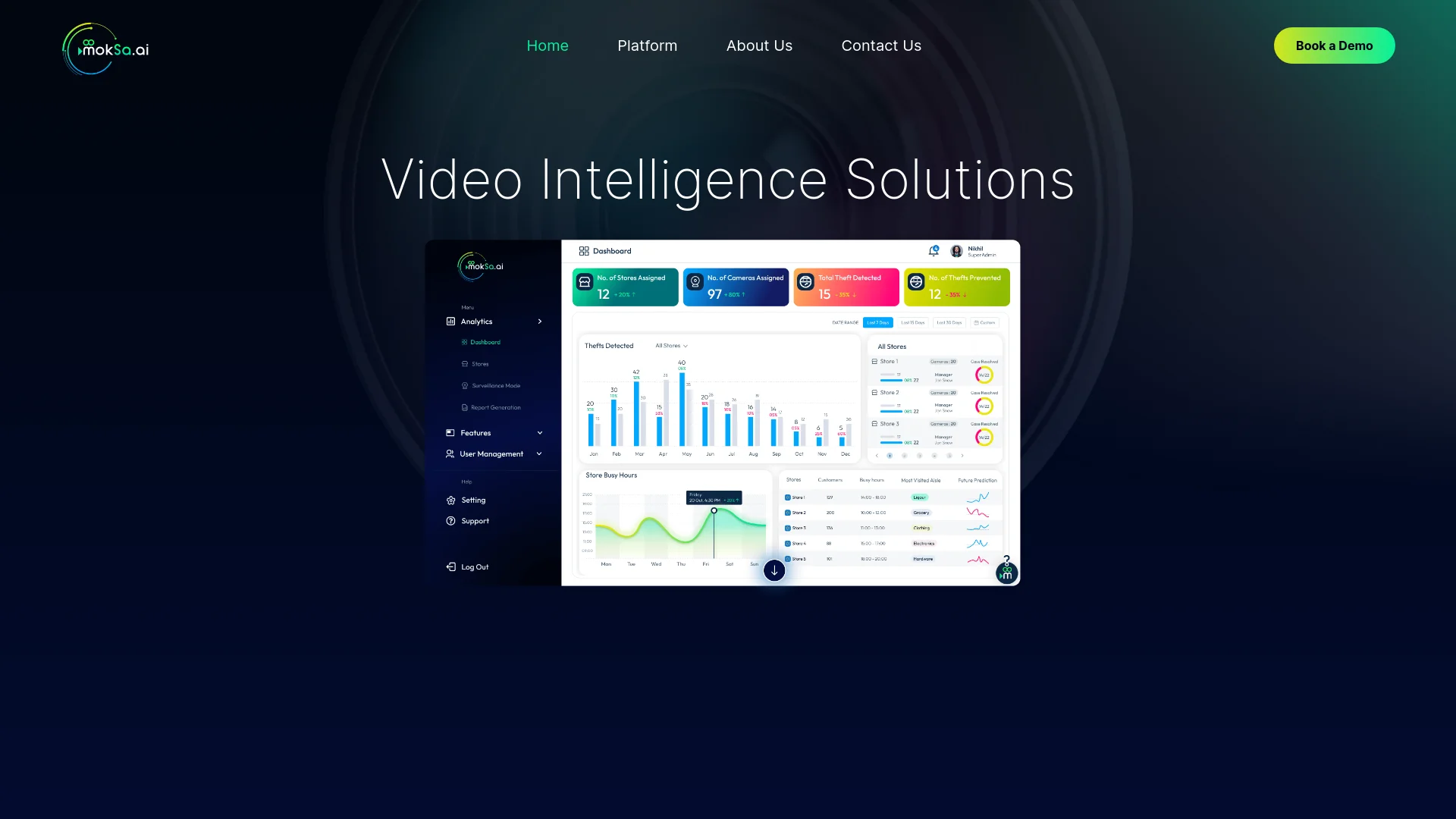
MokSa.AI is a pioneering tool in video intelligence, providing advanced analysis solutions designed to boost security and operational efficiency for businesses. This platform utilizes sophisticated AI-driven technology to analyze video feeds and deliver real-time insights without the ethical issues commonly associated with facial recognition. MokSa.AI is particularly well-suited for various retail environments, helping businesses streamline their operations and enhance security through actionable data.
MokSa.AI is unique in its non-invasive approach to video monitoring. It emphasizes action and object detection without personal profiling, addressing privacy concerns while providing valuable security and operational insights. This approach is particularly relevant in today’s privacy-focused environment, offering a balance between effective surveillance and ethical practices.
MokSa.AI excels in providing advanced video intelligence solutions that enhance security and operational efficiency for various retail environments. Its focus on privacy-conscious monitoring and compatibility with existing infrastructure sets it apart as a valuable tool for businesses seeking to optimize their operations while addressing modern privacy concerns.
Who is Using MokSa.AI?
Retail Store Chains
Monitoring customer behavior and preventing theft.
Grocery Stores
Tracking aisle traffic to improve product placement.
Shopping Malls
Managing crowd control and overall security.
Warehouse Operators
Protecting inventory and overseeing employee activity.
Uncommon Use Cases
Small clinics for monitoring patient flow; libraries for tracking visitor statistics and optimizing resource use.
Key Features
Rating Breakdown
Pricing Plans
Custom Pricing Model
- Pricing is tailored based on the specific needs and scale of the business
MokSa.AI Use Cases
Theft detection
Monitor camera feeds for potential theft and receive alerts when threats are detected.
Outcome: Faster response to security incidents.
Employee efficiency monitoring
Track indicators such as mobile usage, clock-in and clock-out times, and cleanliness.
Outcome: Operational efficiency insights.
Store heatmaps
Analyze customer presence and time spent across store areas.
Outcome: Identify popular aisles and support marketing decisions.
Busy-hours analysis
Use video intelligence to identify busiest days and store activity patterns.
Outcome: Better operational planning.
Safety-protocol monitoring
Detect conditions such as face-mask use, social distancing, and glove use.
Outcome: Improved safety and compliance visibility.
Workflow Ideas with MokSa.AI
Real-time security response
- 1Connect existing camera systems
- 2Monitor video feeds with MokSa analytics
- 3Receive instant alerts when threats are detected
Store operations review
- 1Collect real-time activity data
- 2Analyze employee efficiency and customer movement
- 3Use analytics to improve store operations
Safety and compliance monitoring
- 1Monitor locations through video intelligence
- 2Detect safety or compliance issues
- 3Review actionable analytics across locations
How MokSa.AI fits into your stack
Browser
MokSa is accessed as a web-based video intelligence platform for monitoring camera feeds, reviewing analytics, and receiving alerts from a laptop.
Physical security and surveillance
MokSa sits alongside existing cameras and VMS infrastructure, adding computer-vision analytics for theft detection, people counting, employee efficiency, heatmaps, and safety monitoring.
Mobile monitoring
The official iOS and Android apps provide centralized camera feeds, real-time alerts, and operational insights for managing one or multiple locations.
Pros
- +Cost Efficiency: Avoids additional expenses by working with existing camera setups.
- +Enhanced Security: Offers robust monitoring and rapid alerts to improve safety and prevent losses.
- +Data-Driven Insights: Supplies valuable analytics for optimizing resource allocation and operational planning.
- +User-Friendly Interface: Easy to use, reducing the need for extensive training and facilitating quick implementation.
Cons
- −Dependence on Existing Infrastructure: Effectiveness is tied to the quality and placement of current camera systems.
- −Complex Setup for Novices: Initial setup may require technical assistance for optimal configuration.
- −Limited to Video-Based Features: Focuses on video analytics, which might not address all business needs beyond security and efficiency.
Limitations & when to consider alternatives
Known limitations
- Service access may be terminated. MokSa may suspend or terminate accounts or services at its discretion, including for improper use.
- Backup availability is not guaranteed. The terms state that backups may exist but cannot always be assured.
- Data loss liability is limited. MokSa disclaims responsibility for loss of data stored on external servers maintained by a technical partner.
- Support scope may be limited. Technical assistance is available by email, but MokSa reserves the right to limit support extent and hours.
- No guaranteed uninterrupted service. The terms do not warrant that the service will be persistent, timely, secure, or error-free.
Look elsewhere when
- You need a documented developer API.
- You need a dedicated desktop installer.
- You need document or file-upload processing.
How to Use MokSa.AI
- 1
For comprehensive guidance on using MokSa.AI, visit the official website, where you can find tutorials covering everything from initial setup to advanced features.
Who is MokSa.AI For?
Retail businesses
MokSa provides theft detection, store analytics, employee monitoring, and heatmaps for convenience stores, general stores, and supermarkets.
Hospitality and lodging
Hotels, guest houses, and resorts can use MokSa for intelligent surveillance and operational monitoring.
Educational institutions
Schools and universities are listed as industries supported by MokSa’s real-time video analytics.
Fuel and service stations
Gas stations can use MokSa’s surveillance and safety-monitoring capabilities.
Food and safety operations
Locations with kitchens or food-handling areas can use MokSa for food-safety monitoring.
Frequently Asked Questions
What makes MokSa different from traditional CCTV systems?
MokSa adds real-time AI video analytics, threat detection, automated alerts, people counting, and operational insights instead of only recording footage.
Do I need to replace my existing cameras to use MokSa?
No. MokSa describes itself as camera-agnostic and says it integrates with existing cameras and VMS systems.
How accurate is MokSa's People Counting?
MokSa describes its people counter as high-precision and says its AI filters out shadows and duplicate counts.
Can MokSa detect unusual or suspicious behavior automatically?
Yes. MokSa says its AI-powered surveillance detects threats and suspicious activity in real time and sends alerts.
How does MokSa handle data privacy and compliance?
MokSa says it uses encryption for sensitive information transfers, limits access, and applies technical and organizational safeguards.
Can MokSa send instant alerts to my security team?
Yes. The platform provides immediate alerts for suspicious activity, theft detection, security risks, and operational issues.
Community reviews
Be the first to share your experience.
Sign in to leave a review for MokSa.AI.
MokSa.AI Alternatives
Looking for alternatives to MokSa.AI? Here are similar tools in the same category:
Learn to Master MokSa.AI
With Skill Leap courses
Get in-depth training on MokSa.AI and 50+ other AI tools with our expert-led video courses.
Start 7-Day Free Trial