
Molin AI
Automates customer support, reducing workloads by 80%.
Key Takeaways
- What it is
- Automates customer support, reducing workloads by 80%.
- Pricing
- $49.99 per month · $99.99 per month
- Best for
- AI-Powered Automation
- Natural Language Processing
- Scalable Solutions
- Rating
- 4.5/5
What is Molin AI?
Molin AI is a revolutionary tool designed to transform customer support experiences by leveraging advanced artificial intelligence. By automating responses and streamlining support processes, Molin AI aims to reduce customer support workloads by 80%. This tool is crafted for businesses seeking to enhance their customer service efficiency while minimizing operational costs.
Molin AI stands out with its ability to drastically reduce customer support workloads by 80%, thanks to its robust AI-driven automation. This tool's seamless integration capabilities and scalable solutions make it a standout choice for businesses seeking to optimize their customer service operations.
Molin AI offers a compelling solution for businesses aiming to transform their customer support operations. With its powerful AI capabilities, this tool not only enhances efficiency but also significantly reduces costs associated with traditional support methods. The ease of integration and scalability further solidify Molin AI as a valuable asset for companies across various sectors, making it a wise investment for those looking to stay ahead in customer service innovation.
Who is Using Molin AI?
E-commerce Platforms
Leveraging Molin AI to handle an influx of customer inquiries and support requests efficiently.
Telecommunication Companies
Utilizing the tool to manage customer service queries and technical support.
Healthcare Providers
Employing AI-driven support to assist with patient inquiries and scheduling.
Financial Institutions
Using Molin AI to streamline customer interactions and improve service delivery.
Uncommon Use Cases
Adopted by educational institutions to manage student inquiries; Utilized by non-profit organizations to enhance donor communication and support.
Key Features
Rating Breakdown
Pricing Plans
Standard Plan
$49.99 per month
- Suitable for small to medium-sized businesses
Premium Plan
$99.99 per month
- Offering advanced features and analytics
Enterprise Solution
- Customized pricing tailored for large organizations with extensive support needs
Which Molin AI plan should you pick?
Start with Free to test Molin on a small catalog, upgrade to Startup or Growth as conversation volume and support needs increase, and choose Scale or Enterprise for higher limits, custom actions, custom integrations, or priority support.
Free
Good for small shops testing AI support with up to 25 conversations per month and 500 products.
Startup
Good for growing shops needing 125 conversations, up to 2,000 products, lead collection, social integrations, and chatbot support.
Growth
Good for shops needing 500 conversations, order updates, tracking codes, full conversation history, and live chat support.
Scale
Good for larger shops needing 1,250 conversations, up to 50,000 products, custom AI actions, order modification, and email support.
Enterprise
Good for organizations needing unlimited conversations and products, custom AI solutions, custom integrations, a universal inbox, and priority support.
Molin AI Use Cases
AI customer support
Answer customer questions about products, shipping, warranties, sizing, orders, and availability.
Outcome: Automated support conversations and reduced manual workload.
Product discovery
Use natural-language questions or customer-uploaded photos to find matching products and make recommendations.
Outcome: Help shoppers find relevant products faster.
Lead collection
Collect names, email addresses, and phone numbers during conversations and send leads to a CRM.
Outcome: Capture and route potential customers.
Order actions
Use built-in or custom actions to look up orders, issue coupons, modify orders, cancel orders, or book callbacks.
Outcome: Complete support tasks without requiring manual agent intervention.
Human handoff
Monitor AI conversations in the Inbox, assign chats to teammates, and take over conversations when needed.
Outcome: Combine automated responses with human support.
Workflow Ideas with Molin AI
Automated customer-support handoff
- 1Molin answers the customer's initial question.
- 2The AI collects contact details when a human is needed.
- 3The conversation is assigned to a teammate for follow-up.
Photo-based product recommendation
- 1The customer uploads a product, room, outfit, receipt, or damaged-item photo.
- 2Molin analyzes the image alongside the customer's message.
- 3The AI recommends catalog products or explains the support issue.
Custom action fulfillment
- 1Define an action and its parameters in the Molin dashboard.
- 2Connect the action to an HTTPS endpoint that performs the business operation.
- 3Enable and test the action so Molin can invoke it during chat.
How Molin AI fits into your stack
Browser
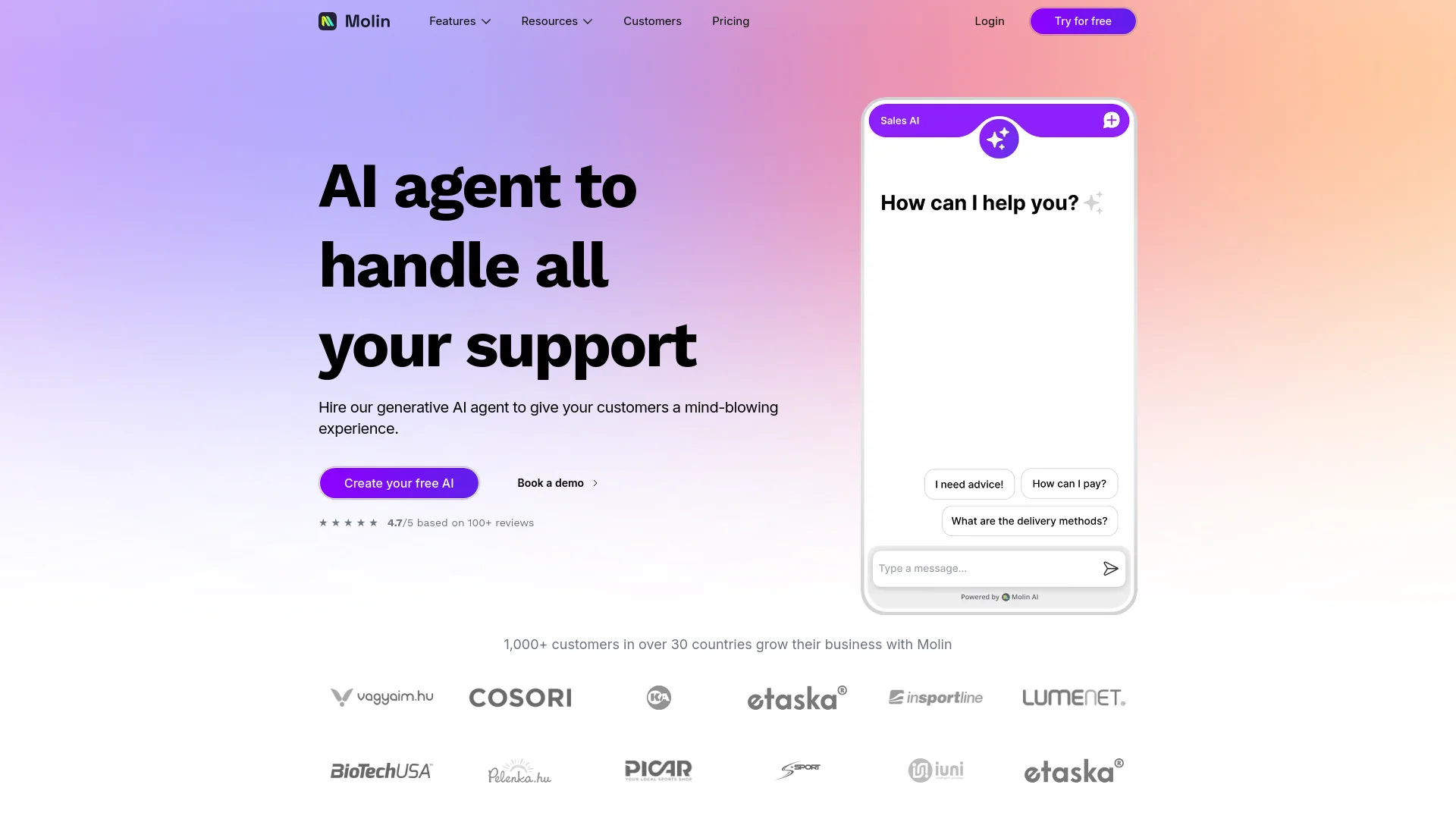
Molin runs as an embedded AI chat widget on an ecommerce website, with product search, recommendations, support, lead collection, and live-chat takeover.
Team chat and tickets
Its shared Inbox centralizes web, Facebook Messenger, Instagram, and email conversations, with teammate assignment, filtering, and human takeover.
Automation and APIs
Custom Actions APIs let Molin trigger external HTTPS endpoints for coupons, callbacks, CRM updates, Slack notifications, and other business actions.
Knowledge and files
Teams add PDFs, Markdown, text files, websites, sitemaps, and web pages so the AI can answer policy, warranty, shipping, and sizing questions.
Pros
- +Free plan available
- +Supports more than 90 human languages
- +Native ecommerce product and order knowledge
- +Image understanding for product photos, receipts, and invoices
- +Custom actions and documented APIs
Cons
- −Initial Setup Complexity: Requires time and expertise to configure the system for optimal performance.
- −Limited Customization: May not fully accommodate highly specialized or unique business needs.
- −Dependency on AI: Some businesses might find the reliance on AI challenging, especially in handling nuanced customer interactions.
Limitations & when to consider alternatives
Known limitations
- Image search is not available across every channel. Images are analyzed in the web chat widget and Inbox, but photos sent through Facebook Messenger and Instagram are not currently read by the AI.
- Document PDFs are text-only. For uploaded PDFs, Molin reads text while images in the PDF are skipped.
- Image uploads have size and quantity limits. Image search accepts up to three images per message, with a maximum size of 10 MB per image.
- Mobile support requires embedding. Molin provides iOS and Android WebView integration guides rather than a dedicated native Molin mobile application.
- Some channels and integrations are not generally available. The pricing page marks WhatsApp, Molin over Email, WooCommerce, and mobile apps as coming soon.
Look elsewhere when
- You need a dedicated native mobile app.
- You need model fine-tuning on your own training data.
- You need image understanding inside Messenger or Instagram.
- You need a browser extension.
How to Use Molin AI
- 1
Create a Molin account
Start with the Free plan or a premium trial from the official pricing page.
- 2
Connect your store or catalog
Connect Shopify, another supported ecommerce platform, a product feed, or a sitemap so Molin can use current catalog information.
- 3
Add AI knowledge
Upload PDFs or text files, or provide website, sitemap, llms.txt, or page URLs for policies, warranties, sizing, and FAQs.
- 4
Configure personality and actions
Set the assistant's tone and rules, then configure built-in or custom actions for operations such as coupons, order lookup, or callbacks.
- 5
Publish the assistant
Embed the Molin widget on the website or integrate it into an existing iOS or Android app through WebView.
- 6
Monitor and take over conversations
Use the Inbox to review conversations, assign chats to teammates, filter by priority or channel, and take over live chats when needed.
Who is Molin AI For?
Ecommerce shops
Molin is designed for online stores that want AI-powered sales assistance, product recommendations, and customer support.
Online businesses
The platform automates support communications and internal processes for online businesses.
Customer support teams
Teams can review AI conversations, assign chats, filter queues, and take over live chats.
Shopify merchants
Shopify merchants can install Molin and connect product catalogs, inventory, orders, and customer-support workflows.
Frequently Asked Questions
What is Molin AI?
Molin is a conversational AI platform for ecommerce shops that automates customer support, sales conversations, and internal business processes.
What can Molin learn from?
Molin can use product catalogs, PDFs, Markdown or text files, websites, sitemaps, llms.txt files, and specific web pages as AI knowledge.
Can customers send images?
Yes. Customers can attach images to chat, and Molin can identify products, answer questions about scenes, read receipts, and analyze damaged-item photos.
Which languages does Molin support?
Molin detects customer language automatically, supports more than 90 human languages, and can switch languages during a conversation.
Can Molin hand conversations to humans?
Yes. Human agents can take over conversations from the Inbox, and chats can be assigned to specific teammates.
Can Molin connect to ecommerce platforms?
Molin documents integrations for Shopify, Shoper, Shoprenter, UNAS, WooCommerce workflows, product feeds, Facebook Messenger, Instagram, and email.
Community reviews
Be the first to share your experience.
Sign in to leave a review for Molin AI.
Molin AI Alternatives
Looking for alternatives to Molin AI? Here are similar tools in the same category:
Learn to Master Molin AI
With Skill Leap courses
Get in-depth training on Molin AI and 50+ other AI tools with our expert-led video courses.
Start 7-Day Free Trial