
Momen
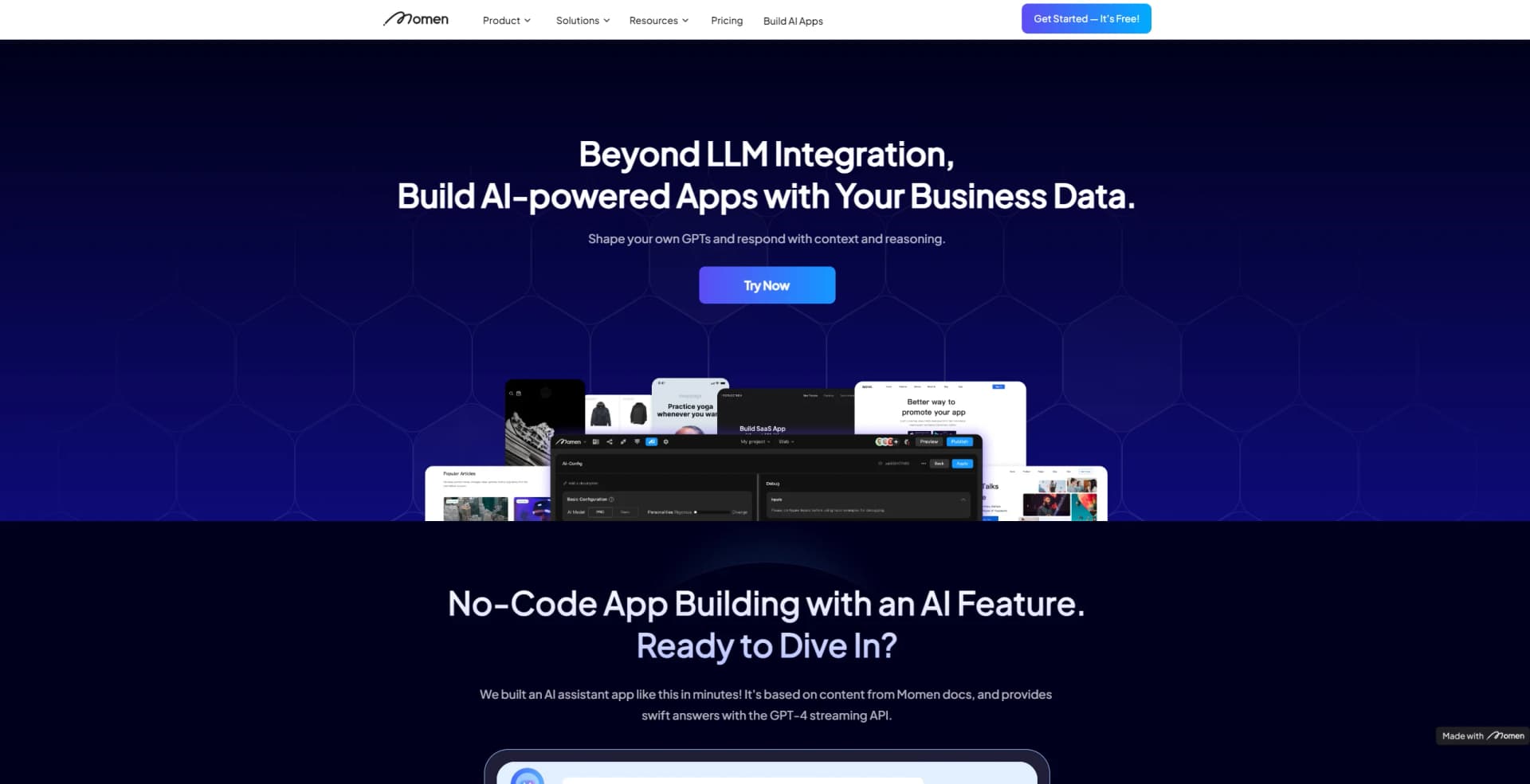
Build AI-powered apps effortlessly with Momen's integrated development platform.
Watch Momen in Action
Key Takeaways
- What it is
- Build AI-powered apps effortlessly with Momen's integrated development platform.
- Pricing
- $39/mo
- Best for
- No-Code App Building
- AI Knowledge Base Integration
- Custom UI Design
- Rating
- 4.3/5
What is Momen?
Momen is a cutting-edge platform designed to revolutionize the way individuals and businesses build AI-powered applications. It stands out as a best-in-class no-code AI builder, allowing users to create custom apps with ease. Momen is tailored for those seeking to harness the power of AI without diving into complex coding. By offering a suite of tools that integrate AI functionalities like GPT-based responses and data interpretation, Momen simplifies the app development process, making it accessible to a wide range of users, from small startups to large enterprises.
Momen's unique selling point lies in its no-code approach to AI app development, combined with powerful AI integration. This allows users to quickly build apps that are not only functional but also smart, capable of understanding and responding to complex queries with context and reasoning.
Momen excels at providing a user-friendly and efficient platform for developing AI-powered applications. Its standout feature of integrating AI knowledge bases transforms the app development landscape, offering significant advantages for a diverse range of users seeking to innovate without the barrier of coding. With its commitment to scalability, cost-efficiency, and rapid iteration, Momen is an indispensable tool for anyone looking to leverage the power of AI in their custom app development projects.
Who is Using Momen?
Startups
Utilizing the platform to quickly bring innovative AI app ideas to market.
Educators
Leveraging Momen's tools to create educational apps that enhance learning experiences.
Business Analysts
Employing Momen to build apps that interpret and visualize business data.
Product Managers
Using Momen to prototype and test new app concepts efficiently.
Uncommon Use Cases
Non-profits adopting Momen to engage with their audience through AI-driven apps; Event organizers using Momen to create interactive event apps.
Key Features
Rating Breakdown
Pricing Plans
Basic Plan
Pro Plan
$39/mo
Which Momen plan should you pick?
Start with Free for building, testing, and previewing; upgrade to Basic for a production web app and one collaborator, or Pro for payments, multiple clients, advanced permissions, and up to 10 collaborators.
Free
Good for no-code beginners who need to build, test, and preview a project without production publishing.
Basic
Good for launching a production web app with a custom domain, SEO, branding removal, and one collaborator.
Pro
Good for production applications needing payments, third-party sign-in, multiple clients, advanced permissions, and up to 10 collaborators.
Enterprise
Good for organizations needing custom resources, collaborator limits, private deployment options, or dedicated support.
Momen Use Cases
Customer service assistant
Build an AI question-and-answer system using company documentation or project data.
Outcome: Provide specialized customer support.
Content creation
Generate sales scripts, social posts, video scripts, or other marketing content with AI agents.
Outcome: Produce content from user inputs and configured prompts.
Business process automation
Combine database, condition, loop, API, AI, and other nodes in Actionflows.
Outcome: Automate multi-step business logic.
AI knowledge base
Use Momen database data, uploaded files, or third-party APIs as context for an AI application.
Outcome: Answer questions using business-specific information.
Full-stack web application
Design responsive pages, model relational data, configure backend logic, and publish a web app.
Outcome: Launch a hosted application without managing separate infrastructure.
Workflow Ideas with Momen
AI knowledge assistant
- 1Upload Word, PDF, TXT, or Markdown knowledge files
- 2Configure an AI agent with prompts and file or database context
- 3Display the generated answer in a published application
Automated business process
- 1Create an Actionflow with trigger conditions
- 2Connect database, condition, loop, API, and AI nodes
- 3Run the workflow from a button, schedule, data change, or webhook
External-service automation
- 1Configure an external API or import it from OpenAPI or cURL
- 2Bind the API to a page, Actionflow, or AI agent
- 3Trigger the integration from an app event or webhook
How Momen fits into your stack
GPT-4 Streaming API
Momen integrates with the latest generative AI to provide intelligent and responsive applications.
SEO Controls
Offers native SEO tools to ensure that apps built with Momen rank well in search results.
US Hosting
Ensures fast and reliable service for users and compliance with US data regulations.
Collaboration Workflows
Facilitates teamwork with advanced access control and collaborative features.
Pros
- +User-Friendly Platform: Momen's intuitive design empowers users to build apps with minimal technical knowledge.
- +Time-Saving: Streamlines the app development process, allowing for rapid deployment and updates.
- +Cost-Efficiency: Offers project-based pricing, eliminating unexpected costs and providing clear budgeting.
- +Comprehensive Resources: Provides extensive documentation, tutorials, and community support to aid users.
Cons
- −Learning Curve: New users may require some time to get accustomed to the platform's capabilities and features.
- −Feature Limitations: As a newer platform, it may not yet offer the same breadth of features as established competitors.
- −Premium Plan Dependency: Some of the most advanced AI features are locked behind the premium plan.
Limitations & when to consider alternatives
Known limitations
- Free projects cannot publish to production. The Free plan supports building, testing, and previewing, but production publishing requires a paid plan.
- File knowledge has a 50 MB limit. Uploaded local knowledge files are limited to Word, PDF, TXT, and Markdown formats, with a total size limit of 50 MB.
- Free and trial AI projects have limited concurrency. Free and trial projects run one AI Agent conversation at a time.
- Custom code runs in a restricted sandbox. Custom code does not support module loading, direct network requests, browser APIs, asynchronous operations, timers, or filesystem access.
- Free projects can hibernate. An unpublished Free project automatically hibernates after seven consecutive days without editor access or changes.
Look elsewhere when
- You need a dedicated desktop application rather than a browser-based editor.
- You need a publicly distributed native iOS or Android app today.
- You need model fine-tuning or training jobs instead of prompt-and-context configuration.
How to Use Momen
- 1
Momen provides a comprehensive array of tutorials and documentation here, enabling users to master the platform's features step-by-step, from basic setup to advanced app development techniques.
Who is Momen For?
No-code beginners
Momen provides a visual development environment for building applications without coding.
Experienced developers
Developers can use API integrations, Runtime GraphQL, headless BaaS, custom code, and code components.
Designers and product managers
Mirror supports multi-device previews, interaction validation, permission simulation, and real-time refresh.
Operations personnel
Momen provides deployment, permissions, runtime logs, resource monitoring, and maintenance tools.
AI application builders
Momen provides AI agents, model configuration, RAG-style contexts, tools, structured outputs, and multimodal inputs.
Frequently Asked Questions
Is Momen free?
Momen offers a permanently free plan with basic features and limited resources. Free projects can build, test, and preview but cannot publish to production.
What does Momen build?
Momen is a full-stack no-code platform for building interfaces, databases, backend logic, AI agents, and web applications.
Does Momen provide an API?
Yes. Momen generates a project-specific Runtime GraphQL API for database access and invoking Actionflows, AI Agents, and third-party APIs.
Can teams collaborate in Momen?
Yes. Projects support invited collaborators with Owner, Administrator, Editor, and Viewer roles. The number of editable collaborators depends on the plan.
Can Momen use uploaded files?
Momen AI can use uploaded Word, PDF, TXT, and Markdown files as knowledge sources, with a documented total file-size limit of 50 MB.
Can Momen connect to external services?
Yes. Momen supports configured third-party APIs, OpenAPI and cURL imports, webhooks, Airtable, Zapier, Stripe, and external sign-in providers.
Community reviews
Be the first to share your experience.
Sign in to leave a review for Momen.
Momen Alternatives
Looking for alternatives to Momen? Here are similar tools in the same category:
Learn to Master Momen
With Skill Leap courses
Get in-depth training on Momen and 50+ other AI tools with our expert-led video courses.
Start 7-Day Free Trial