
Monica
AI assistant revolutionizing chat, writing, coding, and more.
Key Takeaways
- What it is
- AI assistant revolutionizing chat, writing, coding, and more.
- Pricing
- Freemium
- Best for
- AI-Powered Chat and Writing
- Multilingual Support
- AI Image Tools
- Rating
- 4.7/5
What is Monica?
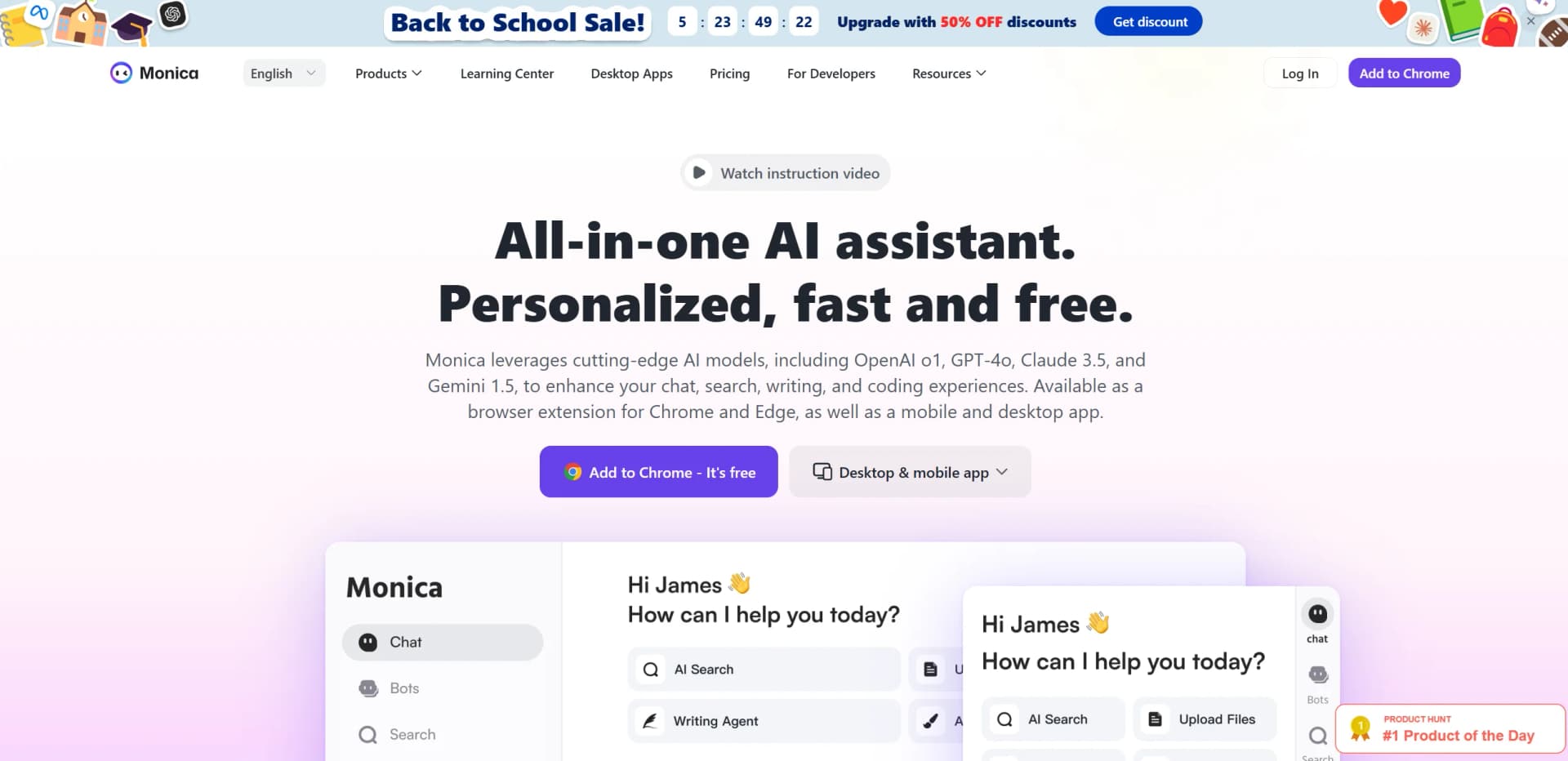
Monica is an all-in-one AI assistant designed to revolutionize how we interact with digital content, whether for chatting, writing, coding, or searching. Utilizing cutting-edge AI models such as GPT-4o, Claude 3.5, and Gemini 1.5, Monica aims to simplify and enhance user experiences across multiple platforms, including browser extensions for Chrome and Edge, as well as desktop and mobile applications. This tool is perfect for professionals and individuals seeking to streamline their workflows, offering features that range from AI-assisted chat and writing to sophisticated code assistance.
Monica stands out with its integration of multiple AI models, providing a comprehensive suite of tools that cater to diverse professional needs. Its ability to combine AI-powered chat, writing, and coding assistance into a single platform is a game-changer for efficiency and productivity.
Monica offers an impressive array of AI-driven features that cater to a wide range of professional needs. From chat and writing assistance to advanced coding support, it is designed to enhance productivity and streamline workflows. Whether you're an entrepreneur, developer, or content creator, Monica provides the tools you need to succeed in today's fast-paced digital world.
Who is Using Monica?
Entrepreneurs
Using Monica to draft business documents and analyze market trends effortlessly.
Developers
Benefiting from code assistance and optimization features integrated with development environments.
Content Creators
Leveraging AI writing and image tools to produce high-quality content efficiently.
Customer Support Teams
Employing Monica for quick and accurate responses to customer inquiries.
Uncommon Use Cases
Adopted by academic researchers for literature review assistance and by legal professionals for contract analysis.
Key Features
Rating Breakdown
Pricing Plans
Free Tier
Free
- Offers a free usage tier with daily limits
- Perfect for casual users to explore Monica's features
Which Monica plan should you pick?
Start with Free to evaluate Monica; upgrade to Pro for higher monthly usage, Max for broad unlimited usage, or Ultra for the largest advanced-credit allowance.
Free
Good for individuals evaluating Monica who need limited daily basic queries without paying.
Pro
Good for regular users who need 5,000 basic queries, 200 advanced queries, and 1,500 extra advanced credits per month.
Max
Good for heavy users who need unlimited basic and advanced queries plus 4,500 extra advanced credits per month.
Ultra
Good for the highest-volume users who need unlimited basic and advanced queries plus 20,000 extra advanced credits per month.
Monica Use Cases
Research and competitive analysis
State a research goal and let Monica Agent break down questions, explore sources, and synthesize findings.
Outcome: A structured research analysis.
Browser workflow automation
Use Browser Operator to search websites, collect information, compare sources, and complete repetitive forms.
Outcome: Less manual web work across multiple sites.
Document and file analysis
Upload PDFs, office files, code, images, or audio and ask Monica to summarize, inspect, translate, or answer questions.
Outcome: Extracted insights and answers from uploaded materials.
Multilingual reading
Translate webpages or PDFs while preserving original text for comparison, and configure terminology glossaries.
Outcome: Faster access to foreign-language information.
AI-assisted coding
Use Monica Code for completion, code edits, codebase questions, debugging from screenshots, and multi-file changes.
Outcome: Faster coding and refactoring inside supported editors.
Workflow Ideas with Monica
Research-to-presentation workflow
- 1State the research goal in Monica Agent
- 2Let Deep Research gather and synthesize sources
- 3Use Create Slides to turn the findings into a presentation
Automated competitor monitoring
- 1Define competitor websites and information to track
- 2Use Browser Operator to visit sites and extract updates
- 3Review the collected findings in a structured analysis
Document review and translation
- 1Upload a PDF or document
- 2Ask Monica to summarize or analyze important sections
- 3Translate the document and compare original and translated text
How Monica fits into your stack
Browser
Monica operates as a Chrome and Edge sidebar for webpage summaries, search enhancement, translation, writing assistance, email composition, and YouTube summaries.
Docs and writing
Its Write, Compose, Reply, translation, rewriting, and email-assistance features support drafting and editing content directly within browser pages and text fields.
Knowledge and files
Monica reads webpages, PDFs, images, screenshots, and other uploaded files, while Memo stores webpages, chats, images, and PDFs for later conversational retrieval.
Automation and APIs
Monica Agent automates multi-site browser workflows, while Monica Open API provides documented chat, image-generation, and image-tool endpoints.
Pros
- +Comprehensive Toolset: Offers a wide range of AI functionalities under one platform, eliminating the need for multiple tools.
- +User-Friendly Interface: Intuitive design ensures an easy learning curve, making it accessible to users with varying tech skills.
- +Cost Efficiency: Provides significant time savings and productivity boosts, making it cost-effective for businesses and individuals.
- +Extensive Integration: Supports integration with popular platforms like VSCode and JetBrains, enhancing coding and development experiences.
Cons
- −Daily Usage Limit: Free version comes with daily usage restrictions, which may require upgrading for heavy users.
- −Initial Setup Time: While user-friendly, setting up the tool across platforms can be time-consuming for some users.
- −Limited Offline Functionality: Requires internet access for full functionality, which might be a limitation in areas with poor connectivity.
Limitations & when to consider alternatives
Known limitations
- Chat file size and session limits. Chat with Files limits uploads to 20 files per session, 20MB per file, and 100,000 total characters.
- Knowledge-base limits. A knowledge base supports up to 20 files, with a 50MB maximum per file and up to 1,000,000 tokens per file.
- API requires prepaid balance. The Monica API quickstart says users must link a payment method and maintain a positive balance before making API calls.
- Free usage is quota-limited. The Free plan includes 40 basic queries per day and no advanced queries; paid plans provide larger or unlimited quotas depending on the plan.
- Desktop platform coverage. The official download page names Windows and macOS desktop support; Linux is not listed.
How to Use Monica
- 1
Choose an access point
Use the web app, desktop app, mobile app, or Chrome/Edge extension depending on where you work.
- 2
Start with Chat, Read, or Search
Ask questions directly, or use Read to process webpages, URLs, PDFs, images, and screenshots.
- 3
Upload source material
Use Chat with Files or Knowledge to add documents, images, code, audio, or other supported materials for analysis.
- 4
Select the right model or tool
Switch among supported AI models, or choose specialized features such as translation, image tools, Monica Agent, or Monica Code.
- 5
Automate multi-step browser tasks
Describe the web task for Browser Operator, then review the extracted information or completed workflow.
- 6
Export or share the result
Turn research into slides, save information to Memo, share supported artifacts, or use generated content in your next task.
Who is Monica For?
Marketing teams
Monica supports social post generation, sentiment analysis, hashtag recommendations, trend tracking, and competitor monitoring across major social platforms.
Academic researchers
Deep Research can explore and synthesize research sources, while file and PDF tools help analyze papers and documents.
Developers
Monica Code provides code completion, code editing, codebase chat, web access, and multi-file composition in VS Code and JetBrains.
Business professionals
Monica can summarize emails, draft professional replies, collect business research, and convert findings into presentations.
Multilingual users
Webpage, PDF, and text translation features support more than 30 target languages.
Frequently Asked Questions
Does Monica have a free plan?
Yes. Monica documents a Free plan with 40 basic queries per day and no advanced queries.
Can Monica analyze uploaded files?
Yes. Chat with Files supports more than 50 file formats, simultaneous processing of up to 20 files, files up to 20MB, and up to 100,000 characters per session.
Can Monica analyze images?
Yes. Monica provides an Image Reader for analyzing uploaded images, including object identification and image-content understanding.
Does Monica offer an API?
Yes. Monica Open API provides API keys and documented endpoints for chat, image generation, and image tools. A positive account balance is required to use the API.
What languages does Monica support?
Monica supports translation among more than 30 major human languages, including webpage and PDF translation.
Can Monica automate browser tasks?
Yes. Browser Operator can navigate websites, search, extract information, fill forms, and execute repetitive workflows across multiple sites.
Community reviews
7 reviews from people who use Monica.
Sign in to leave a review for Monica.
Sergio Sergio
Sofia Vargas
reactfullstack developer
Seraph
Deepak Hv
Ahmed Abdullah
Futong Kang
Monica Alternatives
Looking for alternatives to Monica? Here are similar tools in the same category:
Learn to Master Monica
With Skill Leap courses
Get in-depth training on Monica and 50+ other AI tools with our expert-led video courses.
Start 7-Day Free Trial