
Motiff
Revolutionize design with AI, collaboration, and prototyping tools.
Watch Motiff in Action
Key Takeaways
- What it is
- Revolutionize design with AI, collaboration, and prototyping tools.
- Pricing
- Freemium · $4/month · $15/month
- Best for
- AI Toolbox
- Professional Tools
- Cloud Collaboration
- Rating
- 4.7/5
What is Motiff?
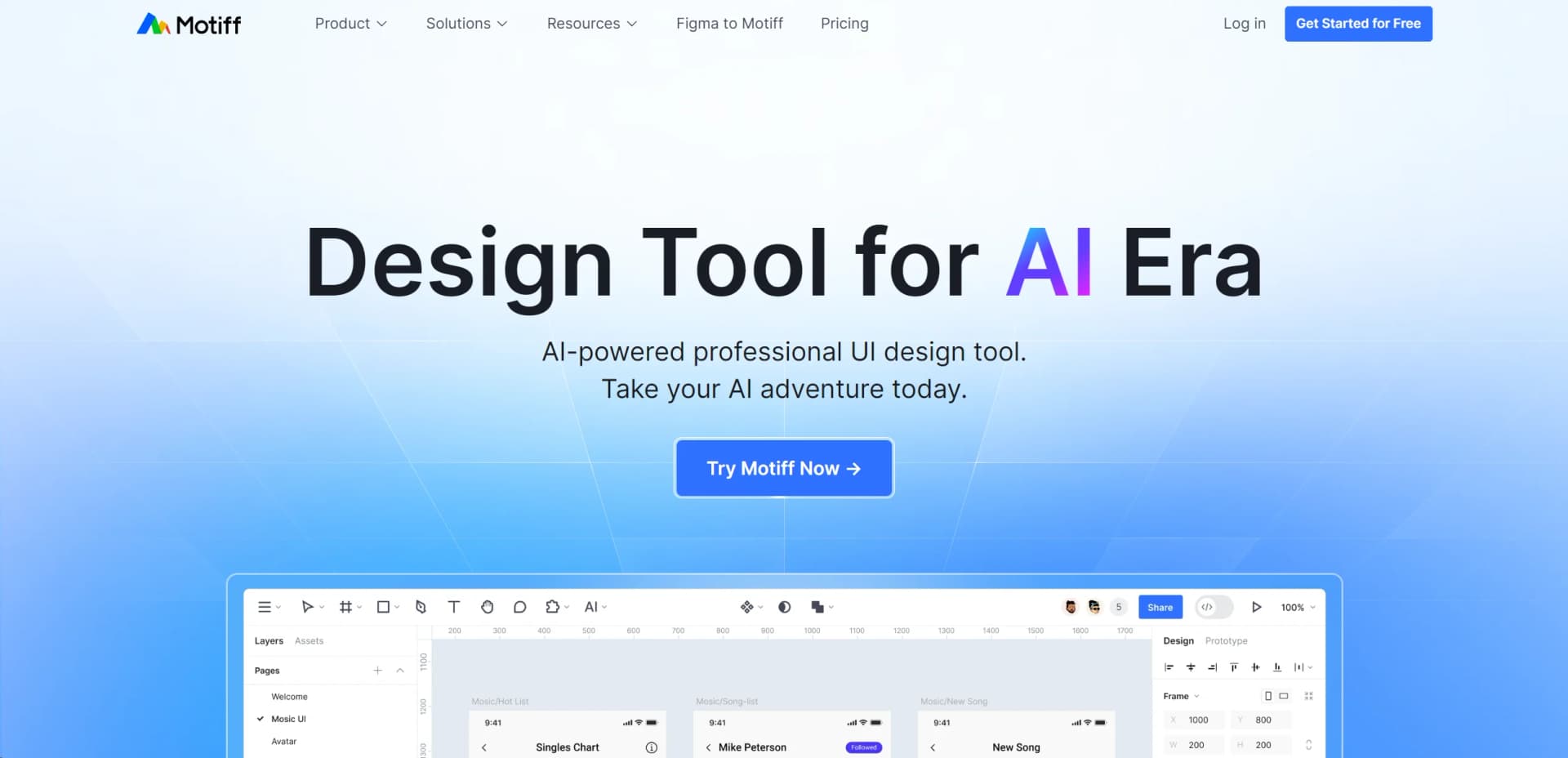
Motiff is a cutting-edge AI-powered professional interface design tool crafted to revolutionize the way designers interact with technology in the creation process. Aimed at both individual designers and large design teams, Motiff blends advanced AI capabilities with user-centric design functionalities, simplifying complex design tasks and enhancing collaborative efforts. It's the perfect tool for those looking to elevate their design workflows in the fast-paced, ever-evolving digital era.
Motiff stands out with its seamless integration of AI into the design process, which not only enhances the design capabilities but also optimizes the workflow. Its unique Dev Mode, which facilitates an easy transition from design to code, sets it apart in the market, particularly appealing to teams that handle both design and development in-house.
Motiff excels in providing a robust, intuitive platform for interface design, making it an essential tool for designers looking to push the boundaries of creativity and efficiency. Its AI-powered features and developer-friendly options offer an unmatched advantage in the design tool market. Whether you're part of a large team or a solo designer, Motiff offers the tools and capabilities to transform your design process.
Who is Using Motiff?
Web and Mobile UI Designers
Utilizing the tool to craft stunning, functional user interfaces.
Large Design Teams
Employing cloud collaboration features for synchronous design efforts.
Startups
Leveraging cost-effective design solutions to create professional-grade designs on a budget.
Educational Institutions
Incorporating Motiff in curriculum to teach students modern design tools and techniques.
Key Features
Rating Breakdown
Pricing Plans
Starter
Free
Professional
$4/month
- Or $1 for Dev Mode only
Organization
$15/month
- Or $3 for Dev Mode only
Which Motiff plan should you pick?
Start with Starter for free experimentation; upgrade to Pro when you need higher credits, Figma copying, code exports, and IDE-ready projects.
Starter
Good for hobby projects and first-time AI designers who need a free starting tier and limited monthly credits.
Pro
Good for users who need more credits, Figma export, production-ready HTML or React code, and downloadable IDE-ready projects.
Motiff Use Cases
Non-Profit Organizations
Creating impactful visual campaigns.
Indie Game Developers
Designing game interfaces.
Workflow Ideas with Motiff
PRD to production-ready UI
- 1Upload a PRD, PDF, Markdown, or text prompt
- 2Generate and refine the interface
- 3Export HTML, React, or an IDE-ready ZIP
Screenshot to editable UI
- 1Upload a screenshot or image reference
- 2Generate a UI matching the reference and selected styling
- 3Refine individual elements with natural-language commands
Design review and content extraction
- 1Provide an existing design or screenshot
- 2Ask Motiff AI to analyze UX, hierarchy, and color
- 3Extract text from the image or screenshot
How Motiff fits into your stack
API Access
Developers can utilize Motiff’s API for custom integrations, enhancing functionality.
Third-Party Tools
Supports various third-party tools to extend its capabilities.
Plugin Ecosystem
Offers a range of plugins that add specific functionalities tailored to user needs.
Pros
- +Enhanced Productivity: AI integration automates mundane tasks, freeing up time for creative exploration.
- +Cost-Effective: Offers competitive pricing tiers, making advanced design tools accessible without a hefty price tag.
- +User-Friendly Interface: Designed with the user in mind, ensuring a smooth and intuitive experience for designers of all skill levels.
- +High-Performance: Built on a self-developed rendering engine that ensures speed and stability even in complex scenarios.
Cons
- −Learning Curve: New users may require some time to fully leverage the AI functionalities.
- −Integration Limitations: While comprehensive, the integration capabilities with other platforms are not exhaustive.
- −Resource Intensity: High-end features may demand significant system resources, potentially limiting use on older hardware.
Limitations & when to consider alternatives
Known limitations
- Motiff AI has been discontinued. The official help center says Motiff AI is discontinued and data export is available until October 31, 2026.
- No multi-turn conversation support in the legacy AI UI workflow. The legacy help documentation says continuous multi-turn generation was not supported.
- Limited page-size support in the legacy AI UI workflow. The legacy documentation lists 390px as the default mobile size and 1440px as the default web size, with other sizes unsupported.
Look elsewhere when
- You need a published developer API with public API documentation.
- You need a browser extension.
How to Use Motiff
- 1
Explore a variety of tutorials ranging from basic setup to advanced feature utilization on Motiff’s official website and YouTube channel.
Who is Motiff For?
UX designers
Motiff AI helps generate, refine, analyze, and iterate on user-interface designs.
Front-end developers
Motiff AI exports React and HTML code plus IDE-ready starter projects.
Product managers
Motiff AI helps visualize, test, and validate product ideas during discovery.
Frequently Asked Questions
Does Motiff AI offer an API?
Motiff says it provides programmatic access, but asks interested users to contact support for next steps.
What inputs does Motiff AI support?
Supported inputs include text prompts, images, canvas layers, and TXT, HTML, PDF, JSON, and Markdown files.
What can Motiff AI export?
Motiff AI exports PNG, JPEG, and WebP images, HTML and React code, and IDE-ready ZIP projects.
Can Motiff AI analyze designs?
It can review UX, visual hierarchy, color, and related design qualities, then provide structured suggestions.
Can Motiff AI extract text from images?
It can recognize and extract text from images or screenshots.
What happens if an AI task fails?
Motiff recommends retrying the prompt and contacting support if repeated attempts continue to fail.
Community reviews
Be the first to share your experience.
Sign in to leave a review for Motiff.
Motiff Alternatives
Looking for alternatives to Motiff? Here are similar tools in the same category:
Learn to Master Motiff
With Skill Leap courses
Get in-depth training on Motiff and 50+ other AI tools with our expert-led video courses.
Start 7-Day Free Trial