
Moxo
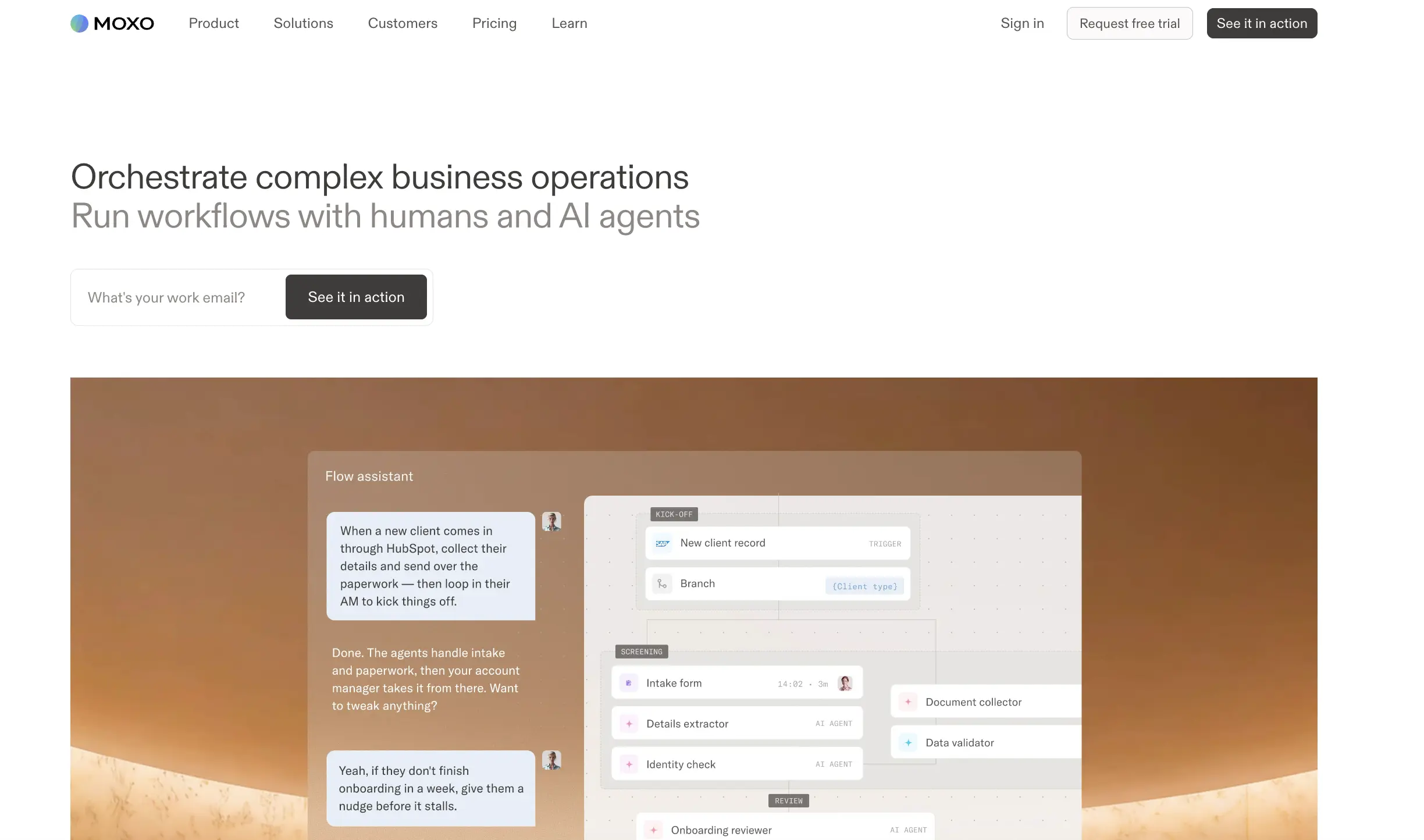
Turn approvals and documents into AI-guided flows.
Key Takeaways
- What it is
- Turn approvals and documents into AI-guided flows.
- Pricing
- $500/mo or $5,000/yr
- Best for
- AI workflow builder
- Agent Foundry
- Flow workspaces
Who is Using Moxo?
Professional services firms
Moxo provides client-facing workflows for onboarding, service delivery, approvals, and recurring operational processes.
Financial services organizations
The platform supports wealth, banking, lending, compliance, onboarding, and other approval-heavy workflows.
Healthcare organizations
Healthcare teams can use structured workflows, portals, document collection, and role-based participant access.
Legal organizations
Moxo supports legal workflows involving clients, documents, approvals, signatures, and auditable handoffs.
Real estate and logistics companies
The product is positioned for multi-party operational coordination, transaction processes, fulfillment, and vendor workflows.
Key Features
Pricing Plans
Team
$500/mo or $5,000/yr
- 100 flows/yr
- $100 of AI/yr
- Unlimited seats
- Workflow builder
- AI Copilot
- Milestones
- Flow template gallery
- Approvals
- Forms
- File requests
Scale
- 500 flows/yr
- $500 of AI/yr
- Unlimited seats
- Subflows
- Business rules
- Branching
- Loops
- Scheduled flows
- Agent Foundry
- REST APIs
Enterprise
- Unlimited seats
- Data tables
- Custom actions
- Supervisor Agents
- Advanced agent capabilities
- Bring your own model or agent
- Model selection
- Custom pages
- Embedded apps
- Moxo SDK (Embed)
Which Moxo plan should you pick?
Start with Free to validate simple workflows, move to Business for higher usage and reporting, and upgrade to Pro for APIs, SSO, portals, advanced automation, and advanced AI.
Free
Good for trying Moxo with basic workflows, AI utilities, file requests, e-signatures, and limited monthly flow capacity.
Business
Good for teams needing more monthly flows, additional AI credits, and reporting dashboards.
Pro
Good for organizations needing portals, scheduled flows, advanced AI, REST APIs, webhooks, MCP, audit logs, and SAML SSO.
Enterprise
Good for organizations needing custom flows, data tables, custom actions, custom code, embedded apps, or bring-your-own-model support.
Moxo Use Cases
Customer onboarding
Invite customers into structured workspaces, collect documents and forms, run reviews, and complete approvals or signatures.
Outcome: A repeatable onboarding process with less manual coordination.
Vendor onboarding
Request vendor information and files, validate submissions, route exceptions, and coordinate internal approvals.
Outcome: More consistent vendor intake and review.
Professional service delivery
Coordinate multi-step service processes among internal teams and external clients using assigned actions and workspace roles.
Outcome: Clear ownership and visibility across the engagement.
Order fulfillment
Run structured fulfillment workflows with forms, file requests, approvals, business rules, and external integrations.
Outcome: More predictable execution from request through completion.
Service requests
Let clients submit service requests, track progress, and interact with assigned internal agents through the client portal.
Outcome: A centralized request and resolution process.
Workflow Ideas with Moxo
Client onboarding flow
- 1Invite the client to a Flow Workspace
- 2Collect forms, documents, and signatures
- 3Review submissions and route approvals automatically
Vendor intake and approval
- 1Launch a vendor onboarding template
- 2Request and validate required files
- 3Send the completed package to the appropriate approver
Client service request
- 1Publish a client-facing request type
- 2Assign the request to internal agents
- 3Track status and communicate with the client in the workspace
How Moxo fits into your stack
Browser
Moxo runs through authenticated orchestrator and participant portals where teams build, launch, monitor, and complete workflows.
Team collaboration
Flow and chat workspaces centralize members, role assignments, messages, meetings, files, and actions for internal and external participants.
Knowledge and files
The content library and workspace file areas store reusable documents and support uploads, file requests, document extraction, and AI-assisted processing.
Automation and APIs
Moxo connects workflows to third-party systems through Zapier, REST APIs, webhooks, native CRM connections, SDKs, and MCP.
Pros
- +Natural-language workflow creation
- +Multi-party workspaces with roles and permissions
- +Built-in AI agents for preparation, review, advice, and automation
- +REST APIs, webhooks, Zapier, SDK, and MCP connectivity
- +Native file collection, e-signatures, approvals, and audit capabilities
Cons
- −REST APIs and SAML SSO are listed under the Scale plan
- −Advanced agent features, custom code, and SDK embedding require Enterprise
- −Pricing is relatively high for the Team plan at $500 per month
- −Flow and AI usage are metered by annual allowances
Limitations & when to consider alternatives
Known limitations
- Usage limits vary by plan. The Free plan includes two flows per month, Business includes ten flows per month, and Pro includes 500 flows per year.
- Advanced capabilities are tiered. REST APIs, webhooks, SAML SSO, scheduled flows, portals, and advanced AI capabilities are listed on Pro or Enterprise plans.
- Pro requires an annual commitment. The monthly Pro price is shown with a commitment annually.
- Client permissions are restricted. Clients cannot add actions or automations, access workspace settings, or invite other users into a workspace.
- Templates require the web portal. Workspace templates can only be built from the web portal rather than the mobile app.
Look elsewhere when
- You need REST APIs, webhooks, or SAML SSO on a lower-tier plan.
- You need clients to create actions or invite other workspace users.
- You need to build workspace templates from a mobile device.
How to Use Moxo
- 1
Create or select a workflow template
Use the workflow builder or template gallery to define actions, roles, branching, and automation steps.
- 2
Assign workspace participants
Invite internal users, clients, vendors, or partners and assign them to workspace roles and actions.
- 3
Add files, forms, and signatures
Collect documents and structured information, then use approvals, e-signatures, or AI review steps as needed.
- 4
Configure automation and integrations
Trigger actions within Moxo or connected systems using integrations, webhooks, APIs, or Zapier.
- 5
Monitor execution
Track workspace activity, action completion, reports, audit events, and AI usage from the portal.
- 6
Publish client-facing entry points
Use portals, start links, QR codes, or embedded experiences to let clients initiate supported workflows.
Who is Moxo For?
Professional services teams
Moxo provides structured client-service workflows, collaboration, approvals, document exchange, and process automation.
Financial services organizations
Moxo supports regulated client workflows with e-signatures, audit trails, document handling, and security controls.
Healthcare organizations
Moxo offers workflow orchestration, secure collaboration, document processing, and controlled participant access.
Legal teams
Moxo supports client onboarding, document collection, approvals, signatures, and secure communications.
Accounting firms
Moxo helps accounting teams manage client onboarding, recurring workflows, file requests, approvals, and communications.
Frequently Asked Questions
Does Moxo have a free plan?
Yes. The Free plan costs $0 per month and includes two flows per month plus 500 AI credits per month.
Does Moxo provide an API?
Yes. Moxo provides a public REST API, organization API keys, personal access tokens, webhooks, and MCP connectivity on supported plans.
Can Moxo automate external applications?
Yes. Moxo workflows can trigger actions in third-party applications and send data to external systems automatically.
Does Moxo support SSO?
Yes. Moxo supports SAML-based SSO and can use identity providers such as Microsoft, Google, or Okta.
Can users upload files to Moxo?
Yes. Users can upload files from their devices or from the Moxo content library into workspaces and action threads.
Does Moxo offer mobile and desktop apps?
Moxo provides native mobile apps and a downloadable desktop application for accessing portals, notifications, workflows, files, and messages.
Community reviews
Be the first to share your experience.
Sign in to leave a review for Moxo.
Moxo Alternatives
Looking for alternatives to Moxo? Here are similar tools in the same category:
Learn to Master Moxo
With Skill Leap courses
Get in-depth training on Moxo and 50+ other AI tools with our expert-led video courses.
Start 7-Day Free Trial