
Mumble Note
Transforms spoken words into structured notes instantly.
Key Takeaways
- What it is
- Transforms spoken words into structured notes instantly.
- Pricing
- $15 per month · $119.99 per year
- Best for
- AI-Driven Transcriptions
- Task Automation
- Multi-Format Note Capture
- Rating
- 4.4/5
What is Mumble Note?
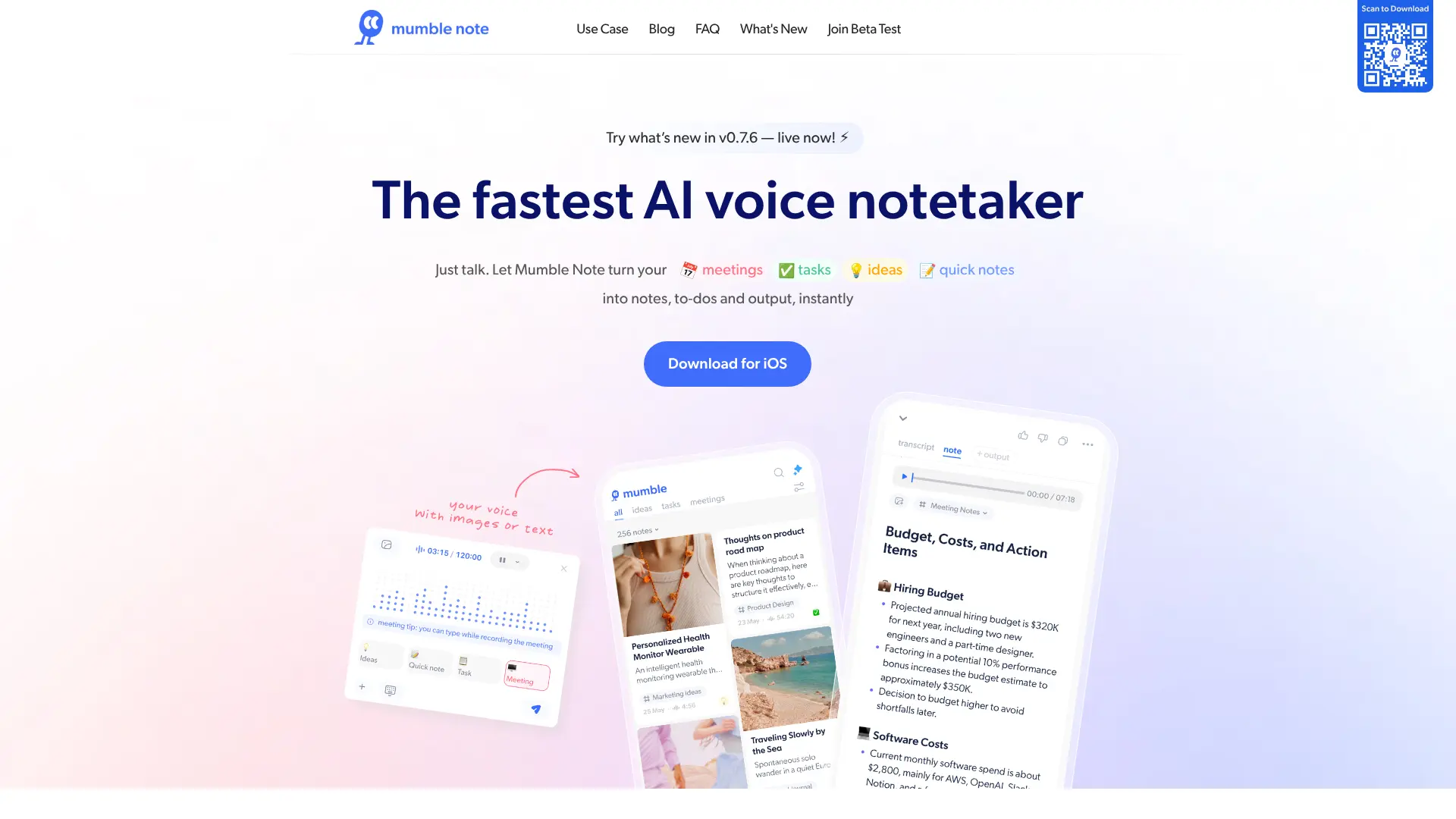
Mumble Note is your go-to AI voice notetaker designed to transform spoken words into structured notes, tasks, and outputs instantly. Whether you're capturing meeting details, brainstorming ideas, or jotting down quick notes, Mumble Note simplifies the process, making it ideal for professionals and creatives who thrive on efficiency and innovation.
Mumble Note stands out with its ability to transform unstructured voice input into actionable insights instantly. Its integration with AI to create comprehensive summaries and organize ideas is a distinct advantage for professionals needing to keep pace with their demanding schedules.
Mumble Note is not just a tool but a partner in productivity, revolutionizing how we capture and utilize spoken thoughts. With its AI-powered capabilities, it promises to enhance efficiency, making it an indispensable asset for anyone looking to streamline their workflow and maximize their creative potential.
Who is Using Mumble Note?
Business Executives
Relying on Mumble Note for efficient meeting recaps and task management.
Content Creators
Utilizing the tool for quick idea capture and content planning.
Students and Educators
Employing Mumble Note for lecture notes and educational insights.
Tech Startups
Adopting it for brainstorming sessions and project planning.
Uncommon Use Cases
Used by podcasters for transcribing episodes; Employed by busy parents for capturing family stories.
Key Features
Rating Breakdown
Pricing Plans
Monthly
$15 per month
- Standard in-app subscription billed monthly
Annual
$119.99 per year
- Save compared to monthly billing with this yearly plan
Which Mumble Note plan should you pick?
Start with Free for light voice capture; upgrade to Starter for longer recordings and monthly AI tools, or Pro for unlimited AI voice notes and AI tools.
Free
Good for users who need unlimited text notes and up to 60 minutes of voice notes per month.
Starter
Good for users who need up to 3,000 voice-note minutes per month, recordings up to two hours, and 30 AI tools per month.
Pro
Good for frequent users who need unlimited AI voice notes, unlimited AI tools, Collection Auto Mode, and Chat with Mumble AI.
Mumble Note Use Cases
AI Meeting Notes
Record meetings and combine voice with written input to produce transcripts, summaries, decisions, and action items.
Outcome: Meetings become organized and actionable.
Brainstorm Sessions
Capture spontaneous ideas and let AI organize them into structured notes and collections.
Outcome: Scattered ideas become organized material.
Content Creation and Blogs
Capture content ideas by voice or text, then format, rewrite, organize, and export them.
Outcome: Ideas become structured content drafts.
Personal Journaling
Record reflections, summarize them, group them by topic, and convert insights into to-dos.
Outcome: Reflections become organized and actionable.
Workflow Ideas with Mumble Note
Meeting-to-Tasks Workflow
- 1Record the meeting and add written notes or images during the session.
- 2Generate the transcript, summary, decisions, and action items.
- 3Sync extracted tasks or events to a connected productivity or calendar app.
Voice Brainstorm-to-Draft Workflow
- 1Speak or type content ideas as they occur.
- 2Let Mumble organize related notes into themed collections.
- 3Use AI formatting, rewriting, or output templates to create a draft.
Journal-to-Reflection Workflow
- 1Record or type a personal reflection.
- 2Generate an AI-organized summary and group it in a collection.
- 3Review the entry and convert insights into actionable to-dos.
How Mumble Note fits into your stack
Mobile capture
Mumble Note is primarily an iPhone and Apple Watch voice-notetaking app for meetings, ideas, journaling, and quick capture.
Browser extension
A Chrome extension supports desktop voice recording and capturing thoughts into Mumble Note.
Knowledge and files
Users combine voice, text, screenshots, photos, and links into structured notes, transcripts, summaries, and collections.
Task and calendar workflows
Mumble extracts action items and syncs them with Things, Apple Reminders, Google Tasks, Apple Calendar, and Google Calendar.
Pros
- +Free plan available
- +Native iPhone and Apple Watch apps
- +Transcription and translation in 40+ languages
- +Image understanding and text extraction
- +Integrations with task managers and calendar apps
Cons
- −Platform Limitation: Currently available only on iOS, limiting accessibility for Android users.
- −Initial Setup: May require some time to personalize and teach Mumble Note specific jargon or terms.
Limitations & when to consider alternatives
Known limitations
- Free voice-note allowance. The Free plan includes 60 minutes of voice notes per month.
- Free note duration. The Free plan limits each note to two minutes.
- Starter AI allowance. The Starter plan includes 30 AI tools per month.
- Platform availability. The FAQ lists iPhone and Apple Watch as currently available platforms; macOS is still described as forthcoming.
- Web browsing is beta. Chat with Mumble AI can browse the internet, but the FAQ labels this as a beta feature.
Look elsewhere when
- You need a documented developer API.
- You need a Windows, Linux, or currently available macOS desktop app.
- You need SSO or SAML.
- You need shared workspaces with roles and invitations.
How to Use Mumble Note
- 1
Capture a note
Tap the microphone to record a voice note, or use the text input to type; add images when useful.
- 2
Generate the structured note
Let Mumble create a transcript and AI-refined note so the raw recording becomes readable and organized.
- 3
Review action items
Check the generated to-dos, decisions, and follow-ups, then edit or add tasks as needed.
- 4
Organize with collections
Use suggested or manually created collections to group related notes and ask AI to draft from collection content.
- 5
Sync with other apps
Connect supported task and calendar apps to send action items or schedule events from notes.
- 6
Chat with Mumble AI
Ask questions about recorded notes, summarize or rewrite content, and optionally try the beta web-browsing feature.
Who is Mumble Note For?
Professionals
Capture meetings, decisions, follow-ups, and task items by voice.
Creators
Capture content ideas and turn them into structured, shareable drafts.
Thinkers
Brain-dump ideas and organize them into searchable collections.
Makers
Capture product ideas, feedback, and actionable notes while switching contexts.
People who prefer voice input
Speak naturally instead of typing, then receive cleaned-up notes and to-dos.
Frequently Asked Questions
What is Mumble Note?
Mumble Note is an AI-powered note-taking app that combines spoken and typed input into structured notes.
Can I use Mumble Note to record meetings?
Yes. Meetings can be recorded for up to two hours per session on iPhone and Apple Watch, with transcripts, summaries, decisions, and action items.
What can I do with Mumble Note?
Users can record voice notes, edit and rewrite notes, create follow-ups and collections, sync tasks and calendar events, chat with Mumble AI, and work with multiple languages.
What integrations does Mumble Note have?
Mumble Note integrates with WhatsApp, Things, Apple Reminders, Apple Calendar, Google Tasks, and Google Calendar.
What platforms support Mumble Note?
Mumble Note is currently available on iPhone and Apple Watch. A macOS version is described as planned.
How does Mumble Note protect notes?
The company says notes are encrypted in the cloud, plaintext copies remain only on the device, and notes are not used for AI training.
Community reviews
5 reviews from people who use Mumble Note.
Sign in to leave a review for Mumble Note.
Lando Calrissian
Jes Wan
Michiko
Olivier Rivière
Nico Young
Mumble Note Alternatives
Looking for alternatives to Mumble Note? Here are similar tools in the same category:
Learn to Master Mumble Note
With Skill Leap courses
Get in-depth training on Mumble Note and 50+ other AI tools with our expert-led video courses.
Start 7-Day Free Trial