
Munch Studio
Runs your social media by turning existing content into scheduled posts.
Key Takeaways
- What it is
- Runs your social media by turning existing content into scheduled posts.
- Pricing
- $48 per month · $75 per month. Expands to 1 TB of storage
- Best for
- Automated Content Creation
- Smart Scheduling
- Performance Analytics
- Rating
- 4.5/5
What is Munch Studio?
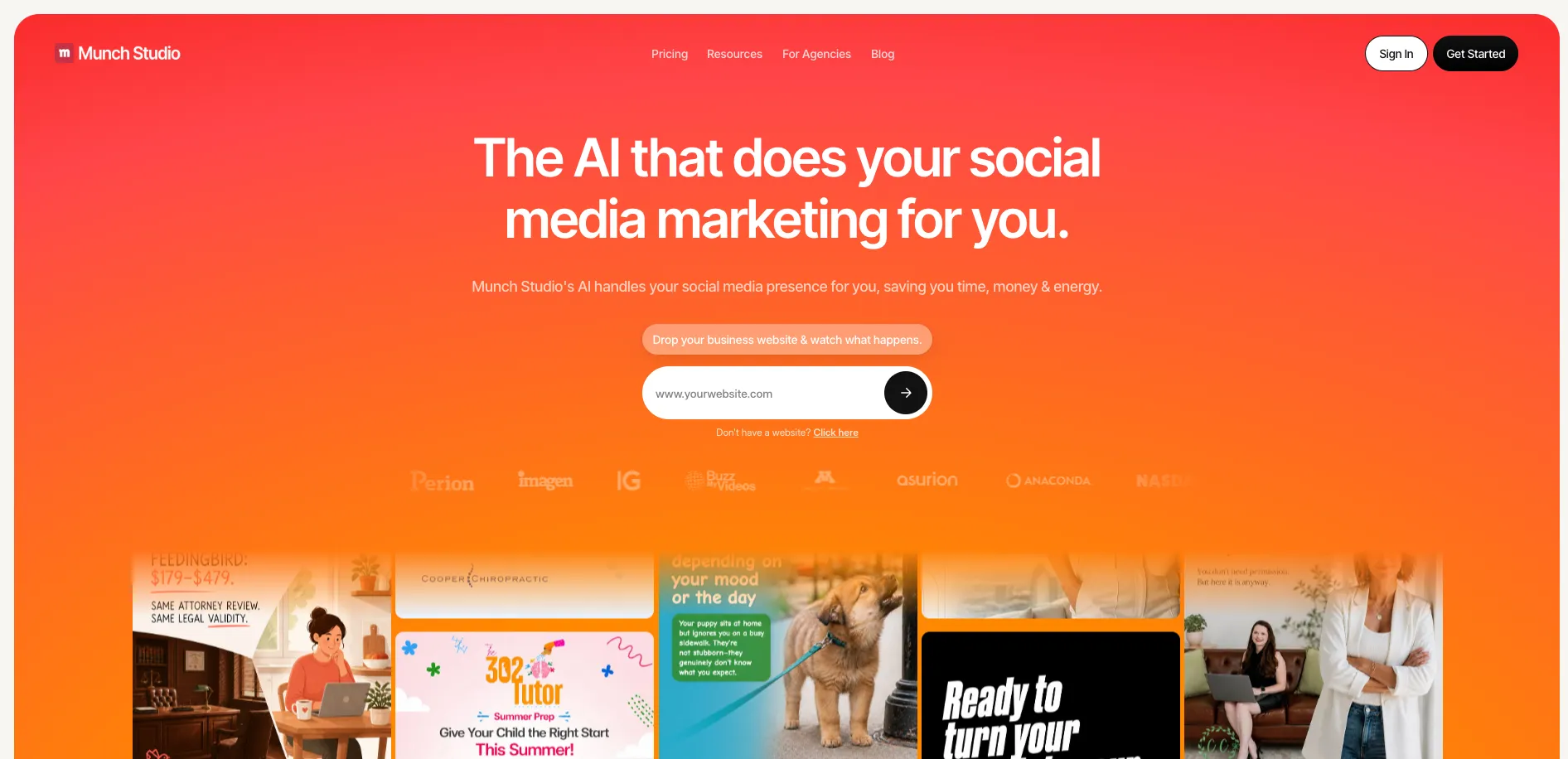
Munch Studio is your social media sidekick, designed to handle the daunting task of maintaining a vibrant online presence. This AI-driven tool tackles social media marketing with ease, offering an array of features that simplify content creation and posting. Ideal for businesses and individuals looking to save time, energy, and costs, Munch Studio takes the reins of your social media strategy while you stay focused on your core activities.
Munch Studio distinguishes itself with its ability to learn and replicate your brand's voice, creating content that feels genuinely yours. It doesn't just post content; it crafts and curates it to reflect your brand's personality, setting it apart in the crowded social media management space.
Munch Studio is a nifty tool for anyone looking to enhance their social media presence without the hassle. It takes the heavy lifting out of content creation and scheduling, allowing you to maintain a polished and consistent brand image with minimal effort. Whether you're a small business, an influencer, or just someone trying to keep up with the social media game, Munch Studio is ready to step in and make your online life a whole lot easier.
Who is Using Munch Studio?
Small Business Owners
Streamline their social media tasks and maintain a strong online presence.
Freelancers
Use it to manage multiple client accounts with ease.
Marketing Agencies
Leverage its capabilities for efficient content production and scheduling.
Influencers
Keep their followers engaged with consistent, high-quality content.
Uncommon Use Cases
Non-profits use it to spread awareness; Educational content creators employ it for course promotion.
Key Features
Rating Breakdown
Pricing Plans
Essential Plan
$48 per month
- Includes tailored content strategy, AI-generated content, 100 GB of storage, and 10 fresh ideas each week. Designed for boosting visibility with smart automation tools
Premium Plan
$75 per month. Expands to 1 TB of storage
- Unlimited fresh ideas
- Tailored strategy
- AI-generated content. Ideal for teams aiming for full-scale growth with more power and expert support
Which Munch Studio plan should you pick?
Start with Essential for one brand and one owner; upgrade to Premium for unlimited team members, or Studio and Scale for multi-brand operations.
Essential
Good for a single brand owner who needs core social content, 500 video-repurposing minutes monthly, 5 weekly scripts, and 10 generated videos monthly.
Premium
Good for a single-brand team that needs unlimited team members, unlimited video scripts, 1,000 repurposing minutes monthly, and 30 generated videos monthly.
Studio
Good for agencies or organizations managing up to 5 brands with multi-user access and higher content quotas.
Scale
Good for larger multi-brand operations managing up to 15 brands with the highest listed quotas.
Munch Studio Use Cases
Generate branded social content
Add a website, videos, photos, or Zoom recordings so Munch Studio can create posts and a custom content strategy.
Outcome: A ready-to-review stream of on-brand social content.
Schedule social publishing
Approve favorite posts and schedule them across connected social accounts.
Outcome: A consistent publishing calendar with less manual posting.
Repurpose long-form video
Use video repurposing and generated-video allowances to turn source content into social-ready outputs.
Outcome: More short-form content from existing video assets.
Manage multiple client brands
Create separate brands with isolated projects, content, settings, and connected social accounts.
Outcome: One organized workspace for agency or multi-location marketing.
Measure social performance
Use the performance dashboard to monitor how posts perform across social platforms.
Outcome: Cross-platform visibility into reach and engagement.
Workflow Ideas with Munch Studio
Website-to-social publishing workflow
- 1Add your business website and supporting media.
- 2Review the generated content strategy and posts.
- 3Approve favorites and schedule them to connected social accounts.
Brand refresh workflow
- 1Open Brand Settings.
- 2Update the logo, colors, tone, audience reach, or business description.
- 3Save changes and review the newly generated batch of content.
Agency multi-brand workflow
- 1Open Manage Brands and create a brand for each client or business line.
- 2Connect the appropriate social accounts and configure each brand.
- 3Switch between brand workspaces to review content and publishing calendars.
How Munch Studio fits into your stack
Browser
Munch Studio is a web-based workspace for creating posts, editing captions and visuals, scheduling content, connecting social accounts, and reviewing performance.
Team chat and tickets
Munch Studio supports shared brand work through multi-user accounts with Owner, Admin, Publisher, and Member roles, including invitations and permission controls.
Automation and APIs
The product automates social publishing, scheduling, and performance tracking across connected Instagram, TikTok, Facebook, LinkedIn, and YouTube accounts. Munch also advertises API and developer support for integration partners.
Knowledge and files
Users upload images, videos, and other brand materials into the content workspace; uploaded assets can be reused in posts and long-form videos can be repurposed into short clips.
Pros
- +Time Saver: Allows you to manage social media in just minutes a week.
- +Consistency: Ensures a cohesive brand presence across multiple platforms.
- +Cost-Effective: Reduces the need for expensive social media agencies or tools.
- +User-Friendly: Intuitive interface that even social media novices can navigate with ease.
Cons
- −Initial Setup: Requires some time to set up brand voice and style preferences.
- −Platform Limitations: May not yet support all social media platforms.
- −Customization Limits: Some users might find customization options limited for highly specific brand needs.
Limitations & when to consider alternatives
Known limitations
- Usage is quota-based. Plans limit brands, storage, video-repurposing minutes, scripts, generated videos, and other feature usage.
- The Essential plan supports one owner. The plan comparison lists one team member, identified as the owner, for Essential.
- Team access varies by plan. Unlimited team members are listed for Premium and higher multi-brand plans, while lower tiers have more limited access.
- Resetting an account deletes current work. The help center warns that resetting the account deletes the current strategy and content.
- Trial access converts to paid service. The terms describe limited trials for paid plans that may automatically convert to a paid subscription after the trial ends.
Look elsewhere when
- You need a native mobile app.
- You need documented API endpoints and developer keys.
- You need code generation.
- You need SSO or SAML.
How to Use Munch Studio
- 1
Add your business information
Enter your website and add videos, photos, or Zoom recordings so Munch Studio can learn your business and brand.
- 2
Configure your brand
Review or edit brand colors, logo and media, tone, audience reach, and business description.
- 3
Review generated content
Inspect the generated posts, scripts, videos, posters, carousels, and content strategy.
- 4
Connect social accounts
Choose supported social platforms and connect the accounts for publishing.
- 5
Approve and schedule
Select content you want to use, edit it if needed, and schedule or publish it.
- 6
Monitor performance
Use the performance dashboard to review reach and engagement across connected platforms.
Who is Munch Studio For?
Small business owners
Munch Studio handles social content creation, scheduling, publishing, and performance tracking for businesses with limited marketing time.
Marketing agencies
Multi-brand plans provide separate workspaces for client brands, each with its own strategy, tone, content queue, and social accounts.
Realtors
Munch Studio lists realtors among the business types using its done-for-you social media marketing.
Personal trainers and gyms
The site names personal trainers and gyms as target business users for consistent social content.
Restaurants, salons, and local services
Restaurants, salons and barbers, chiropractors, churches, coaches, consultants, and local home services are listed audiences.
Frequently Asked Questions
What is Munch Studio and how does it work?
Munch Studio learns from a business website and media, creates branded social posts and strategy, schedules publishing, and tracks performance.
Which social platforms does Munch Studio support?
The pricing page lists Instagram, Facebook, LinkedIn, YouTube, and TikTok.
Do I need to write or design anything myself?
Munch Studio generates posts, posters, carousels, scripts, and videos, while users can approve, edit, and publish favorites.
Can I customize the content Munch Studio creates?
Users can modify brand colors, logos and media, brand tone, audience reach, and business description.
Can multiple people use Munch Studio?
Multi-Brand & Multi-User supports multiple team members, roles, shared account access, and separate brand workspaces.
What happens when I reach a plan limit?
Munch explains that account limits cover brands, storage, usage, and feature quotas; users may need to upgrade or contact the account owner.
Community reviews
Be the first to share your experience.
Sign in to leave a review for Munch Studio.
Munch Studio Alternatives
Looking for alternatives to Munch Studio? Here are similar tools in the same category:
Learn to Master Munch Studio
With Skill Leap courses
Get in-depth training on Munch Studio and 50+ other AI tools with our expert-led video courses.
Start 7-Day Free Trial