
MYPEAS.ai
AI roadmaps tailored to any job description.
Key Takeaways
- What it is
- AI roadmaps tailored to any job description.
- Best for
- AI-Powered Workflow Optimization
- Actionable AI Roadmaps
- Intelligent Analysis and Insights
What is MYPEAS.ai?
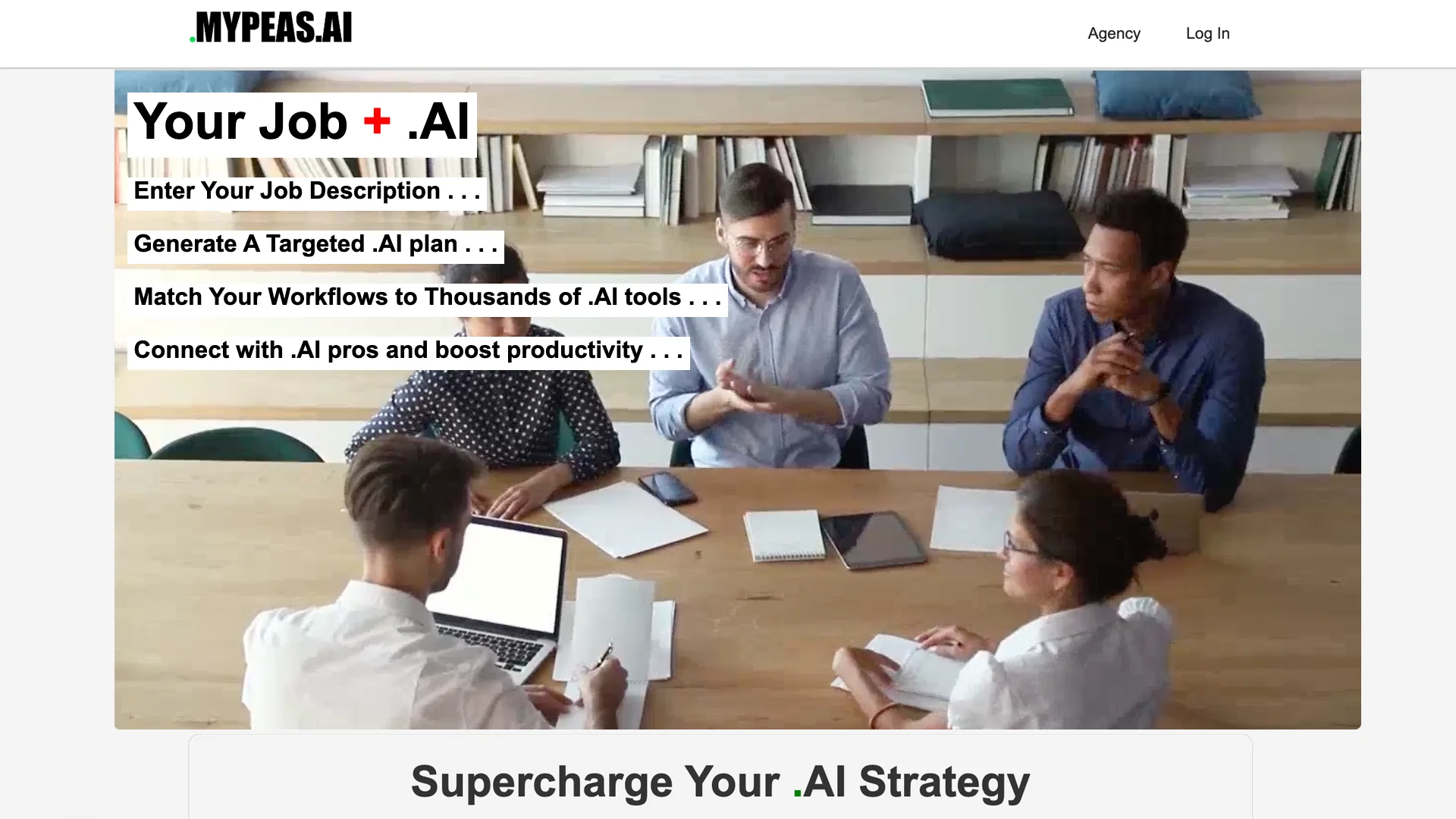
MYPEAS.AI is a cutting-edge platform that generates personalized AI roadmaps from any job description, empowering businesses to unlock the full potential of AI within their teams. Whether you’re a small business or a large enterprise, MYPEAS.AI offers a simple and effective way to integrate AI into your workflows, ensuring seamless automation and enhanced productivity.
MYPEAS.AI differentiates itself by transforming detailed job descriptions into personalized AI roadmaps, providing businesses with a clear, step-by-step strategy for integrating AI into their operations. What truly sets MYPEAS.AI apart is its intelligent analysis that pinpoints automation opportunities specific to each role, combined with access to a network of AI experts for tailored support. This comprehensive approach ensures that AI adoption is not only simplified but also highly targeted and actionable.
MYPEAS.AI is a powerful platform for AI-driven workflow optimization, making it a vital tool for industries seeking to boost efficiency and streamline operations. By converting job descriptions into actionable AI strategies, MYPEAS.AI simplifies the often-complex process of AI adoption. Its unique combination of workflow analysis, tailored AI recommendations, and expert guidance gives businesses an unmatched advantage in uncovering hidden opportunities for automation and productivity gains.
Who is Using MYPEAS.ai?
Healthcare Providers
Using AI to optimize administrative workflows, such as scheduling, and identifying automation opportunities in clinical tasks.
Professional Services
Enhancing service delivery by automating routine tasks and identifying AI tools to improve client interactions.
Technology Companies
Innovating product development with AI recommendations, helping teams optimize research and engineering workflows.
Uncommon Use Cases
Educational institutions are using MYPEAS.AI to teach AI concepts and explore automation, while non-profits are applying AI to improve operational efficiency.
Key Features
Pricing Plans
Track Impact
- Track up to 5 AI implementations
- Log time saved and outcomes
- Basic text report
Track Impact Pro
- Everything in Free
- Unlimited AI implementations
- PDF reports with visual charts
- AI-generated executive summary
- KPI linking and tracking
- Unlimited evidence attachments
AI Profiles — one-time purchase
- A pre-built AI strategy for your exact role
- Buy once, keep forever
Team Seat — Monthly
- All Track Impact Pro features per member
- Centralised admin billing
- Invite & remove members instantly
- Team analytics dashboard
- CSV export and team PDF reports
- Department tagging and leaderboard
Team Seat — Annual
- Everything in Team Monthly
- 21% saving vs monthly billing
- Priority support
Which MYPEAS.ai plan should you pick?
Start with Track Impact Free for basic personal tracking, upgrade to Track Impact Pro for unlimited tracking and advanced reports, or choose a Team Seat for centralized administration and analytics.
Track Impact
Good for individuals who need free tracking of up to five AI implementations and a basic report.
Track Impact Pro
Good for individuals who need unlimited implementations, PDF reports, AI-generated insights, KPI tracking, and evidence attachments.
Team Seat — Monthly
Good for organizations that need centralized billing, member management, team analytics, and leadership exports.
Team Seat — Annual
Good for committed teams that want the Team Seat features with annual billing savings and priority support.
AI Profiles — one-time purchase
Good for users who want a pre-built, role-specific AI strategy with recommended tools, workflows, and prompts.
MYPEAS.ai Use Cases
Performance reviews
Log AI tools, workflows, outcomes, and time savings.
Outcome: Create evidence-based reports showing AI adoption and impact.
Promotion cases
Track productivity improvements and measurable AI-assisted results.
Outcome: Demonstrate increased productivity with documented metrics.
Job interviews
Build an AI portfolio containing tracked tools, workflows, and achievements.
Outcome: Show prospective employers concrete AI experience.
Personal growth
Review which AI tools and workflows are being used effectively.
Outcome: Identify opportunities to expand AI adoption.
Organizational AI adoption
Invite team members and aggregate activity, tool usage, departments, and time savings.
Outcome: Give leadership an organization-wide view of AI adoption and value.
Workflow Ideas with MYPEAS.ai
Document an AI win
- 1Select or add the AI tool used
- 2Record the task or workflow completed
- 3Estimate time saved and save the impact entry
Build a role-specific AI roadmap
- 1Search for your job title
- 2Review recommended tools, tasks, and automation scores
- 3Unlock the profile or create a custom profile
Prepare a performance-review report
- 1Log AI implementations and outcomes over time
- 2Attach supporting evidence on a Pro plan
- 3Generate and export the relevant report
How MYPEAS.ai fits into your stack
Browser
A web dashboard where individuals log AI tools, workflows, time saved, outcomes, evidence, and review-ready reports.
Knowledge and files
Users can attach evidence to tracked AI implementations and include that evidence in professional reports.
Team analytics
Team administrators use a browser dashboard to view adoption, departments, leaderboards, tool usage, automation potential, and exports.
Pros
- +Efficiency Enhancement: MYPEAS.AI helps businesses reduce time spent on manual tasks, enabling teams to focus on more strategic, high-impact work.
- +Tailored AI Solutions: The platform personalizes AI roadmaps based on unique job roles and industry requirements, ensuring that the right tools are matched to each task.
- +Expert Guidance: Users can connect with experienced AI professionals for customized guidance, ensuring the successful deployment of AI solutions.
- +Scalable for All Businesses: Whether you’re a startup or a large enterprise, MYPEAS.AI offers scalable AI solutions that grow with your business.
Cons
- −Initial Learning Curve: New users may need some time to get accustomed to the platform’s features and capabilities, especially those unfamiliar with AI tools.
- −Limited Free Features: While MYPEAS.AI offers a free tier, access to advanced features and in-depth insights requires upgrading to a paid plan.
- −Potential Integration Hurdles: Some users may face challenges when integrating MYPEAS.AI with older or legacy systems that are not AI-ready.
Limitations & when to consider alternatives
Known limitations
- Free tier limits tracking volume. The Free plan supports up to five AI implementations.
- Advanced reporting requires Pro. PDF reports with charts, AI-generated insights, KPI linking, and unlimited evidence attachments are Pro features.
- Team members do not share individual dashboards. Members see only their own data; aggregated visibility is reserved for team administrators.
- Marketplace profiles are separate purchases. AI Profile Marketplace access is sold as a one-time purchase and is separate from Track Impact subscriptions.
Look elsewhere when
- You need a developer API.
- You need native mobile or desktop apps.
- You need workflow automation across external services.
How to Use MYPEAS.ai
- 1
Create an account
Sign up through the MYPEAS.AI account flow, then verify your email to access the platform.
- 2
Find your role
Search for your job title to find a relevant AI implementation profile and role-specific recommendations.
- 3
Log AI usage
Record the AI tool, task or workflow, time saved, outcomes, and other impact details.
- 4
Add evidence
Attach supporting evidence when using Track Impact Pro to strengthen your performance-review record.
- 5
Generate reports
Use basic text reports on the free plan or professional PDF reports and AI-generated summaries on Pro.
- 6
Set up team tracking
Choose a Team Seat, invite members, and use the admin dashboard to review aggregated adoption, departments, and value.
Who is MYPEAS.ai For?
Seasoned executives
MYPEAS.AI positions its role-based AI strategies and impact tracking as support for optimizing operations and measuring organizational AI adoption.
Mid-career professionals
The platform helps professionals stay competitive by identifying relevant AI tools and documenting measurable productivity gains.
People starting their careers
Role profiles and AI roadmaps help early-career users build future-proof AI skills.
Teams and organizations
Team plans provide centralized billing, member invitations, organizational analytics, department breakdowns, and leadership reports.
Frequently Asked Questions
What is TrackImpact?
TrackImpact is an AI implementation platform for adopting AI in workflows, using role-based strategies, KPIs, tasks, and impact tracking.
How do I get started?
Search for your job title, review available AI implementation profiles, and begin tracking your AI usage. The free tier supports up to five tracked items.
What are AI Implementation Profiles?
They are pre-built strategies showing which AI tools and techniques are relevant to specific job roles, including task recommendations and impact estimates.
Can I tailor a profile to my exact role?
Yes. Purchase a marketplace profile and upgrade to Track Impact Pro to add custom KPIs and tasks.
Is Track Impact really free?
Yes. The free tier supports up to five AI implementations, time-savings logs, and a basic text report.
Can members see each other's data?
No. Each member sees their own dashboard and implementations; team admins see aggregated organizational data.
Community reviews
1 review from people who use MYPEAS.ai.
Sign in to leave a review for MYPEAS.ai.
Ade Molajo
MYPEAS.ai Alternatives
Looking for alternatives to MYPEAS.ai? Here are similar tools in the same category:
Learn to Master MYPEAS.ai
With Skill Leap courses
Get in-depth training on MYPEAS.ai and 50+ other AI tools with our expert-led video courses.
Start 7-Day Free Trial