
n8n
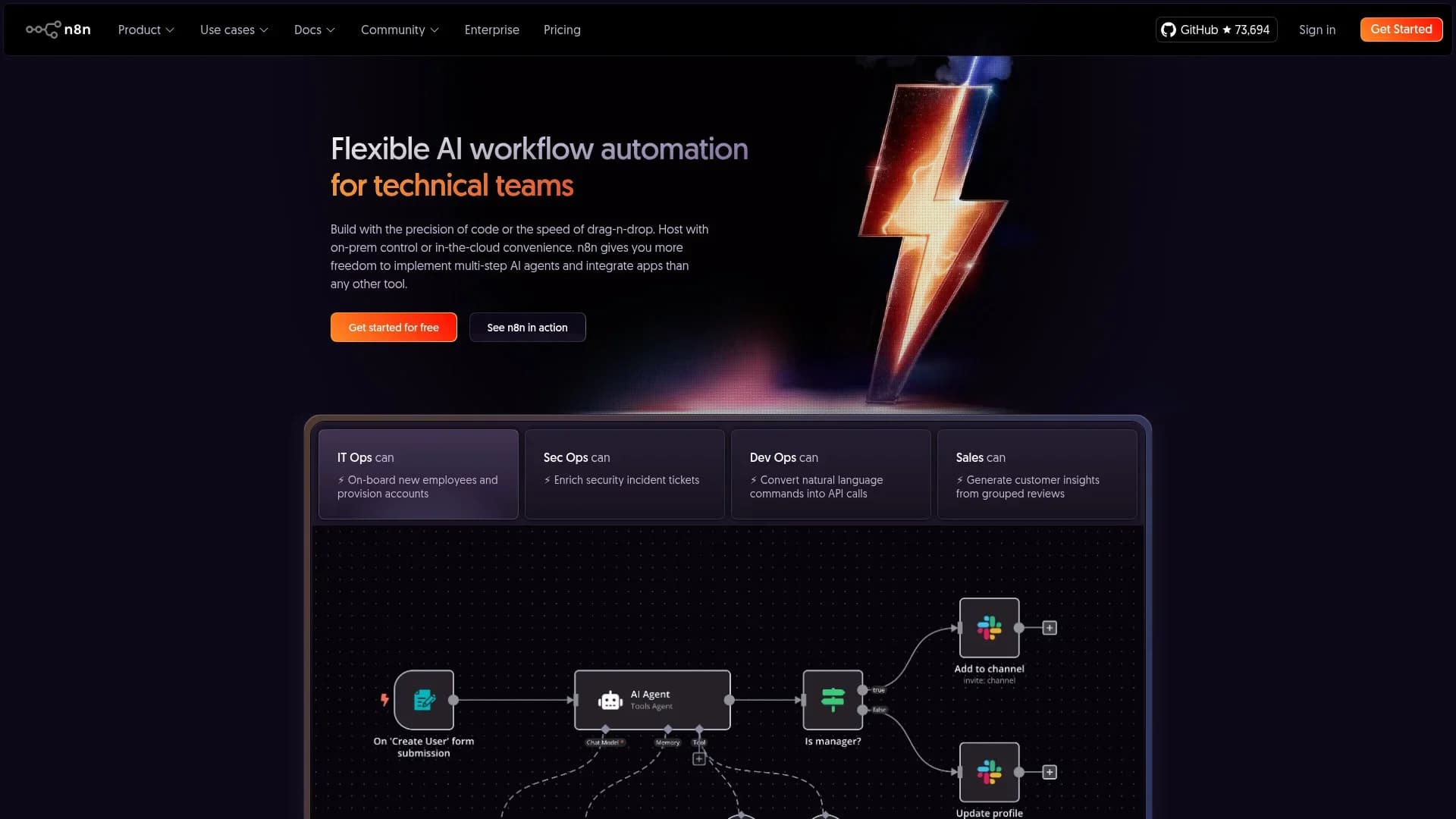
Build, inspect, and automate AI workflows visually.
Watch n8n in Action
Key Takeaways
- What it is
- Build, inspect, and automate AI workflows visually.
- Pricing
- Freemium · $24 per month · $60 per month · $960 per month
- Best for
- AI Agent Orchestration
- Model-Agnostic Setup
- Code + Visual Builder
- Rating
- 4.4/5
What is n8n?
n8n is a workflow automation platform built for teams that want to connect AI tools, business apps, and internal data in one place. It is especially useful for technical teams because it combines a visual builder with the option to add JavaScript or Python when extra control is needed. n8n can run in the cloud or on a company’s own servers, which makes it a strong fit for businesses that care about privacy, compliance, or keeping sensitive data in-house. Its main appeal is that it helps teams build AI agents and automated workflows that are easier to test, monitor, and manage in real business settings.
n8n stands out because it treats AI as part of a broader business workflow instead of as a separate chatbot tool. It gives teams a clearer view of how AI decisions, approvals, and integrations work together, while also offering the freedom to self-host and switch AI providers as needs change.
n8n gives technical teams a practical way to build AI workflows that connect to real systems and stay easy to audit. It is a strong choice for businesses that want flexibility, data control, and a clearer view of how automated decisions are made. For teams that need more than a basic automation tool, n8n has a lot to like.
Who is Using n8n?
DevOps Teams
For infrastructure alerts, deployment tasks, and internal tooling.
IT Operations Teams
For onboarding, access requests, and support workflows.
Security Teams
For incident enrichment, approval flows, and response automation.
Data and RevOps Teams
For syncing systems, enriching records, and routing leads.
Uncommon Use Cases
Used as a lightweight backend layer for small software products; used by research teams to manage experiments and labeling tasks.
Key Features
Rating Breakdown
Pricing Plans
Community Edition
Free
- Self-hosted
Starter
$24 per month
- 2.5k workflow executions, 1 shared project, 5 concurrent executions, unlimited users, and 50 AI Workflow Builder credits
Pro
$60 per month
- Custom workflow executions, 3 shared projects, 20 concurrent executions, 7 days of insights, admin roles, and 150 AI Workflow Builder credits
Business
$960 per month
- 40k workflow executions, 6 shared projects, SSO/SAML/LDAP, 30 days of insights, different environments, scaling options, and Git-based version control
Enterprise
- Unlimited shared projects, 200+ concurrent executions, 365 days of insights, external secret store integration, log streaming, extended retention, SLA-backed support, and invoice billing
Which n8n plan should you pick?
Start with Community Edition for free self-hosting, or Starter for hosted basics; upgrade to Pro for collaboration and history, Business for SSO and environments, and Enterprise for governance and scale.
Community Edition
Good for self-hosters who need a free n8n instance and control over deployment.
Starter
Good for individuals and small projects that need hosted n8n with one shared project.
Pro
Good for solo builders and small teams who need more shared projects, workflow history, execution search, and admin roles.
Business
Good for companies needing self-hosted collaboration, SSO, SAML, LDAP, environments, scaling, and Git-based version control.
Enterprise
Good for organizations needing unlimited shared projects, extended retention, external secrets, log streaming, dedicated support, and governance.
n8n Use Cases
Client onboarding
Capture leads, validate submissions, enrich records, create CRM entries, schedule calls, send reminders, and deliver welcome materials.
Outcome: A coordinated client lifecycle with fewer manual handoffs.
IT helpdesk automation
Categorize, triage, escalate, and route support tickets while answering common questions through connected AI agents.
Outcome: Faster ticket handling and less repetitive work.
Employee lifecycle management
Automate onboarding and offboarding actions such as account provisioning, access changes, and credential handling.
Outcome: More consistent employee administration.
AI document processing
Receive documents or images, extract information with AI or OCR services, summarize results, and route outputs to business systems.
Outcome: Structured data and downstream actions from unstructured files.
Cross-application synchronization
Move and transform data between applications such as Google Sheets, Notion, Slack, Gmail, HubSpot, and calendars.
Outcome: Connected systems without manually copying data.
Workflow Ideas with n8n
Lead intake to onboarding
- 1Receive a form submission through a webhook
- 2Validate and enrich the lead, then write it to Airtable and Notion
- 3Schedule follow-ups, send reminders, and create onboarding tasks
AI document intake
- 1Receive a document or image from a form, chat, or storage service
- 2Extract text or structured fields using an AI or OCR node
- 3Send the result to a CRM, spreadsheet, email, or team channel
Support ticket triage
- 1Trigger when a new ticket or email arrives
- 2Fetch customer context and classify or summarize the request
- 3Create a draft response or route the issue for human review
How n8n fits into your stack
Browser
n8n Cloud is used through its web-based workflow editor, while self-hosted instances expose the same interface through a browser.
Automation and APIs
n8n sits between applications, APIs, webhooks, queues, and databases to orchestrate multi-step workflows. It includes built-in integrations, HTTP and GraphQL requests, webhooks, and a public API.
Knowledge and files
Workflows can receive, store, transform, and route binary files, and can connect document-processing and AI nodes for file analysis.
Team chat and tickets
n8n can connect collaboration and support systems such as Slack, Discord, Gmail, Zendesk, Jira, and Trello into automated workflows.
Pros
- +Built for Real Operations: Includes retries, logging, and error handling that help workflows hold up outside a demo.
- +No Vendor Lock-In: Teams can change model providers without rebuilding their whole setup.
- +Strong Data Control: Self-hosting makes it easier to keep sensitive information on internal systems.
- +Flexible for Developers: The mix of visual blocks and code works well for teams that want speed without losing control.
- +Helpful Community: A large library of templates and a strong developer community make setup easier.
Cons
- −Takes Time to Learn: New users may need time to get comfortable with its logic and workflow structure.
- −Self-Hosting Adds Work: Companies that deploy it themselves must handle updates, backups, and scaling.
- −Plan Details Need Attention: Execution limits, concurrency, and AI credits can take some planning.
Limitations & when to consider alternatives
Known limitations
- Cloud API access is not included in the free trial. The public API is unavailable during the free Cloud trial. Paid Cloud plans or self-hosted Community Edition provide API access.
- Collaboration is plan-dependent. Workflow sharing is available on Pro and Enterprise Cloud plans and Enterprise self-hosted plans.
- Cloud resources vary by plan. Cloud workspaces have plan-specific memory and CPU limits, which can cause errors when workflows process large amounts of data.
- Large uploaded files have operation limits. The OpenAI file upload operation documents a maximum individual file size of 512 MB or 2 million tokens for Assistants.
- Desktop development has ended. n8n stopped developing its Desktop version and focuses on Cloud and self-hosted deployment options.
Look elsewhere when
- You need an official native mobile app.
- You need a maintained desktop installer.
- You need built-in model fine-tuning.
How to Use n8n
- 1
Choose Cloud or self-hosting
Select a hosted plan for managed access, or deploy Community Edition yourself when you need infrastructure control or a free option.
- 2
Create credentials
Connect the accounts and API credentials for the services your workflow will use, such as Gmail, Slack, Notion, Google Sheets, or OpenAI.
- 3
Build the trigger
Start with a webhook, schedule, app trigger, form, or manual trigger that defines when the workflow runs.
- 4
Add processing and actions
Chain nodes for validation, transformation, code, AI processing, database updates, notifications, and external API calls.
- 5
Test and inspect executions
Run the workflow, review node outputs and execution history, then retry failed executions or adjust the workflow.
- 6
Share or deploy
Use projects and workflow sharing for teams, or use environments and Git-based source control when deploying across development and production instances.
Who is n8n For?
Technical teams
n8n is positioned as a workflow automation platform for technical teams that need control, integrations, and extensibility.
IT operations teams
ITOps teams can automate helpdesk, ticketing, employee lifecycle, alerts, incidents, infrastructure, and compliance processes.
Agencies and service providers
Agencies can automate client intake, proposals, onboarding, communication, project setup, and CRM synchronization.
Consultancies
Consultancies can turn client requests into structured projects with assigned resources and automated coordination.
Freelancers and creators
Freelancers and creators can use AI-assisted workflows for proposals, communications, onboarding, and content operations.
Frequently Asked Questions
Can I use n8n for free?
Yes. n8n offers a free, self-hosted Community Edition. Cloud Starter and Pro plans offer free trials, but those are time-limited.
How is n8n pricing calculated?
Pricing is based on monthly workflow executions. An execution is one complete run of a workflow, regardless of its number of steps.
Can multiple users collaborate in n8n?
Yes. Supported plans provide shared projects, workflow sharing, users, roles, and permissions for viewing, editing, running, and reviewing workflows.
Does n8n provide an API?
n8n provides a public API for controlling and managing an n8n instance. Cloud API access is available on paid plans, while self-hosted Community Edition also provides API access.
Where is hosted n8n data stored?
Hosted-plan data is stored in the EU on servers located in Frankfurt, Germany. Self-hosted data is stored wherever the instance is deployed.
What does n8n use AI for?
n8n supports AI agents, LangChain workflows, RAG, AI Assistant features, model integrations, file operations, and multimodal automation.
Community reviews
Be the first to share your experience.
Sign in to leave a review for n8n.
n8n Alternatives
Looking for alternatives to n8n? Here are similar tools in the same category:
Learn to Master n8n
With Skill Leap courses
Get in-depth training on n8n and 50+ other AI tools with our expert-led video courses.
Start 7-Day Free Trial