Nexus - Clay
AI-driven relationship manager automating and enhancing your networking.
Key Takeaways
- What it is
- AI-driven relationship manager automating and enhancing your networking.
- Pricing
- Freemium
- Best for
- Automated Contact Management
- AI-Powered Insights
- Cross-Platform Accessibility
- Rating
- 4.6/5
What is Nexus - Clay?
Clay is an innovative personal relationship manager that goes beyond traditional CRM systems. Designed to streamline and improve networking, Clay offers a comprehensive suite of features that help organize, enrich, and update both professional and personal networks automatically. It’s an essential tool for executives, recruiters, freelancers, and anyone looking to maintain meaningful connections and seize opportunities.
Clay distinguishes itself with its AI-powered relationship management, automating processes and providing actionable insights. Its ability to synchronize and enrich network data across multiple platforms makes it a game-changer for those looking to network thoughtfully and efficiently.
Clay redefines relationship management by combining automation with intelligent insights. Its robust features and AI-driven capabilities make it an essential tool for anyone looking to enhance networking efficiency and effectiveness. Whether you're managing an extensive network or just starting, Clay offers the tools and support you need to succeed.
Who is Using Nexus - Clay?
Executives
Efficiently manage relationships and network strategically.
Recruiters
Easily maintain and grow talent networks.
Freelancers
Track clients and collaborators to ensure ongoing engagement.
Creatives
Manage project collaborators and contacts seamlessly.
Uncommon Use Cases
Adopted by hospitality professionals for guest relations and educators to maintain connections with alumni and industry partners.
Key Features
Rating Breakdown
Pricing Plans
Free Tier
Free
- Offers a free trial to explore the features of Clay
Which Nexus - Clay plan should you pick?
Start with Personal for basic network management, upgrade to Pro for unlimited contacts, Team for shared relationship management, or Enterprise for larger deployments and SAML SSO.
Personal
Good for individuals who need core relationship management and up to 1000 contacts.
Pro
Good for individuals who need unlimited contacts, CSV imports, and faster network-data refreshes.
Team
Good for small teams that need shared contacts, data enrichment, admin controls, and custom organizational setup.
Enterprise
Good for larger organizations needing unlimited team members, extensive imports, SOC 2 Type II coverage, dedicated support, and SAML SSO.
Nexus - Clay Use Cases
Find the right connection
Ask Nexus who in your network has relevant experience, works at a company, or can help with a topic.
Outcome: Identify useful contacts faster.
Prepare outreach
Use Nexus for reasons to reconnect and ideas for an outreach email.
Outcome: Make follow-up more relevant and personal.
Make introductions
Search your network to identify people who can make or receive valuable introductions.
Outcome: Uncover relationship opportunities.
Plan events
Use network context to find attendees and organize people for dinners or other events.
Outcome: Host better-targeted events.
Organize relationship data
Ask Nexus to add notes and create groups for contacts.
Outcome: Keep relationship information structured.
Workflow Ideas with Nexus - Clay
Research and outreach workflow
- 1Ask Nexus to find relevant people in your network.
- 2Review relationship context and prior interactions.
- 3Ask Nexus for outreach ideas or an email draft.
Relationship organization workflow
- 1Ask Nexus to identify contacts matching a theme.
- 2Have Nexus create a group for those contacts.
- 3Ask Nexus to add notes or update group membership.
Automated follow-up workflow
- 1Connect Mesh to Zapier.
- 2Trigger a Zap when a contact or activity is added.
- 3Send a follow-up email or create a task in another application.
How Nexus - Clay fits into your stack
Browser
Mesh runs as a web app and browser extension, placing contact profiles, notes, and reminders in a sidebar while browsing.
Desktop / IDE
Dedicated macOS and Windows applications provide a desktop home for the relationship database and Nexus workflows.
Automation and APIs
Teams and Enterprise customers can use the documented API, while native Notion, Zapier, and Make integrations connect Mesh with external workflows.
Knowledge and files
Mesh imports contact data from spreadsheets and CSV files and can synchronize relationship information with Notion.
Pros
- +Time Efficiency: Automates contact updates and reminders, saving hours each week.
- +Enhanced Engagement: Intelligent prompts and insights ensure you never miss a key relationship update.
- +Cross-Platform Support: Access your contacts and insights from multiple devices, ensuring seamless management wherever you are.
- +User-Friendly Interface: The minimalist design makes the platform easy to navigate and use.
Cons
- −Initial Learning Curve: Users may need some time to explore and fully understand all features.
- −Limited Customization: Some users might find the customization options less flexible compared to traditional CRM tools.
Limitations & when to consider alternatives
Known limitations
- AI features are opt-in. Nexus and other AI features must be enabled by the user before Mesh data is processed by the AI infrastructure.
- At least one connected account is required. Mesh states that users must connect at least one external account for the product to be useful.
- Windows is a technical preview. The Windows app is described as a limited beta technical preview.
- Mac App Store build has integration restrictions. The Mac App Store version does not include iMessage and Phone Calls integrations.
- Free plan has a contact limit. The Personal plan supports up to 1000 contacts; unlimited contacts require Pro.
Look elsewhere when
- You need a public developer API with API keys and endpoints.
- You need model fine-tuning on your private data.
- You need image analysis, document processing, or code generation.
How to Use Nexus - Clay
- 1
Create or access your Mesh account
Start with the Personal plan or choose a paid plan if you need expanded contact limits and team features.
- 2
Connect relationship sources
Connect email, calendar, social, messaging, or other supported sources so Mesh can build a fuller network context.
- 3
Ask Nexus a network question
Use natural-language questions to find people by role, company, location, experience, or relationship history.
- 4
Refine the conversation
Ask follow-up questions to explore additional contacts or clarify the best matches.
- 5
Take action on the results
Have Nexus add notes, create groups, or help plan outreach and introductions.
- 6
Connect external workflows
Use MCP with Claude or Zapier with tools such as Notion, Slack, Mailchimp, and Gmail-related workflows.
Who is Nexus - Clay For?
Salespeople
Nexus helps salespeople deepen relationships with key clients and identify relevant contacts faster.
Freelancers
Freelancers can use Nexus to manage relationships with multiple stakeholders.
Small-business owners
Small-business owners can use Nexus to manage vendor relationships and their broader network.
Executive assistants
Mesh for Teams is positioned for executive assistants who need to organize and navigate company relationships.
Executives and business-development teams
The team product supports network search, relationship intelligence, and strategic introductions.
Frequently Asked Questions
What is Nexus?
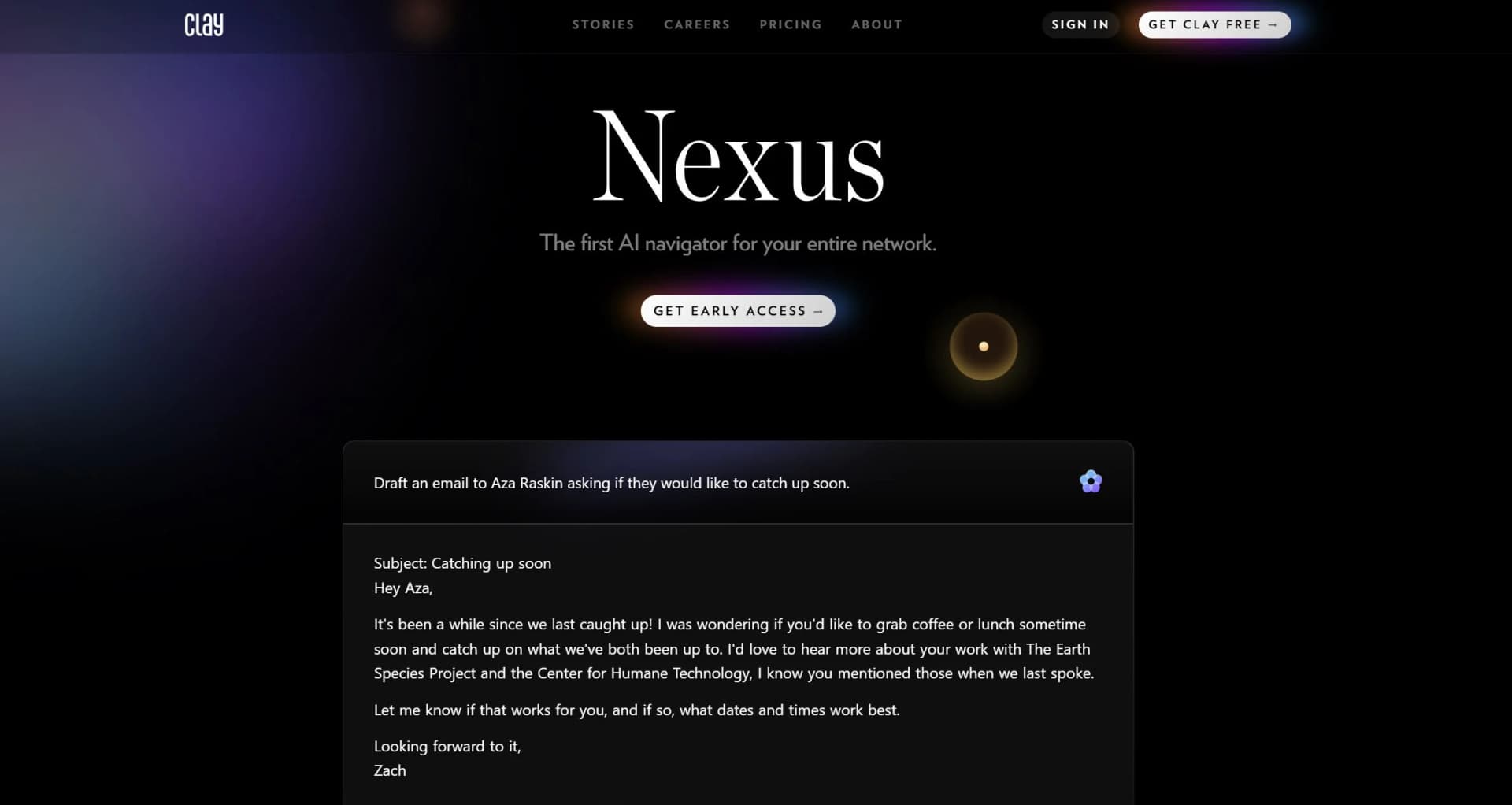
Nexus is an AI navigator for your network. It answers questions about relationships and helps with outreach, introductions, and contact organization.
What can Nexus do?
Nexus can search your network, answer follow-up questions, add notes, create groups, and provide outreach or gift ideas.
Which platforms support Nexus?
Nexus is available across web, desktop, and iOS through Mesh.
Does Nexus use my data to train models?
No. The company states that Nexus and Mesh do not use customer data to train their models.
Can Nexus work with other AI assistants?
Mesh provides an MCP integration that connects the network to AI assistants such as Claude.
Is there a free plan?
The Personal plan is free and supports up to 1000 contacts.
Community reviews
Be the first to share your experience.
Sign in to leave a review for Nexus - Clay.
Nexus - Clay Alternatives
Looking for alternatives to Nexus - Clay? Here are similar tools in the same category:
Learn to Master Nexus - Clay
With Skill Leap courses
Get in-depth training on Nexus - Clay and 50+ other AI tools with our expert-led video courses.
Start 7-Day Free Trial