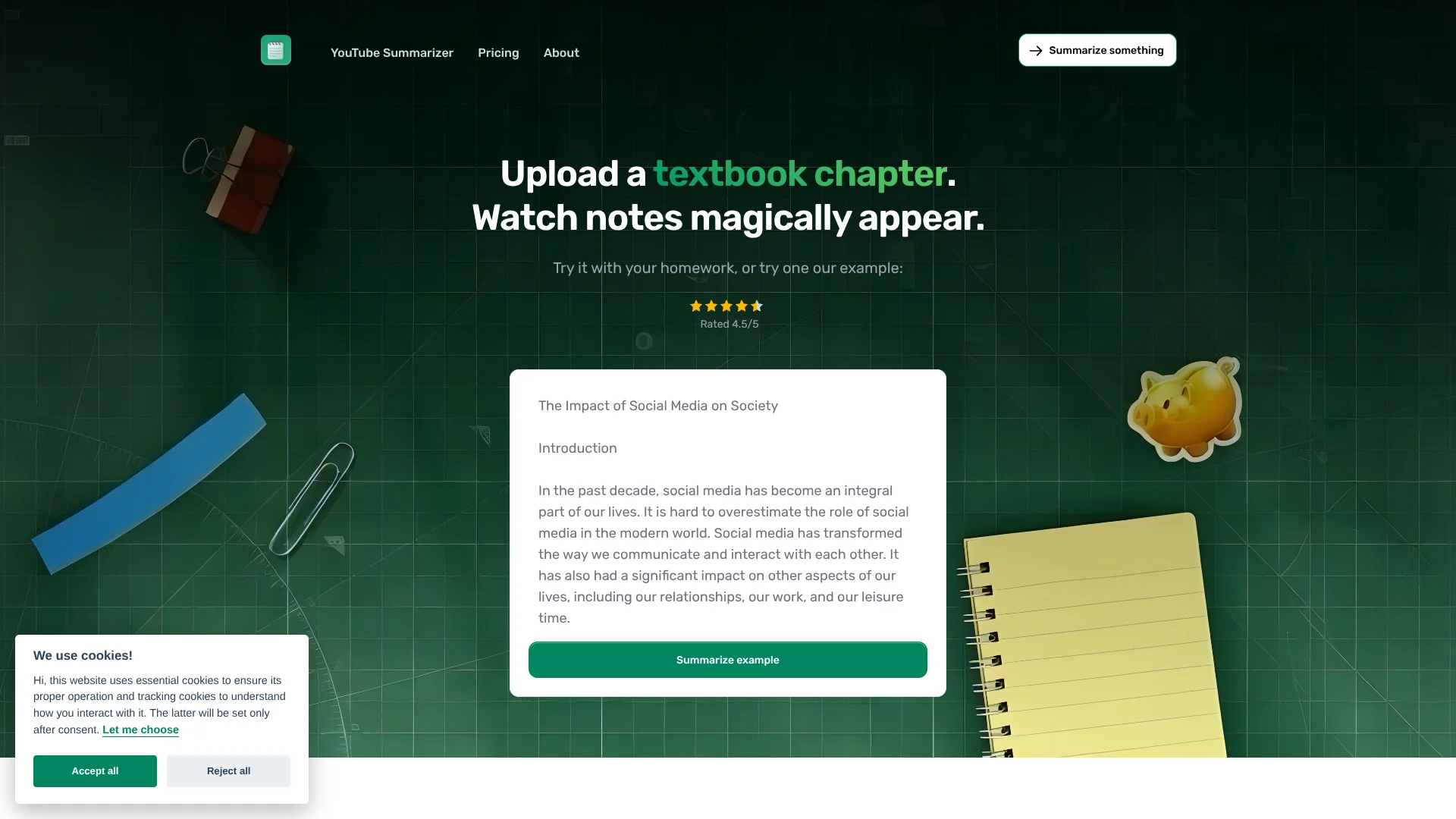
Notedly.ai
Turn assigned readings and lectures into structured notes for students.
Key Takeaways
- What it is
- Turn assigned readings and lectures into structured notes for students.
- Pricing
- Freemium · $9.99 per month · $24.99 per month
- Best for
- Three note formats
- YouTube study notes
- Live lecture notes
- Rating
- 4.1/5
What is Notedly.ai?
Assigned chapters, articles, and lecture videos can become study notes in standard, Cornell, or outline format with Notedly. Built for students managing reading-heavy classes, it also lets them ask follow-up questions about their notes. A free account includes 10,000 words per month, and the first summary does not require an account.
For live classes, Premium Plus can record through a browser microphone and build notes in the chosen format while the lecture is happening, saving them alongside reading and YouTube notes.
Notedly fits students who want organized notes from coursework and a way to review key ideas. It is less suited to studying with flashcards or visual details: figures and charts may not appear in notes, so check the original material.
Who is Using Notedly.ai?
College students
A heavy weekly reading load becomes shorter, structured notes to review before class or exams.
Research paper writers
Article notes help identify an argument, key terms, and evidence before returning to the source.
Students in lecture-heavy courses
YouTube summaries or Premium Plus live notes help capture lecture ideas in a study format.
Students preparing for exams
Cornell notes and Premium practice quizzes provide material for recall and review.
Uncommon Use Cases
Summarizing assigned long-form news for class discussion; turning a photo of a printed textbook page into notes on Premium.
Key Features
Rating Breakdown
Pricing Plans
Free
Free
- First summary needs no account
- 10,000 words per month
- Paste text, web articles, and YouTube links
- Standard, Cornell, and outline notes
Premium
$9.99 per month
- Or $49.99 per year
- 500,000 words per month
- PDF, image, and lecture recording uploads
- Generate practice quizzes
Premium Plus
$24.99 per month
- Or $129.99 per year
- 1,000,000 words per month
- Includes Premium features
- Access to deep research and live lecture notes
Which Notedly.ai plan should you pick?
Start with Free for occasional readings, choose Premium for more monthly words and uploads, and upgrade to Premium Plus if you need live lecture notes or deep research.
Free
Good for students trying notes from text, web articles, and YouTube within a 10,000-word monthly limit.
Premium
Good for regular coursework that needs a higher word allowance, file uploads, or practice quizzes.
Premium Plus
Good for students who need live lecture notes, deep research, and a 1,000,000-word monthly allowance.
Notedly.ai Use Cases
Review a textbook chapter
A long reading becomes standard, Cornell, or outline notes for a faster study session.
Outcome: Organized notes in a selected format.
Prepare from a YouTube lecture
A public lecture video becomes notes on its spoken ideas and key terms.
Outcome: Study notes from the video transcript.
Keep up during a live lecture
Premium Plus builds notes in the browser while the professor speaks.
Outcome: Live lecture notes saved to the account.
Check understanding after reading
Follow-up questions clarify an idea in the notes, and Premium plans can turn notes into a practice quiz.
Outcome: Answers to questions about notes, plus a practice quiz on Premium plans.
Capture notes from a web page
The Chrome extension summarizes page text without leaving the tab.
Outcome: Quick notes from about 1,300 words at a time.
Workflow Ideas with Notedly.ai
Before class reading review
- 1Paste the assigned text or article link into Notedly.
- 2Choose Cornell notes for review cues or outline notes for section-by-section structure.
- 3Ask a follow-up question about any idea that remains unclear.
Lecture-to-exam routine
- 1Summarize the posted lecture video or record live notes with Premium Plus.
- 2Keep the lecture notes beside that week's reading notes.
- 3Review the notes and generate a practice quiz on Premium or Premium Plus.
Research article review
- 1Paste a public article link or the article text.
- 2Choose a note format and review the summary of the argument and evidence.
- 3Check names, numbers, and quotations against the original before citing it.
How Notedly.ai fits into your stack
Web app for coursework
Paste text or public article links to make notes from assigned readings. Pages behind a login or paywall may not be readable.
YouTube study workflow
Public YouTube links become notes, and short videos without captions can be transcribed first.
Chrome browsing
The Notedly extension summarizes page text or captioned videos from the current tab, about 1,300 words at a time.
Files and lecture audio
Premium supports PDF, image, and audio uploads for notes and quiz creation.
Live classes
Premium Plus records through the browser microphone and saves notes as they build during the lecture.
Pros
- +Try without an account: The first summary is free before signup.
- +Study-ready formats: Cornell and outline notes give readings a structure that can be reviewed later.
- +Course material in one account: Readings, web articles, YouTube videos, and live lecture notes can sit together.
- +Browser-based live notes: Premium Plus can build notes as a lecture happens without installing an app.
Cons
- −No flashcards: Notedly offers practice quizzes, but not flashcard creation.
- −Limited extension length: The Chrome extension handles about 1,300 words at a time.
- −Visual details can be missed: Notes from web pages and videos may leave out charts, diagrams, or information shown only on screen.
Limitations & when to consider alternatives
Known limitations
- Monthly word allowance. Free includes 10,000 words per month, Premium includes 500,000, and Premium Plus includes 1,000,000; submitted words and generated notes both count.
- Article access. Links behind a login or paywall cannot be read, and some sites block automated visitors.
- Video captions. Long YouTube videos need captions; short videos without captions can be transcribed by AI.
- Visual content. Web-page notes may omit charts, images, and tables, while video notes may miss slides and diagrams shown on screen.
- Extension word limit. The Chrome extension works on about 1,300 words at a time, so longer readings or lectures should be submitted through the site.
Look elsewhere when
- You need flashcards rather than practice quizzes.
- Your study depends on charts, diagrams, or other visual details being captured in the notes.
- You need live lecture notes on a phone or desktop app instead of in a browser.
How to Use Notedly.ai
- 1
Start a summary
Try one summary without an account, or create a free account for a monthly word allowance.
- 2
Choose the source
Paste text, a public article link, or a YouTube link; Premium also supports PDF, image, and audio uploads.
- 3
Pick a note style
Select standard, Cornell, or outline notes before summarizing.
- 4
Review and ask
Read the notes and ask a follow-up question about an idea that needs clarification.
- 5
Practice or record live
Premium adds practice quizzes, while Premium Plus adds live lecture notes recorded in your browser.
Who is Notedly.ai For?
Students with assigned readings
Textbook chapters, articles, and research papers can become organized notes for class review.
Students studying from lectures
YouTube lecture summaries are available on every plan, and Premium Plus adds notes during live lectures.
Students who review with structured notes
Standard, Cornell, and outline formats support different ways of organizing course material.
Frequently Asked Questions
Does Notedly have a free plan?
Yes. The first summary needs no account, and a free account includes 10,000 words per month for pasted text, web articles, and YouTube links.
How are words counted?
The words submitted and the words in the generated notes count toward the monthly limit, which resets at the start of each month.
Can Notedly make notes from PDFs and images?
Yes. Premium and Premium Plus support PDF and image uploads; Free supports pasted text, web articles, and YouTube links.
Can Notedly take notes during a live lecture?
Yes. Live lecture notes are included with Premium Plus and run in a browser using its microphone.
Does Notedly have a Chrome extension?
Yes. The extension summarizes web pages and YouTube videos from the tab, with about 1,300 words at a time.
Can I cancel a paid subscription?
Yes. Subscriptions renew automatically, and access continues through the end of the paid period after cancellation.
Community reviews
Be the first to share your experience.
Sign in to leave a review for Notedly.ai.
Notedly.ai Alternatives
Looking for alternatives to Notedly.ai? Here are similar tools in the same category: