
NoteGenie
Revolutionize note-taking with AI-powered transcription, organization, and seamless collaboration.
Key Takeaways
- What it is
- Revolutionize note-taking with AI-powered transcription, organization, and seamless collaboration.
- Pricing
- $9.99.
- Best for
- Smart Capture
- Contextual Awareness
- Search Optimization
- Rating
- 4.5/5
What is NoteGenie?
NoteGenie is an innovative AI-powered tool designed to transform the way we approach note-taking and information management. With its advanced features and intelligent algorithms, NoteGenie aims to streamline the process of capturing, organizing, and retrieving notes, making it an indispensable asset for professionals and individuals who value efficiency and accuracy in their documentation.
NoteGenie distinguishes itself with its AI-driven contextual awareness, which not only captures notes but also understands their significance. This ability to process and categorize information based on context is a game-changer for anyone who relies on thorough and organized documentation.
NoteGenie excels in providing a sophisticated yet user-friendly platform for note-taking and information management. Its standout feature of contextual awareness offers users a significant edge in organizing and retrieving data, marking it as a vital tool for a variety of professional and personal applications. With its high ratings in accuracy, ease of use, and data privacy, NoteGenie proves to be a robust solution for anyone looking to enhance their note-taking strategies.
Who is Using NoteGenie?
Students
For efficient lecture note-taking and study material organization.
Journalists
To quickly transcribe interviews and press conferences.
Researchers
For organizing qualitative data and field notes.
Project Managers
To keep track of meeting minutes and action items.
Uncommon Use Cases
Used by podcasters for transcribing episodes; Utilized by lawyers to manage case notes and legal references.
Key Features
Rating Breakdown
Pricing Plans
Free Trial
- Get started with NoteGenie with a 14-day free trial
Premium Subscription
$9.99.
Which NoteGenie plan should you pick?
Start with the seven-day Free Trial to test the full platform; upgrade to Individual for ongoing solo-practice use, or choose Student & Group when its collaboration and admin features become available.
Free Trial
Good for users who want to try the full platform and unlimited note generation for seven days without entering a credit card.
Individual
Good for solo clinicians and private practices that need unlimited note optimization, clinical formats, custom templates, and document exports.
Student & Group
Good for students and team practices seeking student learning features, collaboration tools, and an admin dashboard; pricing is listed as coming soon.
NoteGenie Use Cases
Generate progress notes
Paste rough session notes and transform them into clear, objective, professionally formatted progress notes.
Outcome: Faster documentation in a consistent clinical format.
Document medical necessity
Use generated language that reflects medical necessity, measurable outcomes, and clinical precision.
Outcome: Documentation intended to support accurate insurance reimbursement and reduce audit risk.
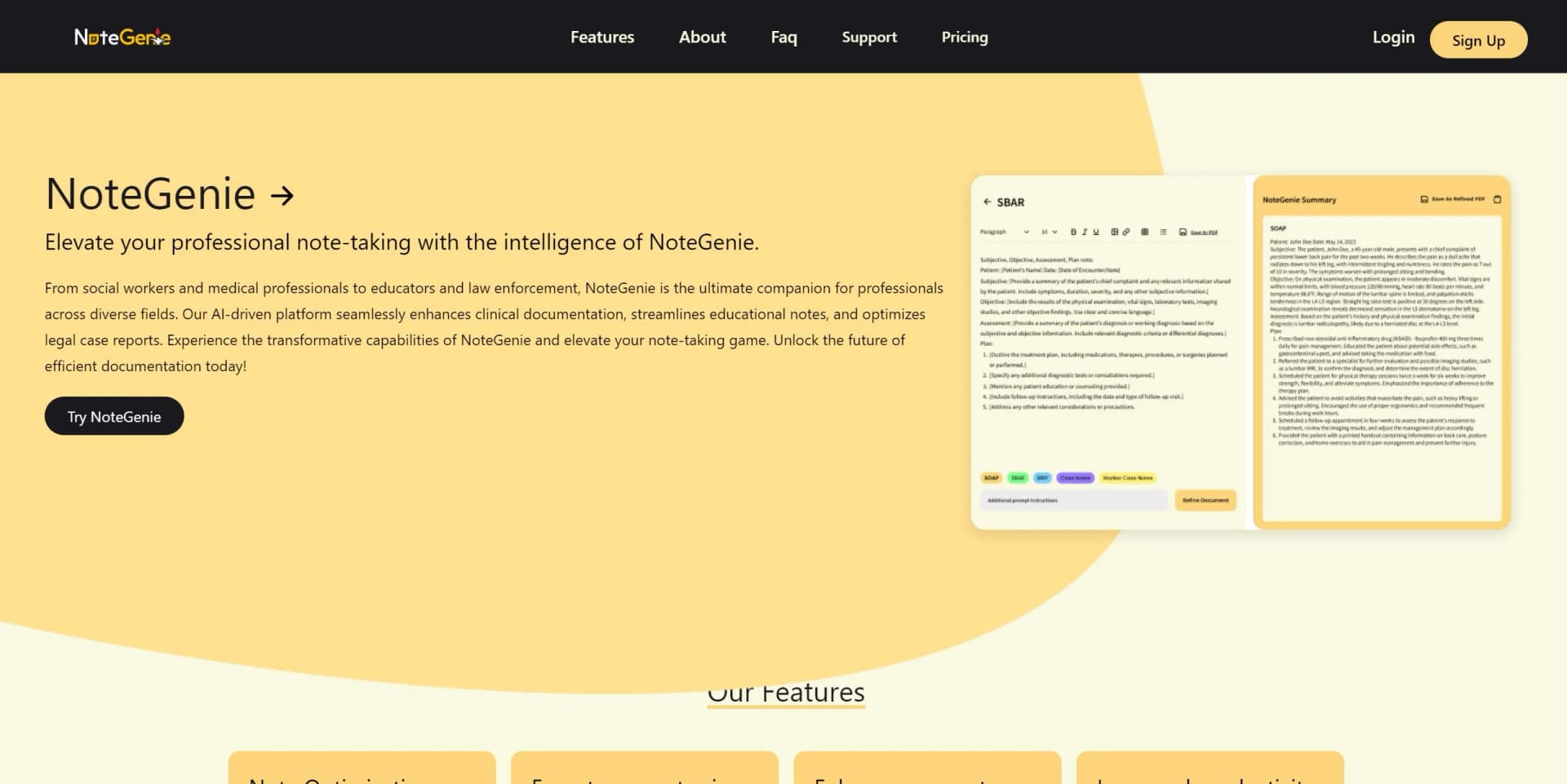
Create SOAP, BIRP, and DAP notes
Select a standard clinical note type and generate the corresponding formatted documentation.
Outcome: Structured notes aligned with common clinical formats.
Build custom documentation templates
Create and save formats specific to a practice setting.
Outcome: Reusable documentation formats tailored to professional workflows.
Export completed notes
Export finalized notes in PDF, DOCX, or TXT format for use with EHR and practice-management systems.
Outcome: Portable notes ready for downstream recordkeeping.
Workflow Ideas with NoteGenie
Generate a clinical progress note
- 1Select the appropriate note template
- 2Type or paste de-identified session notes
- 3Generate, review, and approve the completed note
Create a custom practice format
- 1Identify the documentation format needed for the practice
- 2Build and save a custom template
- 3Use the template for future notes
Export documentation for records
- 1Generate and review the note
- 2Choose PDF, DOCX, or TXT export
- 3Transfer the exported note to the relevant EHR or practice-management system
How NoteGenie fits into your stack
Mobile and Desktop Platforms
NoteGenie is accessible across various devices for on-the-go note management.
Cloud Services Sync
Integrates with cloud storage providers for secure backup and syncing.
Productivity Suite Compatibility
Works in tandem with major productivity and office suites.
API for Custom Solutions
Offers an API for developers to create tailored integrations.
Pros
- +Enhanced Productivity: Dramatically reduces the time spent on manual note-taking.
- +Improved Organization: Keeps notes well-structured and easily accessible.
- +Seamless Integration: Works with popular productivity apps to fit into existing workflows.
- +User-Centric Design: Intuitive interface that caters to both tech-savvy and novice users.
Cons
- −Dependence on Connectivity: Requires a stable internet connection for full functionality.
- −Language Limitations: May not support all dialects and languages equally well.
- −Subscription Model: Could be a barrier for users looking for a one-time purchase option.
Limitations & when to consider alternatives
Known limitations
- Seven-day free access is a trial. The pricing page describes the $0 option as a seven-day free trial rather than a permanent free tier.
- Use de-identified information. The site advises users to avoid names and other identifying details, using initials, codes, or general descriptors instead.
- Human review remains required. Users are expected to review and approve every generated note before using it.
- Note Genie is not a data-storage platform. The site says it does not retain notes, so it should not be treated as a long-term clinical record system.
- No documented native app platforms. The official pricing and product pages do not document native mobile, desktop, or browser-extension versions.
Look elsewhere when
- You need a permanent free tier rather than a seven-day trial.
- You need a native mobile or desktop application.
- You need API access or named third-party integrations.
- You need persistent clinical-record storage.
How to Use NoteGenie
- 1
Discover a range of tutorials on the official website and YouTube, guiding users from basic functions to advanced utilization of NoteGenie's features.
Who is NoteGenie For?
Social workers
LCSWs, LSWs, and LICSWs can use structured templates for caseload documentation, progress notes, and insurance requirements.
Private and group practice therapists
Therapists and counselors can create faster, professionally formatted documentation without sacrificing clinical quality.
BSW and MSW students
Students in field placement can practice writing professional clinical documentation, with a discounted student rate available.
Clinical supervisors
Supervisors can review and teach note quality using consistent documentation formats.
Allied behavioral health professionals
Acupuncturists, occupational therapists, speech-language pathologists, case managers, and similar professionals can use structured clinical documentation support.
Frequently Asked Questions
Who can use Note Genie?
It is built for social workers, private and group practice therapists, students, clinical supervisors, and allied behavioral health professionals.
What kind of notes can I write?
Note Genie supports progress notes, treatment plans, intake assessments, discharge summaries, crisis management, mental status examinations, IEP notes, SOAP, BIRP, PIE, SBAR, and other clinical formats.
Is my data safe with Note Genie?
The site says Note Genie does not retain notes and recommends using de-identified language to protect client confidentiality.
Can I export my notes?
Completed notes can be exported as PDF, DOCX, or TXT files.
Where will my notes get saved?
Note Genie describes itself as a documentation enhancement tool rather than a data-storage platform and says it does not retain notes.
What happens to the notes I enter?
You enter or paste de-identified session notes, select a format, generate the note, and review and approve it before use.
Community reviews
2 reviews from people who use NoteGenie.
Sign in to leave a review for NoteGenie.
Dawn Thurman
Empowered Wellness
NoteGenie Alternatives
Looking for alternatives to NoteGenie? Here are similar tools in the same category:
Learn to Master NoteGenie
With Skill Leap courses
Get in-depth training on NoteGenie and 50+ other AI tools with our expert-led video courses.
Start 7-Day Free Trial