
Noteithub
Turn ChatGPT chats into tasks, reminders, calendars.
Key Takeaways
- What it is
- Turn ChatGPT chats into tasks, reminders, calendars.
- Pricing
- Freemium · $12 per month
- Best for
- ChatGPT-native workflow
- AI task extraction and structuring
- Living topic-based lists
- Rating
- 4.4/5
What is Noteithub?
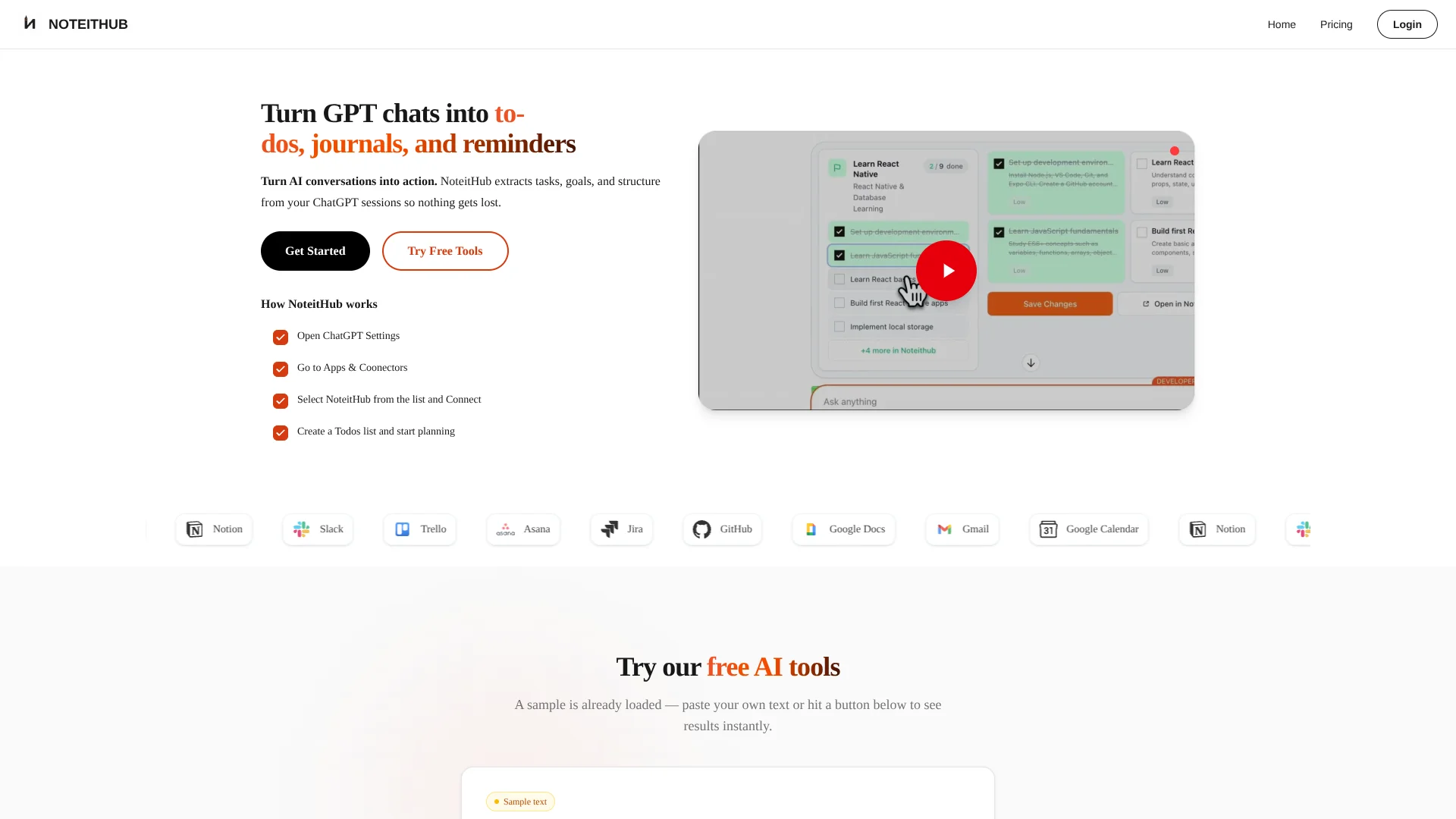
NoteitHub turns ChatGPT conversations into persistent to-do lists, reminders, journals, and calendar events by automatically extracting tasks, decisions, and goals from long threads. It connects as an official ChatGPT app via Apps & Connectors and also provides a browser-based interface with free tools that generate to-do lists and knowledge graphs from pasted text.
NoteitHub treats AI conversations as living systems rather than disposable outputs. Its emphasis on topic-based continuity, statuses, reminders, and calendar scheduling means ChatGPT becomes not just a brainstorming partner but also a persistent planner that remembers what was decided and nudges users to follow through. For people who constantly think out loud with ChatGPT, NoteitHub effectively gives those chats a memory, a structure, and, frankly, a much-needed spine.
Who is Using Noteithub?
Founders and Indie Hackers
Turning strategy, pricing, and product chats into evolving roadmaps and experiment backlogs.
Students and Learners
Converting explanations and study plans into structured notes, revision lists, and exam prep schedules.
Software Developers
Keeping debugging sessions and architecture discussions as searchable technical notes with follow-up tasks.
Marketers and Creators
Transforming ideation threads into content calendars, campaign plans, and recurring publishing workflows.
Uncommon Use Cases
Used by individuals tracking immigration steps and deadlines; adopted by people who treat ChatGPT as a personal journal but want structured entries instead of disappearing threads.
Key Features
Rating Breakdown
Pricing Plans
Free
Free
- Includes 10 credits per month, 10 reminders per month, core todo and journal tools, and community support
Pro
$12 per month
- Includes 300 credits per month, 200 reminders per month, priority support, advanced analytics, and early access to NoteitHub’s ChatGPT app
Which Noteithub plan should you pick?
Start with Free to test the ChatGPT-to-task workflow; upgrade to Plus for steady individual use or Pro when you need higher limits and the Notion integration.
Free
Good for casual users who need core to-do and journal tools with 7 credits and 1 reminder per month.
Plus
Good for steady individual use requiring 35 credits and 5 reminders per month.
Pro
Good for higher-volume individual workflows needing 300 credits, 50 reminders, and the listed Notion integration.
Noteithub Use Cases
Study plans
Create weekly schedules, track completion, and add new tasks as a course progresses.
Outcome: A study system that remains active through exam day.
Meeting follow-ups
Turn meeting summaries into owners, action items, reminders, and deadlines.
Outcome: Next steps remain visible instead of becoming another forgotten note.
Project planning
Convert strategy conversations into milestones and trackable tasks.
Outcome: Project progress can be updated across weeks without duplicating lists.
Content calendars
Turn content strategy and campaign ideas into recurring tasks and calendar blocks.
Outcome: Publishing plans become repeatable execution workflows.
Personal goals and habits
Turn routines for fitness, learning, focus, or life administration into scheduled tasks.
Outcome: Long-term goals become visible and trackable over time.
Workflow Ideas with Noteithub
ChatGPT plan to scheduled execution
- 1Ask ChatGPT for a roadmap, routine, checklist, or strategy
- 2Use NoteitHub to convert the conversation into structured tasks
- 3Schedule tasks as calendar blocks and track completion
Save a valuable conversation
- 1Tell NoteitHub to save the conversation
- 2Review the generated summary and smart tags
- 3Search and reuse the saved context later
Keep one topic alive across chats
- 1Create a task list or journal entry from the first conversation
- 2Return to ChatGPT when the topic develops
- 3Add new tasks to the existing topic system instead of starting over
How Noteithub fits into your stack
Browser
NoteitHub operates through noteithub.com and a browser extension. Its ChatGPT connection opens the NoteitHub website for authentication and account linking.
Knowledge and files
The dashboard stores searchable journals, notes, goals, tasks, reminders, and topic-based planning systems created from ChatGPT conversations.
Automation and APIs
NoteitHub connects to ChatGPT as an app and turns conversations into tasks, reminders, calendar items, and journal entries. Its Pro plan also names a Notion integration for updating pages and databases from ChatGPT.
Pros
- +Execution-focused: Designed to move users from “great ChatGPT plan” to tracked tasks, reminders, and calendar blocks.
- +Continuity across chats: Topic-based lists mean users are not constantly rebuilding the same plans from scratch.
- +Integrations where work happens: Calendar and productivity tool sync makes it far easier to act on AI suggestions.
- +Good value for heavy users: The paid plan’s credit and reminder limits comfortably support frequent ChatGPT-based planning.
Cons
- −ChatGPT-centric: Best for people who already rely on ChatGPT; those using other AI tools may see limited benefit.
- −Free tier limits: Ten credits and ten reminders per month can feel restrictive for daily power users.
- −Not a full PM suite: Advanced collaboration or complex project portfolio management will still require another tool.
Limitations & when to consider alternatives
Known limitations
- Free-plan limits. The Free plan includes 7 credits and 1 reminder per month.
- Paid plans are subscription-based. Plus and Pro are paid monthly or annual plans, and subscriptions renew automatically until canceled.
- ChatGPT-centered workflow. The documented primary workflow requires connecting NoteitHub to ChatGPT.
- AI output reliability. The Terms warn that AI outputs may be inaccurate, incomplete, or outdated.
- Professional advice limitation. NoteitHub states that it does not provide legal, medical, financial, or other professional advice.
Look elsewhere when
- You need a native mobile app.
- You need a documented developer API.
- You need shared team workspaces with roles.
- You need document or image analysis.
How to Use Noteithub
- 1
Connect NoteitHub in ChatGPT
Open NoteitHub from ChatGPT, sign in with Google or email in the browser window, and approve the connection.
- 2
Create a structured output
Ask NoteitHub to turn the conversation into a to-do list, reminders, journal entry, or topic-based plan.
- 3
Track the result
Open the dashboard and mark tasks done, pending, or skipped so progress remains visible.
- 4
Schedule tasks
Convert tasks and reminders into dated calendar items or time blocks.
- 5
Return to the same topic
Continue the topic in a later ChatGPT conversation so NoteitHub can update the existing list or schedule.
- 6
Save important conversations
Use “save this” to create a searchable entry with a summary, smart tags, and next steps.
Who is Noteithub For?
Founders and builders
They can keep product plans, launches, sales follow-ups, and execution checklists alive across conversations.
Students and learners
They can track study plans, exam schedules, revision checklists, and calendar blocks.
Knowledge workers
They can turn meetings, documents, and brainstorming into organized action items.
Creators and marketers
They can convert campaign plans and content calendars into recurring tasks and calendar blocks.
People building habits
They can turn fitness, language-learning, reading, and focus routines into trackable systems.
Frequently Asked Questions
How does NoteitHub work with ChatGPT?
NoteitHub turns ChatGPT conversations into tasks, reminders, journal entries, and topic-based plans that can be tracked in the dashboard.
Can NoteitHub update the same list when I start a new conversation?
Yes. When a new conversation relates to an existing topic, NoteitHub can update the same list instead of creating a duplicate.
Can I add ChatGPT tasks to my calendar?
Yes. Tasks and reminders can be turned into calendar items, time blocks, and deadlines.
How do I save chats quickly?
Say “save this” in ChatGPT. NoteitHub bookmarks the conversation, creates a summary, and adds smart tags.
Can journal entries become tasks?
Yes. Saved entries can become living to-do lists with progress tracking and scheduling.
Who should use NoteitHub?
It is designed for people who use ChatGPT for planning and want conversations to become trackable systems that persist over time.
Community reviews
Be the first to share your experience.
Sign in to leave a review for Noteithub.
Noteithub Alternatives
Looking for alternatives to Noteithub? Here are similar tools in the same category:
Learn to Master Noteithub
With Skill Leap courses
Get in-depth training on Noteithub and 50+ other AI tools with our expert-led video courses.
Start 7-Day Free Trial