Notta
Transforms audio/video to summarized text, instantly, across platforms.
Key Takeaways
- What it is
- Transforms audio/video to summarized text, instantly, across platforms.
- Pricing
- Freemium · $9 per month
- Best for
- Real-Time Transcription and Translation
- AI-Powered Summarization
- Cross-Platform Compatibility
- Rating
- 4.7/5
What is Notta?
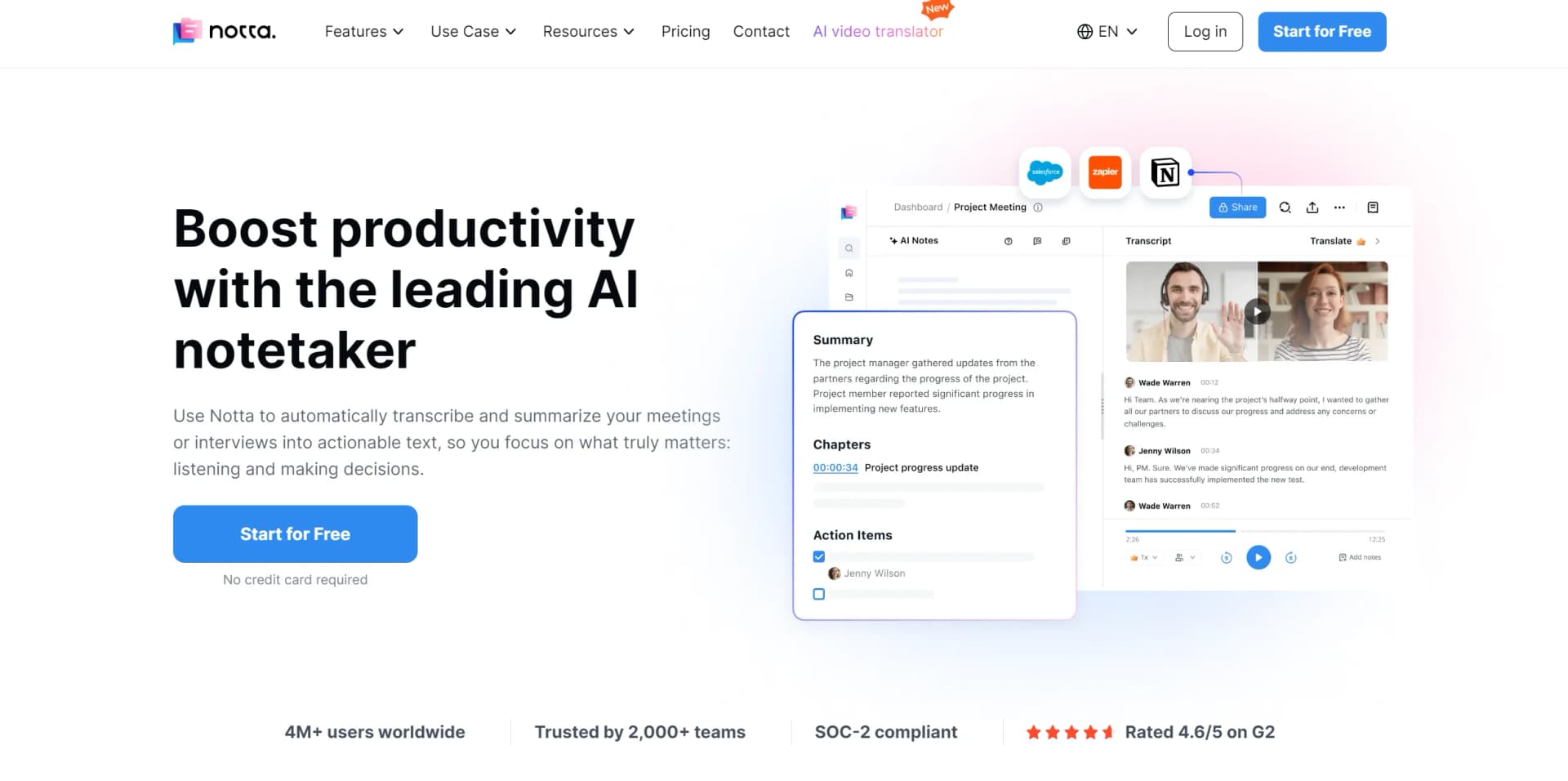
Notta is an advanced AI tool designed to streamline the process of transcribing and summarizing audio and video content. It uses high-precision voice recognition and AI summarization features to convert spoken content into text almost instantaneously. Designed for professionals and businesses of all sizes, Notta simplifies the creation of meeting minutes, enhances information sharing, and significantly cuts down on the time and cost associated with manual transcription.
Notta stands out with its real-time transcription and AI-driven summarization capabilities, a game-changer for businesses looking to enhance productivity and information management. Its ability to integrate seamlessly with major conferencing tools sets it apart in the market.
Notta excels in providing efficient, accurate transcription and summarization services, making it an essential tool for professionals across various industries. Its unique integration capabilities and real-time processing offer unmatched advantages in enhancing productivity and streamlining communication.
Who is Using Notta?
Corporate Teams
For documenting meetings and sharing transcripts across departments.
Journalists and Media Professionals
Utilizing the tool to quickly transcribe interviews and create content.
Academic Institutions
Teachers and students use Notta for lecture transcription and study material preparation.
Healthcare Professionals
To document patient interactions and medical meetings accurately.
Uncommon Use Cases
Used by podcasters for episode transcription and by legal professionals for recording testimonies and depositions.
Key Features
Rating Breakdown
Pricing Plans
Free Tier
Free
- Try Notta for free with basic features
Premium Plans
$9 per month
- Offering extended features and support
Which Notta plan should you pick?
Start with Free for short, occasional transcription; upgrade to Pro for longer individual recordings, Business for collaboration and automation, or Enterprise for large-scale administration and SSO.
Free
Good for individuals getting started who need limited transcription, file uploads, AI summaries, and basic integrations.
Pro
Good for individual professionals who need up to 1,800 transcription minutes monthly, longer recordings, exports, translation, and custom templates.
Business
Good for teams that need unlimited transcription, shared workspaces, member roles, automation, CRM integrations, and usage reporting.
Enterprise
Good for organizations needing customized usage, unlimited file uploads and AI summaries, SAML SSO, centralized controls, security policies, and priority support.
Notta Use Cases
Meeting transcription
Record in-person or online meetings and generate searchable transcripts with speaker identification and AI notes.
Outcome: Meeting content becomes organized, searchable, and easier to share.
Sales call CRM updates
Capture sales calls, generate summaries and action items, and synchronize them with Salesforce, HubSpot, Pipedrive, or other supported CRMs.
Outcome: Customer interactions and follow-ups are recorded without manual data entry.
Qualitative research synthesis
Transcribe interviews, compare multiple recordings, identify themes, and create reports, slides, or infographics with Notta Brain.
Outcome: Research conversations become structured insights and reusable deliverables.
Cross-border meetings
Transcribe bilingual conversations and translate meeting content for teams working across languages.
Outcome: Participants can review shared meeting knowledge across language barriers.
Creative brief documentation
Transcribe creative discussions with speaker labels, timestamps, summaries, and action items.
Outcome: Raw conversations become searchable creative briefs and follow-up material.
Workflow Ideas with Notta
Automated meeting summary distribution
- 1Record or import the meeting into Notta
- 2Wait for transcription completion
- 3Automatically generate an AI summary and send it to Slack or another connected service
Sales call to CRM workflow
- 1Record the sales call or upload the audio or video file
- 2Review the transcript, summary, and extracted action items
- 3Sync the meeting information to Salesforce, HubSpot, Pipedrive, or another CRM
Research interview synthesis
- 1Upload interview recordings and supporting documents
- 2Reference multiple meetings and files in Notta Brain
- 3Generate comparative insights, reports, slides, or infographics
How Notta fits into your stack
Browser
Notta operates as a web app for recording, transcribing, searching, editing, sharing, and analyzing meeting content.
Mobile
Dedicated iOS and Android apps record conversations, sync transcripts, and support mobile access to Notta workspaces.
Desktop
The Notta Desktop app records microphone and computer system audio for bot-free meeting transcription on Windows and macOS.
Automation and APIs
Business and Enterprise users can automate transcript workflows and sync summaries or recordings with Slack, HubSpot, Salesforce, Google Docs, Notion, Zapier, and other integrations.
Pros
- +Time Efficiency: Reduces the time required for transcription and summarization from hours to minutes, enabling swift decision-making.
- +Cost-Effective: Offers significant cost savings over traditional transcription services, with automated tools that minimize manual effort.
- +High Accuracy: Ensures high transcription accuracy even in multi-speaker environments, thanks to advanced voice recognition technology.
- +Enhanced Collaboration: Features like shared workspaces and document sharing improve teamwork and project management.
Cons
- −Learning Curve: New users may require some time to fully leverage all features and integrations.
- −Language Limitations: Currently supports a limited number of languages for transcription and translation, which may not cover all user needs.
- −Dependence on Internet Connection: As a cloud-based platform, it requires a stable internet connection to function effectively.
Limitations & when to consider alternatives
Known limitations
- Free-plan recording limits. The Free plan provides 120 transcription minutes per month and limits each transcription to three minutes.
- Plan-based upload quotas. File-upload quotas vary by plan: 50 files per month on Free, 100 on Pro, 200 per seat on Business, and unlimited on Enterprise.
- Notta Brain upload size limits. Notta Brain supports up to three documents or ten images per batch, with a combined batch size below 32 MB.
- Desktop operating-system coverage. The dedicated desktop app supports Windows and macOS; the documentation does not list a Linux desktop application.
- Mobile file-import limitation. Local audio or video file import is currently unavailable on the Android app.
Look elsewhere when
- You need a Linux desktop application.
- You need fine-tuning or training on your own data.
How to Use Notta
- 1
Explore the comprehensive tutorial series on the official website and YouTube, covering everything from basic setup to advanced features usage.
Who is Notta For?
Consultants
Notta helps consultants focus on client conversations while it records, transcribes, summarizes, and organizes meeting content.
Sales teams
Sales users can capture customer calls, extract action items, and sync meeting insights to CRM systems.
Media professionals
Journalists, writers, interviewers, and bloggers can transcribe recordings, edit transcripts, search content, and export results.
Remote workers
Remote and distributed workers can automatically capture online meetings across Zoom, Google Meet, Microsoft Teams, and Webex.
Multilingual speakers and students
Notta supports multilingual transcription, bilingual transcription, and transcript translation for language learning and international conversations.
Frequently Asked Questions
Does Notta offer a free plan?
Yes. The Free plan is available indefinitely without payment, with limited transcription minutes, recording duration, file uploads, and AI summaries.
Which platforms does Notta support?
Notta supports a web app, native iOS and Android apps, a Chrome extension, and downloadable desktop apps for Windows and macOS.
What files can Notta process?
Notta can transcribe audio and video files and can analyze documents such as PDF, Word, Excel, and PowerPoint files through Notta Brain.
Can Notta analyze images?
Yes. Notta Brain accepts common image formats including JPG, PNG, WEBP, JPEG, HEIC, and HEIF for analysis.
Does Notta support team collaboration?
Business and Enterprise workspaces support member invitations, roles, internal sharing, shared content access, and collaborative workspaces.
Can Notta automate post-meeting workflows?
Yes. Automation rules can trigger when transcription finishes or a transcript enters a folder, then generate summaries and sync results to services such as Slack, HubSpot, Salesforce, Notion, and Google Drive.
Community reviews
Be the first to share your experience.
Sign in to leave a review for Notta.
Notta Alternatives
Looking for alternatives to Notta? Here are similar tools in the same category:
Learn to Master Notta
With Skill Leap courses
Get in-depth training on Notta and 50+ other AI tools with our expert-led video courses.
Start 7-Day Free Trial