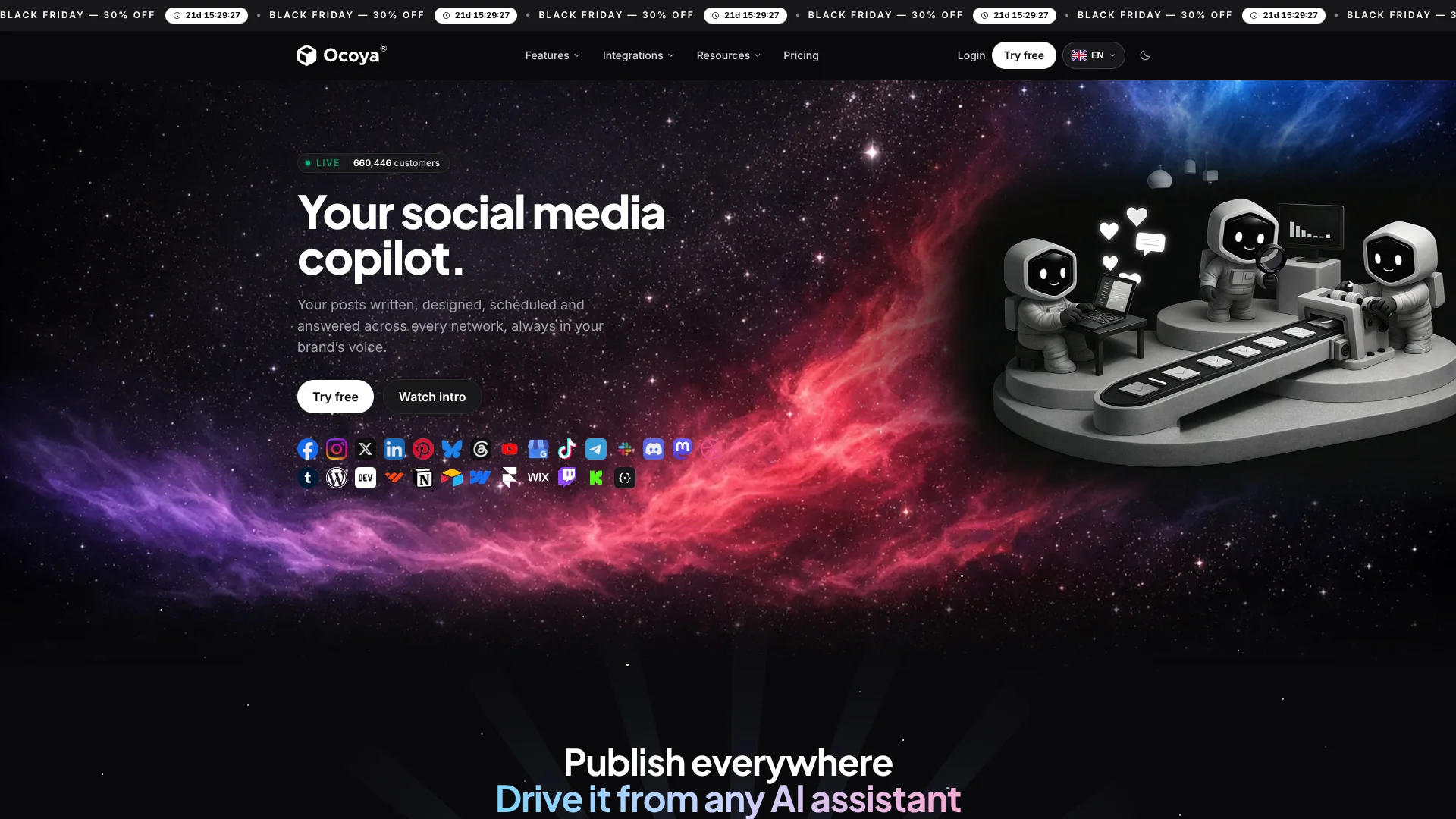
Ocoya
Brand-matched social campaigns for creators and teams managing multiple accounts.
Watch Ocoya in Action
Key Takeaways
- What it is
- Brand-matched social campaigns for creators and teams managing multiple accounts.
- Pricing
- $29 per month · $79 per month · $199 per month
- Best for
- Brand profile and voice
- AI posts and campaigns
- 37-language translation
- Rating
- 4.1/5
What is Ocoya?
Ocoya turns a short campaign idea into social posts with captions, visuals, and hashtags shaped by your brand profile. Independent creators, small brands, and marketing teams can review drafts in a shared planner, then schedule them across connected channels. It also supports AI-written articles for connected blog sites, giving teams a way to coordinate social publishing and blog content from the same calendar.
Ocoya’s API and MCP connection let an external AI assistant create campaigns and posts, read brand details, and schedule content inside Ocoya. That means a team can ask an assistant such as Claude or ChatGPT to prepare a campaign while keeping the resulting drafts in Ocoya’s planner for review.
It fits creators and teams that publish regularly across several social accounts or manage content for multiple brands. The main tradeoff is that AI work draws from a monthly credit allowance shared across your brands, and image generation uses more credits than text alone. Ocoya is most useful when you want AI-generated marketing content tied to a reviewable publishing calendar.
Who is Using Ocoya?
Social media managers
A shared planner helps them prepare, review, and schedule posts across connected channels.
Agency account managers
Separate brand profiles keep each client’s channels and content organized for review.
Content marketers
AI campaigns turn a marketing theme into a set of drafts with brand details applied.
Community managers
Inbox workflows can draft or send selected replies to messages and comments on supported networks.
Uncommon Use Cases
An RSS workflow can turn newly published articles into social posts; an MCP-connected AI assistant can update brand details and prepare a campaign.
Key Features
Rating Breakdown
Pricing Plans
Starter
$29 per month
- Billed monthly; annual billing is $290 per year, with two months free.
- 1 user, 5 channels, and 300 monthly credits.
- 7-day free trial; card required. VAT may apply.
Team
$79 per month
- Billed monthly; annual billing is $790 per year, with two months free.
- 5 users, 20 channels, and 1,500 monthly credits.
- 7-day free trial; card required. VAT may apply.
Agency
$199 per month
- Billed monthly; annual billing is $1,990 per year, with two months free.
- 20 users, 100 channels, and 5,000 monthly credits.
- 7-day free trial; card required. VAT may apply.
Which Ocoya plan should you pick?
Start with Starter for one user and up to five channels; move to Team or Agency when you need more users, channels, or monthly AI credits.
Starter
Good for an independent creator or small brand that needs one user, five channels, and 300 monthly credits.
Team
Good for a growing team that needs up to five users, 20 channels, and 1,500 monthly credits.
Agency
Good for an agency that needs up to 20 users, 100 channels, and 5,000 monthly credits.
Ocoya Use Cases
Prepare a social campaign
A single campaign brief can become a set of brand-matched posts to check before scheduling.
Outcome: Reviewed campaign drafts in Ocoya’s planner.
Adapt posts for different channels
Channel-specific versions and character counts help a caption fit each network.
Outcome: Posts tailored to the limits of connected channels.
Publish blog articles with social content
AI-written articles can be sent to supported site destinations such as WordPress, Webflow, or Framer.
Outcome: Articles prepared for a connected blog site.
Handle selected social replies
Inbox workflows can answer DMs or send a DM after a comment containing a chosen keyword.
Outcome: Automated replies on supported Facebook and Instagram workflows.
Run marketing actions through an AI assistant
MCP or the REST API can let an approved assistant create posts and campaigns in Ocoya.
Outcome: Drafts and scheduled content appear in the Ocoya planner.
Workflow Ideas with Ocoya
Turn new articles into social posts
- 1Connect the site’s RSS feed.
- 2Set a new RSS item as the workflow trigger.
- 3Add an AI step and a social post action.
Draft a weekly campaign
- 1Add the brand description, voice, keywords, and channels.
- 2Generate a campaign around the week’s theme.
- 3Review the drafts before scheduling them in Planner.
Reply to a keyword comment
- 1Create a comment-to-DM workflow for a supported Facebook or Instagram profile.
- 2Set the keyword filter and reply text.
- 3Review workflow runs and pause the workflow if needed.
How Ocoya fits into your stack
Social publishing
Ocoya connects to social channels and puts drafts and scheduled posts in its Planner. Supported networks and publishing options vary by channel.
Blog destinations
Connected WordPress, Webflow, Framer, and Wix sites can serve as destinations for article content.
AI assistant connections
MCP connects Ocoya to supported AI assistants, while its REST API lets developers add Ocoya publishing to an app or workflow.
Team review
Invite teammates or clients to a brand with a role, or share a read-only calendar link for viewing upcoming posts.
Pros
- +Brand consistency: Saved voice, colors, keywords, and hashtags guide generated marketing content.
- +Campaign-ready drafts: Captions, visuals, and hashtags can arrive together for review.
- +Language reach: Captions can be translated into 37 languages in the editor.
- +Agent access: MCP and REST API connections let AI assistants create and schedule content in Ocoya.
Cons
- −Credit budgeting: Image-heavy campaigns use credits faster than text-only posts.
- −Network differences: Publishing is available on more channels than Inbox and analytics features.
- −No ongoing free plan: The free access is a 7-day trial that requires a card.
Limitations & when to consider alternatives
Known limitations
- Monthly AI credit allowance. Each plan has a monthly credit limit shared across the owner’s brands, and unused credits do not roll over.
- API rate limit. Each API key is limited to 60 requests per minute.
- Publishing failures are not retried. If a connected channel rejects a scheduled post, fixing the issue does not publish it again automatically; it must be rescheduled.
- Channel feature coverage varies. Some connected networks support publishing but not Ocoya’s Inbox, automated replies, or analytics.
Look elsewhere when
- You need a permanent free plan rather than a 7-day trial.
- You need Inbox or analytics support for a network Ocoya does not currently support for those features.
- Your workflow requires API traffic above 60 requests per minute per key.
How to Use Ocoya
- 1
Set up a brand
Add a website or brand description, then check the name, colors, voice, keywords, and hashtags Ocoya uses for generation.
- 2
Connect channels
Choose the social accounts or blog destinations where you want to publish.
- 3
Set posting times
Choose the brand’s time zone and posting slots before scheduling so calendar times match the intended audience.
- 4
Generate a post or campaign
Describe the content goal and review the generated captions, visuals, and hashtags.
- 5
Check each channel’s version
Preview the post for each destination and adjust its copy or translate it in the editor.
- 6
Approve and schedule
Keep the content as drafts for review, or schedule approved posts in Planner.
Who is Ocoya For?
Independent creators
A solo publisher can draft and schedule posts across a small set of connected channels.
Small brands
A brand profile helps keep social captions and visuals consistent as the business publishes.
Growing teams
Shared planning and team invitations support teams coordinating posts across several accounts.
Agencies
Separate brand workspaces and role-based invitations help agencies organize client publishing.
Frequently Asked Questions
Does Ocoya have a free plan?
Ocoya lists a 7-day free trial that requires a card. Its plan information says accounts without a paid subscription do not receive AI credits.
What are Ocoya’s current plans?
The pricing page lists Starter, Team, and Agency, billed monthly at $29, $79, and $199, respectively.
How do Ocoya’s AI credits work?
Credits pay for AI actions such as writing and image generation. The allowance refreshes monthly, is shared across the owner’s brands, and unused credits do not carry over.
Can an AI assistant operate Ocoya?
Yes. Ocoya supports MCP connections for assistants such as Claude and ChatGPT, as well as a REST API for creating and managing social content.
Can Ocoya translate captions?
Yes. Captions can be translated into 37 languages from the editor.
Does Ocoya have an app-store mobile app?
Ocoya’s help center describes installing its web app from a mobile browser. It says an app-store download is not required.
Community reviews
Be the first to share your experience.
Sign in to leave a review for Ocoya.
Ocoya Alternatives
Looking for alternatives to Ocoya? Here are similar tools in the same category: