
OpenPipe
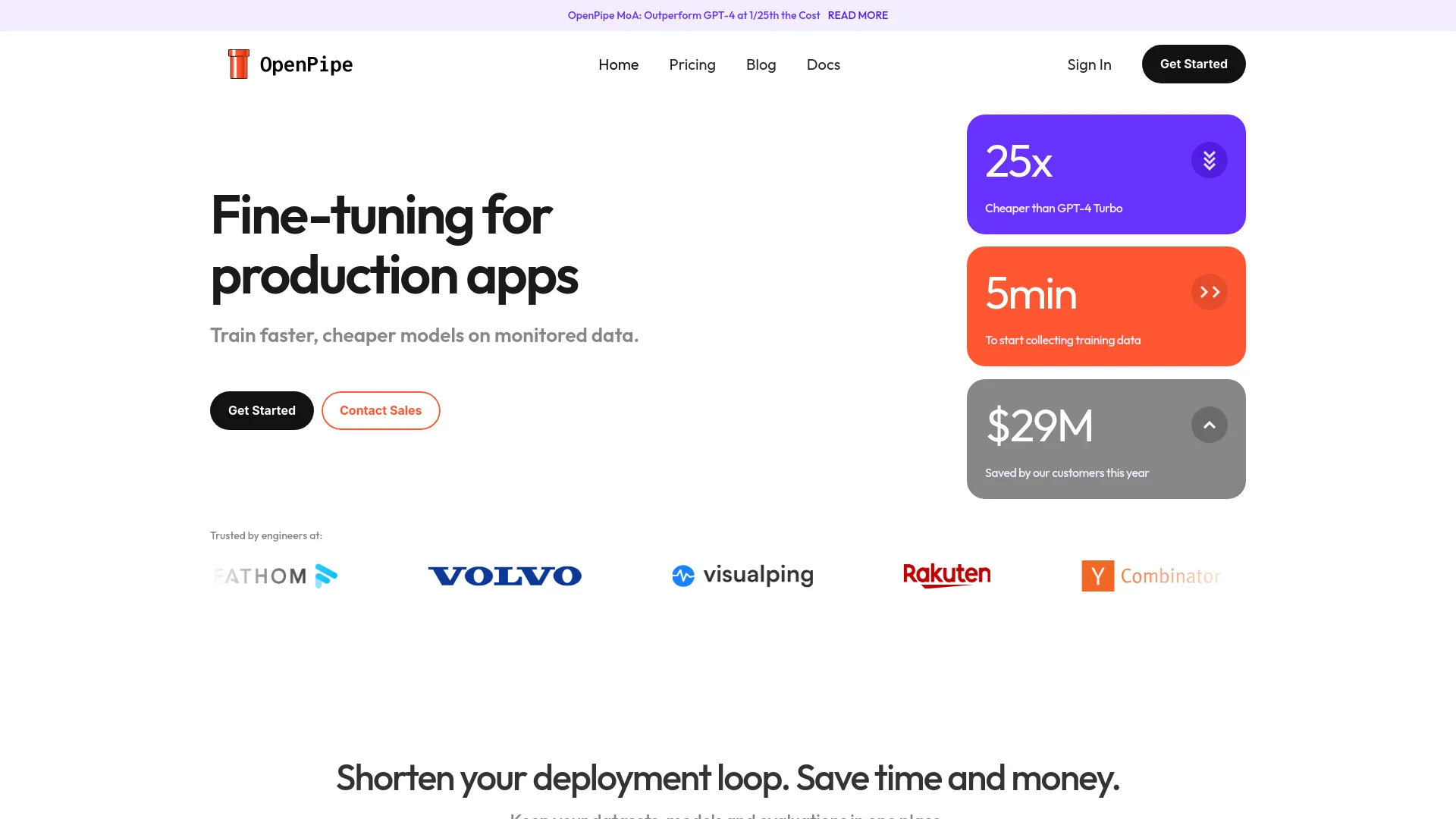
Optimize AI models, enhance developer efficiency, seamless integration.
Key Takeaways
- What it is
- Optimize AI models, enhance developer efficiency, seamless integration.
- Pricing
- $50 per month
- Best for
- Custom Model Training
- Seamless Integration
- Real-Time Analytics
- Rating
- 4.5/5
What is OpenPipe?
OpenPipe is a cutting-edge AI tool designed to streamline and enhance the capabilities of developers working in various environments. At its core, OpenPipe offers a robust platform for fine-tuning AI models, making it an essential asset for developers looking to optimize their applications for better performance and efficiency. Tailored specifically for the unique needs of the development community, this tool simplifies the complex process of model training and integration.
OpenPipe stands out with its developer-centric approach, offering tools specifically designed to enhance the fine-tuning of AI models. Its unique selling point lies in its ability to integrate seamlessly into the existing development workflows, thereby minimizing disruption and maximizing efficiency.
OpenPipe excels in providing powerful tools for developers, making it an indispensable asset for enhancing AI model performance. Its capability to seamlessly integrate into existing development workflows, coupled with its robust customization features, offers significant advantages. This makes OpenPipe a top choice for developers aiming to push the boundaries of AI in their projects.
Who is Using OpenPipe?
Software Development Companies
Enhancing their product features with finely-tuned AI models.
Tech Startups
Employing rapid prototyping and iterative development processes.
AI Researchers
Conducting experiments with customizable model parameters.
Educational Institutions
Teaching advanced AI courses with hands-on model training.
Uncommon Use Cases
Non-profit organizations using it to improve their outreach strategies; Indie game developers optimizing game AI behavior.
Key Features
Rating Breakdown
Pricing Plans
Free Trial
- Get started with OpenPipe with a 30-day free trial
Standard Plan
$50 per month
- Offering basic features suitable for small projects
Enterprise Plan
- Custom pricing based on specific requirements and scale
Which OpenPipe plan should you pick?
Start with the 8B-and-smaller training tier for initial experiments; upgrade to larger models, hosted inference, or Enterprise as scale and deployment requirements grow.
8B and smaller
Costs $0.48 per 1M training tokens; good for teams starting with smaller fine-tuned models.
14B models
Costs $1.50 per 1M training tokens; good for workloads needing more model capacity.
32B models
Costs $1.90 per 1M training tokens; good for complex production use cases requiring larger models.
70B+ models
Costs $2.90 per 1M training tokens; good for maximum-capability fine-tuning workloads.
Llama 3.1 8B Instruct
Hosted inference costs $0.30 input and $0.45 output per 1M tokens; good for high-volume scalable inference.
Llama 3.1 70B Instruct
Hosted inference costs $1.80 input and $2.00 output per 1M tokens; good for higher-capability production inference.
Llama 3.1 8B
Hourly compute costs $1.50 per CU-hour; good for experimental or lower-volume deployments.
Mistral Nemo 12B
Hourly compute costs $1.50 per CU-hour; good for experimental deployments using Mistral Nemo.
OpenPipe Use Cases
Convert production traffic into training data
Record LLM requests and responses through the SDK or Proxy, then import the logs into a dataset.
Outcome: A training dataset is created from real application traffic.
Fine-tune a task-specific model
Upload or collect examples, select a base model, and start an SFT or preference-tuning job.
Outcome: A custom model is trained for the target task.
Improve dataset quality with relabeling
Use a more powerful model to generate replacement outputs before fine-tuning.
Outcome: Training examples can be improved before the training run.
Compare and evaluate models
Run code, criterion, or head-to-head evaluations against datasets and model outputs.
Outcome: Model performance can be compared using evaluation results.
Deploy a fine-tuned model
Host models through serverless, hourly, or dedicated OpenPipe deployments, or export open-weight models.
Outcome: The model can be served through OpenPipe or self-hosted infrastructure.
Workflow Ideas with OpenPipe
Production traffic to fine-tuned model
- 1Integrate the OpenPipe SDK or Proxy to record requests
- 2Import request logs into a dataset
- 3Start a fine-tuning job
- 4Evaluate the resulting model
- 5Deploy the model
Preference-tuning workflow
- 1Upload JSONL examples with preferred and rejected responses
- 2Select Llama 3.1 8B and enable preference tuning
- 3Start the DPO training job
- 4Evaluate the trained model
Dataset improvement workflow
- 1Import request logs or upload JSONL data
- 2Relabel rows with a more powerful model
- 3Use the refined dataset for fine-tuning
How OpenPipe fits into your stack
API Access
Developers can utilize OpenPipe's API for custom integrations.
Cloud Platforms
Fully compatible with major cloud services like AWS and Azure.
Continuous Integration Tools
Integrates with CI/CD pipelines for automated updates.
Data Management Systems
Supports a range of databases for input data handling.
Pros
- +Enhanced Accuracy: Improves the performance of AI models through precise fine-tuning.
- +Time Savings: Reduces the time required for model training and deployment.
- +Cost-Effective: Offers a scalable solution that can reduce overall development costs.
- +User-Friendly Interface: Features an intuitive interface that simplifies complex processes.
Cons
- −Initial Learning Curve: New users may require time to fully grasp the tool’s capabilities.
- −Dependency on Data Quality: The effectiveness of fine-tuning is heavily reliant on the quality of input data.
- −Limited Third-Party Integrations: Current support for external platforms is not as extensive as some competitors.
Limitations & when to consider alternatives
Known limitations
- DPO model support is limited. The documentation states that DPO is currently supported only on Llama 3.1 8B.
- Fine-tuning API routes are unstable. OpenPipe describes API-based fine-tuning routes as unstable and subject to change.
- Code evaluations run in a restricted sandbox. Code evaluations currently support TypeScript only and have no internet, external npm packages, or file-system access.
- DPO requires sufficient preference data. OpenPipe recommends at least 500 rows of training data before building a first DPO model.
- Hourly deployments may have cold starts. If a base model has not received a request for more than five minutes, the next request may wait for the model to download to a GPU.
How to Use OpenPipe
- 1
Explore the extensive library of tutorials on the OpenPipe website, covering everything from basic setup to advanced model training techniques.
Who is OpenPipe For?
Software engineers
OpenPipe provides SDKs, API access, request logging, deployment, and evaluation tools for LLM applications.
Data scientists
The platform supports dataset preparation, fine-tuning, preference optimization, reward models, and model evaluation.
Production teams
OpenPipe is positioned for teams seeking lower LLM error rates, latency, and operating costs in production.
Enterprise customers
Enterprise customers can access enterprise-only base models and dedicated deployments.
Frequently Asked Questions
What is OpenPipe?
OpenPipe is a fine-tuning and monitoring platform for collecting LLM logs, creating fine-tuned models, and comparing model outputs.
How do I get started?
Create an account, obtain a project API key, record request data through the SDK or Proxy, prepare a dataset, fine-tune, evaluate, and deploy.
Can I upload an existing dataset?
Yes. OpenPipe supports uploading JSONL data using an OpenAI-compatible chat fine-tuning format.
Can OpenPipe fine-tune models through an API?
Yes. OpenPipe documents programmatic fine-tuning through API routes, though the documentation describes those routes as unstable.
How are models deployed?
Models can use serverless, hourly, or dedicated deployments; open-weight models can also be exported for self-hosting.
Does OpenPipe support preference tuning?
Yes. DPO uses preferred and rejected responses, and is currently supported on Llama 3.1 8B.
Community reviews
Be the first to share your experience.
Sign in to leave a review for OpenPipe.
OpenPipe Alternatives
Looking for alternatives to OpenPipe? Here are similar tools in the same category:
Learn to Master OpenPipe
With Skill Leap courses
Get in-depth training on OpenPipe and 50+ other AI tools with our expert-led video courses.
Start 7-Day Free Trial