Opus Clip
Find shareable moments in long videos for social clips.
Key Takeaways
- What it is
- Find shareable moments in long videos for social clips.
- Pricing
- Freemium · $15 per month · $29 per month
- Best for
- ClipAnything
- Virality Score
- AI animated captions
- Rating
- 4.2/5
What is Opus Clip?
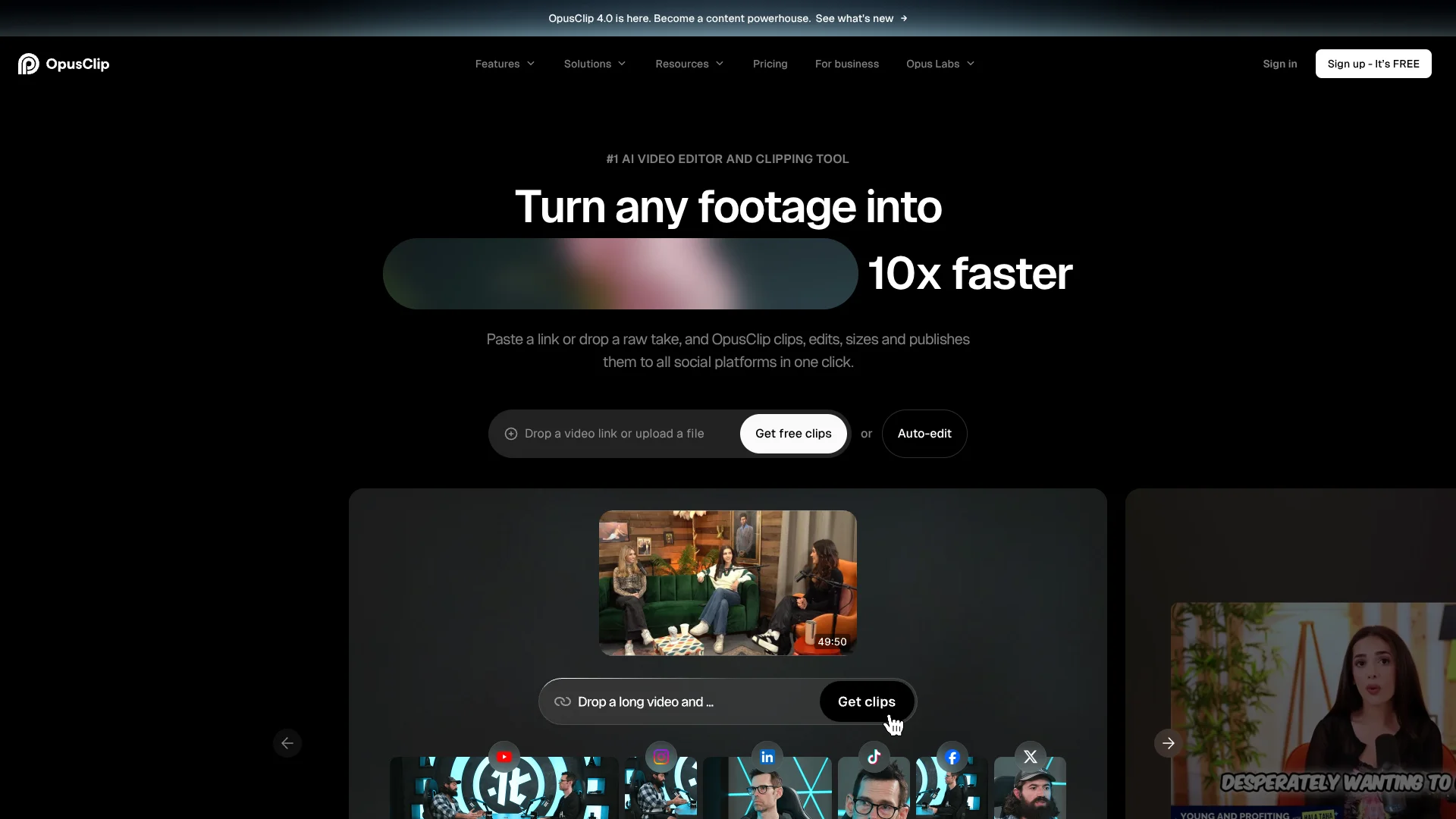
OpusClip turns long videos into short, captioned clips for social media. Its AI finds moments to highlight, reframes the video for vertical viewing, and can score clips with a Virality Score. Creators, podcasters, marketers, and teams can use it to make more short-form posts from footage they already have.
ClipAnything is built to find moments in more than podcast-style conversations: OpusClip says it can work with vlogs, gaming, sports, interviews, and videos with little dialogue, using visual, audio, and sentiment cues.
It fits creators and marketing teams that regularly record longer videos and need short clips for social channels. The Free plan has no editing, and OpusClip is focused on making clips rather than editing a full-length video from start to finish.
Who is Using Opus Clip?
Podcast producer
A backlog of interviews becomes a source of captioned clips for social channels.
Social media manager
The scheduler and connected social accounts help organize short-form posts from longer recordings.
Video creator
Virality Scores and AI reframing help identify and prepare moments from existing videos.
Livestreamer
Clips from streams can bring viewers to the creator's longer content.
Agency editor
Brand templates and team seats help produce social clips for multiple clients.
Uncommon Use Cases
Finding visual moments in gaming footage; turning videos with little dialogue into short clips.
Key Features
Rating Breakdown
Pricing Plans
Free
Free
- 60 credits per month
- Up to 1080p rendered clips
- Watermark and no editing
- Clips stop being exportable after 3 days
Starter
$15 per month
- 150 credits per month
- AI clipping with Virality Score
- AI animated captions in 20+ languages
- Auto post to YouTube Shorts, TikTok, and Instagram Reels
- One brand template and watermark-free exports
Pro
$29 per month
- Annual billing is $174, or $14.50 per month
- 300 credits per month; unused credits roll over for 2 months
- Team workspace with 2 seats and 6 social account connections
- Social media scheduler and limited API access
- AI B-Roll and export to Adobe Premiere Pro and DaVinci Resolve
Business
- Customized credits, team seats, and social account connections
- API and custom integrations
- Dedicated storage and priority support
Which Opus Clip plan should you pick?
Start with Free to test clip generation, choose Starter for individual publishing, and consider Pro when you need more credits, a team workspace, or scheduled posting.
Free
Good for trying AI clipping with 60 monthly credits, as long as a watermark and no editing are acceptable.
Starter
Good for individual creators who want 150 monthly credits, editing, and direct posting to supported social channels.
Pro
Good for professional creators, marketers, and teams who need 300 monthly credits, a two-seat workspace, and scheduling.
Business
Good for organizations seeking tailored credits, team seats, API access, and custom integrations.
Opus Clip Use Cases
Repurpose a podcast
A long interview can yield short, captioned moments suited to social feeds.
Outcome: A set of short clips ready for review and posting.
Promote a livestream
Standout moments from a stream can be reframed as short videos that point viewers toward the channel.
Outcome: Short-form promotional clips from livestream footage.
Post consistently as a creator
A library of longer videos gives creators more material for short-form posts.
Outcome: More social clips from existing recordings.
Prepare branded client clips
Agency teams can apply brand templates and manage work in a shared workspace.
Outcome: Clips styled for client brands.
Find moments in non-podcast footage
ClipAnything can identify moments in formats such as gaming, sports, and vlogs.
Outcome: Short clips made from a broader range of video types.
Workflow Ideas with Opus Clip
Turn an interview into social clips
- 1Import an interview video or provide a supported video source.
- 2Review the clips OpusClip generates and adjust them in the editor if your plan includes editing.
- 3Post to a connected social account or download the clips.
Prepare a branded clip batch
- 1Set up a brand template for the project.
- 2Generate clips from a longer recording.
- 3Review the captions and reframe, then share or schedule the clips.
Build a recurring publishing routine
- 1Bring in new videos from a supported source.
- 2Select and review the clips worth posting.
- 3Use the Pro scheduler to plan posts for connected social accounts.
How Opus Clip fits into your stack
Video source
Start with a local video or an available import source such as YouTube, Google Drive, Vimeo, or Zoom. Import options vary by plan.
Clip editing
OpusClip handles moment selection, captions, and reframing for short-form videos. The Free plan does not include editing.
Social publishing
Starter supports auto-posting to YouTube Shorts, TikTok, and Instagram Reels. Pro adds a social media scheduler.
Team production
Pro includes a team workspace with two seats, brand templates, and six social account connections.
APIs and integrations
OpusClip lists limited API access on Pro and API and custom integrations on Business, including Zapier integration on its plan comparison.
Pros
- +Beyond podcasts: ClipAnything is designed for a range of video genres, including sports and gaming.
- +Ready-to-post clips: AI captions and vertical reframing reduce common editing work for social videos.
- +Built-in publishing: Starter can auto-post to YouTube Shorts, TikTok, and Instagram Reels.
- +Team workspace: Pro includes a shared workspace with two seats and six social account connections.
Cons
- −Credit limits: Monthly credits cap how much footage you can process on each plan.
- −Free-plan trade-offs: Free clips have a watermark, cannot be edited, and stop being exportable after three days.
- −Narrow editing focus: OpusClip is centered on making short clips, not editing a full-length video.
Limitations & when to consider alternatives
Known limitations
- Free exports expire. Free-plan clips stop being exportable after three days.
- Free clips cannot be edited. The Free plan includes no editing and adds a watermark to clips.
- Local video size caps vary. The pricing comparison lists local uploads up to 10GB on Free and Starter, and up to 30GB on Pro and Business.
- Credits limit processing. Free includes 60 credits per month, Starter 150 credits per month, and Pro 300 credits per month.
Look elsewhere when
- You need a full-length video editor for detailed timeline work.
- Your team needs a desktop app or browser extension.
- You need video processing beyond the plan's monthly credits or upload size limits.
How to Use Opus Clip
- 1
Choose a source video
Upload a local video or use a supported import source; available sources depend on your plan.
- 2
Generate clips
Let AI clipping identify short moments from the longer video.
- 3
Review the results
Check the selected moments and their captions before posting.
- 4
Adjust the presentation
On a plan with editing, refine the clip, captions, or layout and apply a brand template if useful.
- 5
Publish or download
Post to a connected social account, schedule posts where available, or download the finished clips.
Who is Opus Clip For?
Individual creators
Starter is aimed at creators turning their own long videos into regular short-form posts.
Professional creators and marketers
Pro adds more credits, social scheduling, and additional brand and team features.
Podcasters
Podcast recordings can become captioned clips for social feeds.
Livestreamers
Long livestream footage can be repurposed into shorter clips to direct attention back to a channel.
Agencies and teams
Team workspace, brand templates, and social account connections support shared client content work.
Frequently Asked Questions
Does OpusClip have a free plan?
Yes. Free is listed at $0 per month and includes 60 credits per month. Clips have a watermark, cannot be edited, and stop being exportable after three days.
How much does OpusClip cost?
Starter costs $15 per month. Pro costs $29 per month, or $14.50 per month when billed annually at $174. Business is listed as custom.
Can OpusClip post videos to social media?
Starter can auto-post to YouTube Shorts, TikTok, and Instagram Reels. Pro includes a social media scheduler.
Does OpusClip support multiple languages?
The Starter plan lists AI animated captions in more than 20 languages. The App Store listing also describes the iPhone app as available in eight languages.
Is there an OpusClip mobile app?
Yes. OpusClip has an iPhone app listed in the Apple App Store.
Community reviews
Be the first to share your experience.
Sign in to leave a review for Opus Clip.
Opus Clip Alternatives
Looking for alternatives to Opus Clip? Here are similar tools in the same category: