Originality.AI
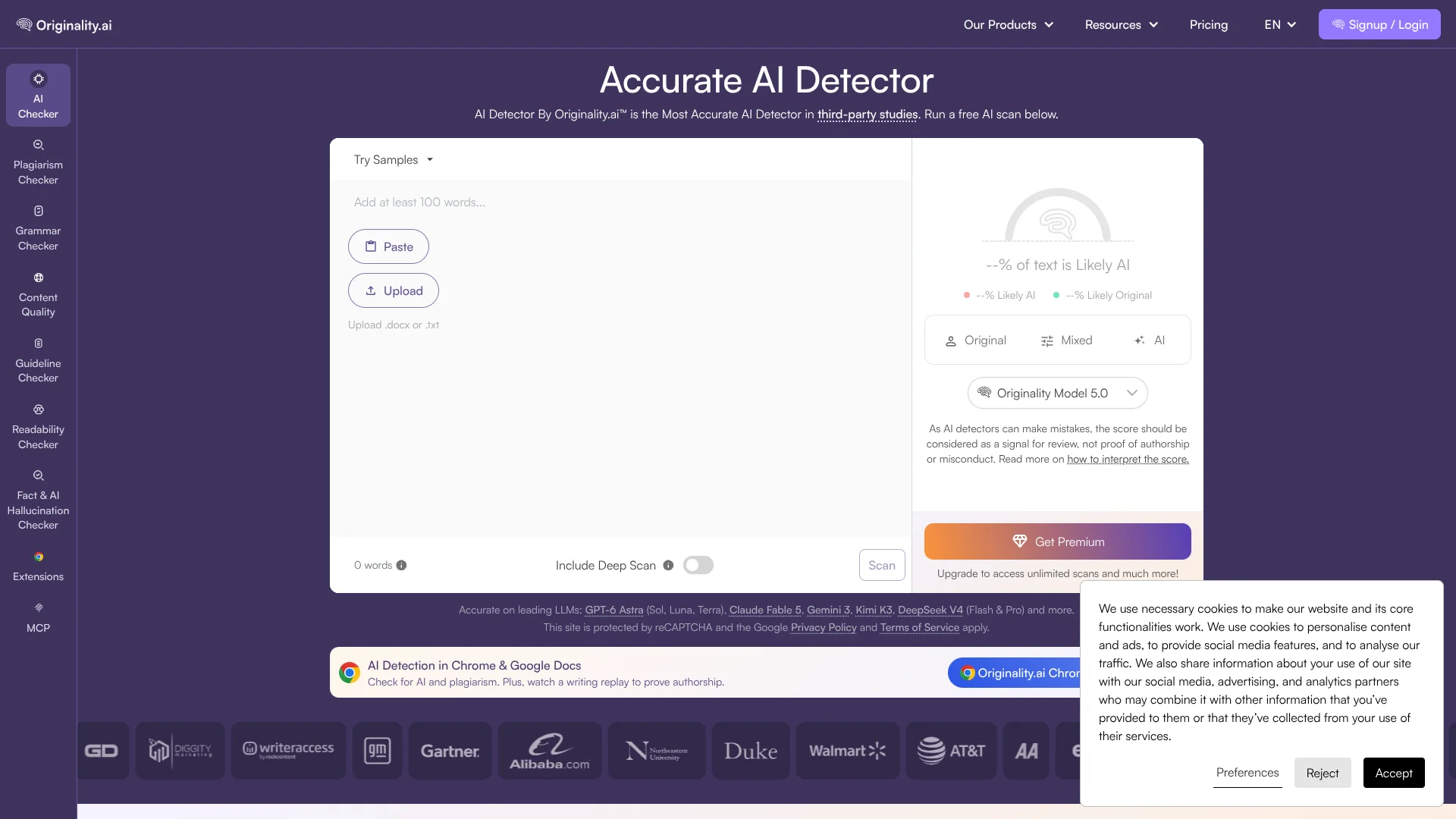
Checks written content for AI involvement and plagiarism before publication.
Key Takeaways
- What it is
- Checks written content for AI involvement and plagiarism before publication.
- Pricing
- Freemium · $30 one-time payment · $14.95 per month · $179 per month
- Best for
- AI Detection
- Writer Replay
- Plagiarism Checker
- Rating
- 4.3/5
What is Originality.AI?
Originality.ai checks whether text appears AI-generated, finds matching sources, and reviews writing quality before publication or submission. It is built for website owners, content marketers, writers, publishers, educators, and small teams that need more context than a single AI score. Scans can start with pasted text, uploaded documents, or a web page.
Writer Replay shows a character-by-character playback of how a Google Doc was created, including paste activity, contributors, and revisions. That gives teachers, editors, and clients evidence about the writing process instead of relying on an AI score alone.
Originality.ai fits people reviewing written work at scale, especially agencies, publishers, and schools. It is less suitable when you need image analysis, code generation, or a native mobile app. Its strongest use is checking text authenticity while preserving the process behind the writing.
Who is Using Originality.AI?
Content Editors
Publication quality improves when AI detection, plagiarism matches, readability, and facts are reviewed before approval.
SEO and Content Managers
They screen contributor drafts and organize review history with tags, shared reports, and scan records.
Teachers
Google Docs and Google Classroom checks show AI signals, matching text, writing replay, and contributor activity during grading.
Students
A writing replay can document drafting activity when they need to explain how an assignment was produced.
Agency Managers
Team management and credit allowances help distribute review work across writers, editors, and clients.
Developers
The REST API and batch scan endpoint add AI, plagiarism, fact, grammar, and readability checks to internal systems.
Uncommon Use Cases
Checking whether automated typing tools contributed to a Google Doc; reviewing factual claims in AI-assisted research drafts
Key Features
Rating Breakdown
Pricing Plans
Basic
Free
- No subscription required
- 60 credits, described as three scans per day
- 2,000-word limit per scan
- AI detection and DOCX, PDF, and DOC file uploads
Pay As You Go
$30 one-time payment
- 3,000 credits
- Credits expire two years after purchase if unused
- Scan history is available for 30 days
Pro
$14.95 per month
- $12.95 per month when billed annually, or $155.40 for the year
- 2,000 credits per month, equal to 200,000 words at one credit per 100 words
- Deep Scan, bulk scanning, file uploads, PDF reports, shareable reports, tags, and full browser-extension access
- Additional team seats are listed at $9.95 per month on monthly billing
Enterprise
$179 per month
- $136.58 per month when billed annually, or $1,638.96 for the year
- 15,000 credits per month, equal to 1.5 million words at one credit per 100 words
- API access and 365-day scan history
- Priority support and additional team seats listed at $24.95 per month on monthly billing
Which Originality.AI plan should you pick?
Start with Basic for occasional checks, choose Pro for regular individual or small-team reviews, and move to Enterprise when you need higher monthly volume, longer history, API access, or priority support.
Basic
Good for occasional AI detection with limited daily scans and no subscription.
Pro
Good for individuals and small teams that need 2,000 credits per month, deeper scans, file uploads, reports, and team management.
Enterprise
Good for agencies and publishers that need 15,000 credits per month, API access, 365-day scan history, more team capacity, and priority support.
Pay As You Go
Good for irregular usage when you prefer a one-time credit purchase instead of a monthly subscription.
Originality.AI Use Cases
Prepublication Content Review
An editorial team checks a draft for AI writing, copied passages, factual claims, readability, and grammar before publishing.
Outcome: A documented quality review before content reaches readers.
Student Authorship Review
A teacher compares the AI score and plagiarism results with Writer Replay, revisions, contributors, and paste activity.
Outcome: More context for an authorship conversation than an AI score alone.
Freelancer Quality Control
An agency screens submitted work against its AI allowance and content standards before sending it to a client.
Outcome: Fewer unsuitable drafts entering the client review process.
Moodle Assignment Checking
Originality.ai checks student submissions inside Moodle for AI-generated writing and matching content.
Outcome: AI and plagiarism results available within the assignment workflow.
Automated Publishing Checks
A product team sends text to the API or batch endpoint as part of an internal publishing or moderation process.
Outcome: Repeatable content verification without manual copy and paste.
Workflow Ideas with Originality.AI
Editorial Quality Gate
- 1Paste text, upload a DOCX or PDF, or scan a page URL
- 2Run AI, plagiarism, fact, readability, and grammar checks
- 3Share the report with the editor or client before publication
Google Docs Authorship Review
- 1Install the Originality.ai browser extension
- 2Scan the document for AI writing and plagiarism
- 3Review Writer Replay, paste activity, contributors, and auto-typing signals
API Publishing Check
- 1Create an Enterprise API key
- 2Send text to the scan or batch scan endpoint
- 3Route the returned scores into the team's review or publishing system
How Originality.AI fits into your stack
Browser and Google Docs
The Chrome and Firefox extensions bring AI and plagiarism checks into web pages and Google Docs. Writer Replay adds document-history evidence for authorship reviews.
Learning Management Systems
The Moodle plugin checks assignments inside Moodle, while the Chrome extension adds AI, plagiarism, and writing replay checks to Google Classroom grading.
Editorial and Content Operations
Scan history, tags, shareable reports, file uploads, and bulk scanning fit a review queue for publishers, agencies, and marketing teams.
Automation and APIs
Enterprise customers can submit text through the REST API or batch scan endpoint and return detection, plagiarism, fact, readability, and grammar results to an internal workflow.
Team Review
Team management supports invitations, roles, seat assignment, and per-user credit allowances so multiple reviewers can work from one account.
Pros
- +Writing evidence: Writer Replay adds document history and typing context to an AI score.
- +Broad text review: AI detection, plagiarism, facts, readability, grammar, and content quality checks share one scanning workflow.
- +Browser coverage: Chrome, Google Docs, Firefox, Moodle, and Google Classroom integrations reach people where they already review writing.
- +Scale options: Bulk scans, team seats, batch API scans, and monthly credits support editorial and education workflows.
- +Data controls: Uploaded content is encrypted and account holders can opt out of data use for model training.
Cons
- −Text-only focus: It does not provide native image understanding, code generation, or a mobile app.
- −Score interpretation: AI detection is a probability signal and still needs human review.
- −Usage accounting: Credits vary by scan type, model, and Deep Scan settings.
Limitations & when to consider alternatives
Known limitations
- AI scores are not proof. Originality.ai says scores should be treated as one signal and reviewed with writing history, drafts, and other evidence.
- Website scans need enough text. Website scans require at least 100 words, and shorter text can produce less stable results.
- Credits vary by scan. Credit use changes with the selected model, Deep Scan, word count, and the number of checks enabled.
- Credits expire. Pay As You Go credits expire two years after purchase, while Pro and Enterprise subscription credits expire at the end of the monthly cycle.
- API access is plan restricted. The pricing page lists API access with Enterprise, and the API documentation instructs users to subscribe to the Enterprise plan.
Look elsewhere when
- You need native iOS or Android apps for reviewing content away from a computer.
- You need image understanding or programming code generation.
- You need an AI rewriting tool that turns flagged text into more human-sounding copy.
How to Use Originality.AI
- 1
Choose a scan source
Paste at least 100 words, upload a supported document, scan a URL, or open a Google Doc through the browser extension.
- 2
Select the checks
Choose AI detection, plagiarism, facts, readability, grammar, or content quality based on the decision you need to make.
- 3
Review the signals
Read the overall scores and sentence highlights, then inspect matched sources or flagged claims instead of treating one score as proof.
- 4
Add writing context
For Google Docs, open Writer Replay to review revisions, paste locations, contributors, and typing behavior.
- 5
Share or export the result
Send a read-only report link or download a PDF when another person needs to review the findings.
- 6
Organize repeated work
Tag scans, manage team seats, set individual credit limits, or connect the API for recurring checks.
Who is Originality.AI For?
Writers and Editors
They can check drafts for AI involvement, copied text, readability, grammar, and factual claims before publication.
Website Owners and Content Marketers
They can review freelance or agency content before it reaches a public site.
Publishers and Agencies
They can manage reviewers, scan content in bulk, and connect checks to publishing systems through the API.
Teachers and Students
They can review AI signals alongside plagiarism results and show how a Google Doc was written.
Schools and Enterprise Teams
They can assign team roles, control credit usage, and connect Originality.ai with Moodle or Google Classroom workflows.
Frequently Asked Questions
Does Originality.ai have a free plan?
Yes. The Basic plan has limited use and includes 60 credits, described as three scans per day, with a 2,000-word scan limit.
How much does Originality.ai cost?
The monthly Pro plan is $14.95, Enterprise is $179, and Pay As You Go is a $30 one-time purchase. Annual billing shows lower monthly prices for Pro and Enterprise.
What integrations does Originality.ai support?
Official integrations include Chrome, Google Docs, Firefox, Google Classroom, Moodle, the REST API, and an MCP connection for compatible AI assistants such as ChatGPT and Claude.
How many languages can Originality.ai detect?
The multilingual AI detection model supports 30 languages, with automatic selection of a suitable non-English model in the browser extension.
Can Originality.ai prove that a student used AI?
No. The company says an AI score is not a final verdict. Review it alongside writing history, drafts, assignment requirements, and other evidence.
Are uploaded scans encrypted?
Originality.ai says uploaded content is encrypted end to end. Account holders can also turn off the option to use their data for model training.
Community reviews
1 review from people who use Originality.AI.
Sign in to leave a review for Originality.AI.
Thibault BM
Originality.AI Alternatives
Looking for alternatives to Originality.AI? Here are similar tools in the same category: