
Orq.ai
Empower, develop, and deploy AI collaboratively and securely.
Key Takeaways
- What it is
- Empower, develop, and deploy AI collaboratively and securely.
- Best for
- Generative AI Capabilities
- Collaborative Environment
- Advanced Security Measures
- Rating
- 4.4/5
What is Orq.ai?
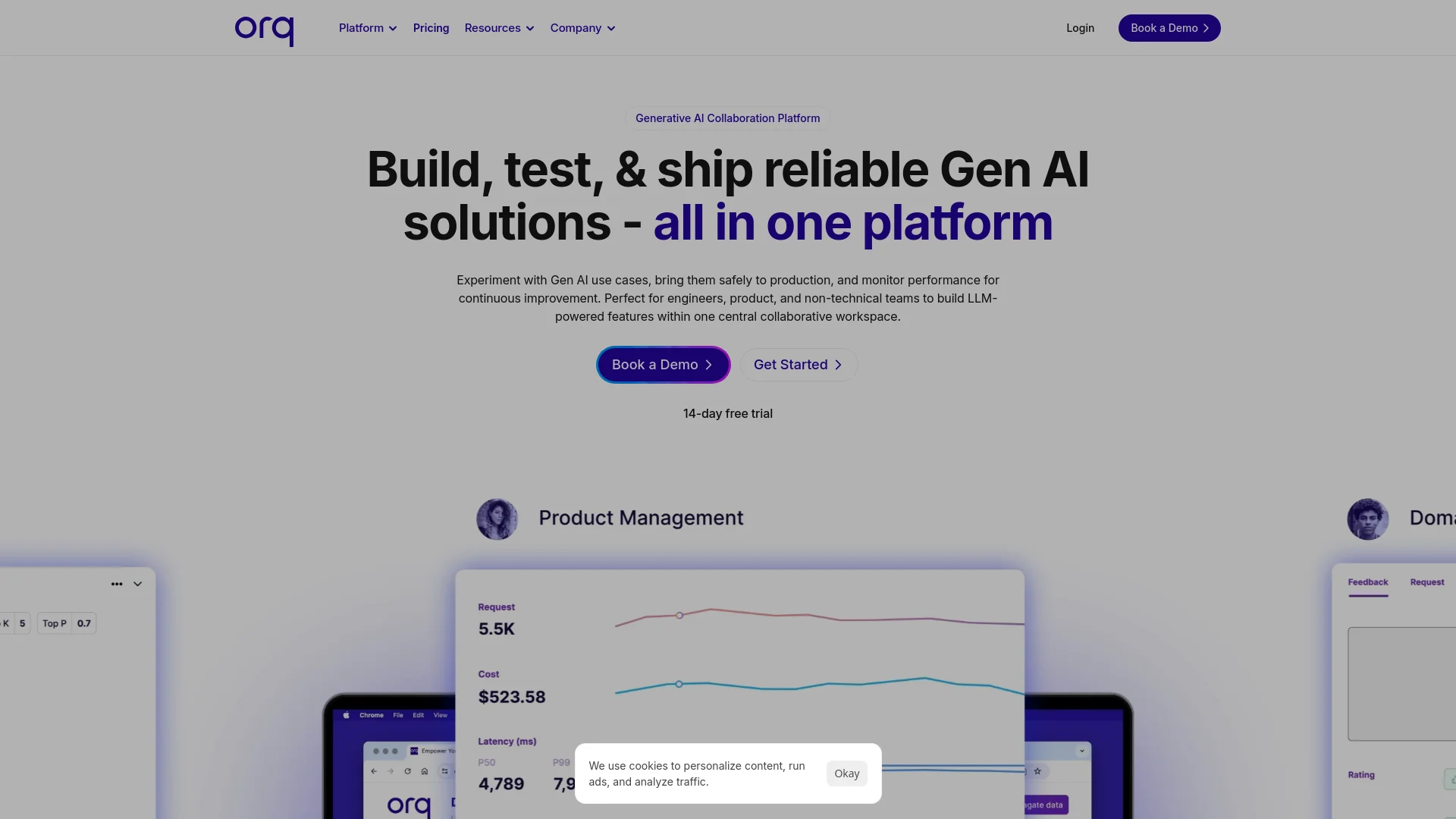
Orq.ai is a state-of-the-art Generative AI Collaboration Platform designed to transform the development and deployment of AI applications. Catering to businesses of all sizes, from startups to large enterprises, Orq.ai facilitates a smooth transition from ideation to production. It offers a collaborative workspace where domain experts, engineers, and product managers can experiment, develop, and optimize AI solutions effectively.
Orq.ai is distinguished by its holistic approach to AI application development, offering a comprehensive platform that supports the entire lifecycle—from ideation to deployment. Its focus on collaboration and accessibility allows a wider range of professionals to contribute to AI projects, setting it apart from other AI development tools.
Orq.ai stands out as a powerful, secure, and user-friendly platform for AI application development. Its emphasis on collaboration and generative AI capabilities makes it a valuable tool for businesses looking to innovate and enhance their operations through AI. The platform's ability to integrate with existing systems and its commitment to high standards of data security further enhance its appeal to a diverse range of users.
Who is Using Orq.ai?
Startups
Accelerating innovation by enabling rapid development and deployment of AI applications.
SaaS Providers
Integrating generative AI into their offerings to enhance their product features.
Large Enterprises
Leveraging AI solutions to transform business processes and improve efficiency.
Educational Institutions
Using the platform for research and teaching advanced AI concepts.
Uncommon Use Cases
Non-profits adopting it for operational efficiency; healthcare providers utilizing it for patient data analysis.
Key Features
Rating Breakdown
Pricing Plans
Free Trial
- Explore the platform with a comprehensive free trial to assess its capabilities
Subscription Plans
- Offers flexible plans that scale according to user needs and organizational size
Which Orq.ai plan should you pick?
Start with Pay-as-you-go for self-serve development and included allowances; upgrade to Enterprise for SSO, RBAC, audit logs, VPC or on-premise deployment, and dedicated support.
Pay-as-you-go
Good for teams starting with AI Gateway, observability, agents, routing, and included usage allowances.
Enterprise
Good for organizations needing custom volumes, enterprise security, governance, private deployment, SLAs, and dedicated support.
Orq.ai Use Cases
Route models through one gateway
Connect applications to models from many providers through one OpenAI-compatible endpoint.
Outcome: Simpler model switching with centralized routing, cost controls, and observability.
Monitor production AI agents
Capture traces, costs, tokens, latency, errors, tools, retrieval, and evaluator results.
Outcome: Teams can diagnose failures and measure production performance.
Build retrieval-augmented agents
Use knowledge bases, parsing, chunking, hybrid search, reranking, and agentic retrieval.
Outcome: Agents can answer using organization-specific knowledge.
Govern coding assistants
Connect Claude Code, Cursor, Codex, and other coding assistants through Orq.ai.
Outcome: Coding-agent usage receives centralized routing, policy, cost, and audit controls.
Automate event-driven deployments
Configure webhooks to send events and trigger selected deployments.
Outcome: AI workflows can respond automatically to external or platform events.
Workflow Ideas with Orq.ai
Route and observe an LLM request
- 1Create an Orq.ai API key
- 2Point an OpenAI-compatible client to the Orq.ai router
- 3Inspect traces, tokens, latency, and cost in the workspace
Create a document-grounded agent
- 1Upload or ingest documents into a knowledge base
- 2Configure an agent with retrieval and a supported model
- 3Invoke the agent through the API and review its traces
Automate a deployment with webhooks
- 1Create a webhook and provide an HTTP endpoint
- 2Select all events or specific deployments
- 3Process the resulting event payload in your application
How Orq.ai fits into your stack
API Access
Robust API options for custom integrations with other systems.
Cloud-Based Solutions
Operates seamlessly with various cloud services, providing flexibility and scalability.
Data Import and Export Capabilities
Facilitates smooth data interchange with popular formats and platforms.
Real-Time Collaboration Tools
Integrates with existing corporate communication tools to enhance team productivity.
Pros
- +Enhanced Productivity: Streamlines the process from AI concept to deployment, significantly reducing development time.
- +User Empowerment: Enables non-engineers to actively participate in AI development, broadening access to advanced AI tools.
- +Scalability: Accommodates businesses of all sizes, offering scalable solutions that grow with user needs.
- +Continuous Innovation: Regular updates and new features keep users at the forefront of AI technology.
Cons
- −Learning Curve: New users might need time to familiarize themselves with the platform's extensive features.
- −Resource Intensity: Advanced features may require substantial computational resources, which could be a consideration for smaller setups.
- −Limited Localized Support: Primarily optimized for English-speaking users, which might present challenges in non-English speaking regions.
Limitations & when to consider alternatives
Known limitations
- Direct file attachments have a 10 MB limit. The documentation states that supported PDF, TXT, DOCX, CSV, and XLS attachments are limited to 10 MB.
- Direct file attachment extracts raw data only. The documented attachment workflow does not extract images or other embedded objects.
- Encrypted files are unsupported. Encrypted files cannot be processed through the documented direct-attachment workflow.
- Pay-as-you-go API rate limit. The pricing page lists a 100 requests-per-minute API rate limit for Pay-as-you-go.
- MCP Gateway availability. The official MCP Gateway page states that the gateway is in final testing and offers early access.
Look elsewhere when
- You need a native mobile app.
- You need a native desktop application.
- You need a browser extension.
How to Use Orq.ai
- 1
Orq.ai offers a range of tutorials and learning resources on its dedicated platform and YouTube channel, covering everything from basic setup to advanced feature utilization.
Who is Orq.ai For?
CTOs, Heads of AI, and VP Engineering
Orq.ai provides a shared workspace, AI Gateway, observability, evaluations, and governance for shipping AI systems.
CIOs and Chief AI Officers
Control Tower provides organization-wide visibility into agents, costs, performance, and AI initiatives.
CISOs
Security controls include encryption, SSO, audit capabilities, guardrails, retention controls, and compliance support.
AI engineering teams
Developers can use APIs, SDKs, integrations, coding assistants, routing, fallbacks, and observability.
Product and domain teams
Non-technical and product stakeholders can collaborate on prompts, agents, evaluations, and shared AI assets.
Frequently Asked Questions
What is Orq.ai?
Orq.ai is an AI gateway and collaboration platform for routing models, managing agents, observing requests, and governing AI workloads.
Does Orq.ai offer a free tier?
Yes. Pay-as-you-go starts free with included spans, processed data, agent runs, and BYOK request allowances.
Can Orq.ai connect to multiple model providers?
Yes. The AI Router provides one OpenAI-compatible endpoint for models from more than 30 providers.
Can teams collaborate in Orq.ai?
Yes. Workspaces support multiple roles, project access, shared libraries, and team-level permissions.
Does Orq.ai support enterprise deployment?
Enterprise customers can use VPC or on-premise deployment options, including air-gapped environments.
Does Orq.ai train models on customer data?
Orq.ai states that prompts, outputs, and traces are not used to train models; curated datasets can separately support fine-tuning workflows.
Community reviews
Be the first to share your experience.
Sign in to leave a review for Orq.ai.
Orq.ai Alternatives
Looking for alternatives to Orq.ai? Here are similar tools in the same category:
Learn to Master Orq.ai
With Skill Leap courses
Get in-depth training on Orq.ai and 50+ other AI tools with our expert-led video courses.
Start 7-Day Free Trial