Orygo AI
Online store conversations that carry shoppers from product advice into order support.
Key Takeaways
- What it is
- Online store conversations that carry shoppers from product advice into order support.
- Pricing
- $0.11 per reply
- Best for
- Sales and support in one conversation
- Natural-language procedures
- Commerce tools
- Rating
- 4.3/5
What is Orygo AI?
Orygo AI helps online stores answer shoppers, recommend products, and handle customer support through chat and messaging channels. Its agent can search a store’s catalog, add products to a cart, and respond to order questions using connected store data. Orygo’s team sets up and trains the agent on a business’s products, policies, and brand voice, so it is built for companies that want managed AI customer service and sales.
A shopper can get product advice, place an order, and ask about that order in the same conversation. Orygo carries the context from the sale into post-purchase support, while handing cases to a person when they need human judgment.
Orygo is aimed at online retailers and other businesses that sell through digital channels, especially teams handling both product questions and order support. It is less suited to people looking for a self-serve chatbot or a free standalone AI tool, since the service is managed and charges per AI reply.
Who is Using Orygo AI?
Ecommerce managers
Sales analytics help them track orders attributed to the chat and test changes to the agent.
Customer support leads
Resolution reports and Watchtower flags help them find conversations that need review.
Customer service agents
The shared inbox assigns escalated conversations and provides summaries of earlier exchanges.
Merchandising and product teams
Catalog search, product details, and comparisons help shoppers find the right items.
Uncommon Use Cases
Recover abandoned checkouts through WhatsApp; prompt repeat orders based on past purchases.
Key Features
Rating Breakdown
Pricing Plans
Pay per reply
$0.11 per reply
- Converted from €0.10 per reply; the vendor does not list USD pricing.
- The vendor says volume pricing steps down through €0.09 and €0.08 to €0.07 per reply.
- Converted volume rates are about $0.10, $0.09, and $0.08 per reply.
- No seat, platform, or setup fee; helpdesk, analytics, integrations, and a dedicated AI engineer are included.
Which Orygo AI plan should you pick?
Orygo has usage-based pricing rather than named subscription plans, so estimate reply volume before deciding whether its managed sales and support setup fits your budget.
Pay per reply
For online businesses that want a managed AI agent and whose expected conversation volume can be budgeted by reply.
Orygo AI Use Cases
Product discovery
Shoppers who need tailored advice can compare products, explore similar items, or get recommendations in chat.
Outcome: A guided path from product questions to a prepared cart.
Order and return support
Common post-purchase requests, including tracking, cancellations, returns, and refunds, can follow business procedures.
Outcome: Routine requests can be handled by the agent, with cases escalated when needed.
Abandoned checkout recovery
A proactive mission can contact shoppers who left checkout and handle their replies on WhatsApp.
Outcome: A chance to recover a sale or learn why the shopper left.
Existing helpdesk support
When a person needs to take over, the conversation can be routed to the team or an integrated helpdesk.
Outcome: Staff receive a tagged, assigned conversation with a summary.
Agent performance testing
Teams can compare two versions of an agent and measure differences in sales, resolutions, and errors.
Outcome: A measured basis for choosing which version to keep.
Workflow Ideas with Orygo AI
Answer a product question and prepare a cart
- 1Connect the store catalog and enable the relevant product tools.
- 2Set instructions for product questions and recommendations.
- 3Test the conversation in the Playground, then launch the agent on the store.
Collect details for a damaged-item case
- 1Write a procedure that asks for the order number, email, and damage photos.
- 2Set the agent to escalate the case after it has collected the required details.
- 3Review escalations in the inbox or connected helpdesk.
Recover an abandoned checkout
- 1Connect Shopify and WhatsApp for the mission.
- 2Set the mission’s goal, instructions, and tools.
- 3Review replies and the revenue attributed to the mission.
How Orygo AI fits into your stack
Storefront chat
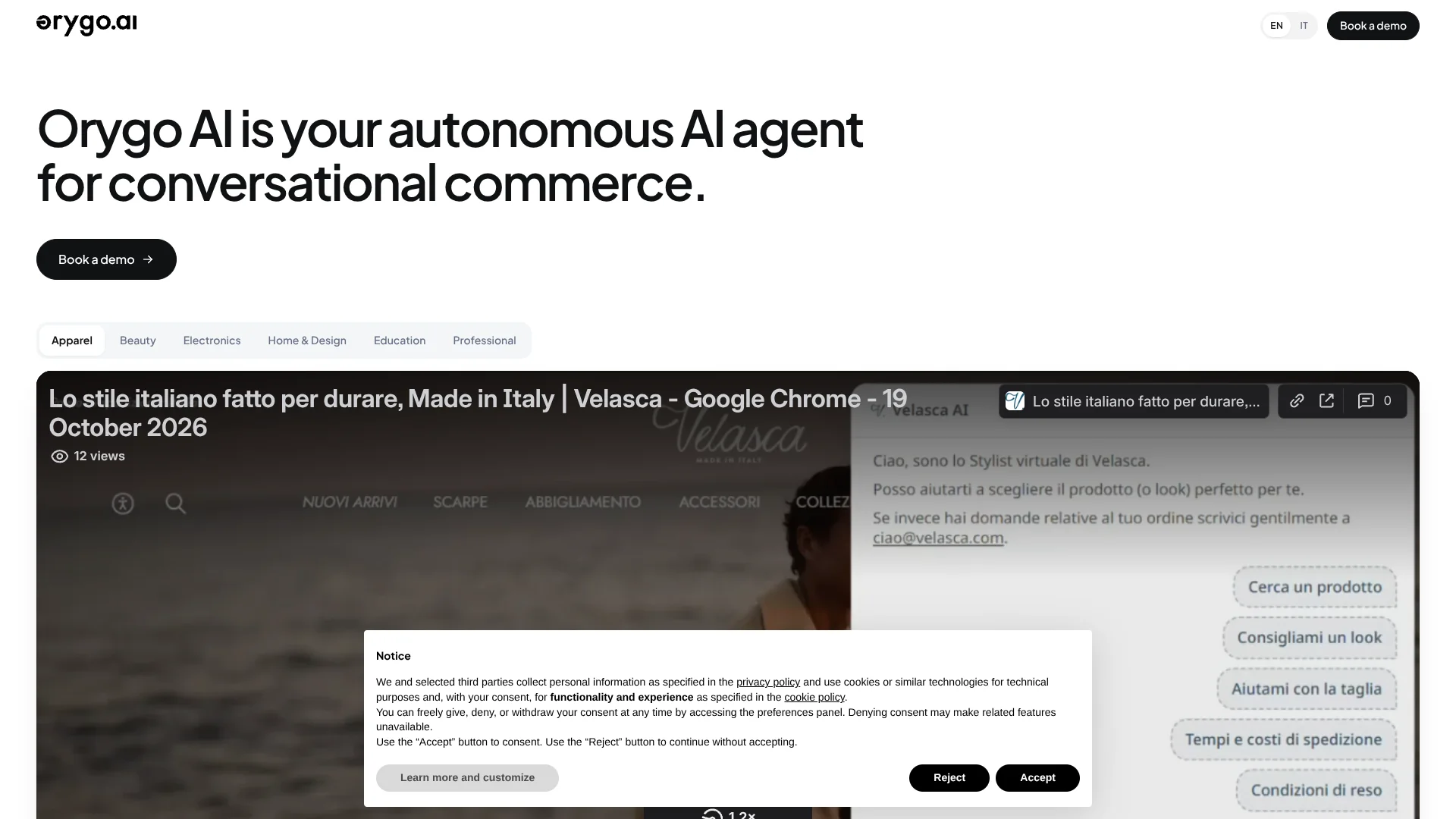
The customizable chat widget can answer catalog questions, recommend products, and prepare carts. Its appearance can be tailored to the brand.
Commerce and customer data
Connections to platforms such as Shopify, WooCommerce, and Magento let the agent use live product and order information.
Helpdesk and messaging
Orygo includes a team inbox and can hand conversations to tools such as Zendesk, Freshdesk, Intercom, and Gorgias.
Analytics and testing
Sales attribution, resolution reports, cost logs, and A/B tests help teams evaluate how the agent performs.
Custom actions
Custom tools can call other systems through a webhook, allowing the agent to trigger actions beyond its built-in tools.
Pros
- +Shared sales and support context: Shoppers can move from product questions to order help in one conversation.
- +Managed implementation: A dedicated AI engineer connects channels, trains the agent, and tests it before launch.
- +Usage-based pricing: There is no seat, platform, or setup fee, and the cost log tracks each AI reply.
- +Existing helpdesk connections: Conversations can be handed over to services such as Zendesk, Freshdesk, Intercom, and Gorgias.
Cons
- −Per-reply costs: The bill grows with AI conversation volume, so costs may be less predictable than a flat subscription.
- −Managed setup: Businesses looking to build and launch a chatbot entirely on their own may prefer a self-serve product.
Limitations & when to consider alternatives
Known limitations
- Helpdesk flow mode. The site says the flow mode supports working on up to three live chats at once.
- Chat interface languages. The site says the chat interface supports up to 10 languages.
Look elsewhere when
- You need a free standalone chatbot rather than a service billed per AI reply.
- Your team needs a self-serve setup with no vendor-led implementation.
- You need a native mobile or desktop app.
How to Use Orygo AI
- 1
Connect your store and channels
Choose the commerce platform and customer channels the agent should work with.
- 2
Prepare the agent’s knowledge
Provide the catalog, policies, FAQs, and examples of the questions customers ask.
- 3
Set instructions and procedures
Describe the brand voice and the steps the agent should follow for sales and support tasks.
- 4
Test before launch
Try customer conversations in the Playground and inspect the agent’s actions and replies.
- 5
Review results and escalations
Use the analytics and inbox to track sales, resolutions, costs, and conversations that need a person.
Who is Orygo AI For?
Ecommerce businesses
Product search, recommendations, cart actions, and order support are designed for online stores.
Travel and consumer services
The agent can manage bookings and subscriptions as well as customer questions.
Customer support teams
The helpdesk inbox, conversation summaries, and human handoff help staff manage cases the AI cannot finish.
Online sales teams
Product comparisons, bundles, and cart creation support shoppers who need advice before buying.
Frequently Asked Questions
How does Orygo AI charge?
The vendor charges per AI reply, starting at €0.10 and decreasing with volume to €0.07. Helpdesk, analytics, integrations, and implementation are included without a separate fee.
Does Orygo AI include a helpdesk?
Yes. It includes an inbox with live chat, email, WhatsApp, Instagram, and Messenger, or it can hand conversations to an existing helpdesk.
Which platforms does it connect to?
Named connections include Shopify, WooCommerce, Magento, HubSpot, Zendesk, Freshdesk, Intercom, Gorgias, Slack, and Google Analytics.
Does it support multiple languages?
The site says the agent replies in customers’ languages and the chat interface supports up to 10 languages.
How long does setup take?
Orygo says its team can take the agent live in two to three working days after connecting the store and channels, preparing its knowledge, and testing it.
Community reviews
1 review from people who use Orygo AI.
Sign in to leave a review for Orygo AI.
Giulia Bao
Orygo AI Alternatives
Looking for alternatives to Orygo AI? Here are similar tools in the same category: