
Otter.ai
Automates meeting notes with real-time transcription.
Key Takeaways
- What it is
- Automates meeting notes with real-time transcription.
- Pricing
- Freemium · $16.99 per month per user · $30 per month per user. Unlocks 6,000 monthly transcription minutes (4 hours per conversation)
- Best for
- AI Meeting Agent
- Real-Time Transcription
- Automated Summaries
- Rating
- 4.5/5
What is Otter.ai?
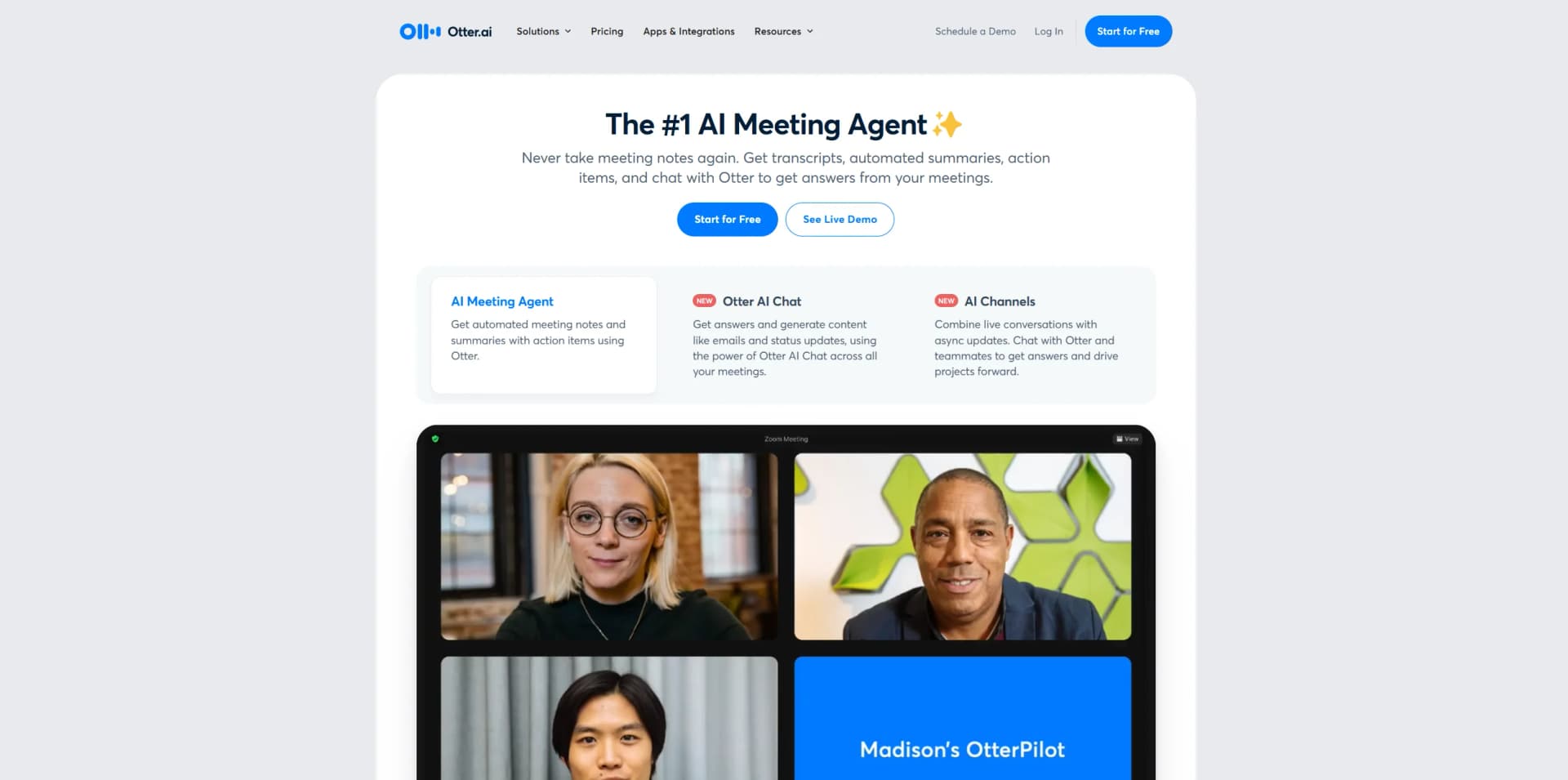
Otter.ai is an innovative AI-powered tool designed to transform how meetings are documented and analyzed. It offers real-time transcription and automated note-taking capabilities, making it a powerful asset for businesses, educators, and media professionals. With its advanced AI Meeting Agent suite, Otter.ai simplifies the often tedious task of capturing meeting details, ensuring no information is missed and everyone stays informed.
Otter.ai stands out with its comprehensive AI Meeting Agent, a revolutionary feature that automates the entire process of meeting documentation. This tool's ability to integrate seamlessly with numerous platforms and provide real-time transcription and summaries sets it apart as a leader in meeting management solutions.
Otter.ai offers a robust solution for anyone seeking to enhance meeting productivity and efficiency. Its AI-driven capabilities not only save time but also ensure that no critical detail is overlooked. Whether you're in sales, business, education, or a less common field like healthcare or legal services, Otter.ai provides a versatile and reliable tool to elevate your meeting experience.
Who is Using Otter.ai?
Sales Teams
Utilizing Otter for extracting sales insights, drafting follow-up emails, and integrating call notes into CRM platforms.
Business Professionals
Empowering teams to engage more effectively in meetings with real-time notes and action items.
Marketing Teams
Automating the assignment of action items in cross-functional meetings to maintain alignment.
Education Sector
Providing real-time captions and notes for lectures and meetings, aiding both faculty and students.
Uncommon Use Cases
Adopted by healthcare professionals for transcribing patient consultations; Used by legal firms for documenting client meetings.
Key Features
Rating Breakdown
Pricing Plans
Basic
Free
- Includes 300 transcription minutes (30 minutes per conversation), real-time meeting summaries in English, French, or Spanish, Otter AI Chat, and Zoom/Meet integration for automatic note-taking
Pro
$16.99 per month per user
- Includes 1,200 monthly transcription minutes (90 minutes per conversation), advanced search and playback, team collaboration features, and import support for up to 10 audio/video files each month
Business
$30 per month per user. Unlocks 6,000 monthly transcription minutes (4 hours per conversation)
- Admin insights
- Priority support
- Unlimited file imports
- Connects up to 3 concurrent meetings for live transcription
Enterprise
- Designed for organizations needing SSO
- Deployment controls
- Domain capture
- OtterPilot for Sales
- Video replay
- Advanced security. Requires scheduling a demo for access
Which Otter.ai plan should you pick?
Start with Basic for occasional meeting transcription; upgrade to Pro for higher individual limits and integrations, Business for team administration and collaboration, or Enterprise for SSO, custom integrations, API access, and advanced controls.
Basic
Good for individuals and small teams who need free meeting transcription, AI Chat, mobile apps, and limited file imports.
Pro
Good for individuals and small teams who need 1,200 recording minutes, longer meetings, unlimited storage, advanced exports, and Salesforce, HubSpot, or Zapier integrations.
Business
Good for medium-sized teams who need unlimited meetings and file imports, custom AI workflows, concurrent meeting support, and enhanced administration.
Enterprise
Good for large teams and companies that need SSO, SCIM, domain capture, custom integrations, API and webhooks, enterprise controls, or HIPAA compliance.
Otter.ai Use Cases
Automated meeting notes
Record Zoom, Google Meet, Microsoft Teams, or in-person conversations and generate transcripts, summaries, takeaways, and action items.
Outcome: Meeting information becomes searchable and shareable without manual note-taking.
Sales call intelligence
Capture sales calls, identify objections and buying signals, draft follow-up emails, and sync insights to Salesforce or HubSpot.
Outcome: Sales representatives receive CRM-ready notes and clearer next steps.
Lecture and study support
Transcribe classes, highlight concepts, generate summaries and study questions, and repurpose notes into flashcards.
Outcome: Students can review searchable course knowledge and prepare more efficiently.
Interview transcription
Transcribe interviews, search for quotes, extract key insights, and create structured summaries or article drafts.
Outcome: Journalists spend less time transcribing and more time developing stories.
Recruiting interviews
Capture interviews, identify skills and keywords, summarize candidate strengths and concerns, and share centralized notes with hiring teams.
Outcome: Recruiters and hiring managers can make more informed, collaborative decisions.
Workflow Ideas with Otter.ai
Automatically document calendar meetings
- 1Connect Google Calendar, Microsoft Outlook, or iOS Calendar to Otter.
- 2Schedule Otter Notetaker to automatically join supported meetings.
- 3Review and share the generated transcript, summary, slides, and action items.
Send meeting outputs to business tools
- 1Connect Otter to Zapier or a supported CRM, project-management, or collaboration tool.
- 2Trigger an export when a transcript or summary is ready.
- 3Send transcripts, summaries, insights, or action items to the connected destination.
Process an existing recording
- 1Upload a supported audio or video file from desktop or mobile.
- 2Wait for Otter to process the file and generate transcription and AI meeting notes.
- 3Edit, search, export, or share the resulting conversation.
How Otter.ai fits into your stack
Browser
Otter operates as a web application for recording, transcribing, searching, editing, and sharing meeting conversations. Its Chrome extension adds live transcription, summaries, and AI chat directly to browser audio and meetings.
Team chat and tickets
Otter Workspaces let teams share and collaboratively edit conversations, add comments, assign action items, and manage channels. The official integrations page also documents real-time updates to Slack.
Knowledge and files
Otter stores searchable conversation notes and supports importing audio/video files. Dropbox can automatically send files to Otter for transcription and synchronization.
Automation and APIs
Enterprise workspaces can use the Public API, API keys, endpoints, and webhooks to retrieve transcripts and trigger downstream workflows. Pro also lists Zapier integrations, while Enterprise supports custom CRM and dialer integrations.
Pros
- +Time Efficiency: Significantly reduces time spent on manual note-taking, allowing users to focus more on the meeting content.
- +Enhanced Collaboration: By automatically sharing notes and summaries, it keeps all team members aligned and informed.
- +Increased Productivity: Automates the assignment of action items, streamlining project management tasks.
- +Versatile Applications: Suitable for a wide range of users, from corporate teams to educational institutions, enhancing meeting productivity across various sectors.
Cons
- −Initial Learning Curve: New users may need time to fully utilize all advanced features.
- −Limited Offline Functionality: Requires internet connectivity for most of its features to function effectively.
Limitations & when to consider alternatives
Known limitations
- Basic plan usage limits. The Basic plan provides 300 transcription minutes per month, limits each transcription to 30 minutes, allows three lifetime file imports, and shows only the 25 most recent conversations.
- Imported file size limit. Imported audio or video files can be up to 5 GB and must use a supported format.
- Language selection. Otter can transcribe only one selected language at a time, although it can switch between French and English when configured for French.
- Chrome extension compatibility. The Chrome extension requires Chrome and supports meeting links associated with Zoom or Google Meet; Microsoft Teams and Webex meeting links are not supported by the extension.
- Desktop operating systems. The dedicated desktop app is available for macOS 12.3 or later and Windows 10 or later; a Linux desktop application is not documented.
Look elsewhere when
- You need image analysis rather than image attachment.
- You need programming-code generation or editing.
- You need fine-tuning or model-weight training on your own data.
How to Use Otter.ai
- 1
Create an Otter account
Sign up for a free Basic account to access the web app, mobile apps, and core transcription features.
- 2
Connect your calendar
Connect Google Calendar, Microsoft Outlook, or iOS Calendar so Otter can identify and automatically join scheduled meetings.
- 3
Record or import a conversation
Start a live recording, use Otter Notetaker, or upload a supported audio or video file for transcription.
- 4
Review AI-generated notes
Open the processed conversation to review the transcript, summary, outline, takeaways, action items, and captured slides.
- 5
Collaborate with teammates
Share the conversation with people or Channels, then add comments, highlights, images, and assigned tasks.
- 6
Export or automate follow-up
Use supported integrations, Zapier, webhooks, or the Enterprise API to send transcripts, summaries, insights, and action items to other systems.
Who is Otter.ai For?
Sales teams
Sales Notetaker captures calls, generates sales insights and follow-ups, and syncs notes with CRM platforms.
Education
Education Notetaker turns lectures and discussions into searchable notes, summaries, study questions, and study materials.
Media professionals
Media Notetaker helps journalists transcribe interviews, extract quotes, summarize conversations, and draft story material.
SDR teams
Otter provides meeting capture, sales insights, follow-up drafting, and CRM-ready outputs for sales development workflows.
Recruiters
Recruiting Agent captures interviews, summarizes candidates, identifies keywords, drafts feedback, and centralizes notes for hiring teams.
Frequently Asked Questions
What does Otter's free plan include?
The Basic plan is free and includes 300 monthly transcription minutes, three lifetime audio/video imports, live transcription, speaker identification, AI Chat, and iOS and Android apps.
Which languages does Otter support?
Otter supports transcription in English, Spanish, French, German, Japanese, and Simplified Chinese. Otter Chat can also answer questions and translate conversations into other languages.
Can Otter import existing recordings?
Yes. Users can upload supported audio or video files from a computer or mobile device for automatic transcription, summaries, action items, and outlines.
Does Otter offer a public API?
Yes. Otter's documented Public API uses bearer-token API keys and exposes endpoints for conversations, transcripts, audio, action items, insights, outlines, channels, and workspace data. It is available for Enterprise workspaces.
Can Otter transcribe Zoom, Google Meet, and Microsoft Teams meetings?
Yes. Otter Notetaker can automatically join supported calendar meetings, record them, generate notes, capture slides, and send summaries.
Does Otter have a desktop application?
Yes. Otter provides downloadable Mac and Windows desktop applications with botless recording, meeting reminders, automatic recording, and headphone support.
Community reviews
1 review from people who use Otter.ai.
Sign in to leave a review for Otter.ai.
Thibault BM
Otter.ai Alternatives
Looking for alternatives to Otter.ai? Here are similar tools in the same category:
Learn to Master Otter.ai
With Skill Leap courses
Get in-depth training on Otter.ai and 50+ other AI tools with our expert-led video courses.
Start 7-Day Free Trial